Introduction
This manual provides comprehensive instructions for the safe and efficient operation and maintenance of your Acekool YC-120B-A Dual Zone Wine and Beverage Refrigerator. Please read this manual thoroughly before installation and use, and retain it for future reference.

Figure 1: Acekool YC-120B-A Dual Zone Wine and Beverage Refrigerator.
Key Features:
- Dual Zone, Dual Temperature Control: The left beverage zone offers 35°F-50°F for sodas, beer, water, and juices. The right wine zone features 41°F-64°F for optimal storage and serving of red, white, and rosé wines.
- Flavor Preservation: Equipped with a built-in deodorizing activated charcoal filter to reduce odors and maintain a fresh interior. Soft blue LED lights illuminate contents without affecting flavor or label integrity.
- Generous Capacity: A 24-inch unit accommodating up to 20 standard Bordeaux wine bottles and 55 standard 12 oz/330 ml canned beverages.
- Quiet Operation: Features an upgraded silent compressor designed for superior performance, vibration damping, and quiet cooling.
- Versatile Installation: Measures 23.4 x 34.2 x 22.6 inches, suitable for both built-in and freestanding applications. Includes modern digital touch controls and a French-inspired design.
Safety Information
To ensure safe operation, please adhere to the following guidelines:
- Read all instructions before using the appliance.
- Do not touch cold surfaces with wet or damp hands.
- Ensure the appliance is properly grounded.
- Keep ventilation openings clear of obstruction.
- Do not use mechanical devices or other means to accelerate the defrosting process.
- Do not damage the refrigerant circuit.
- Do not use electrical appliances inside the storage compartments unless they are of the type recommended by the manufacturer.
- This appliance is not intended for use by persons (including children) with reduced physical, sensory or mental capabilities, or lack of experience and knowledge, unless they have been given supervision or instruction concerning use of the appliance by a person responsible for their safety.
- Children should be supervised to ensure that they do not play with the appliance.
- The appliance is equipped with a child safety lock. Keep keys out of reach of children.
Video 1: Demonstration of the safety lock mechanism. This feature helps prevent unauthorized access, particularly important in households with children.
Setup
Unpacking and Placement:
- Remove all packaging materials, including the foam base and adhesive tape.
- Clean the interior and exterior of the appliance with a soft cloth and mild detergent.
- Place the refrigerator on a flat, stable surface away from direct sunlight, heat sources, and excessive moisture. Ensure adequate ventilation around the unit.
- Allow the appliance to stand upright for at least 24 hours before plugging it in to allow the refrigerant to settle.
Installation:
The Acekool YC-120B-A is designed for both freestanding and built-in installation. Its front ventilation system allows for seamless integration into cabinetry.
- Adjustable Feet: The unit features adjustable feet to ensure it is level. Rotate the feet clockwise or counter-clockwise to raise or lower the unit.
- Handle Installation: The stainless steel handle may require attachment. Secure it using the provided screws and tools.
Operating Instructions
Powering On and Temperature Adjustment:
The refrigerator features dual temperature zones, each with independent digital touch controls located at the top of the interior.
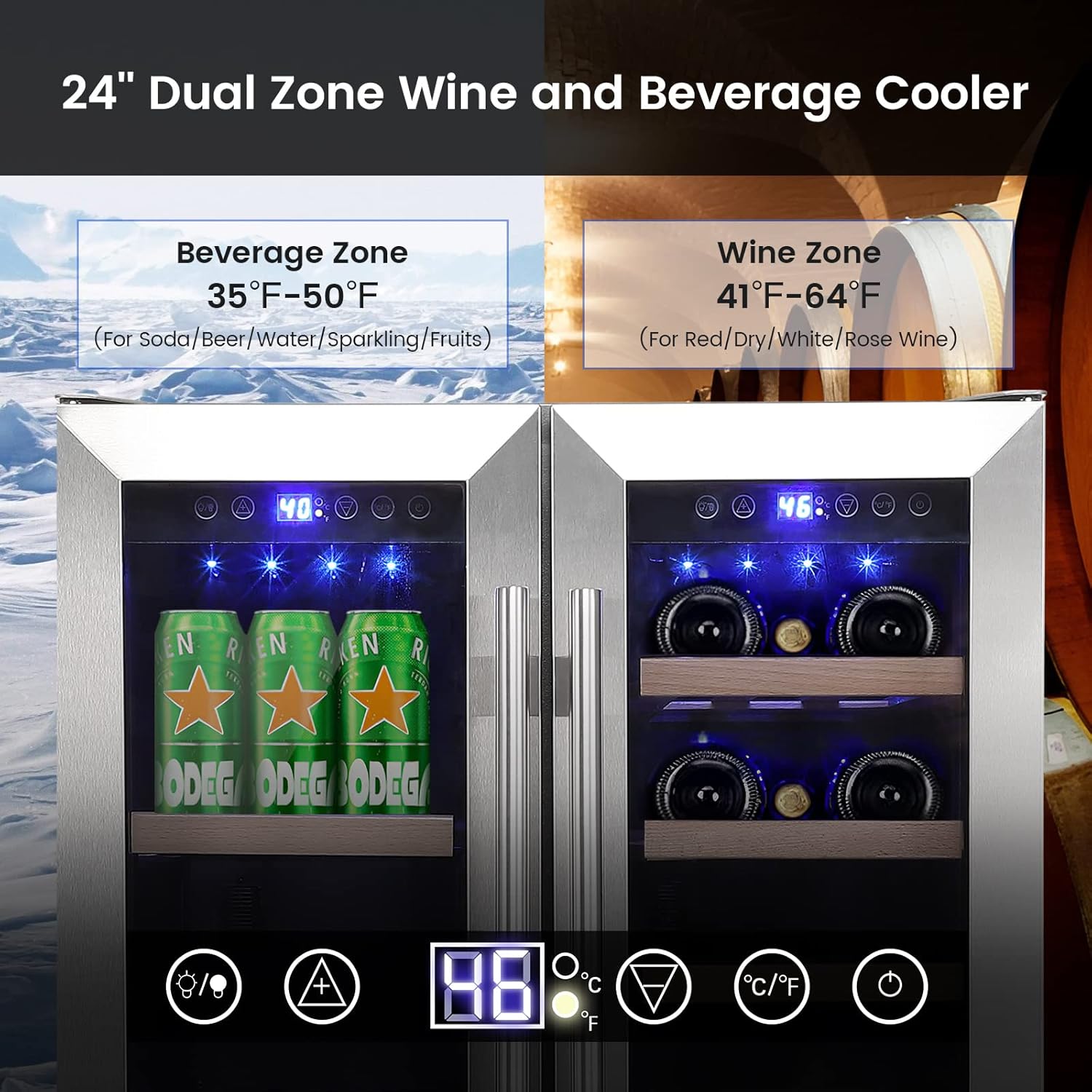
Figure 2: Digital touch controls for dual temperature zones.
- Plug the appliance into a grounded electrical outlet.
- Press the power button (usually indicated by a circle with a vertical line) to turn on the unit.
- Use the up and down arrow buttons to adjust the desired temperature for each zone. The beverage zone (left) ranges from 35°F-50°F, and the wine zone (right) ranges from 41°F-64°F.
- The display will show the set temperature, then revert to showing the actual internal temperature.
LED Interior Lighting:
The refrigerator is equipped with soft blue LED interior lights to illuminate your collection.
- Press the light bulb icon on the control panel to turn the interior lights on or off.
Loading Capacity:
The unit is designed to maximize storage while maintaining optimal conditions.
- The beverage zone can hold up to 55 standard 12 oz/330 ml cans.
- The wine zone can store up to 20 standard Bordeaux wine bottles.
- The wooden shelves are removable, allowing for customization to accommodate larger bottles or different beverage types.
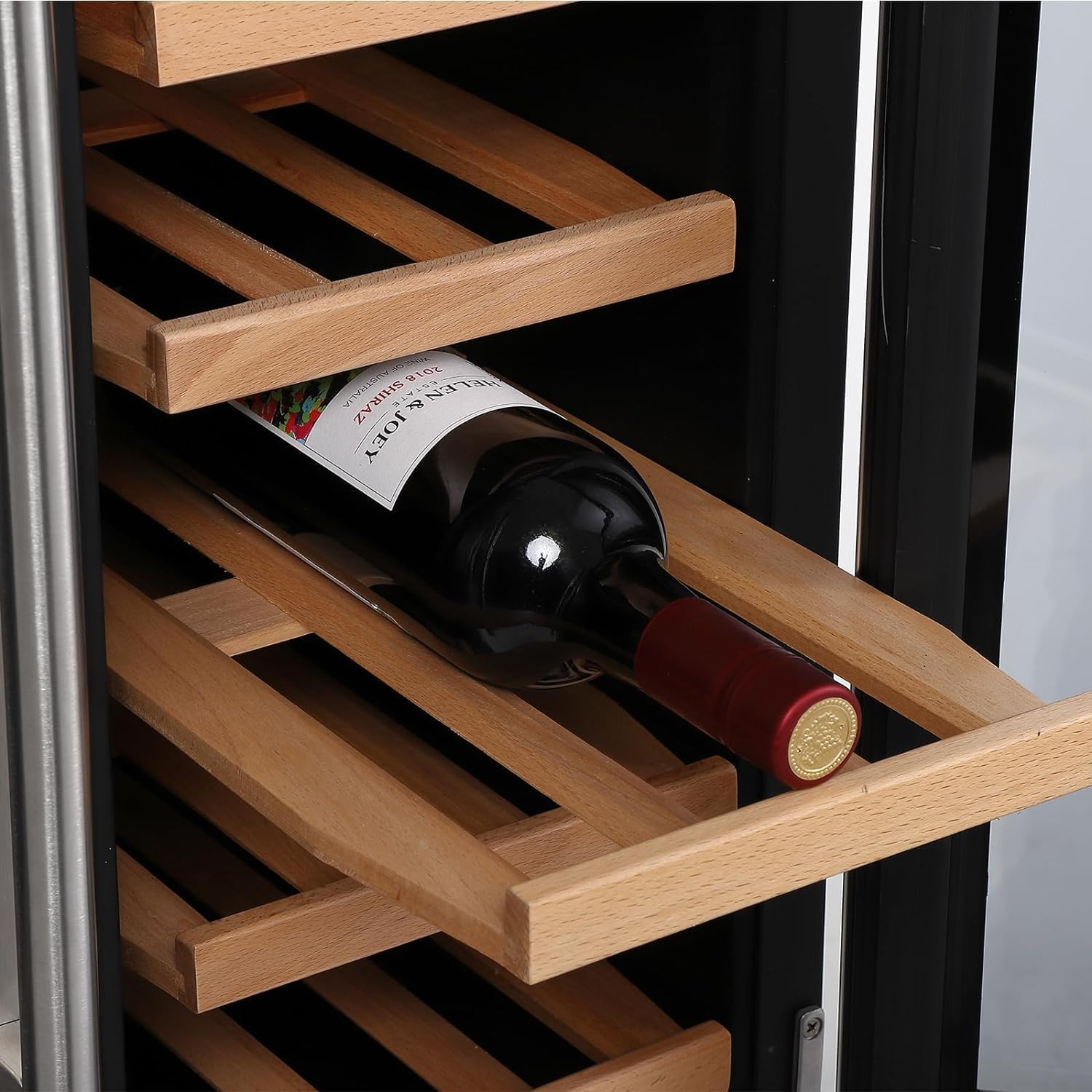
Figure 3: Detail of a wine bottle on a wooden shelf.
Video 2: Overview of the Acekool Dual Zone Wine and Beverage Refrigerator, showcasing its interior, dual temperature zones, and sliding wooden shelves for wine bottles.
Maintenance
Cleaning:
- Always unplug the appliance before cleaning.
- Clean the interior with a mild detergent and warm water. Avoid abrasive cleaners.
- Wipe down the exterior with a soft, damp cloth. For stainless steel surfaces, use a stainless steel cleaner.
- Ensure the activated charcoal filter is replaced periodically to maintain odor-free storage.

Figure 4: Activated charcoal filter for odor reduction.
Power Outage:
In case of a power outage, minimize opening the doors to maintain the internal temperature for as long as possible.
Troubleshooting
If you experience issues with your refrigerator, consult the following common problems and solutions:
- Appliance does not operate: Check if the power cord is properly plugged in and if there is power to the outlet. Ensure the power button is pressed.
- Temperature is not cold enough: Verify that the temperature settings are correct for each zone. Ensure the doors are fully closed and not frequently opened. Check for proper ventilation around the unit.
- Excessive noise: Ensure the appliance is level and not touching any walls or cabinets. Check if the fan is obstructed.
- Condensation inside: This can occur due to high humidity or frequent door openings. Ensure the door seal is intact and the doors are closed properly.
For persistent issues, please contact Acekool customer support.
Specifications
| Feature | Detail |
|---|---|
| Brand Name | Acekool |
| Model Info | YC-120B-A |
| Item Weight | 97 pounds |
| Product Dimensions | 23.4 x 34.2 x 22.6 inches |
| Capacity | 120 Liters |
| Annual Energy Consumption | 365 Kilowatt Hours Per Year |
| Installation Type | Freestanding |
| Part Number | YC-150B-A |
| Form Factor | Wine Cellar |
| Special Features | Door Lock, LED Display, Large Capacity, Low Noise, Touch Control |
| Color | Silver |
| Voltage | 110 |
| Racks | 7 |
| Crispers/Drawers | 6 |
| Defrost | Automatic |
| Door Hinges | Right |
| Door Material Type | Glass |
| Shelves | 7 |
| Number Of Doors | 2 |
| Defrost System | Automatic |
What's in the Box
The following items are included with your Acekool YC-120B-A Dual Zone Wine and Beverage Refrigerator:
- 6 Wood Shelves
- Stainless Steel Handle
- 2 Keys
- Instruction Manual (this document)
Warranty and Support
For warranty information and customer support, please refer to the documentation included with your purchase or visit the official Acekool website. Keep your purchase receipt for warranty claims.


