
1. Introduction
This manual provides detailed instructions for the installation, operation, and maintenance of your NEOHIPO AK45 Stereo Receiver & Amplifier. Please read this manual thoroughly before using the product to ensure proper function and to maximize your audio experience.

Image 1.1: NEOHIPO AK45 Stereo Receiver & Amplifier with included remote control.
2. What's in the Box
Upon opening the package, please verify that all items listed below are present and in good condition:
- AK45 Bluetooth Amplifier x1
- User Manual x1
- Remote Control x1
- FM Antenna Cable x1
- Power Cable x1

Image 2.1: Packaging contents for the NEOHIPO AK45, showing the amplifier, remote control, user manual, FM antenna cable, and power cable.
3. Product Overview and Controls
Familiarize yourself with the front and rear panels of the AK45 amplifier to understand its various inputs, outputs, and controls.

Image 3.1: Front and rear panel layout of the AK45 amplifier, indicating the function of each button, knob, and port.
Front Panel Controls:
- Power Switch: Turns the unit on or off.
- USB Jack: For USB drive input.
- SD Card Slot: For SD/MMC card input.
- Digital Display: Shows current mode and track information.
- Mode Switch: Cycles through input modes (Bluetooth, FM, USB, SD, RCA).
- Previous/Next Song: Navigates tracks in USB/SD mode.
- Play/Pause: Controls playback in USB/SD/Bluetooth mode.
- Song Loop: Repeats current track or playlist.
- Treble Control: Adjusts high-frequency audio output.
- Bass Control: Adjusts low-frequency audio output.
- Mic Volume Control: Adjusts microphone input volume.
- Mic Jacks (MIC1, MIC2): 1/4" inputs for microphones.
- Total Volume Control: Adjusts overall audio output volume.
Rear Panel Connections:
- FM Antenna: Connects to the included FM antenna for radio reception.
- Audio Input (RCA): Connects to external audio sources (e.g., CD player, TV) via RCA cables.
- Speakers Output: Connects to passive speakers (4-16 ohms impedance).
- DC 12V Power Input: Alternative power input.
- AC 90-230V Power Input: Connects to standard AC power outlet using the provided power cable.
4. Setup Instructions
4.1 Connecting Speakers
- Ensure the AK45 amplifier is powered off.
- Connect your passive speakers to the "SPEAKERS OUTPUT" terminals on the rear panel. Ensure correct polarity (red to red, black to black). The amplifier supports speakers with an impedance of 4-16 ohms.
4.2 Connecting Audio Sources
The AK45 supports multiple input sources:
- RCA Input: Connect devices like CD players, DVD players, or TVs using RCA audio cables to the "AUDIO INPUT" ports.
- USB/SD Card: Insert a USB drive or SD card into the respective slots on the front panel.
- Microphones: Plug 1/4" microphones into the MIC1 or MIC2 jacks for karaoke functionality.
- FM Antenna: Connect the included FM antenna cable to the "FM ANT" port for radio reception.

Image 4.1: Input connections to the AK45 amplifier, illustrating how to connect USB drives, SD cards, smartphones (via Bluetooth), and microphones.

Image 4.2: Rear panel connections of the AK45 amplifier, detailing connections for FM antenna, speakers, TV, CD player, and DVD player.
4.3 Power Connection
- Connect the provided power cable to the "AC 90-230V Power Input" on the rear panel.
- Plug the other end of the power cable into a standard AC power outlet.
5. Operating Instructions
5.1 Powering On/Off
Press the "POWER" switch on the front panel to turn the amplifier on or off.
5.2 Selecting Input Mode
Press the "MODE" button on the front panel or the remote control to cycle through available input sources: Bluetooth, FM Radio, USB, SD Card, and RCA Input.

Image 5.1: The AK45 amplifier supports multiple devices and input types, including FM radio, SD cards, USB drives, CD/DVD/TV connections, and Bluetooth.
5.3 Bluetooth Operation
- Select "Bluetooth" mode using the "MODE" button. The digital display will show "BLUE".
- On your smartphone, tablet, or other Bluetooth device, search for "AK45" in the Bluetooth settings and pair.
- Once paired, you can stream audio wirelessly to the amplifier.
- Maintain a distance of within 30 feet (10 meters) without significant obstructions for optimal Bluetooth connection. For TV or PC connections, keep the distance within 15 feet (5 meters).

Image 5.2: Bluetooth 5.0 connectivity of the AK45 amplifier, demonstrating wireless audio streaming from a smartphone with a range of up to 30 feet (10 meters).
5.4 USB/SD Card Playback
- Insert a USB drive or SD card containing MP3 audio files into the corresponding slot.
- The amplifier will automatically switch to USB or SD mode and begin playback. If not, select the mode manually.
- Use the "Previous Song", "Next Song", and "Play/Pause" buttons on the front panel or remote to control playback.
5.5 FM Radio Operation
- Ensure the FM antenna is properly connected.
- Select "FM" mode using the "MODE" button.
- Use the remote control to scan for stations or manually tune.
5.6 Adjusting Audio
- Volume: Rotate the large "VOLUME" knob to adjust the overall sound level.
- Bass/Treble: Use the "BASS" and "TREBLE" knobs to fine-tune the low and high frequencies of the audio.
- Microphone Volume: Adjust the "MIC VOL" knob to control the volume of connected microphones.
5.7 Karaoke Function
Connect one or two microphones to the MIC1 and MIC2 jacks. Adjust the microphone volume using the "MIC VOL" knob. The amplifier is suitable for karaoke use in various settings.

Image 5.3: The AK45 amplifier supports karaoke, allowing users to connect microphones for vocal performances.
6. Specifications
| Feature | Specification |
|---|---|
| Model Number | AK45 |
| Brand | NEOHIPO |
| Peak Power Output | 300W + 300W |
| Rated Power Output | 40W + 40W |
| Speaker Impedance | 4-16 Ohms |
| Connectivity Technology | Auxiliary, Bluetooth 5.0, RCA, USB |
| Input Sources | RCA, 1/4" Microphone (x2), USB, SD Card, FM Radio |
| Audio Output Mode | Stereo (2 Channel) |
| Bluetooth Range | Up to 30 feet (10 meters) unobstructed; 15 feet (5 meters) for TV/PC |
| Special Features | Built-In Bluetooth, Compact Design, Volume/Bass/Treble Control, Karaoke Function |
| Product Dimensions | 7.1"D x 5.5"W x 2.5"H (18.03 cm x 13.97 cm x 6.35 cm) |
| Item Weight | 860g (approx. 1.9 lbs) |
| Color | Black |
7. Maintenance
To ensure the longevity and optimal performance of your NEOHIPO AK45 amplifier, follow these maintenance guidelines:
- Cleaning: Use a soft, dry cloth to wipe the exterior of the unit. Avoid using liquid cleaners or solvents, as they may damage the finish or internal components.
- Ventilation: Ensure the amplifier has adequate ventilation. Do not block the ventilation openings on the top or sides of the unit. Avoid placing it in enclosed spaces that can trap heat.
- Storage: When not in use for extended periods, store the amplifier in a cool, dry place away from direct sunlight and extreme temperatures.
- Power: Disconnect the power cable from the wall outlet during electrical storms or when the unit is left unattended for long periods.
8. Troubleshooting
If you encounter issues with your AK45 amplifier, refer to the following common problems and solutions:
| Problem | Possible Cause | Solution |
|---|---|---|
| No power | Power cable not connected; Power outlet not working | Ensure power cable is securely connected to both the amplifier and a working power outlet. |
| No sound output | Incorrect input mode selected; Speakers not connected properly; Volume too low; Mute activated | Select the correct input mode. Check speaker connections and polarity. Increase volume. Ensure unit is not muted. |
| Poor FM radio reception | Antenna not properly connected or positioned; Electromagnetic interference | Check if the FM antenna is securely connected and fully extended. Adjust its position for better signal. Move electronic devices (e.g., mobile phones, chargers) away from the amplifier to reduce interference. |
| Bluetooth connection issues | Device out of range; Interference; Not in pairing mode | Ensure your device is within 30 feet (10 meters) of the amplifier (15 feet/5 meters for TV/PC). Reduce obstructions. Ensure the amplifier is in Bluetooth mode and your device is searching for it. |
| Loud 'pop' sound on power-up | Normal operational characteristic for some amplifiers | This may be a normal characteristic. Ensure speakers are connected correctly. |
| FM volume too high/distorted on startup | High gain in FM mode | Quickly adjust the volume knob down when powering on if starting in FM mode. Adjust FM volume carefully. |
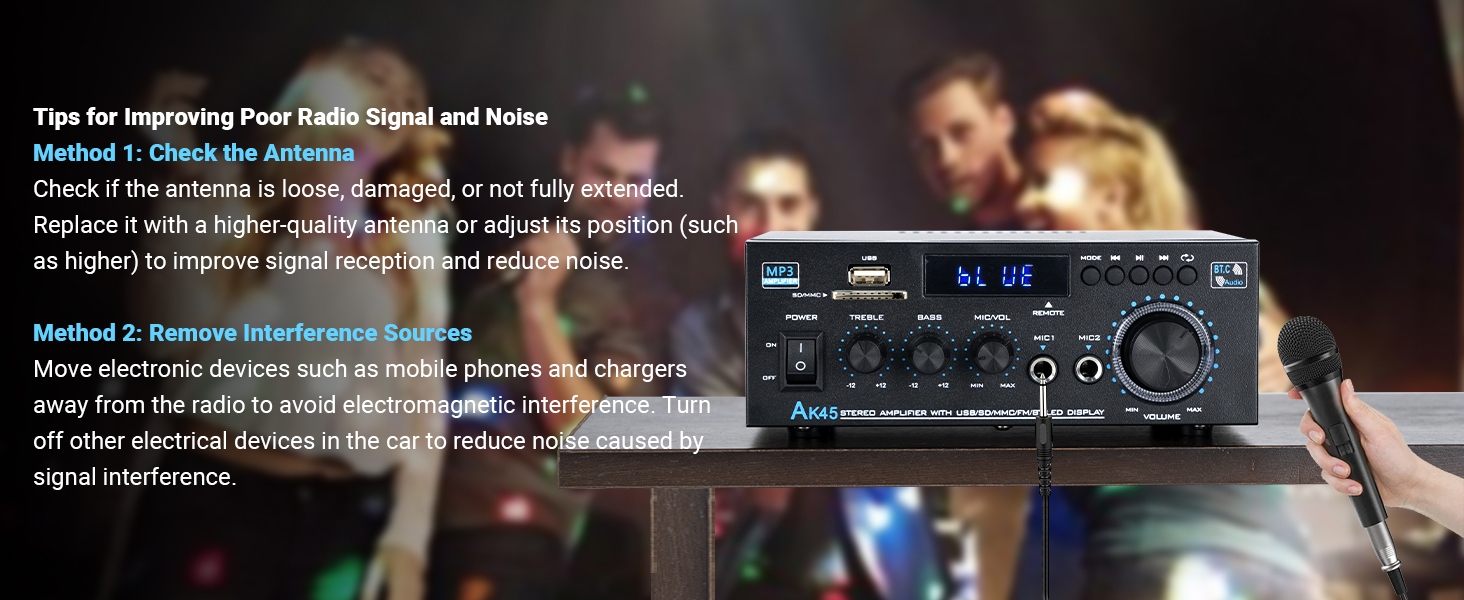
Image 8.1: Guidelines for improving FM radio signal reception and reducing noise, emphasizing antenna checks and minimizing electromagnetic interference.
9. Warranty and Support
The NEOHIPO AK45 Stereo Receiver & Amplifier comes with a 1-year warranty from the date of purchase. This warranty covers manufacturing defects and ensures reliable operation under normal use.
For technical assistance, warranty claims, or any product-related inquiries, please contact NEOHIPO customer service. Refer to the contact information provided on the product packaging or the official NEOHIPO website.


