
1. Introduction
This user manual provides comprehensive instructions for the Hoxida Rechargeable Magnetic LED Flashlight, Model 006. This versatile flashlight is designed for various applications, offering multiple lighting modes, a magnetic base, and a zoomable beam. Please read this manual thoroughly before using the product to ensure safe and efficient operation.
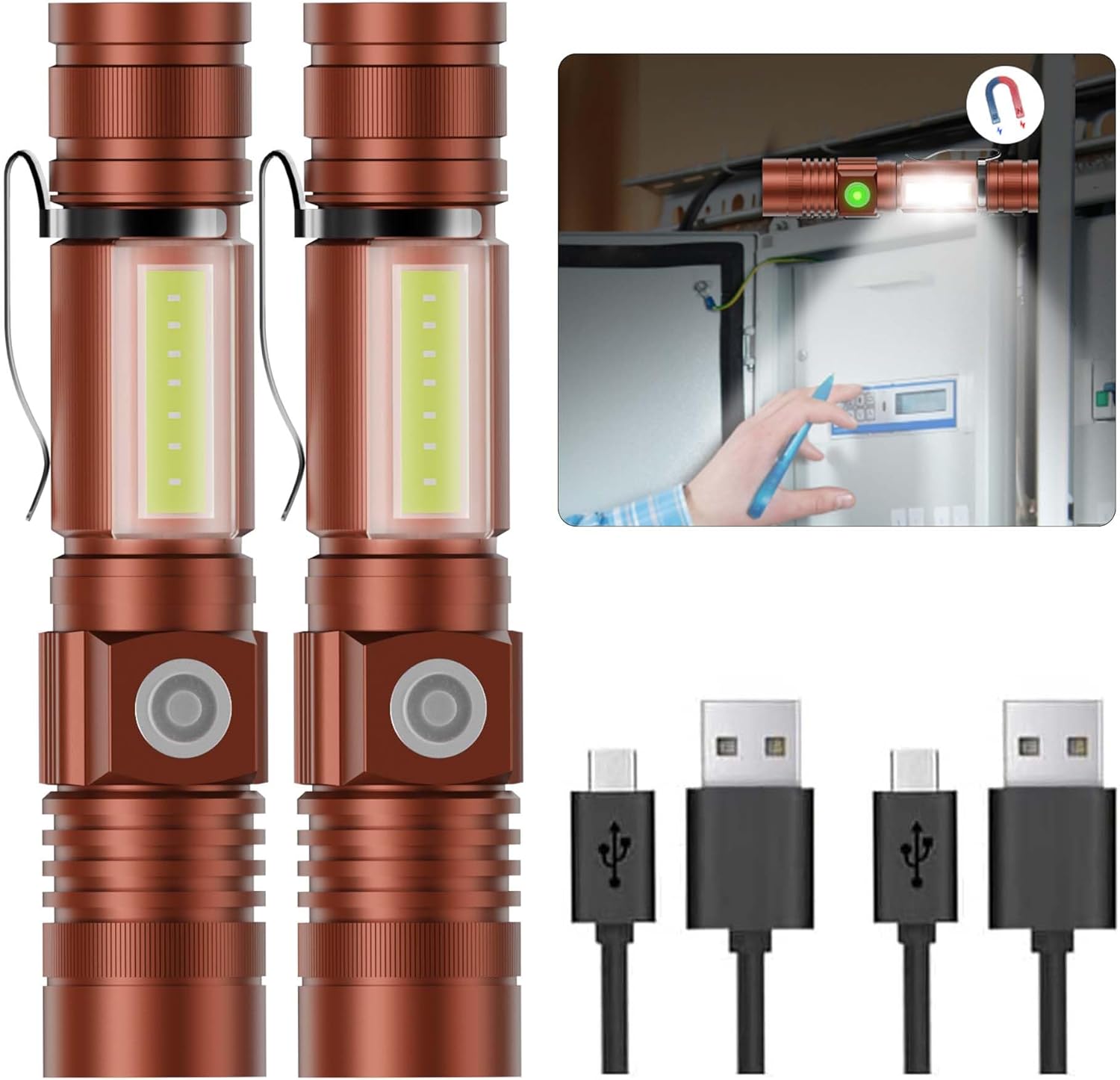
Image: Two Hoxida Rechargeable Magnetic LED Flashlights with included USB charging cables.
2. Package Contents
Upon unpacking, please ensure all items listed below are present:
- 2x Magnetic LED Flashlight
- 2x Micro USB Cable
- 1x User Manual
3. Product Features
- Super Bright LED: Delivers high output illumination with a beam distance up to 600 feet.
- Multiple Lighting Modes: Features High, Low, Strobe, SOS, and COB Sidelight modes to suit various needs.
- USB Rechargeable: Equipped with a USB charging port for convenient recharging in approximately 3 hours.
- Magnetic Base & COB Sidelight: Strong magnetic base allows attachment to metal surfaces for hands-free operation, complemented by a COB sidelight for broad area illumination.
- Water Resistant & Zoomable: IPX6 waterproof rating for use in rainy or snowy conditions (not submersible). Adjustable zoom function transitions from floodlight to spotlight.
- Compact & Portable: Lightweight and pocket-sized (5.46 inches in length) with a pocket clip for easy carrying.
- Smart One-Key Off Function: Long-press the power button for 2 seconds to directly turn off the flashlight from any mode.

Image: The flashlight's versatility in different usage scenarios.
4. Setup
4.1. Initial Charging
Before first use, fully charge the flashlight. Connect the provided Micro USB cable to the flashlight's charging port and to any standard USB power source (e.g., wall adapter, computer, power bank). The charging indicator light will show the charging status (e.g., red for charging, green for fully charged).

Image: Flashlight connected for USB charging, illustrating indicator lights.
5. Operating Instructions
5.1. Power On/Off & Mode Selection
Press the power button to turn on the flashlight. Subsequent presses will cycle through the main light modes: High Brightness → Low Brightness → Strobe. To turn off the flashlight from any mode, long-press the power button for approximately 2 seconds.
5.2. COB Sidelight Activation
To activate the COB sidelight, double-press the power button. Subsequent presses will cycle through the COB sidelight modes: COB Sidelight (White) → COB SOS (Red Flashing). To turn off the COB sidelight, long-press the power button for approximately 2 seconds.
5.3. Zoom Function
The flashlight features an adjustable zoom function. Gently pull the head of the flashlight outwards to narrow the beam into a spotlight, or push it inwards to widen the beam into a floodlight.

Image: The zoomable feature, transitioning from floodlight to spotlight.
5.4. Magnetic Base Usage
The flashlight is equipped with a strong magnetic base. This allows you to attach the flashlight to any ferrous metal surface, providing hands-free illumination for tasks such as car repair, working in tight spaces, or during power outages.

Image: Magnetic base in use, providing hands-free illumination.
6. Charging
To charge the flashlight, lift the protective rubber cover on the side to reveal the Micro USB port. Insert the provided Micro USB cable into the port and connect the other end to a compatible USB power source. The indicator light on the flashlight will illuminate red during charging and turn green when fully charged. The flashlight features overcharge protection, automatically stopping charging once the battery is full.
7. Maintenance
- Cleaning: Wipe the flashlight with a soft, damp cloth. Do not use abrasive cleaners or solvents.
- Water Resistance: The flashlight has an IPX6 water-resistant rating, meaning it is protected against powerful water jets. It is suitable for use in rain or snow but should not be submerged in water. Ensure the USB port cover is securely closed to maintain water resistance.
- Storage: Store the flashlight in a cool, dry place when not in use. If storing for extended periods, charge the battery every 3-6 months to prolong its lifespan.
8. Troubleshooting
- Flashlight not turning on: Ensure the battery is charged. If the battery is removable, check that it is inserted correctly.
- Flashlight not charging: Verify that the USB cable is securely connected to both the flashlight and the power source. Try a different USB cable or power source.
- Dim light output: The battery may be low. Recharge the flashlight.
- Zoom function is stiff: Clean any debris from the zoom mechanism. Apply a small amount of silicone grease if necessary.
9. Specifications
| Feature | Detail |
|---|---|
| Material | Aluminum Alloy |
| Light Source Type | LED |
| Power Source | Battery Powered (Lithium Ion) |
| Color | Brown |
| Brightness | 1500 Lumens (White) |
| Product Dimensions | 1"D x 0.5"W x 0.99"H |
| Item Weight | 3.36 Ounces |
| Water Resistance Level | IPX6 Waterproof |
| Special Features | Super Bright, COB Sidelight, Magnetic Base, Pocket-size, Adjustable Focus & Zoomable |
10. Warranty and Support
Hoxida provides an 18-month warranty for this product. For warranty claims, returns, or technical support, please contact Hoxida customer service through your original purchase platform. Please retain your proof of purchase for warranty validation.