
Netzu 6208D
Netzu Loud RGB Digital Alarm Clock User Manual
Model: 6208D
Introduction
Thank you for choosing the Netzu Loud RGB Digital Alarm Clock. This manual provides detailed instructions for setting up, operating, and maintaining your new alarm clock. Please read this manual thoroughly before use to ensure optimal performance and longevity of your device.
Product Features
- RGB Display: Customize and change colors for a personalized visual experience.
- Loud Alarm: Up to 115 decibels to ensure you never oversleep.
- Battery Backup: Maintains alarm settings during power outages (display not lit).
- Adjustable Brightness: 5 levels of display brightness, including an option to turn off the display.
- Dual Alarms: Set two separate alarms for different schedules.
- Snooze Function: Easy access snooze button for extra sleep.
- 12H/24H Time Format: Supports both standard and military time displays.
Package Contents
- Netzu Loud RGB Digital Alarm Clock x 1
- Power Cable x 1
- Power Adapter x 1
- User Manual x 1
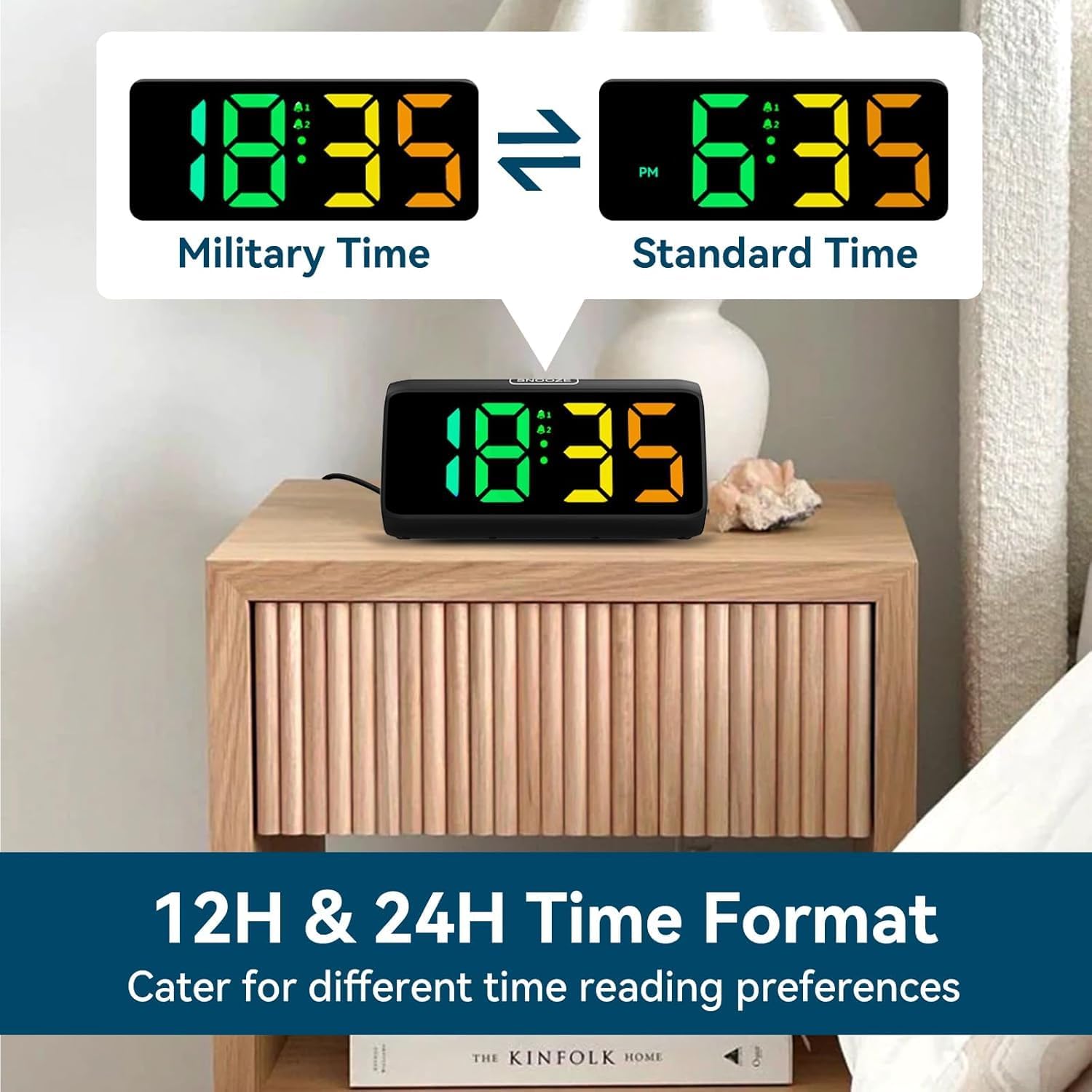
Image: Contents of the Netzu Loud RGB Digital Alarm Clock package.
Product Overview

Image: Front view of the Netzu Loud RGB Digital Alarm Clock.
Controls and Ports:
- SNOOZE Button: Located on top, for snoozing the alarm.
- SET / 12/24HR Button: Located on the side, for setting time and switching time format.
- Alarm 1 Button: Located on the side, for setting and activating Alarm 1.
- Alarm 2 Button: Located on the side, for setting and activating Alarm 2.
- Brightness Button: Located on the side, for adjusting display brightness.
- Volume Button: Located on the side, for adjusting alarm volume.
- DC 5V Port: Power input port.
- Battery Compartment: For 2*AAA batteries (not included) for backup memory function.

Image: Side view of the alarm clock with control buttons clearly visible.
Setup
1. Power Connection:
Connect the provided power cable to the DC 5V port on the back of the alarm clock and plug the adapter into a standard wall outlet. The display will light up.

Image: Alarm clock connected to power via adapter and cable.
2. Battery Backup (Optional but Recommended):
For memory function during power outages, insert 2*AAA batteries (not included) into the battery compartment. This will preserve your time and alarm settings, though the display will not be lit during an outage.

Image: Battery compartment for backup power, illustrating power states.
Operating Instructions
1. Setting the Time:
- Press and hold the SET / 12/24HR button for 3 seconds to enter time setting mode. The hour digits will flash.
- Use the + and - buttons (located on the side) to adjust the hour.
- Press the SET / 12/24HR button again to confirm the hour and move to minute setting. The minute digits will flash.
- Use the + and - buttons to adjust the minutes.
- Press the SET / 12/24HR button one more time to confirm and exit time setting mode.
2. Switching 12H/24H Format:
While in normal time display mode, short press the SET / 12/24HR button to toggle between 12-hour (with AM/PM indicator) and 24-hour (military) time formats.

Image: Display showing both 12-hour and 24-hour time formats.
3. Setting Alarms (Alarm 1 and Alarm 2):
- Press the Alarm 1 button (or Alarm 2 button) to activate the alarm setting mode. The alarm hour digits will flash.
- Use the + and - buttons to adjust the alarm hour.
- Press the respective Alarm button again to confirm the hour and move to minute setting. The alarm minute digits will flash.
- Use the + and - buttons to adjust the alarm minutes.
- Press the respective Alarm button one more time to confirm and exit alarm setting mode. The alarm icon (bell 1 or bell 2) will appear on the display, indicating the alarm is active.
- To deactivate an alarm, press the corresponding Alarm button again. The alarm icon will disappear.
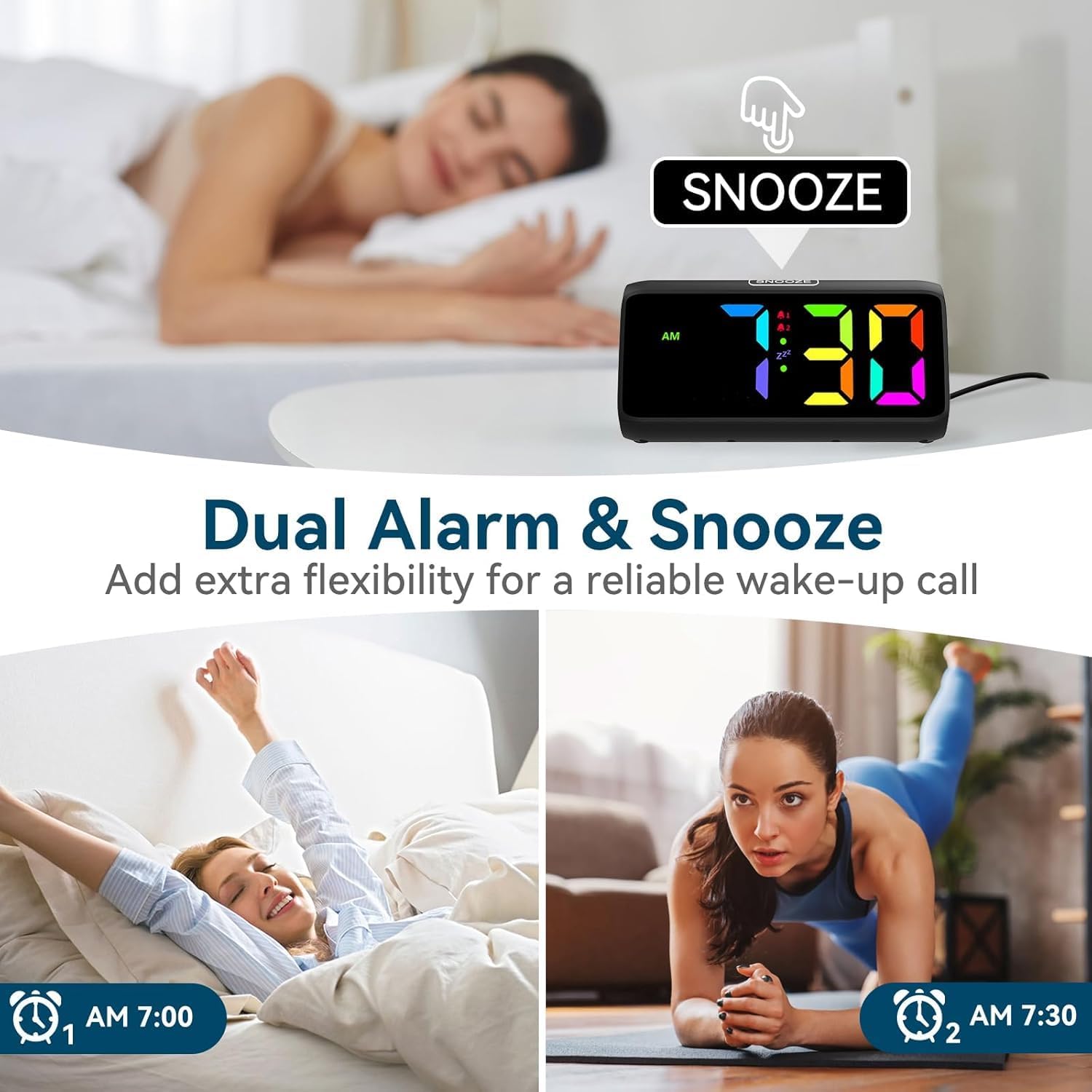
Image: Alarm clock showing dual alarm and snooze features.
4. Adjusting Alarm Volume:
While in normal time display mode, short press the Volume button (speaker icon) to cycle through 4 volume levels (85dB, 100dB, 105dB, 115dB). Select the desired loudness.

Image: Visual representation of the alarm's loudness levels.
5. Snooze Function:
When the alarm sounds, press the large SNOOZE button on top of the clock. The alarm will pause for 9 minutes and then sound again. To turn off the alarm completely, press any other button on the side.
Image: Snooze button on top of the alarm clock.
6. Adjusting Display Brightness:
While in normal time display mode, short press the Brightness button (sun icon) to cycle through 5 brightness levels (Lv.1 to Lv.4, and OFF). Choose the level that suits your preference.

Image: Display showing various brightness levels.
7. Changing RGB Colors:
The alarm clock features an RGB display allowing for color customization. Refer to the specific instructions in the included quick start guide for detailed steps on changing the display colors, as this feature is typically controlled by a dedicated button or sequence not explicitly detailed in the main product specifications.
Image: Examples of different RGB color displays.
Maintenance
- Cleaning: Wipe the clock with a soft, dry cloth. Do not use abrasive cleaners or solvents.
- Power: Always use the provided power adapter. Disconnect from power before cleaning or if not in use for extended periods.
- Environment: Keep the clock away from direct sunlight, extreme temperatures, and high humidity.
- Battery Replacement: Replace AAA backup batteries annually or when the clock fails to retain settings during a power interruption.
Troubleshooting
| Problem | Possible Cause | Solution |
|---|---|---|
| Display is off or dim. | Power not connected; brightness set to OFF or lowest level. | Ensure power adapter is securely plugged in. Press the Brightness button to increase brightness. |
| Alarm does not sound. | Alarm not activated; volume too low. | Check if the alarm icon is displayed. Press the Alarm button to activate. Press the Volume button to increase volume. |
| Time/settings lost after power outage. | No backup batteries; dead backup batteries. | Install 2*AAA batteries or replace old ones. |
| Buttons are unresponsive. | Temporary software glitch. | Unplug the power adapter, wait 10 seconds, then plug it back in to reset the device. |
Specifications
- Brand: Netzu
- Model: 6208D
- Color: Black
- Display Type: Digital
- Power Source: Corded Electric (DC 5V)
- Backup Battery: 2 x AAA (not included)
- Product Dimensions: 6.3"W x 2.9"H
- Alarm Volume: Up to 115dB (4 levels)
- Display Brightness: 5 levels (including OFF)
- Time Format: 12H / 24H
- Material: Acrylonitrile Butadiene Styrene (Plastic)
- Item Weight: 9.9 ounces (0.28 Kilograms)
Warranty and Support
Netzu products are designed for reliability and performance. For warranty information, technical support, or customer service inquiries, please refer to the contact details provided on the product packaging or visit the official Netzu store page. Please retain your purchase receipt for warranty claims.
Manufacturer: Netzu
Date First Available: February 26, 2024
Important Safety Information
- Do not expose the device to water or excessive moisture.
- Avoid dropping or subjecting the device to strong impacts.
- Do not attempt to disassemble or repair the device yourself. Contact qualified personnel for service.
- Keep out of reach of small children.
- Ensure proper ventilation around the device.
Ask a question about this manual
Ask about setup, troubleshooting, compatibility, parts, safety, or missing instructions. Manuals+ will review the question and use this page’s manual context to help answer it.