
HILEO HILEO hi77
HILEO Hi77 Open Ear Headphones User Manual
Model: Hi77
Introduction
Thank you for choosing the HILEO Hi77 Open Ear Headphones. These true air conduction wireless Bluetooth earbuds are designed for secured long-wearing comfort, making them ideal for sports and daily use. Featuring dual microphones and IPX5 water resistance, the Hi77 provides clear calls and immersive sound for both iPhone and Android devices.

This image displays the HILEO Hi77 Open Ear Headphones in a cloudy white color. The headphones feature an open-ear design with a flexible band connecting the two earpieces, which are designed to rest comfortably outside the ear canal.
Package Contents
Before you begin, please ensure all items are present in the package:
- HILEO Hi77 Open Ear Headphones x 1
- USB Charging Cable x 1
- User Manual x 1
Setup Guide
1. Charging the Headphones
For optimal performance, fully charge your Hi77 headphones before first use.
- Locate the USB Type-C charging port on the headphones.
- Connect the provided USB charging cable to the headphones and a compatible USB power source (e.g., computer USB port, wall adapter).
- The charging indicator light will illuminate. A full charge takes approximately 1.5 hours.
- Once fully charged, the indicator light will change or turn off, depending on the model. Disconnect the charging cable.
2. Pairing with Your Device
The HILEO Hi77 headphones use Bluetooth 5.4 for a stable and efficient connection up to 10 meters.
- Power On: Press and hold the power button on the headphones for 2 seconds until the indicator light flashes, indicating pairing mode.
- Activate Bluetooth: On your smartphone, tablet, or computer, go to the Bluetooth settings and ensure Bluetooth is enabled.
- Select Device: In the list of available Bluetooth devices, select "HILEO Hi77".
- Confirm Connection: Once connected, the headphones will provide an audio prompt, and the indicator light will stop flashing.
The Hi77 supports connecting to two devices simultaneously, allowing for seamless switching between them.

This image illustrates the HILEO Hi77 headphones' ability to connect to two devices simultaneously, such as two smartphones, allowing users to switch between audio sources easily.
Operating Instructions
1. Wearing the Headphones
The HILEO Hi77 features an open-ear design for comfort and situational awareness.
- Place the headphones over your ears so the speakers rest just outside your ear canal.
- The flexible band should sit comfortably behind your neck.
- The lightweight design (0.09 kg / 3.2 ounces) ensures comfort for extended wear, even during physical activities.
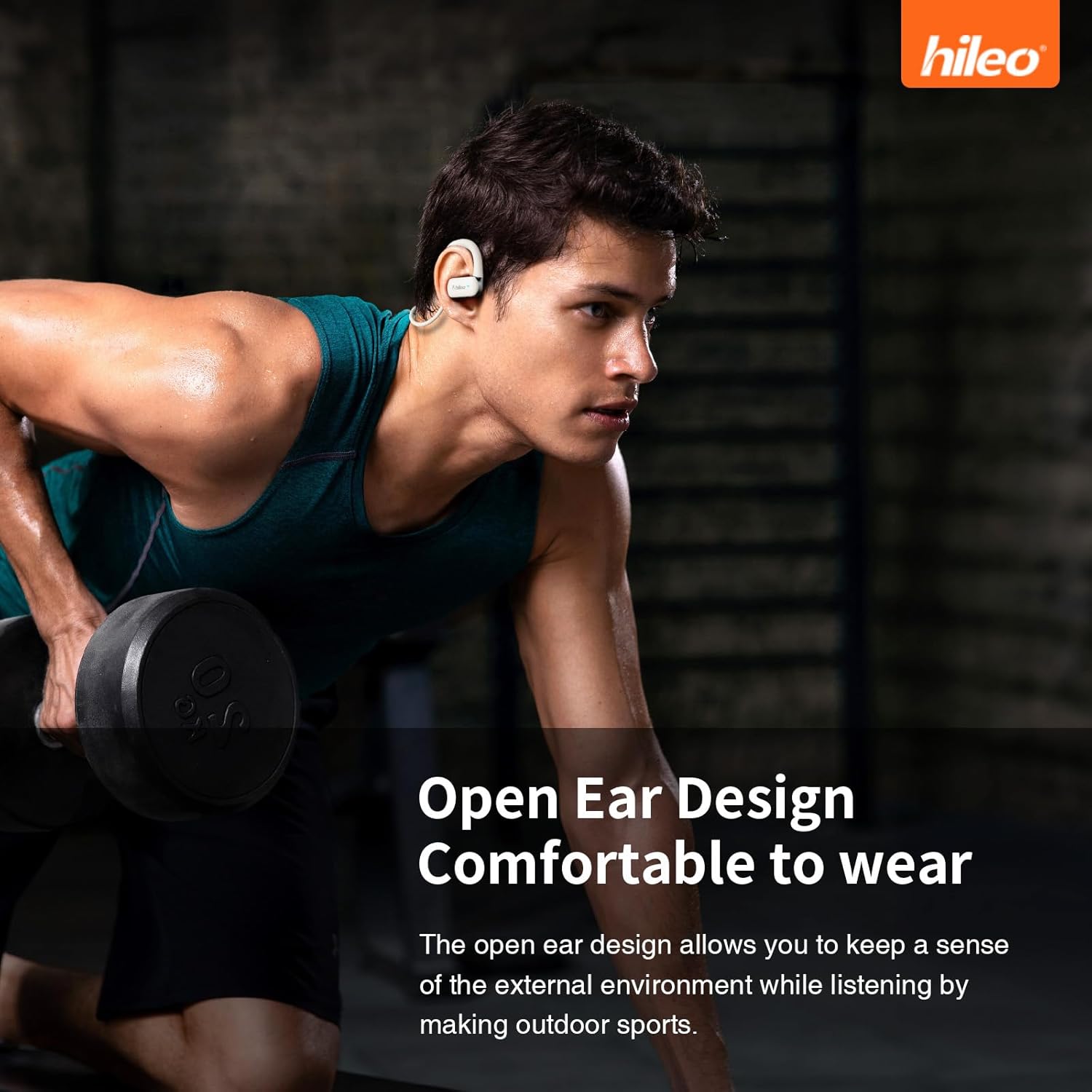
This image shows a man wearing the HILEO Hi77 Open Ear Headphones while working out, demonstrating the secure and comfortable fit of the open-ear design during physical activity.

This image depicts a woman running outdoors while wearing the HILEO Hi77 headphones, highlighting their stable and non-shifting fit during dynamic movements.
2. Touch Controls
The Hi77 headphones feature intuitive touch controls for easy management of audio and calls.
| Action | Gesture |
|---|---|
| Power ON | Touch and hold for 2 seconds |
| Power OFF | Touch and hold for 5 seconds |
| Play/Pause Music | Double Touch |
| Next Track | Triple Touch |
| Answer/Hang Up Call | Double Touch |
| Reject Incoming Call | Touch and hold for 2 seconds |
| Activate Voice Assistant | Touch and hold for 2 seconds |
| Game/Music Mode | Four Touch |

This image shows a woman interacting with the HILEO Hi77 headphones, accompanied by a visual guide detailing the various touch gestures for controlling music playback, calls, and voice assistant functions.
3. Audio Features
The Hi77 headphones deliver a rich audio experience with advanced technology.
- Dynamic Drivers: Equipped with 15mm dynamic drivers, the headphones provide powerful bass and crisp highs for an immersive sound experience.
- Frequency Response: The headphones offer a frequency response up to 20 KHz, capturing a wide range of audio details.
- Directional Sound Transmission (DT4.0): This technology automatically adjusts the propagation angle of the integrated sound beam by ±25°, ensuring sound is efficiently transmitted into the ear canal while effectively reducing sound leakage.
- ACS Panoramic Audio Matrix: Simulates a realistic 360° stereo surround sound field, creating an impression of sound existing in any direction in space.

This diagram illustrates the internal structure and function of the 15mm dynamic driver within the HILEO Hi77 headphones, highlighting its role in delivering powerful bass and high-quality sound.

This diagram visually explains the DT4.0 Directional Sound Transmission technology, showing how sound beams are directed into the ear canal to minimize leakage and optimize audio delivery.

This diagram illustrates the ACS Panoramic Audio Matrix, depicting how it creates a 360-degree stereo surround sound experience, making audio feel as if it originates from various directions.
4. Call Features
The Hi77 headphones are equipped with ENC noise-canceling technology for clear calls.
- ENC Noise Cancellation: Effectively suppresses background noise, ensuring your voice is clear and undistorted during calls.
- Ideal for professional use or in noisy environments.

This image presents a graph demonstrating the effectiveness of ENC (Environmental Noise Cancellation) technology in the HILEO Hi77 headphones, showing a significant reduction in background noise for clearer calls.
5. Water Resistance
The HILEO Hi77 headphones boast an IPX5 water resistance rating, making them suitable for various activities.
- IPX5 Water Resistance: Protects against sweat and light splashes, perfect for workouts, running, and outdoor activities.
- Multi-layer sealing technology resists invasion of sweat and rainwater.

This image shows a woman with sweat on her face while wearing the HILEO Hi77 headphones, illustrating their waterproof and sweatproof capabilities for active users.
6. Compatibility
The HILEO Hi77 headphones are fully compatible with a wide range of Bluetooth-enabled devices.
- Mobile phones (iOS, Android)
- Tablets
- Handheld gaming devices
- Computers (Windows, macOS)

This image displays a collection of various electronic devices, including smartphones, tablets, and a gaming console, to demonstrate the wide compatibility of the HILEO Hi77 headphones across different operating systems like iOS, Android, and Windows.
Maintenance
1. Cleaning
- Wipe the headphones with a soft, damp cloth.
- Do not use abrasive cleaners or solvents.
- Ensure the charging port is dry before charging.
2. Storage
- Store the headphones in a cool, dry place away from direct sunlight and extreme temperatures.
- Avoid placing heavy objects on the headphones.
Troubleshooting
| Problem | Possible Cause | Solution |
|---|---|---|
| Headphones not turning on | Low battery | Charge the headphones fully. |
| Cannot pair with device | Bluetooth not enabled on device; headphones not in pairing mode; too far from device | Ensure Bluetooth is on; put headphones in pairing mode (hold power for 2s); move closer to device (within 10m). |
| No sound or low volume | Volume too low on headphones or device; not properly connected | Increase volume on both headphones and device; re-pair the headphones. |
| Call quality issues | Environmental noise; weak signal | Ensure ENC is active; move to a quieter environment; ensure stable Bluetooth connection. |
Specifications
| Feature | Detail |
|---|---|
| Model Name | HILEO Hi77 |
| Connectivity Technology | Bluetooth, Wireless |
| Bluetooth Version | 5.4 |
| Bluetooth Range | 10 Meters |
| Headphones Jack | USB Type C |
| Charging Time | 1.5 Hours |
| Music Time | 6.5 Hours (approx.) |
| Talk Time | 5.5 Hours (approx.) |
| Water Resistance Level | IPX5 (Waterproof) |
| Control Method | Touch |
| Audio Driver Type | Dynamic Driver |
| Audio Driver Size | 15 Millimeters |
| Frequency Response | 20 KHz |
| Sensitivity | 127 dB |
| Impedance | 32 Ohm |
| Special Features | Adjustable Headband, Fast Charging, Microphone Included, Noise Cancellation (ENC), Sweatproof |
| Item Weight | 0.09 Kilograms (3.2 ounces) |
| Material | Plastic, Rubber |

This image presents a table summarizing the key specifications of the HILEO Hi77 headphones, including model, color, operating range, Bluetooth version, talk time, music time, and charging port type.
Warranty and Support
HILEO products are manufactured to the highest quality standards. For warranty information and technical support, please refer to the warranty card included in your product packaging or visit the official HILEO website. You may also contact HILEO customer service through the retailer where you purchased the product.
For further assistance, please visit the HILEO Store on Amazon.
Ask a question about this manual
Ask about setup, troubleshooting, compatibility, parts, safety, or missing instructions. Manuals+ will review the question and use this page’s manual context to help answer it.