
Jebao DEP-8500 Bluetooth Submersible Vario DC Pump
Instruction Manual
1. Introduction
Thank you for choosing the Jebao DEP-8500 Bluetooth Submersible Vario DC Pump. This pump is designed for efficient and quiet operation in both freshwater and saltwater aquarium environments. Featuring advanced frequency conversion electronic technology, it offers significant energy savings and precise control via Bluetooth connectivity. Please read this manual thoroughly before installation and operation to ensure proper use and longevity of your pump.
2. Safety Instructions
- Always disconnect power before performing any maintenance or installation.
- This pump is designed for submersible use only. Do not operate it dry.
- Ensure the power cord and plug are in good condition. Do not use if damaged.
- Do not lift the pump by its power cord.
- Ensure the pump is placed on a stable surface within the aquarium or sump.
- Keep the controller and power adapter away from water to prevent electrical hazards.
- This product is for indoor use only.
- Children should be supervised to ensure they do not play with the appliance.
3. Package Contents
Verify that all components are present and undamaged upon opening the package:
- Jebao DEP-8500 Submersible DC Pump
- External Controller with LED Display
- Power Adapter
- Hose Adapters (3/4", 1", 1-1/4", 1-1/2")
- Pipe Fittings (3/4", 1", 1-1/4")
- Instruction Manual (this document)
4. Product Features
- Bluetooth Connection APP Control: Manage pump settings conveniently from your smartphone.
- Manual and APP Control System: Offers flexibility with both physical buttons and app-based control.
- Visual LCD Display: Provides clear real-time operational status.
- Bottom-Suction Water Intake: Allows for low water-level operation.
- Sine Wave Technology: Ensures ultra-quiet operation.
- IC Electronic Detection: Advanced protection features.
- Dry/Locked Rotor Protection: Automatically shuts off the pump to prevent damage if it runs dry or the impeller is blocked.
- Feeding Suspension Function: Temporarily pauses pump operation for 10 minutes during feeding.
- Delayed Restart: Ensures a safe restart after power interruptions.
5. Setup
- Pump Placement: Place the DEP-8500 pump fully submerged in your aquarium or sump. Ensure it is on a stable, level surface to minimize vibration and noise.
- Connect Hose Adapters: Select the appropriate hose adapter (3/4", 1", 1-1/4", or 1-1/2") for your plumbing and securely attach it to the pump's outlet.
- Connect Tubing: Attach your aquarium tubing to the selected hose adapter. Use hose clamps (not included) for a secure, leak-free connection.
- Connect to Controller: Connect the pump's cable to the designated port on the external controller. Ensure the connection is firm.
- Connect Power: Plug the power adapter into the controller, then plug the power adapter into a grounded electrical outlet. Do not power on the pump until it is fully submerged.
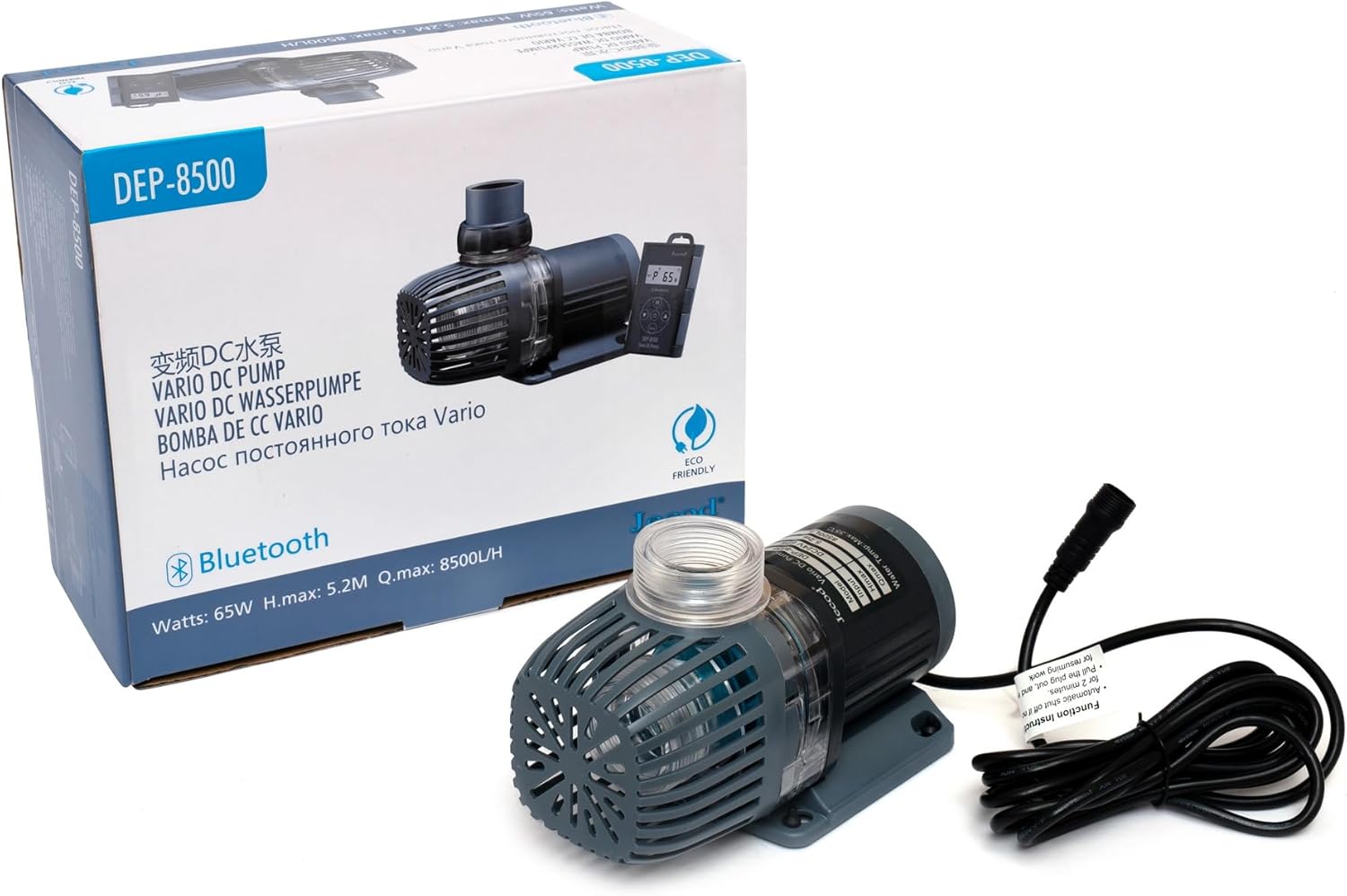
Image showing the main body of the Jebao DEP-8500 submersible DC pump, highlighting its compact design.

The Jebao DEP-8500 pump shown with its included hose adapters, illustrating the different connection options for various pipe sizes.
6. Operating Instructions
6.1 Manual Control
Once powered on, the pump will start at a default flow rate. Use the '+' and '-' buttons on the controller to adjust the flow rate. The LCD display will show the current power level or flow setting.
6.2 Bluetooth APP Control
- Download App: Search for the 'Jebao Aqua' or 'Jecod Aqua' app in your smartphone's app store (iOS or Android).
- Pairing: Open the app and follow the on-screen instructions to pair with your DEP-8500 pump. Ensure your phone's Bluetooth is enabled and you are within range of the pump's controller.
- Adjust Settings: Use the app interface to precisely control the pump's flow rate, set schedules, and access advanced features.
6.3 Special Functions
- Feeding Mode: Press the 'Feed' button on the controller or activate via the app. The pump will pause for 10 minutes to allow for feeding without disturbing food or livestock. It will automatically resume after the timer.
- Delayed Restart: In case of a power outage, the pump is designed to automatically restart with its last settings once power is restored, after a short delay to prevent surges.

Image of the pump's external controller, featuring an LED screen for displaying operational status and control buttons.
7. Maintenance
Regular maintenance ensures optimal performance and extends the lifespan of your pump.
- Disconnect Power: Always unplug the pump from the power outlet before any maintenance.
- Remove Pump: Carefully remove the pump from the aquarium or sump.
- Clean Impeller: Disassemble the pump housing to access the impeller. Remove any debris, algae, or calcium buildup from the impeller and its chamber. A small brush can be helpful.
- Clean Housing: Rinse the pump housing and intake screen thoroughly with clean water.
- Inspect Cables: Check the power cord and pump cable for any signs of wear, cuts, or damage. Replace if necessary.
- Reassemble: Carefully reassemble the pump, ensuring all parts are correctly seated.
- Reinstall: Place the pump back into the water and reconnect power.
Frequency: It is recommended to perform this maintenance every 1-3 months, depending on your aquarium's bioload and water conditions.
8. Troubleshooting
| Problem | Possible Cause | Solution |
|---|---|---|
| Pump not starting | No power; Impeller jammed; Dry/locked rotor protection activated. | Check power connection. Disconnect power, clean impeller. Ensure pump is fully submerged. |
| Low flow rate | Impeller dirty; Intake blocked; Hose kinked; Incorrect flow setting. | Clean impeller and intake. Check hoses for kinks. Adjust flow rate via controller or app. |
| Excessive noise/vibration | Impeller dirty/damaged; Pump not stable; Air trapped in pump. | Clean or replace impeller. Ensure pump is on a stable surface. Gently tilt pump to release trapped air. |
| Bluetooth connection issues | Bluetooth off; Out of range; App not updated. | Ensure phone Bluetooth is on. Move closer to controller. Update app to latest version. |
9. Specifications (Model: DEP-8500)
| Feature | Detail |
|---|---|
| Model Number | DEP-8500 |
| Maximum Flow Rate | 2245 GPH (8500 L/H) |
| Maximum Lifting Height (H-max) | 17.06 ft |
| Power Consumption | 65 Watts |
| Voltage | 110 Volts |
| Product Dimensions (L x W x H) | 8" x 4" x 5" |
| Material | Plastic |
| Color | Black |
| Outlet Hose Adapters | 3/4", 1", 1-1/4", 1-1/2" |
| Pipe Fittings | 3/4", 1", 1-1/4" |
| Usage Environment | Freshwater and Saltwater |
10. Warranty and Support
This product comes with a manufacturer's warranty. Please refer to the warranty card or documentation included with your purchase for specific terms and conditions. For technical support, troubleshooting assistance, or warranty claims, please contact Jebao customer service directly. Contact information can typically be found on the product packaging or the official Jebao website.


