
Garmin 010-02863-32
Garmin Forerunner® 165 Music Smartwatch User Manual
Model: 010-02863-32
Introduction
This manual provides essential information for the setup, operation, and maintenance of your Garmin Forerunner® 165 Music GPS running smartwatch. Designed for runners, this device offers accurate pace, distance, and heart rate tracking, along with advanced training metrics and recovery insights. Its vibrant AMOLED touchscreen display and intuitive controls make it an ideal companion for achieving your fitness goals.
What's Included
- Garmin Forerunner 165 Music Smartwatch
- Power/Data Cable
- Documentation (this user manual)

Image: The Garmin Forerunner 165 Music smartwatch, featuring its AMOLED display showing options for "Treadmill", "Run", and "Bike" activities. The watch has a turquoise band and a black bezel.
Setup
Charging the Device
Before first use, fully charge your Forerunner 165 Music. Connect the power/data cable to the charging port on the back of the watch and plug the other end into a USB power source. A full charge typically takes approximately 2 hours.

Image: The back of the Garmin Forerunner 165 Music smartwatch, highlighting the optical heart rate sensor and the charging contacts. The model number "FORERUNNER 165" is visible.
Initial Pairing with Smartphone
- Download the Garmin Connect app from your smartphone's app store.
- Open the Garmin Connect app and follow the on-screen instructions to create an account or sign in.
- Turn on your Forerunner 165 Music by pressing the LIGHT button.
- In the Garmin Connect app, select Add Device and follow the prompts to pair your watch.
- Ensure Bluetooth is enabled on your smartphone during the pairing process.
Operating the Smartwatch
Basic Navigation
- LIGHT button: Press to turn on the backlight. Hold to access controls menu.
- UP button: Press to scroll up through menus and widgets. Hold to view menu options for the current screen.
- DOWN button: Press to scroll down through menus and widgets. Hold to view music controls.
- START/STOP button: Press to select an option or start/stop an activity.
- BACK button: Press to return to the previous screen. Hold to return to the watch face.
- Touchscreen: Tap to select, swipe to scroll.
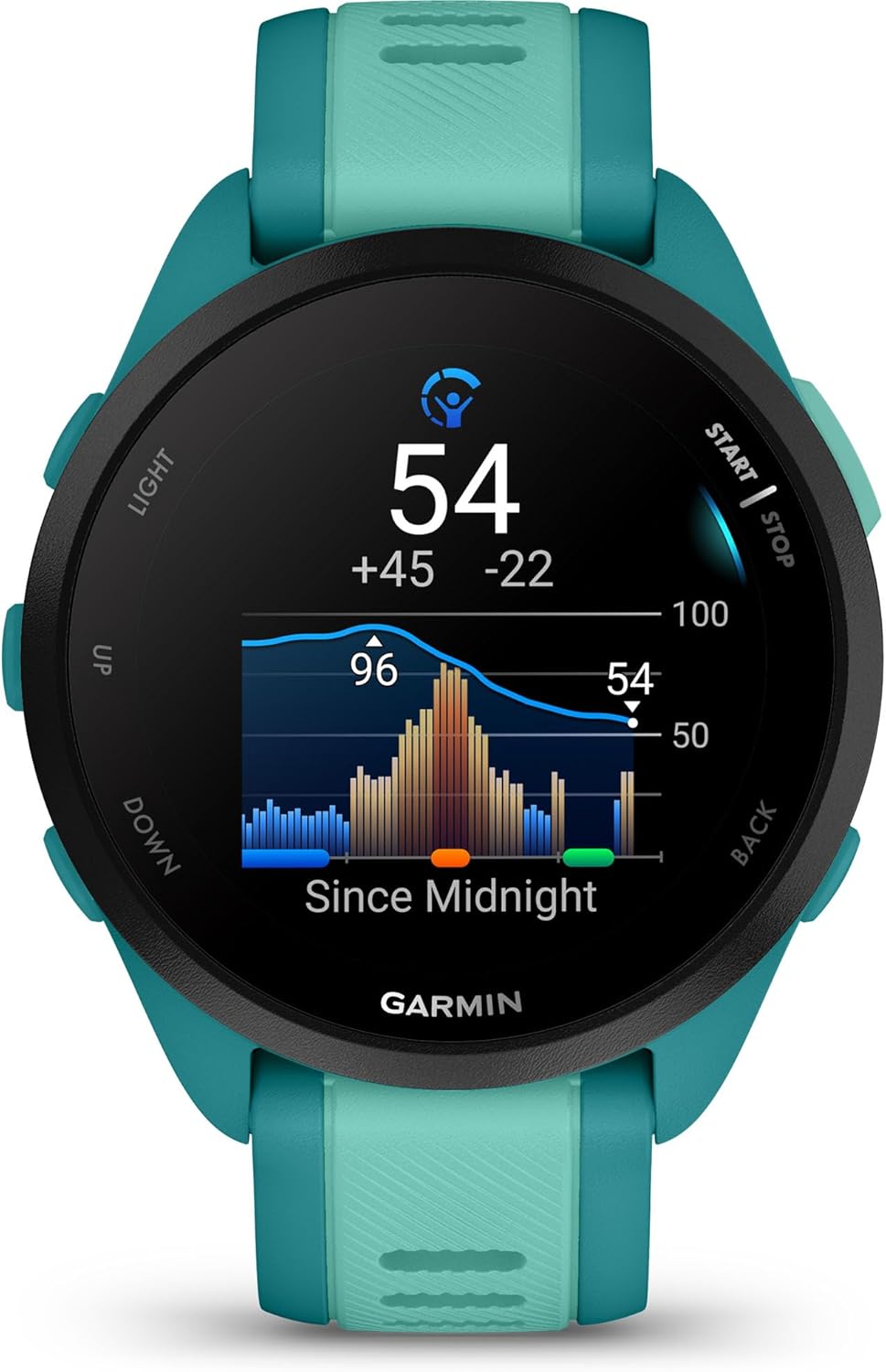
Image: Side view of the Garmin Forerunner 165 Music smartwatch, illustrating the placement of the "LIGHT" and "UP" buttons on the left side of the watch face.
Activity Tracking
The Forerunner 165 Music offers over 25 built-in activity profiles, including running, cycling, HIIT, and strength training. To start an activity:
- From the watch face, press the START/STOP button.
- Select an activity from the list.
- Wait for GPS signal (if applicable) and heart rate to be detected.
- Press START/STOP again to begin the activity.

Image: The Garmin Forerunner 165 Music smartwatch display showing real-time running metrics: "TIMER" at 25:32, "DISTANCE" at 4.56, "PACE" at 5:35, and heart rate at 155 BPM.
Music Playback
The Forerunner 165 Music allows for phone-free listening with built-in music storage. You can download songs and playlists from compatible services like Spotify, Amazon Music, or Deezer (subscription may be required).
- Pair your wireless headphones with the watch via Bluetooth settings.
- Hold the DOWN button to access music controls.
- Select your music source and navigate your playlists.
Maintenance
Cleaning the Device
- Regularly clean the watch and band with a damp cloth and mild soap. Rinse thoroughly with water.
- Ensure the charging contacts on the back of the watch are clean and dry to prevent corrosion and ensure proper charging.
- Avoid using harsh chemicals or abrasive materials that could damage the watch.
Battery Care
- To maximize battery life, avoid exposing the watch to extreme temperatures.
- Charge the device regularly, even if not in daily use, to maintain battery health.
Troubleshooting
Device Not Turning On or Responding
- Ensure the device is fully charged. Connect it to the power/data cable and a USB power source.
- Perform a soft reset by holding the LIGHT button for 15 seconds until the screen turns off. Then, press LIGHT again to restart.
GPS Signal Issues
- Ensure you are in an open outdoor area with a clear view of the sky.
- Allow several minutes for the watch to acquire a GPS signal, especially if it's your first time using GPS in a new location.
Heart Rate Sensor Inaccurate
- Ensure the watch is worn snugly, but comfortably, above your wrist bone.
- Clean the optical sensor on the back of the watch.
- For best accuracy during intense activities, consider using a compatible external heart rate monitor.
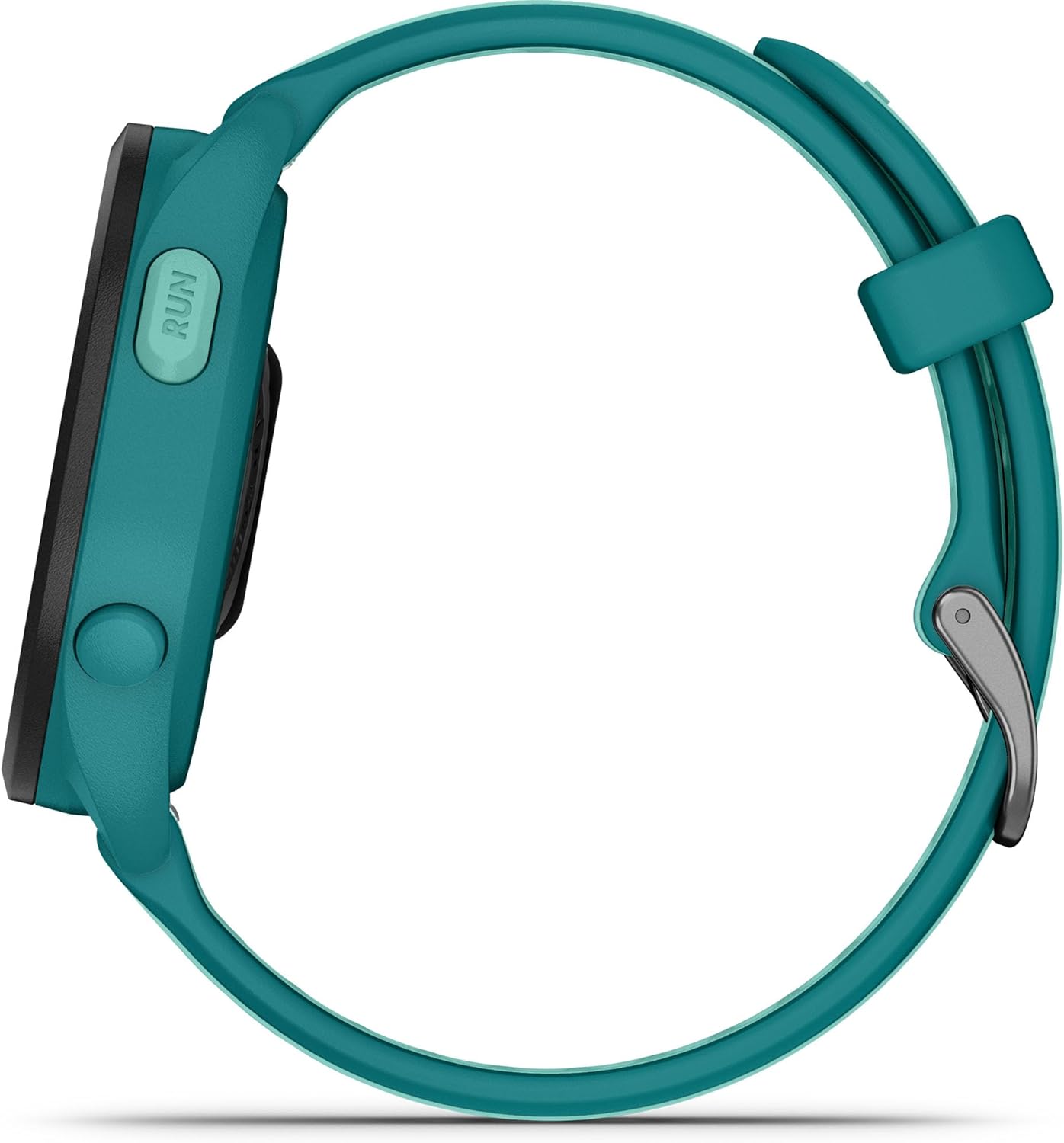
Image: The Garmin Forerunner 165 Music smartwatch display showing the "Body Battery" metric, indicating energy levels with a graph and a current score of 54.
Specifications
| Feature | Detail |
|---|---|
| Model Number | 010-02863-32 |
| Display Type | AMOLED Touchscreen |
| Display Size | 1.2 inches (30.4 mm) diameter |
| Battery Life (Smartwatch Mode) | Up to 11 days |
| Battery Life (GPS Mode) | Up to 19 hours |
| Connectivity | Bluetooth, USB, Wi-Fi |
| Music Storage | 4 GB |
| GPS | Built-in GPS |
| Dimensions | 1.69 x 0.46 x 1.69 inches (43 x 11.6 x 43 mm) |
| Weight | 1.38 ounces (39 g) |
Warranty and Support
Garmin products are designed for reliability and performance. For information regarding your product's warranty, please refer to the warranty card included in the product packaging or visit the official Garmin support website.
For technical support, frequently asked questions, and additional resources, please visit the Garmin Support Center:
Additional Features
- Morning Report: Wake up to an overview of your sleep, recovery, training outlook, weather, and HRV status.
- Training Effect & Recovery Time: Understand how workouts impact your fitness and how long to recover.
- Garmin Coach & Daily Suggested Workouts: Personalized training plans and workout suggestions that adapt to your performance.
- Safety and Tracking Features: Incident detection and Assistance features can send your live location to emergency contacts when paired with a compatible smartphone.
- Smart Notifications: Receive calls, texts, and alerts from your paired smartphone directly on your wrist.
- Garmin Pay™ Contactless Payments: Make payments on the go with participating providers.

Image: The Garmin Forerunner 165 Music smartwatch display showing the current time (10:10), date (Sat 01), battery level (100%), and a running activity with a distance of 13.5 units.
Important Safety Information
Always consult a medical professional before beginning or modifying any exercise program. The device is not a medical device and is not intended to diagnose, treat, cure, or prevent any disease. Data presented is intended to be a close estimation of metrics tracked.
Related documents010-02863-32


Ask a question about this manual
Ask about setup, troubleshooting, compatibility, parts, safety, or missing instructions. Manuals+ will review the question and use this page’s manual context to help answer it.