
1. Introduction
The FREDI HD PLUS FHP-01 WiFi Switch Board Camera is an indoor surveillance device designed to integrate discreetly into your environment. It features a 1080p Full HD lens for clear video capture and offers live viewing capabilities via the iWFCam mobile application. This device supports continuous recording to a 32GB memory card and provides motion activity alerts for enhanced security monitoring. Powered directly by AC 220V, it ensures uninterrupted 24/7 operation without the need for battery charging.
2. Safety Information
Important: This product is intended for legal and ethical use only. Users are responsible for complying with all local laws and regulations regarding surveillance and recording. Misuse of this device for illegal activities is strictly prohibited.
- Ensure proper electrical installation. If you are not familiar with electrical wiring, consult a qualified electrician.
- Do not expose the device to water or excessive moisture. It is not water-resistant.
- Operate the device within the specified voltage (AC 220V).
- Keep out of reach of children.
- Avoid placing the device near heat sources or in direct sunlight.
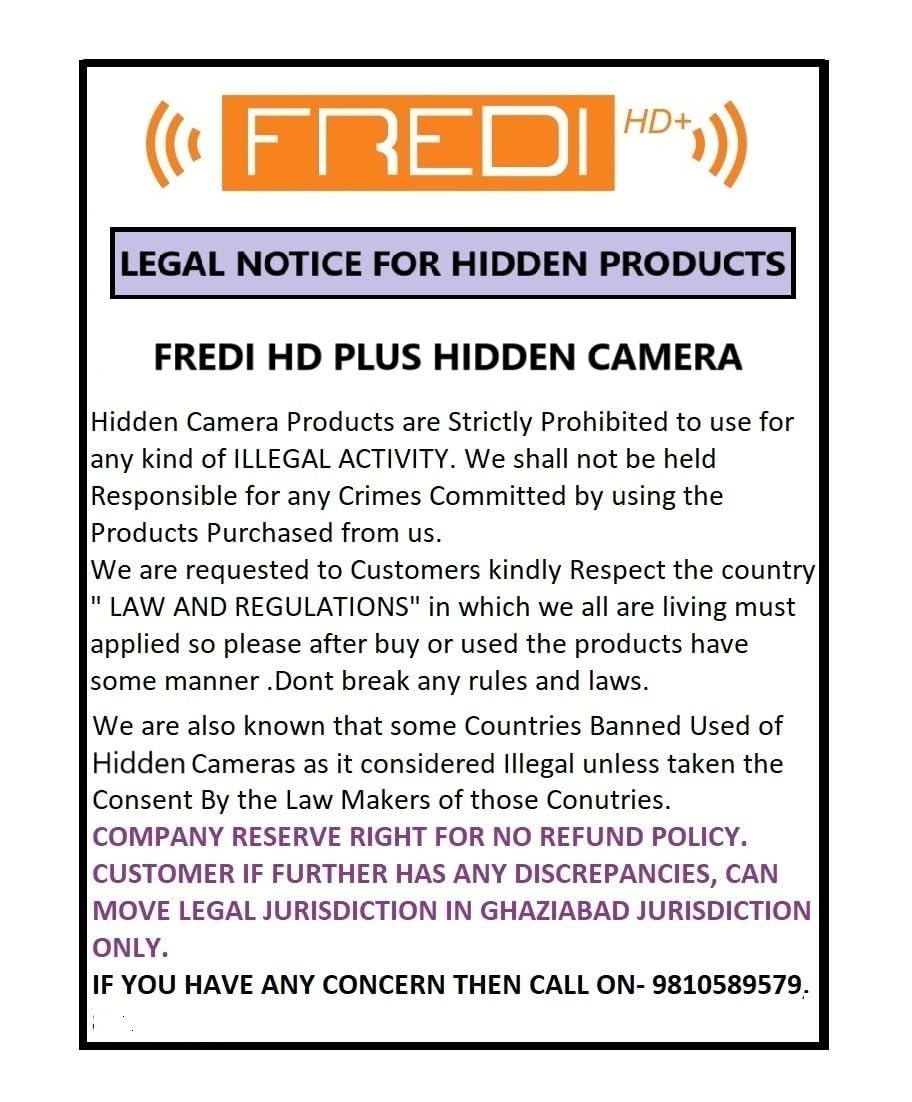
Image: Legal Notice from FREDI HD PLUS regarding the ethical use of hidden camera products.
3. What's in the Box
- 1 x FREDI HD PLUS FHP-01 WiFi Switch Socket Camera
- 1 x User Manual
4. Product Overview
The FREDI HD PLUS FHP-01 integrates a 1080p camera within a standard switch socket design, allowing for discreet indoor monitoring. Key features include:
- 1080p Full HD Video Quality
- Up to 32GB Memory Card Support
- 24x7 Continuous AC Power Operation
- Automatic Loop Recording (Overwrite System)
- Smart Motion Activity Alerts
- WiFi Live View via iWFCam App
- Real-Time Streaming on Mobile

Image: Front view of the FREDI HD PLUS FHP-01 Switch Socket Camera highlighting its 2-in-1 functionality and key features.

Image: Close-up of the FREDI HD PLUS FHP-01 Switch Socket Camera, emphasizing its 1080p Full HD video quality and discreet camera lens placement.
5. Setup
5.1 Physical Installation
The FREDI HD PLUS FHP-01 is designed for wall socket plug-in installation. It operates on AC 220V power directly. Ensure the device is securely installed into a standard wall socket. For any electrical wiring or modification, it is recommended to consult a qualified electrician.
5.2 Memory Card Installation
The device supports a Micro SD card up to 32GB for local storage. Locate the memory card slot (refer to the product diagram in the overview section) and gently insert the Micro SD card until it clicks into place. Ensure the device is powered off before inserting or removing the memory card.
5.3 App Installation (iWFCam)
- Download the "iWFCam" app from your mobile device's app store (Android or iOS).
- Install the app on your smartphone or tablet.

Image: Illustration of the iWFCam app enabling multi-device viewing across tablets, cellphones, and computers.
5.4 WiFi Connection & Remote Viewing
- Power on the camera by plugging it into an AC 220V socket.
- Open the iWFCam app on your mobile device.
- Follow the in-app instructions to add a new device. This typically involves connecting your phone to the camera's temporary WiFi hotspot, then configuring the camera to connect to your home or office WiFi network.
- Once connected, you can access live view and other features remotely.

Image: A smartphone screen showing the iWFCam app interface, indicating support for WiFi connection with the camera.

Image: Two smartphones displaying the iWFCam app interface, demonstrating WiFi connection and remote viewing capabilities with options for screenshot, speak, record, playback, and cloud storage.
6. Operating Instructions
6.1 Live View
After successful WiFi connection, open the iWFCam app and select your device to access the live video feed. You can monitor your space in real-time from anywhere with an internet connection.
6.2 Recording
- Continuous Recording: The camera records continuously to the inserted Micro SD card as long as it is powered on.
- Automatic Loop Recording: When the memory card is full, the device automatically overwrites the oldest files to ensure continuous recording without manual intervention.
- Manual Recording: You can initiate manual recording directly from the iWFCam app during live view.

Image: The iWFCam app displaying a timeline of recorded videos, indicating how the device saves footage, potentially triggered by activity.
6.3 Motion Activity Detection Alerts
The camera is equipped with motion detection. When movement is detected, the device can send instant notifications to your mobile phone via the iWFCam app. You can configure motion detection sensitivity and alert settings within the app.
6.4 Playback
Access recorded footage through the iWFCam app. You can view timeline recordings and playback specific events stored on the Micro SD card.
6.5 Device Settings
The iWFCam app allows you to manage various device settings, including video resolution, recording modes, motion detection parameters, and WiFi configurations.
7. Maintenance
- Cleaning: Gently wipe the exterior of the device with a dry, soft cloth. Do not use liquid cleaners or abrasive materials.
- Firmware Updates: Check the iWFCam app periodically for any available firmware updates to ensure optimal performance and security.
- Memory Card Management: Regularly back up important recordings from the Micro SD card to prevent data loss due to overwriting.
8. Troubleshooting
- Q: Camera not connecting to WiFi.
- A: Ensure your WiFi network is 2.4GHz (5GHz is not supported). Check WiFi password accuracy. Make sure the camera is within range of your router. Restart the camera and your router, then try connecting again.
- Q: No recording or playback.
- A: Verify that a Micro SD card is properly inserted and formatted. Check if the card is full (loop recording should handle this, but a faulty card might not). Ensure the camera is powered on continuously.
- Q: App not receiving motion alerts.
- A: Check app notification settings on your phone and within the iWFCam app. Ensure motion detection is enabled and sensitivity is set appropriately. Verify stable internet connection for both the camera and your phone.
- Q: Live view is lagging or buffering.
- A: This could be due to a weak WiFi signal for the camera or your mobile device, or slow internet speed. Try moving the camera closer to the router or improving your internet connection.
9. Specifications
| Feature | Detail |
|---|---|
| Model Name | FHP-01 (Switch Socket Camera) |
| Video Capture Resolution | 1080p Full HD |
| Effective Still Resolution | 2 MP |
| Connectivity Technology | WiFi (2.4GHz) |
| App Control | iWFCam (Android, iOS) |
| Power Source | AC Powered (220V), No Battery Required |
| Memory Card Support | Micro SD up to 32GB |
| Recording Feature | Continuous Recording, Automatic Loop Recording |
| Special Feature | Motion Activity Detection Alerts |
| Indoor/Outdoor Usage | Indoor Only |
| Viewing Angle | 81 Degrees |
| Frame Rate | 30 frames per second |
| Video Encoding Format | H.264 |
| Video Capture Format | AVI |
| Item Dimensions | 7 x 11 x 4.5 Centimeters |
| Item Weight | 230 Grams |
| Enclosure Material | ABS High-Strength Body + Heat-Resistant Polycarbonate Frame |
| Water Resistance Level | Not Water Resistant |
10. Warranty and Support
10.1 Warranty Information
This product typically comes with a standard manufacturer's warranty. For specific warranty terms and conditions, please refer to the documentation provided with your purchase or contact FREDI HD PLUS customer support. An optional 1-year extended warranty by Onsitego may be available for purchase separately.
10.2 Customer Support
For technical assistance, troubleshooting, or any product-related inquiries, please contact FREDI HD PLUS customer support:
- Manufacturer Contact: 9810589579, 9773661598 (WhatsApp available)
- Operating Hours: Monday to Saturday, 10:00 AM to 6:30 PM (Sunday - Closed)
- Packer Contact: 9821281162, 9810589579 (WhatsApp available)
- Operating Hours: Monday to Saturday, 10:00 AM to 5:30 PM (Sunday - Closed)
When contacting support, please have your product model number (FHP-01) and purchase details ready.