
Product Overview
The TECKNET Tire Inflator Portable Air Compressor is a versatile and compact device designed for efficient and accurate inflation of various items. Equipped with a powerful 20000mAh rechargeable battery, it offers rapid inflation up to 160 PSI, making it suitable for car tires, motorcycle tires, bicycle tires, and sports balls. Its intelligent design includes an accurate LCD display for real-time pressure monitoring and an auto shut-off feature for safe operation. Beyond inflation, it serves as a multi-functional emergency tool with integrated LED lighting and a power bank capability.

Figure 1: TECKNET Tire Inflator Portable Air Compressor and its applications.
Key Features
- Fast and Accurate Inflation: Built-in 20000mAh rechargeable battery for rapid inflation (5 minutes for a car tire) and accuracy up to 160 PSI.
- Compact & Portable: Cordless design, small and easy to carry, includes a storage bag for convenience.
- 4+N Intelligent Modes: Four preset inflation modes (car, motorcycle, bicycle, ball) and a fifth manual mode (2-160 PSI). Supports PSI, KPA, BAR, and KG/CM units.
- Dual Screen Display: Digital LCD screen shows real-time and preset pressure values, preventing over or under-inflation.
- Multi-functional Emergency Tool: Features 3 modes of LED lights (normal, SOS, flashing) and a 5V/2A USB output/input port for charging electronic devices.
Setup
Unboxing and Components
Upon opening the package, ensure all components are present:
- 1 x TECKNET Tire Inflator
- 1 x Inflation Air Tube
- 1 x Ball Needle Adapter
- 1 x Presta Valve Adapter
- 1 x Storage Bag
- 1 x USB Charging Cable (Type-C)

Figure 2: Packaging and included accessories for the TECKNET Tire Inflator.
Charging the Device
Before first use, fully charge the tire inflator. Connect the provided USB charging cable to the input port on the device and a compatible USB power source. The LCD display will indicate charging status. A full charge ensures optimal performance and battery life.
Video 1: Demonstrates charging the TECKNET Tire Inflator. The device features a USB-C input port for convenient charging.
Operating Instructions
Power On/Off
To power on the device, press and hold the power button for three seconds. The LCD display will illuminate. To power off, press and hold the power button again for three seconds.
Selecting Inflation Mode
The inflator offers 4+N intelligent modes. Press the mode selection button to cycle through the preset modes: Car, Motorcycle, Bicycle, and Ball. A fifth manual mode allows for custom pressure settings. The display will show the selected mode and its default pressure range.

Figure 3: Overview of the 4+N intelligent inflation modes.
| Mode | Typical PSI Range |
|---|---|
| Car Mode | 25-45 PSI |
| Motorcycle Mode | 25-50 PSI |
| Bicycle Mode | 30-145 PSI |
| Ball Mode | 4-16 PSI |
| Manual Mode | 2-160 PSI |
Setting Target Pressure
Once a mode is selected, use the "+" and "-" buttons to adjust the target pressure value. The real-time pressure will be displayed alongside your preset value. The device will automatically stop inflation once the target pressure is reached.

Figure 4: Dual screen display for real-time and preset pressure values.
Connecting to Valve
Attach the inflation air tube to the top port of the inflator by inserting and twisting to secure. Then, connect the other end of the air tube to the valve stem of the item you wish to inflate. Use the appropriate adapter (ball needle, Presta valve) if necessary.
Starting Inflation
With the device powered on, mode selected, target pressure set, and tube connected, press the power button to begin inflation. The device will automatically stop when the target pressure is reached.
Video 2: Demonstrates the TECKNET Tire Inflator in action, inflating a car tire. Note the real-time pressure display.
Video 3: Shows the TECKNET Tire Inflator being used to inflate a sports ball, highlighting its versatility.
Multi-functional Features
The inflator is more than just an air pump:
- LED Light: Press the light button to cycle through three modes: normal illumination, SOS flashing, and warning flashing. Useful for nighttime emergencies or low-light conditions.
- Power Bank: The bottom of the device features a 5V/2A USB output port, allowing it to be used as an emergency power source for mobile phones, tablets, or other electronic devices.
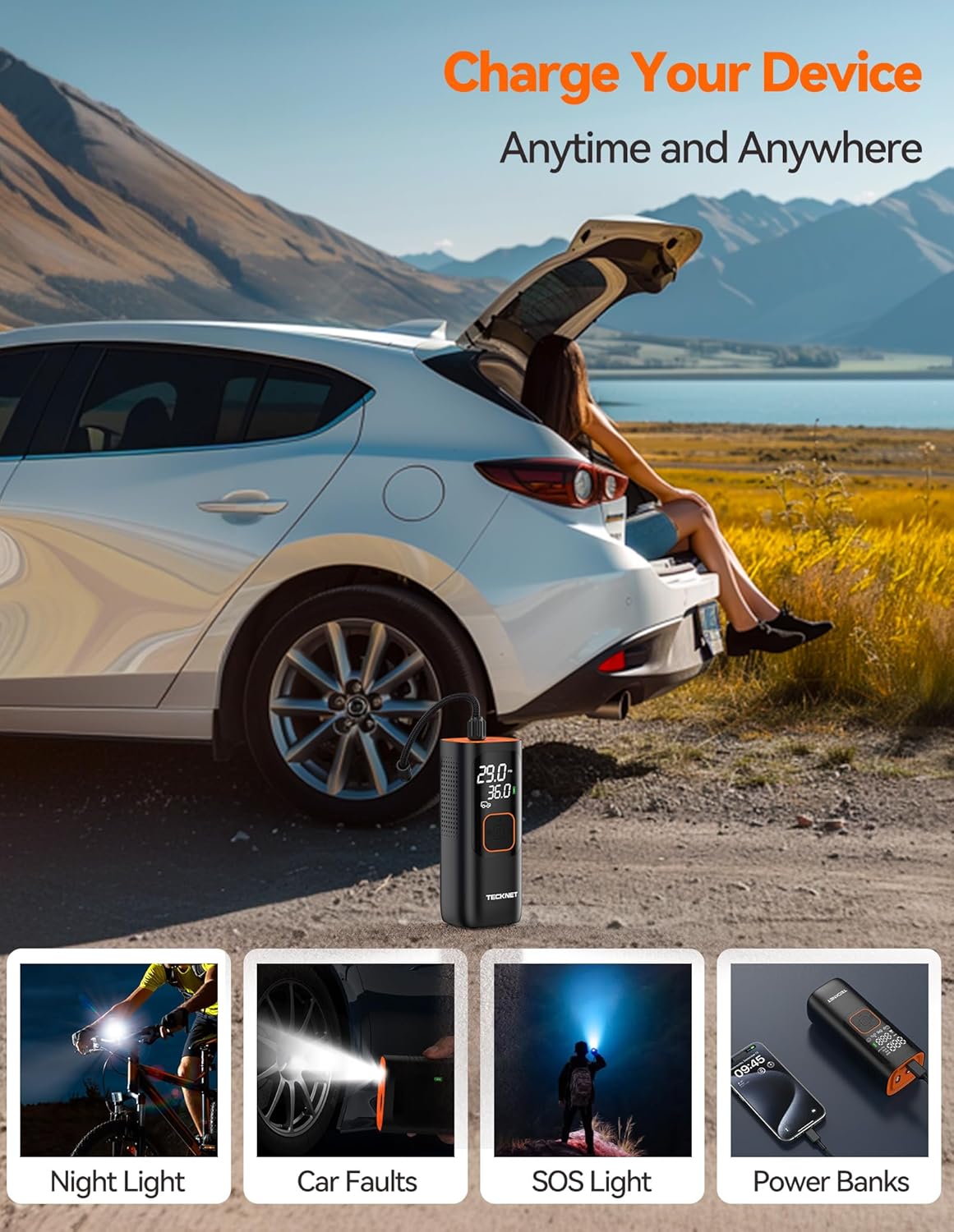
Figure 5: The inflator can charge your devices on the go.
Maintenance
To ensure the longevity and optimal performance of your TECKNET Tire Inflator, follow these maintenance guidelines:
- Cleaning: Wipe the device with a soft, dry cloth. Do not use harsh chemicals or abrasive cleaners.
- Storage: Store the inflator in a cool, dry place, away from direct sunlight and extreme temperatures. Use the provided storage bag to protect it from dust and damage.
- Battery Care: For long-term storage, charge the battery to approximately 50% every 3-6 months to maintain battery health.
- Hose and Adapters: Ensure the inflation tube and adapters are clean and free of debris before and after each use. Store them properly to prevent kinks or damage.

Figure 6: The compact design allows for easy storage in various locations.
Troubleshooting
If you encounter issues with your TECKNET Tire Inflator, consider the following:
- Device Not Turning On: Ensure the battery is charged. Connect to a power source and allow it to charge for a period before attempting to power on again.
- Inflation Not Starting: Check that the inflation tube is securely connected to both the inflator and the item's valve. Ensure the target pressure is set above the current pressure.
- Inaccurate Pressure Reading: Ensure the inflation tube is properly sealed to the valve. Slight variations may occur; cross-reference with a separate pressure gauge if precision is critical.
- Slow Inflation: Check for any kinks or blockages in the inflation tube. Ensure the battery is sufficiently charged.
- Device Overheating: The device has heat dissipation vents. If it feels excessively hot, allow it to cool down before continuing operation. Avoid continuous operation for extended periods.
Specifications
| Specification | Detail |
|---|---|
| Manufacturer | TECKNET |
| Model Number | TK-TI001 |
| Item Weight | 1.67 pounds |
| Product Dimensions | 2.5 x 2.4 x 6.3 inches |
| Color | Yellow |
| Material | Metal, Acrylonitrile Butadiene Styrene |
| Power Source | Battery Powered |
| Voltage | 120 Volts |
| Sound Level | 70 dB |
| Special Features | Portable, LED Light, Digital, Cordless, Automatic Shut-Off |
Warranty and Support
TECKNET offers a 36-month warranty for this product. Please refer to the warranty description provided with your purchase for full details and registration requirements.
Additionally, protection plans are available for purchase:
- 2-Year Protection Plan
- 3-Year Protection Plan
- Complete Protect: One plan covers all eligible past and future purchases (monthly billing)
For further assistance or technical support, please visit the official TECKNET website or contact their customer service.