
Product Overview
The SUNOL H08 Mecha Bluetooth Wireless Headset offers a unique transparent design combined with advanced audio technology. Engineered for comfort and convenience, these headphones provide clear sound quality, low latency, and extended battery life, making them suitable for various activities from daily listening to gaming and calls.
Key features include Bluetooth 5.3 for stable connectivity, environmental noise reduction for clear calls, and a robust charging case with an LED display.
What's in the Box
- H08 Mecha Bluetooth Wireless Headset (Left and Right Earbuds)
- Charging Case
- Charging Cable
- Multiple Sizes of Ear Tips (for comfortable fit)
Setup Guide
1. Initial Charging
Before first use, fully charge the headset and charging case. Place the earbuds into the charging case. Connect the charging cable to the case and a USB power source. The LED display on the charging case will indicate the charging status and battery level.
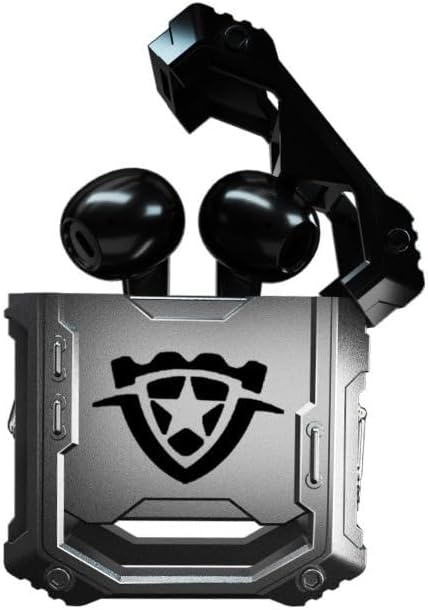
Image: The H08 Mecha Bluetooth Wireless Headset, showing both earbuds securely placed within their open charging case. The case features a distinctive, rugged design with a central emblem.
2. Pairing with a Device
- Ensure the earbuds are charged and placed in the charging case.
- Open the charging case. The earbuds will automatically enter pairing mode.
- On your device (smartphone, tablet, computer), go to Bluetooth settings and turn on Bluetooth.
- Search for available devices and select "H08" from the list.
- Once connected, a voice prompt will confirm successful pairing. The effective connection distance is up to 10 meters.

Image: The H08 Mecha Bluetooth Wireless Headset charging case in a closed position, showcasing its metallic, rugged exterior. The image highlights the zinc alloy material and suggests a long battery life.
3. Wearing the Earbuds
Select the ear tips that provide the most comfortable and secure fit for your ears. Gently insert each earbud into your ear canal and twist slightly to ensure a snug fit. A proper fit enhances sound quality and noise isolation.
Operating Instructions
Power On/Off
- Power On: Open the charging case, and the earbuds will automatically power on.
- Power Off: Place the earbuds back into the charging case and close the lid. They will automatically power off and begin charging.
Music Playback Control
- Play/Pause: Single tap the touch control area on either earbud.
- Next Track: Double tap the right earbud.
- Previous Track: Double tap the left earbud.
Call Management
- Answer/End Call: Single tap the touch control area on either earbud during an incoming call.
- Reject Call: Press and hold the touch control area on either earbud for 2 seconds during an incoming call.
The built-in environmental noise reduction (ENC) chip ensures clear sound quality during calls by filtering out ambient noise.

Image: A close-up of the H08 Mecha Bluetooth Wireless Headset earbuds, highlighting their sleek design. The background features a graphic representation of sound waves, illustrating the intelligent noise reduction technology for clear audio.
Low Latency Mode (Gaming)
The headset features a low latency mode, significantly improving Bluetooth transmission speed for a more synchronized audio experience, especially beneficial for gaming. This ensures that sound effects and dialogue are heard with minimal delay.
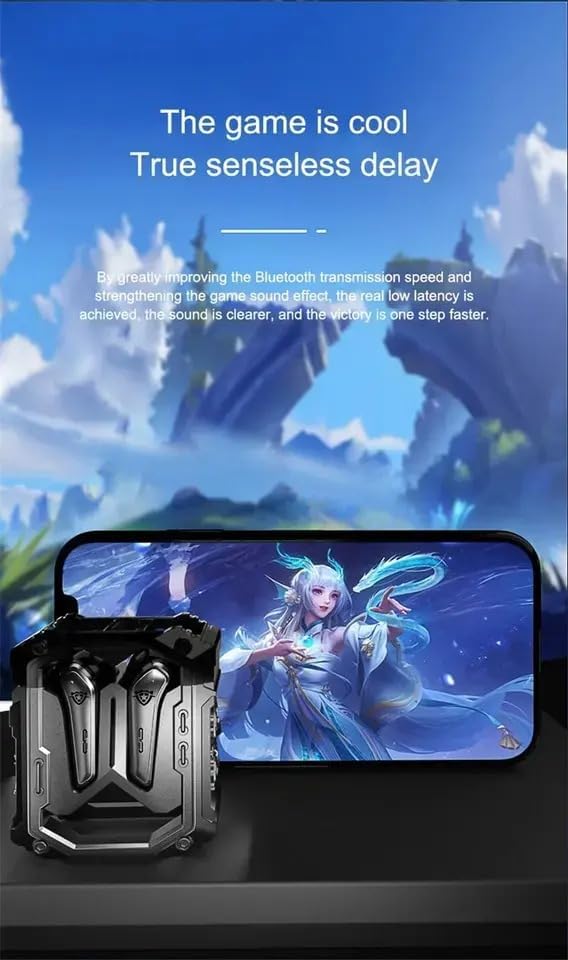
Image: The H08 Mecha Bluetooth Wireless Headset charging case positioned next to a smartphone displaying a vibrant game scene. This image emphasizes the headset's low latency feature, ideal for an immersive gaming experience.
Maintenance
Charging the Headset and Case
- The charging case has a built-in 600mAh battery, capable of charging the earbuds approximately four times, providing up to 48 hours of total playtime.
- The LED display on the charging case shows the battery level of both the case and the earbuds.
- Use the provided charging cable to charge the case.

Image: The H08 Mecha Bluetooth Wireless Headset with its charging case open, revealing the earbuds inside. The image highlights the "mechanical metal technology" and the robust design of the charging compartment, emphasizing its durability and environmental noise filtering capabilities.
Cleaning
Regularly clean the earbuds and charging case with a soft, dry, lint-free cloth. Avoid using abrasive materials or harsh chemicals. Ensure charging contacts on both the earbuds and case are clean and dry.
Storage
When not in use, store the headset in its charging case to protect it from dust and damage. Store in a cool, dry place away from extreme temperatures.
Troubleshooting
- Cannot Pair:
- Ensure Bluetooth is enabled on your device.
- Make sure the earbuds are charged and in pairing mode (open the case).
- Move the earbuds closer to your device.
- Forget "H08" from your device's Bluetooth list and try pairing again.
- No Sound from One Earbud:
- Place both earbuds back into the charging case, close the lid, wait a few seconds, then open it again.
- Ensure both earbuds are charged.
- Charging Issues:
- Check if the charging cable is securely connected to both the case and the power source.
- Ensure the charging contacts on the earbuds and inside the case are clean.
- Try a different charging cable or power adapter.
- Poor Call Quality:
- Ensure the microphone is not obstructed.
- Move to a quieter environment if environmental noise is excessive.
- Check your device's call volume settings.
Specifications
| Feature | Detail |
|---|---|
| Model Name | H08 |
| Connectivity Technology | Wireless (Bluetooth) |
| Wireless Communication Technology | Bluetooth 5.3 |
| Bluetooth Range | Up to 10 meters (33 feet) |
| Audio Latency | 60 Milliseconds |
| Battery Life (Earbuds) | Up to 18 Hours (single charge) |
| Total Playtime (with Charging Case) | Approx. 48 Hours |
| Charging Case Battery Capacity | 600mAh |
| Audio Driver Type | 14mm Dynamic Bass Unit |
| Noise Control | Environmental Noise Reduction (ENC) for calls |
| Control Type | Media Control, Call Control (Touch/Remote) |
| Material | Plastic (Earbuds), Zinc Alloy (Charging Case) |
| Weight | 6.4 ounces (total package) |
| Color | Black |
| Ear Placement | In Ear |
| Manufacturer | SWISSES |
Warranty and Support
For warranty information and detailed support, please refer to the documentation included with your purchase or visit the official SUNOL website. You may also contact the seller, SWISSES, through the platform where the product was purchased for assistance.
Please retain your proof of purchase for any warranty claims.