
Csasan V90
Csasan V90 Wireless Sport Earbuds User Manual
Model: V90
Introduction
Thank you for choosing the Csasan V90 Wireless Sport Earbuds. These earbuds are designed to provide a high-quality audio experience with features tailored for active lifestyles, including a secure fit, long battery life, and water resistance. This manual will guide you through the setup, operation, and maintenance of your new earbuds.
What's Included
Please check the package contents to ensure all items are present:
- 2x Sports Earbuds
- 1x Type-C Charging Case
- 1x USB-C Charging Cable
- 3x Pairs of Eartips (S/M/L)
- 1x Detailed User Manual

Image: Csasan V90 Wireless Sport Earbuds and their charging case, showing the earbuds with earhooks and the digital display on the case.
Product Overview
The Csasan V90 earbuds feature an ergonomic design with earhooks for a secure fit, making them ideal for sports and active use. They come with a portable charging case that also displays battery levels.

Image: Diagram illustrating the dimensions of the earbuds and charging case, along with icons indicating compatibility with iOS, Android, and Windows devices for automatic pairing.
Setup
1. Charging the Earbuds and Case
Before first use, fully charge the earbuds and the charging case. The charging case features a dual LED display to show the battery level of both the case and individual earbuds.
- Connect the provided USB-C charging cable to the charging port on the case and a power source.
- The LED display on the case will indicate charging status. A full charge takes approximately 1.5 hours for the case.
- Place the earbuds into the charging case. They will begin charging automatically.

Image: The Csasan V90 charging case connected via USB-C cable, highlighting its 48-hour total playtime capacity.
2. Initial Pairing
The earbuds utilize Hall technology for seamless pairing.
- Ensure Bluetooth is enabled on your device (smartphone, tablet, etc.).
- Open the charging case. The earbuds will automatically power on and enter pairing mode.
- On your device, search for Bluetooth devices and select "V90" from the list.
- Once connected, you will hear a confirmation prompt, and the earbuds will be ready for use.
- After the initial pairing, the earbuds will automatically connect to your last paired device when the case is opened.
3. Fitting the Earbuds
For optimal sound quality and comfort, choose the correct ear tip size and ensure a secure fit.
- The earbuds come with three sizes of ear tips (S/M/L). Try each size to find the one that provides the best seal and comfort for your ear canal.
- Gently insert the earbud into your ear canal and rotate it slightly to ensure a snug fit.
- Position the flexible earhook over your ear to secure the earbud in place, especially during physical activity.

Image: Visual guide on how to achieve a secure and comfortable fit with the Csasan V90 earbuds, including the use of flexible earhooks and the selection of appropriate ear tip sizes.
Operating Instructions
The Csasan V90 earbuds feature smart touch controls for easy management of audio and calls.

Image: A visual representation of the touch-sensitive area on the earbud and the corresponding functions for music playback, call management, and voice assistant activation.
| Action | Function |
|---|---|
| Single Tap (L/R Earbud) | Play/Pause Music, Answer Call |
| Double Tap (L Earbud) | Previous Track |
| Double Tap (R Earbud) | Next Track |
| Triple Tap (L Earbud) | Volume Down |
| Triple Tap (R Earbud) | Volume Up |
| Long Press (2 seconds) (L/R Earbud) | Reject Call, Activate Voice Assistant |
| Long Press (3 seconds) (L/R Earbud) | Power On/Off (if not in case) |
Note: When placing earbuds back into the charging case and closing the lid, they will automatically disconnect and power off.
Maintenance
Proper maintenance ensures the longevity and optimal performance of your earbuds.
- Cleaning: Regularly clean the earbuds, especially the ear tips and charging contacts, with a soft, dry, lint-free cloth. Do not use harsh chemicals or abrasive materials.
- Water Resistance: The earbuds have an IP7 waterproof rating, meaning they can resist sweat, rain, and minor water splashes. Do not submerge them in water or expose them to high-pressure water jets. Ensure earbuds are dry before placing them back in the charging case to prevent damage.
- Storage: When not in use, store the earbuds in their charging case to protect them from dust and damage. Store in a cool, dry place away from extreme temperatures.
- Battery Care: To preserve battery life, avoid fully discharging the earbuds and charging case frequently. Charge them regularly, even if not in constant use.
Troubleshooting
If you encounter issues with your earbuds, try the following solutions:
| Problem | Solution |
|---|---|
| Earbuds not pairing/connecting |
|
| Only one earbud working |
|
| Low volume or poor sound quality |
|
| Charging case not charging |
|
Specifications
Detailed technical specifications for the Csasan V90 Wireless Sport Earbuds:
| Feature | Detail |
|---|---|
| Model Name | V90 |
| Brand | Csasan |
| Connectivity Technology | Wireless (Bluetooth 5.3) |
| Ear Placement | Over Ear |
| Form Factor | In Ear |
| Control Type | Touch Control |
| Waterproof Rating | IP7 |
| Battery Life (Earbuds) | Up to 8 hours on a single charge |
| Total Playtime (with Charging Case) | Up to 48 hours |
| Charging Time | Approx. 1.5 hours (for charging case) |
| Audio Driver Size | 13 mm |
| Noise Control | None (Features CVC8.0 noise reduction for calls) |
| Item Weight | 3.52 ounces (0.1 Kilograms) |
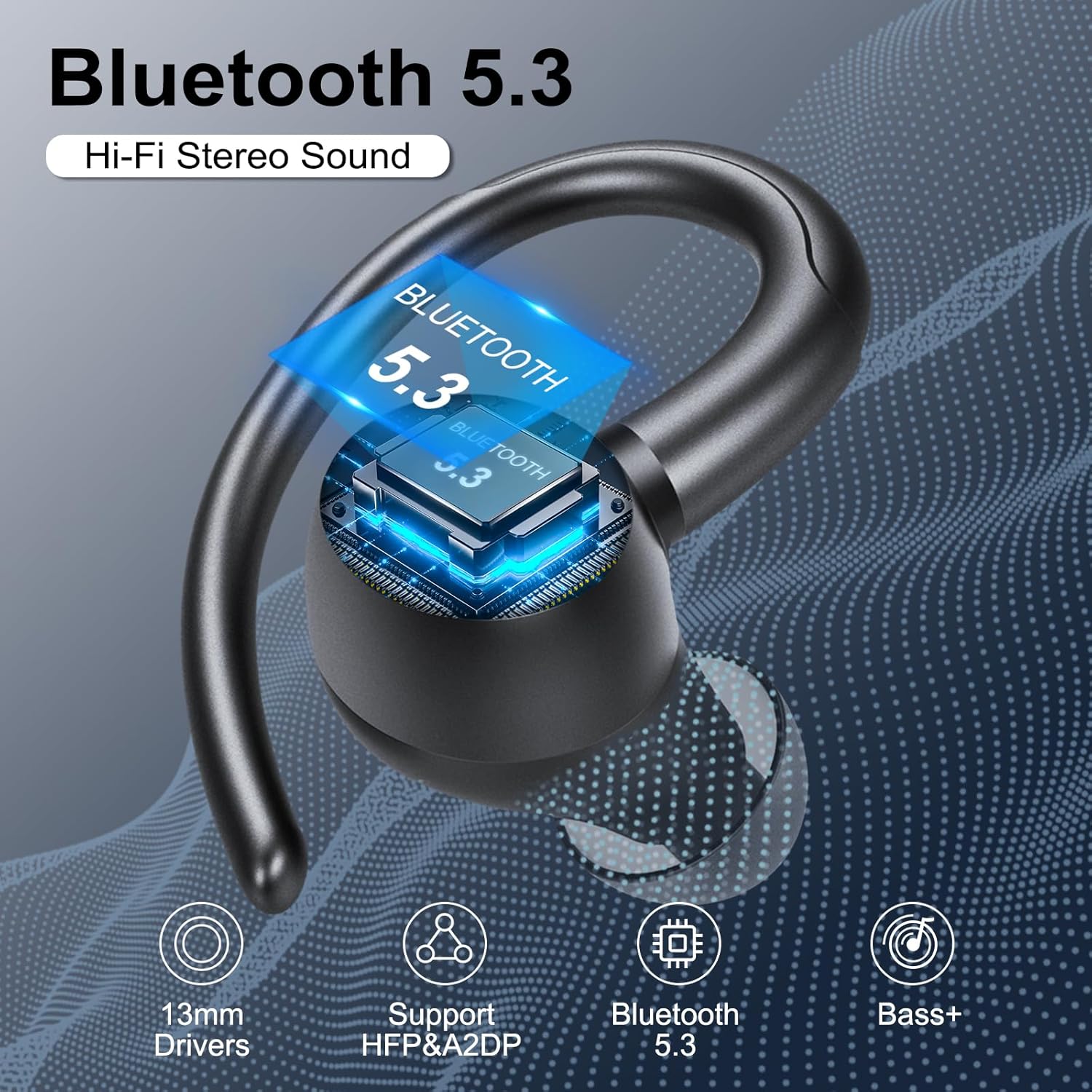
Image: Key features of the Csasan V90 earbuds, including Bluetooth 5.3, 13mm drivers, and enhanced bass.

Image: Illustration of the Environmental Noise Cancellation (ENC) technology, showing its effect on reducing ambient noise for clearer calls.
Warranty and Support
For warranty information and customer support, please refer to the contact details provided with your purchase or visit the official Csasan website. Keep your proof of purchase for warranty claims.
Manufacturer: Csasan
Model: V90
ASIN: B0CW9PLZC5
Related documentsV90


Ask a question about this manual
Ask about setup, troubleshooting, compatibility, parts, safety, or missing instructions. Manuals+ will review the question and use this page’s manual context to help answer it.