
1. Product Overview
The MEDca MZ-60 is a compact, in-canal (CIC) digital hearing amplifier designed to enhance sound for individuals seeking improved hearing clarity. This device features noise reduction capabilities and is intended for discreet, comfortable wear.
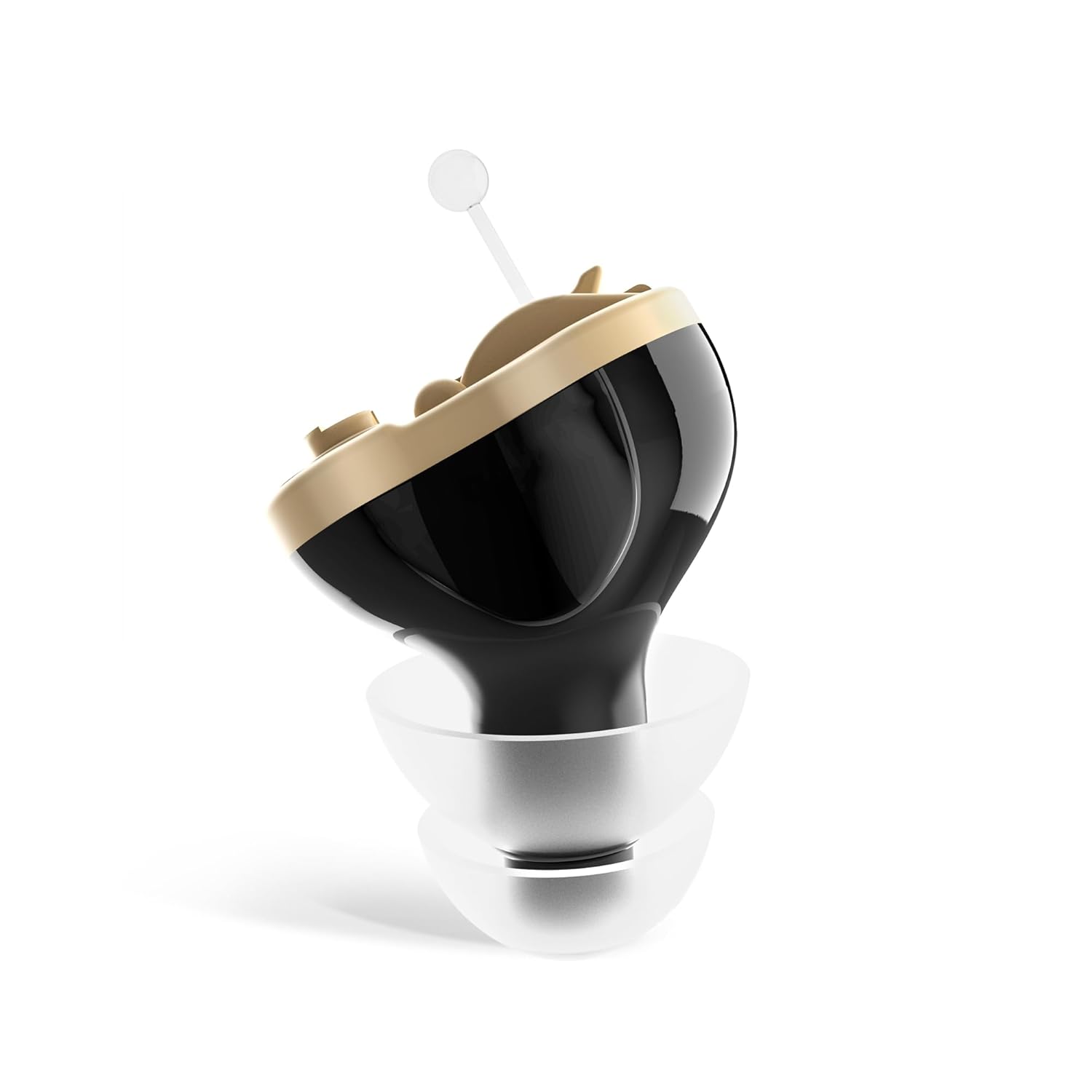
Image 1.1: The MEDca Digital Hearing Amplifier MZ-60, a compact in-ear device.
Key Features:
- Invisible in Canal (CIC) Design: For discreet wear.
- Noise Cancelling: Reduces background noise for clearer sound.
- User-Friendly: No complex programming required.
- Long Battery Life: Operates on A10 batteries for extended use.
- Comfortable Fit: Includes various ear dome sizes for optimal comfort.
2. Important Safety Information
This product is a Personal Sound Amplifier Product (PSAP) as defined by the United States FDA. PSAPs are not intended to diagnose, treat, cure, or mitigate disease and do not alter the body. They are not intended to compensate for impaired hearing or to amplify speech or environmental sounds for individuals with impaired hearing.
- Consult a medical professional if you suspect hearing loss.
- Do not expose the device to extreme temperatures, moisture, or direct sunlight.
- Keep out of reach of children and pets due to small parts (batteries, ear domes).
- Remove the device before showering, swimming, or using hairspray.
- If irritation or discomfort occurs, discontinue use and consult a medical professional.
3. Package Contents
Verify that all items listed below are included in your package:

Image 3.1: Visual representation of all items included in the MEDca Digital Hearing Amplifier package.
- MEDca CIC Hearing Amplifier (Left Ear, Black)
- Carrying Case
- A10 Batteries (2 included)
- Cleaning Brush
- Volume Adjusting Tool (Screwdriver)
- Lanyard
- Single Layer Ear Domes (various sizes)
- Double Layer Ear Domes (various sizes)
- Instruction Manual & Quick User Guide
4. Setup Instructions
Follow these steps to prepare your MEDca Digital Hearing Amplifier for first use.

Image 4.1: A visual guide illustrating the three main steps for setting up the hearing amplifier.
4.1 Component Identification
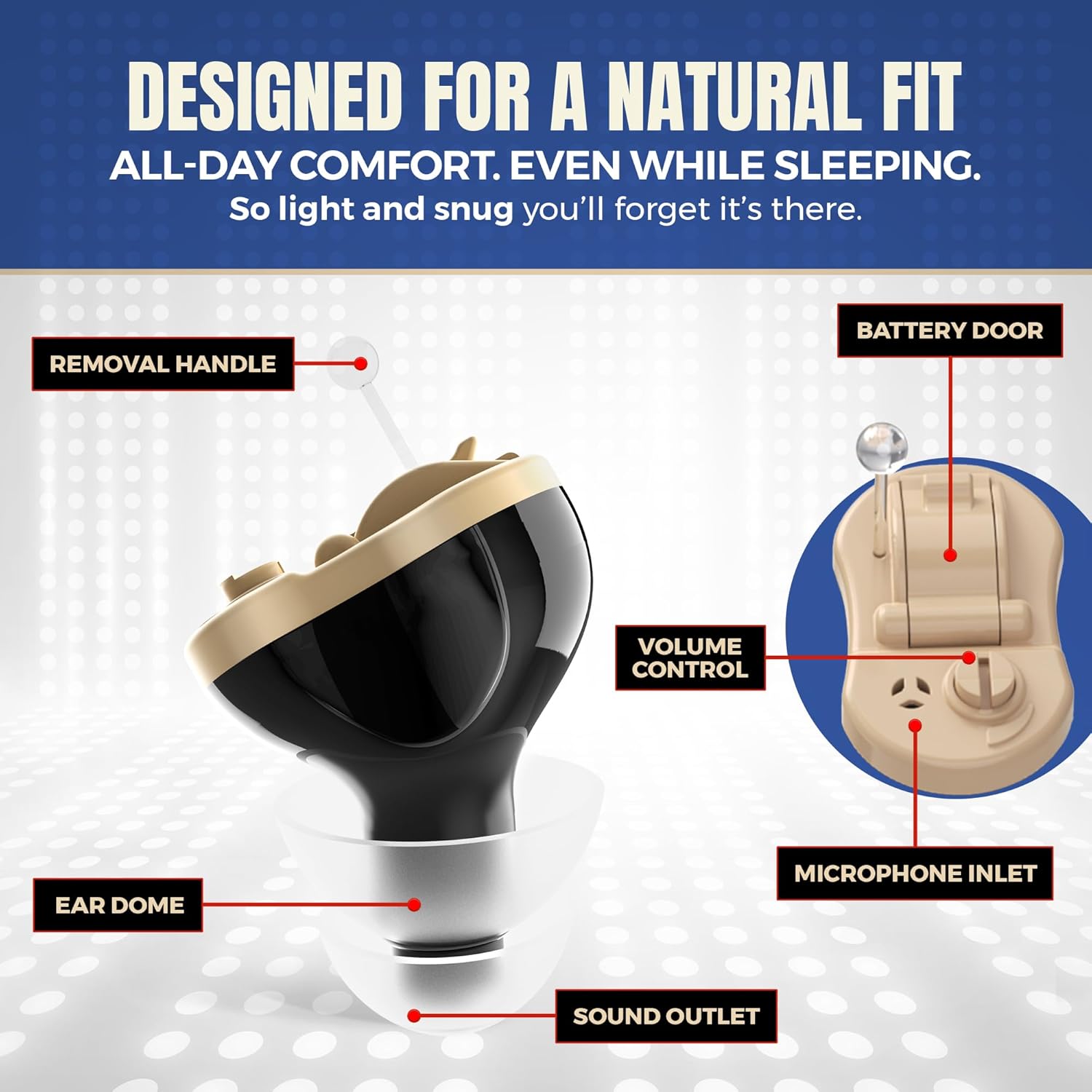
Image 4.2: Detailed diagram showing the various components of the hearing amplifier, including the battery door, volume control, and ear dome.
- Removal Handle: Used to easily remove the device from the ear canal.
- Battery Door: Access point for inserting and replacing the A10 battery.
- Volume Control: A small dial for adjusting the sound amplification level.
- Microphone Inlet: Captures ambient sounds.
- Ear Dome: Soft silicone tip that fits into the ear canal.
- Sound Outlet: Delivers amplified sound into the ear.
4.2 Battery Installation
- Gently open the battery door located on the device.
- Insert one A10 battery with the positive (+) side facing up, as indicated by the diagram inside the battery compartment.
- Close the battery door securely.
4.3 Ear Dome Selection and Attachment
- Select an ear dome size that provides a comfortable and secure fit in your ear canal. The package includes various single and double-layer domes.
- Carefully attach the chosen ear dome to the sound outlet of the amplifier. Ensure it is firmly seated.
4.4 Insertion and Initial Volume Adjustment
- Before inserting, ensure the volume is set to the lowest comfortable level using the provided screwdriver.
- Gently insert the amplifier into your ear canal. The device features a 15-second delay start to prevent whistling during insertion.
- Once inserted, slowly adjust the volume using the screwdriver until the desired amplification level is achieved.
5. Operating Instructions
5.1 Turning On/Off
- To turn on the device, ensure a fresh A10 battery is correctly installed and the battery door is closed. The device will activate after the 15-second delay.
- To turn off the device, open the battery door slightly to disconnect the battery. For extended storage, remove the battery completely.
5.2 Volume Adjustment
The volume control is a small dial on the device. Use the provided screwdriver to carefully turn the dial to increase or decrease the amplification level. Adjust to a comfortable listening level that avoids feedback or discomfort.

Image 5.1: Illustration highlighting the features of the amplifier, such as crystal clear sound and intelligent noise reduction.
5.3 Wearing the Device
The MEDca MZ-60 is designed for a natural and comfortable fit. Ensure the ear dome is properly seated in your ear canal. The device is lightweight and intended for all-day wear.

Image 5.2: A hand holding the amplifier, demonstrating its small size and lightweight design (0.05 Oz / 1.3 Grams).
6. Maintenance
6.1 Cleaning the Amplifier
Regular cleaning ensures optimal performance and hygiene.
- Use the provided cleaning brush to gently remove any earwax or debris from the ear dome and sound outlet.
- Wipe the body of the amplifier with a soft, dry cloth. Do not use liquids or cleaning solutions directly on the device.
- Ensure the microphone inlet is clear of obstructions.
6.2 Battery Replacement
When the sound becomes weak or the device stops functioning, it is time to replace the A10 battery.
- Open the battery door.
- Remove the depleted A10 battery.
- Insert a new A10 battery with the correct polarity.
- Close the battery door.
6.3 Storage
When not in use, store the amplifier in its protective carrying case in a cool, dry place. For long-term storage, remove the battery to prevent corrosion.
7. Troubleshooting
If you encounter issues with your MEDca Digital Hearing Amplifier, refer to the following common problems and solutions:
| Problem | Possible Cause | Solution |
|---|---|---|
| No sound or weak sound | Dead or incorrectly inserted battery; volume too low; clogged sound outlet. | Replace battery; ensure correct battery polarity; increase volume; clean sound outlet and ear dome. |
| Whistling or feedback sound | Improperly seated ear dome; ear dome too small; device not fully inserted; volume too high. | Re-insert device firmly; try a larger ear dome; ensure device is fully in ear canal; lower volume. |
| Sound is distorted or unclear | Low battery; earwax buildup; microphone inlet blocked. | Replace battery; clean ear dome and sound outlet; clear microphone inlet. |
| Device does not fit comfortably | Incorrect ear dome size. | Try different sizes and types of ear domes provided in the package. |
8. Specifications
- Model: MZ-60
- Device Dimensions: Approximately 0.39 x 0.39 x 0.39 inches
- Device Net Weight: 0.05 ounces (1.3 grams)
- Battery Type: A10 Zinc-Air Battery
- Estimated Battery Life: 4-7 days (with normal use)
- Material: Silicone (ear domes)
- Color: Black
9. Warranty and Support
9.1 Product Warranty
The MEDca Digital Hearing Amplifier MZ-60 comes with a limited 2-year product warranty. Please retain your proof of purchase for warranty claims.
9.2 Customer Support
For technical assistance, troubleshooting not covered in this manual, or warranty inquiries, please contact MEDca customer support. Our highly trained customer experience team is available to assist you.
Contact information can typically be found on the MEDca official website or on the product packaging.