
1. Introduction
Thank you for choosing the Xanlite LPM38ND LED Table Lamp. This manual provides essential information for the safe and efficient use of your new lamp. Please read these instructions carefully before use and retain them for future reference.
The Xanlite LPM38ND is a modern, rechargeable LED table lamp designed for indoor use. It features adjustable brightness (dimmable) and color temperature (CCT) to suit various lighting needs, from warm ambient light to cool task lighting.
2. Product Features
- Modern Design: Black metal finish, 38 cm height, suitable for various interior settings.
- USB Rechargeable: Convenient charging via a standard USB connection, offering portability and flexible placement.
- 250 Lumens Output: Provides moderate brightness suitable for ambient lighting or reading.
- Dimmable Function: Allows adjustment of light intensity to match your preferences and needs.
- Adjustable Color Temperature (CCT): Offers a range from 3000K (Warm White) to 4000K (Cool White).
- 3000K Warm White: Creates a cozy and relaxing atmosphere, ideal for living rooms and bedrooms.
- 4000K Cool White: Provides brighter, more energizing light, perfect for workspaces or areas requiring good visibility.
3. Package Contents
Please check the package for the following items:
- Xanlite LPM38ND LED Table Lamp
- USB Charging Cable
- User Manual (this document)
If any components are missing or damaged, please contact customer support.
4. Setup
-
4.1 Unpacking
Carefully remove all components from the packaging. Retain the packaging for future storage or transport.
-
4.2 Placement
Place the lamp on a stable, flat surface. Ensure it is not near heat sources, direct sunlight, or in excessively humid environments. The lamp is designed for indoor use only.
-
4.3 Initial Charging
Before first use, fully charge the lamp. Connect the provided USB charging cable to the lamp's USB port and plug the other end into a standard USB power adapter (not included) or a computer USB port. The charging indicator light (if present) will show the charging status. A full charge typically takes several hours.
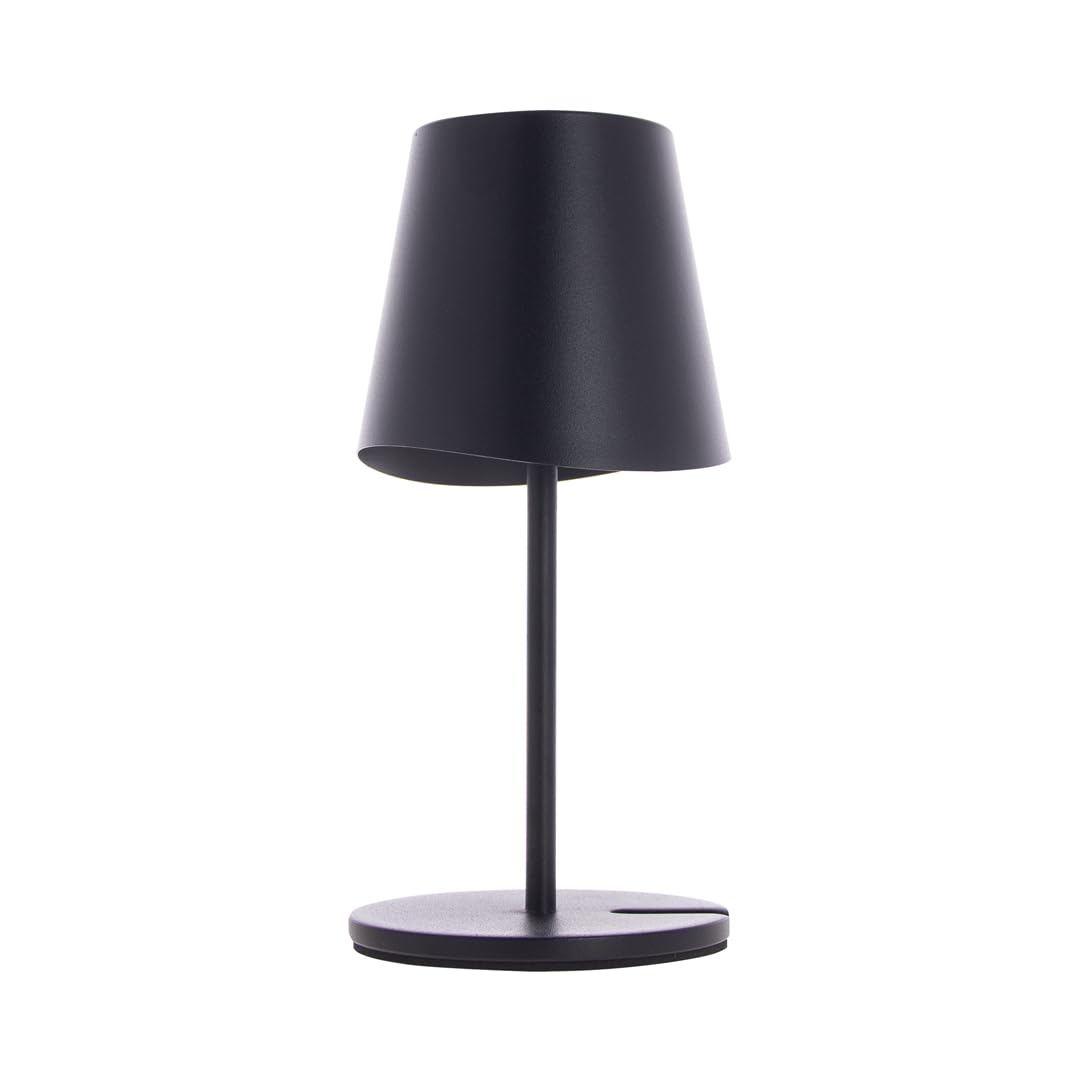
Image: The Xanlite LPM38ND LED Table Lamp, a black metal lamp with a circular base and adjustable head, shown connected to a USB charging cable. The lamp is approximately 38 cm tall.
5. Operating Instructions
The lamp is operated via a push-button switch, typically located on the base or stem of the lamp.
-
5.1 Power On/Off
Press the power button once to turn the lamp on. Press it again to turn the lamp off.
-
5.2 Adjusting Brightness (Dimming)
When the lamp is on, press and hold the power button to adjust the brightness. The light intensity will gradually increase or decrease. Release the button when the desired brightness is reached.
-
5.3 Changing Color Temperature (CCT)
With the lamp on, quickly double-press the power button to cycle through the available color temperatures: 3000K (Warm White) and 4000K (Cool White). The lamp will switch to the next color temperature with each double-press.
6. Maintenance
- Cleaning: Disconnect the lamp from any power source before cleaning. Use a soft, dry cloth to wipe the lamp's surface. Do not use abrasive cleaners, solvents, or harsh chemicals, as these may damage the finish.
- Storage: If storing the lamp for an extended period, ensure it is fully charged and store it in a cool, dry place. Recharge the lamp every 3-6 months to maintain battery health.
- Battery Care: The integrated battery is not user-replaceable. Avoid exposing the lamp to extreme temperatures.
7. Troubleshooting
| Problem | Possible Cause | Solution |
|---|---|---|
| Lamp does not turn on. | Battery is depleted. | Connect the lamp to a USB power source and charge it fully. |
| Lamp does not charge. | USB cable or power adapter is faulty; connection is loose. | Ensure the USB cable is securely connected. Try a different USB cable or power adapter. |
| Brightness or color temperature cannot be adjusted. | Incorrect operation. | Refer to Section 5.2 and 5.3 for correct adjustment procedures. Ensure the lamp is on. |
| Light flickers or is unstable. | Low battery; faulty internal component. | Charge the lamp fully. If the issue persists after charging, contact customer support. |
If you encounter problems not listed here or if the suggested solutions do not resolve the issue, please contact Xanlite customer support.
8. Specifications
| Feature | Specification |
|---|---|
| Brand | Xanlite |
| Model Number | LPM38ND |
| Dimensions (L x W x H) | 10.7 x 11 x 37 cm |
| Weight | 800 g |
| Material | Metal |
| Color | Black (Product description mentions 'Multicolor' but main title and image suggest black) |
| Light Source | Integrated LED |
| Luminous Flux | 250 lumens |
| Color Temperature (CCT) | 3000K (Warm White) - 4000K (Cool White) |
| Voltage | 5 Volts (DC) |
| Power Source | USB Rechargeable |
| Switch Type | Push-button |
| Special Features | Dimmable, Rechargeable |
9. Safety Information
- This lamp is for indoor use only. Do not expose to rain or moisture.
- Do not disassemble, modify, or attempt to repair the lamp yourself. This may void the warranty and pose a safety risk.
- Keep the lamp away from children and pets.
- Avoid looking directly into the LED light source for extended periods, as it may cause eye strain.
- Use only the provided USB cable or a certified equivalent for charging.
- Do not expose the lamp to extreme temperatures, open flames, or direct sunlight.
- Ensure the lamp is placed on a stable surface to prevent it from falling.
10. Disposal Information
This product contains an integrated rechargeable battery and electronic components. Do not dispose of the product with general household waste. Please follow local regulations for the separate collection of electronic products and batteries. Proper disposal helps prevent potential negative consequences for the environment and human health.
11. Warranty and Support
Information regarding warranty terms and conditions is typically provided at the point of purchase or on the manufacturer's official website. For technical support, troubleshooting assistance, or warranty claims, please refer to the contact information provided by your retailer or the Xanlite official support channels.
