
Introduction
This manual provides detailed instructions for the installation and care of your SRJTEK LCD screen replacement kit for the Oukitel WP28 smartphone. This kit is designed to replace damaged or non-functional screens, restoring your device's display and touch capabilities.
The replacement screen is exclusively designed for the Oukitel WP28, ensuring precise compatibility and fit. It addresses common screen issues such as cracks, dead pixels, unresponsive touch, and color inaccuracies.
What's in the Box
Your SRJTEK Oukitel WP28 LCD Screen Replacement Kit includes:
- 1 x Replacement LCD Screen for Oukitel WP28
- 1 x Professional Disassembly Tool Set
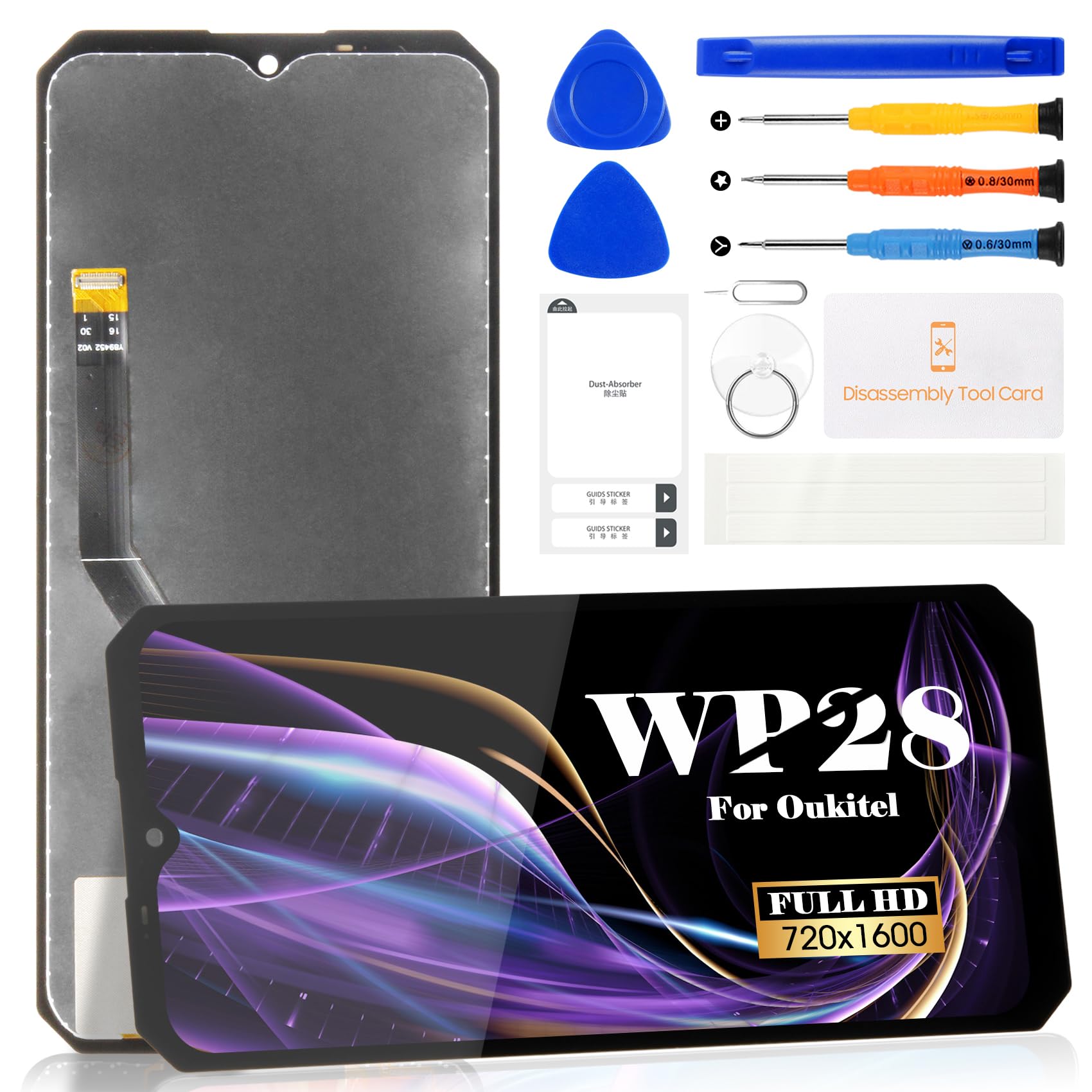
Image: Overview of the SRJTEK Oukitel WP28 LCD screen replacement kit, showing the screen and its key specifications like resolution, density, and size.
Important Safety Information and Precautions
Please read and understand all safety information before proceeding with the installation. Improper handling can lead to damage to the screen or your device.
- Fragile Component: The replacement screen is made of glass and is fragile. Handle it with extreme care to prevent breakage.
- Professional Installation Recommended: Due to the delicate nature of the LCD and IC chip, professional installation is highly recommended to avoid potential damage.
- Disconnect Battery: Always disconnect the device's battery before attempting to install or remove any screen components.
- Pre-Installation Testing: Before fully adhering or installing the new screen, connect it to the device and perform a thorough test. Check display functionality, touch response across all areas, and color accuracy. Power the device on and off multiple times during testing to identify any intermittent issues.
- Static Electricity: Take precautions against static electricity, which can damage electronic components.
- Tool Usage: Use the provided tools carefully. Avoid excessive force that could scratch or damage the device.
Setup and Installation
Follow these steps carefully for the installation of the new LCD screen. Refer to the included detailed guide or online instructional videos for visual assistance.
- Power Off Device: Ensure your Oukitel WP28 is completely powered off before beginning. Remove the SIM card tray.
- Remove Back Cover: Carefully use the prying tools to open the device's back cover.
- Disconnect Battery: Locate and disconnect the battery connector from the motherboard to prevent short circuits.
- Remove Old Screen: Disconnect the flex cables of the old screen from the motherboard. Use a heat gun or hairdryer to gently warm the edges of the screen to loosen the adhesive, then carefully pry off the damaged screen using the suction cup and prying tools.
- Clean Frame: Remove any remaining adhesive or glass fragments from the phone frame. Ensure the frame is clean and smooth for the new screen.
- Connect New Screen (Test): Connect the flex cables of the new replacement screen to the corresponding connectors on the motherboard. Do not apply adhesive yet.
- Reconnect Battery and Test: Reconnect the battery and power on the device. Thoroughly test the new screen's display, touch functionality (swipe, tap, multi-touch), and check for any dead pixels or discoloration. Power off and on several times to confirm stability.
- Final Installation: If the screen functions correctly during testing, disconnect the battery again. Apply new adhesive around the phone frame. Carefully align and press the new screen into place. Reconnect the battery, reassemble the back cover, and secure all screws.
- Final Power On: Power on your device and perform a final check of all functions.

Image: Visual guide illustrating the tools provided and the general steps for replacing a smartphone screen, including prying, disconnecting cables, and reassembly.
Operating
Once the new screen is installed, the device should operate as normal. The screen provides a smooth display performance suitable for daily use, including regular navigation and high-definition video viewing.
- Display Check: Verify that the display is clear, bright, and free from defects.
- Touch Functionality: Test the touch response across the entire screen surface. Ensure all gestures and taps register accurately.
- Color Accuracy: Observe if colors are vibrant and true to life.
Maintenance
To ensure the longevity and optimal performance of your new screen, follow these maintenance guidelines:
- Cleaning: Use a soft, lint-free microfiber cloth to gently wipe the screen. Avoid abrasive materials or harsh chemical cleaners.
- Protection: Consider using a screen protector and a protective case to guard against scratches, impacts, and accidental drops.
- Temperature: Avoid exposing your device to extreme temperatures, direct sunlight, or high humidity, as these can affect screen performance and lifespan.
- Liquid Exposure: Keep the device away from liquids. Even if your phone has some water resistance, a replaced screen might compromise its original sealing.
Troubleshooting
If you encounter issues after installing the new screen, refer to the following common problems and solutions:
- Screen Remains Black or Blue:
- Ensure all flex cables (display and touch) are securely and correctly connected to the motherboard.
- Verify that the battery connector is properly seated.
- Perform a hard reset of the device (refer to your phone's original manual for instructions).
- Touchscreen Not Responding or Inconsistent:
- This can sometimes occur with non-original screens. Ensure thorough pre-installation testing was performed.
- Check for any debris or damage on the flex cable connections. Re-seat the flex cables.
- Restart the device multiple times. Intermittent issues might resolve after several reboots.
- If the issue persists, the screen itself might be defective. Contact customer support.
- Display Issues (Dead Pixels, Lines, Discoloration):
- If these issues were present during pre-installation testing, the screen is likely defective.
- If they appeared after installation, check for any pressure points or damage during assembly.
- Contact customer support for a replacement if the screen is confirmed defective.
Specifications
| Brand | SRJTEK |
| Model Compatibility | Oukitel WP28 |
| Screen Type | IPS LCD |
| Resolution | 720x1600 pixels |
| Pixel Density | 269 ppi |
| Screen Size | 6.52 inches |
| Color Depth | 16 Million Colors |
| RGB Coverage | 100% |
Warranty and Support
SRJTEK is committed to providing high-quality products and customer satisfaction.
- Quality Assurance: Every screen undergoes rigorous quality control checks before leaving the factory to ensure it meets high performance standards.
- Six-Month Warranty: We offer a six-month warranty service. If functional problems arise that are not due to human intervention or accidental damage, we commit to replacing the screen with a brand new one.
- Customer Support: If you encounter any issues during your purchase, installation, or use, our customer service team is available to provide support. Please send an email, and we will offer full assistance within 24 hours.