
TURBRO FMP10AC-HW
TURBRO Finnmark 14,000 BTU Portable Air Conditioner and Heater User Manual
Model: FMP10AC-HW
Introduction
This manual provides essential instructions for the safe operation, installation, maintenance, and troubleshooting of your TURBRO Finnmark 14,000 BTU Portable Air Conditioner and Heater. Please read this manual thoroughly before using the appliance and retain it for future reference.
The TURBRO Finnmark unit offers versatile climate control with cooling, heating, dehumidifying, and fan modes, designed for rooms up to 600 square feet. It features remote and WiFi control for convenient operation.
Important Safety Information
WARNING: To reduce the risk of fire, electric shock, or injury, observe the following safety precautions:
- Always plug the unit into a grounded 3-prong outlet. Do not remove the grounding prong.
- Do not use an adapter or extension cord.
- Do not operate the unit with a damaged power cord or plug.
- Do not block air vents or exhaust openings.
- Keep flammable materials away from the unit.
- Unplug the unit before cleaning or servicing.
- Do not allow children to operate or play with the unit.
- Ensure the unit is placed on a flat, stable surface.
- This appliance uses R32 refrigerant. Servicing should only be performed by qualified personnel.
Product Overview
The TURBRO Finnmark portable unit is designed for efficient climate control. Below are its main components and features.
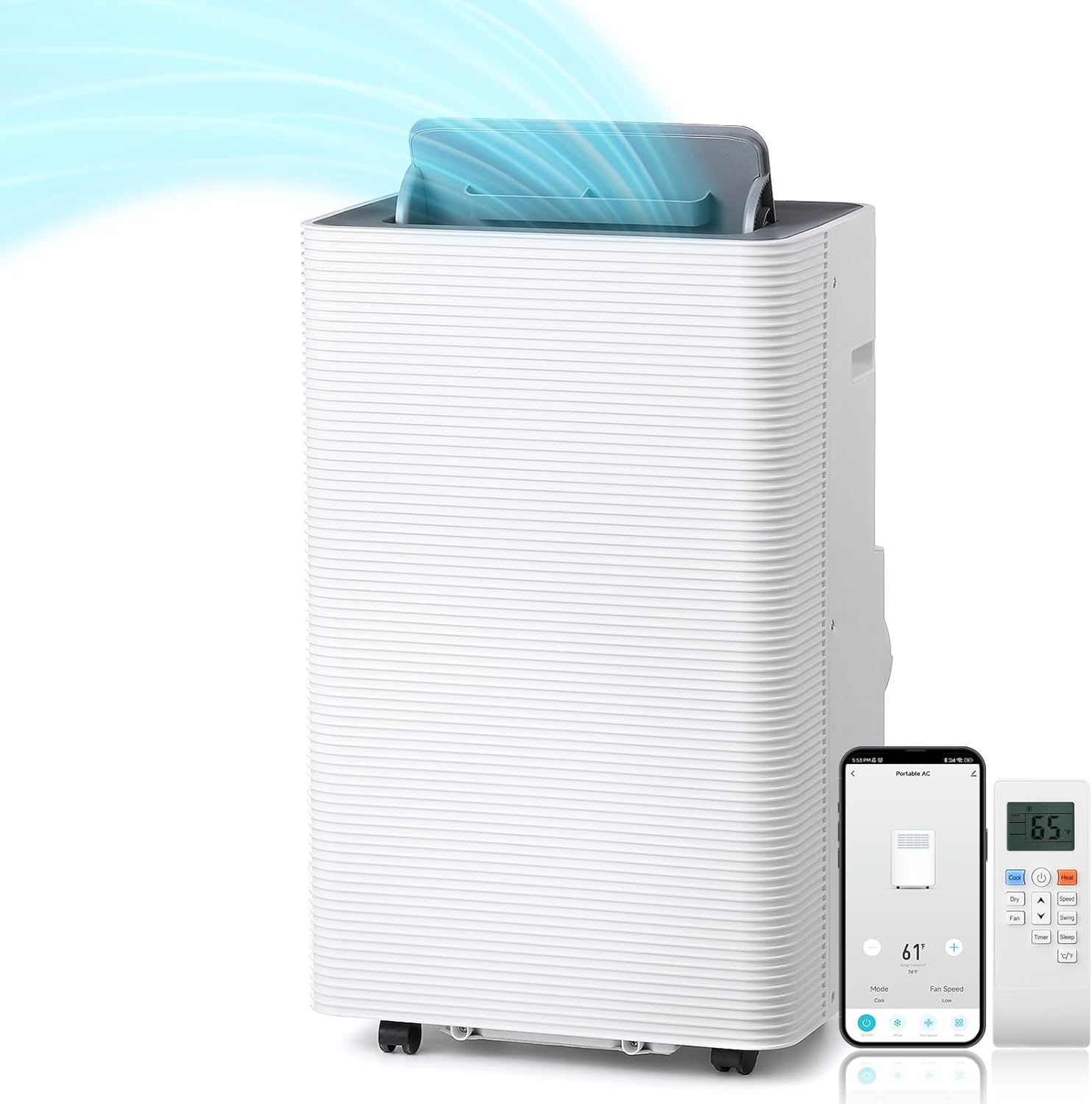
Image: Front view of the TURBRO Finnmark portable air conditioner and heater, showing its sleek white design, top control panel, and a remote control and smartphone displaying the WiFi app interface next to it.
Key Features:
- Cooling Capacity: 14,000 BTU (ASHRAE) / 10,000 BTU (DOE 2017 Standard) for areas up to 600 sq. ft.
- Heating Function: Provides warmth from 61-90°F.
- Dehumidifier Mode: Removes excess moisture from the air.
- 3-Speed Fan: Circulates air for ventilation.
- Smart WiFi Control: Manage settings remotely via a mobile application.
- Remote Control: Convenient operation from a distance.
- 24-Hour Timer: Schedule operation for energy efficiency.
- R32 Refrigerant: Environmentally conscious refrigerant.
- CSA-Certified: Ensures safety and quality standards.

Image: An exploded view of the TURBRO Finnmark portable air conditioner and its included accessories, including the exhaust hose, window kit components, remote control, user manual, and batteries. Key dimensions of the unit and window kit are labeled.
Setup and Installation
The TURBRO Finnmark unit is designed for quick and hassle-free installation, typically completed in under 15 minutes.
Unpacking:
- Carefully remove the unit and all accessories from the packaging.
- Verify that all components listed in the product overview are present.
- Allow the unit to stand upright for at least 2 hours before operation if it was not stored vertically.
Window Kit Installation:
The comprehensive window kit allows for the exhaust hose to be fitted to various window types, including vertical or horizontal sliding windows.

Image: Diagram illustrating the drill-free installation of the window kit for the portable air conditioner, showing compatibility with both horizontal sliding windows and single/double hung windows, with opening ranges of 11-67 inches.
- Assemble the window slider kit to fit your window opening.
- Attach the exhaust hose to the unit and then to the window kit adapter.
- Ensure the exhaust hose is extended and not kinked, allowing hot air to vent outdoors.
- Seal any gaps around the window kit to maximize efficiency.
Power Connection:

Image: A hand plugging the power cord of the unit into a wall outlet, emphasizing proper connection.
Plug the unit into a standard 115V, 60Hz grounded electrical outlet. Do not use extension cords or power strips.
Operating Instructions
Your TURBRO Finnmark unit can be controlled via the integrated control panel, the included remote control, or the WiFi-enabled mobile application.

Image: A top-down view of the unit's control panel, alongside a remote control and a smartphone displaying the WiFi control app, highlighting the multiple ways to operate the device.
Control Panel:
The control panel on top of the unit allows direct access to all functions. Refer to the detailed diagram in the included user manual for specific button functions.
Remote Control:
The remote control provides convenient access to all functions from a distance. Ensure batteries are correctly installed.
WiFi Control (Mobile App):
Download the TURBRO mobile application to control your unit from anywhere. Follow the in-app instructions for pairing your device.
Operating Modes:
- Cool Mode: Provides cooling for rooms up to 600 sq. ft. Set your desired temperature between 61°F and 90°F.
- Heat Mode: Provides heating for rooms, with a temperature range of 61°F to 90°F.
- Dehumidifier Mode: Removes up to 70 pints of moisture per day. The unit will operate as a dehumidifier without cooling or heating.
- Fan Mode: Operates as a 3-speed fan to circulate air without temperature modification.

Image: An illustration highlighting the efficient cooling capabilities of the unit, showing 14,000 BTU cooling capacity, coverage up to 600 sq ft, a temperature range of 61-90°F, and 235 CFM airflow.

Image: An illustration demonstrating the heating capability of the unit, showing 11,669 BTU heating capacity and a temperature range of 61-90°F, with a person comfortably reading in a room.

Image: A visual representation of the dehumidification function, showing a clear distinction between a humid environment (left) and a dry environment (right), indicating the unit removes up to 70 pints/day of moisture.
Additional Functions:
- Timer: Set the 24-hour timer to automatically turn the unit on or off.
- Sleep Mode: Adjusts settings for quiet and comfortable overnight operation.
- Child Lock: Prevents unintended changes to settings.
Maintenance
Regular maintenance ensures optimal performance and extends the lifespan of your unit.
Air Filter Cleaning:
Clean the air filter regularly (every two weeks or more often depending on usage) to maintain air quality and unit efficiency.

Image: A close-up of the unit's side, showing a hand removing the air filter for cleaning, indicated by a blue arrow.
- Unplug the unit from the power outlet.
- Locate the air filter panel, typically on the side or rear of the unit.
- Remove the filter.
- Wash the filter with warm, soapy water. Rinse thoroughly and allow it to air dry completely before reinserting.
Water Drainage:
The unit collects condensation during operation. Depending on humidity levels and mode, it may require draining.
- Continuous Drainage: For high humidity environments or continuous operation, connect a drain hose to the continuous drain port and direct it to a floor drain or a suitable container.
- Manual Drainage: If continuous drainage is not used, the internal water tank will fill. The unit will indicate when it needs to be drained. Place a shallow pan under the drain port and remove the drain plug to empty the water.
Storage:
When storing the unit for an extended period:
- Drain all water from the unit.
- Clean the air filter.
- Store the unit in an upright position in a cool, dry place.
Troubleshooting
Before contacting customer support, please refer to the following common issues and solutions:
| Problem | Possible Cause | Solution |
|---|---|---|
| Unit does not turn on. | No power, tripped circuit breaker, full water tank. | Check power connection, reset breaker, drain water tank. |
| Insufficient cooling/heating. | Blocked air filter, open windows/doors, unit size too small for room, exhaust hose not properly installed. | Clean filter, close windows/doors, ensure proper exhaust setup, verify room size. |
| Unit is noisy. | Unit not on a level surface, fan obstruction. | Place on a flat surface, check for obstructions in fan area. |
| Water leakage. | Drain plug loose, continuous drain hose kinked or blocked, unit tilted. | Ensure drain plug is secure, clear drain hose, place unit on level surface. |
| Remote control not working. | Dead batteries, obstruction between remote and unit. | Replace batteries, remove obstructions. |
Specifications
| Feature | Detail |
|---|---|
| Model Number | FMP10AC-HW |
| Cooling Capacity (ASHRAE) | 14,000 BTU |
| Cooling Capacity (DOE 2017) | 10,000 BTU |
| Heating Capacity | 11,669 BTU |
| Coverage Area | Up to 600 sq. ft. |
| Product Dimensions (D x W x H) | 14.96" x 18.5" x 34.8" |
| Item Weight | 75 pounds |
| Voltage | 115 Volts |
| Noise Level | 56 dB |
| Refrigerant | R32 |
| CEER Rating | 7.77 |
| Special Features | Child Lock, Fast Cooling, Heating And Cooling Function, Remote Controlled, WiFi Enabled |
Warranty and Support
Your TURBRO Finnmark unit comes with a 1-year manufacturer's warranty from the date of purchase. This warranty covers defects in materials and workmanship under normal use.
For warranty claims, technical support, or service inquiries, please contact TURBRO customer service. It is recommended to register your product to activate any extended warranty offers.
For a detailed user manual in PDF format, please refer to the official TURBRO website or the document provided with your purchase.
Online User Manual (PDF): Download Here
Related documentsFMP10AC-HW


Ask a question about this manual
Ask about setup, troubleshooting, compatibility, parts, safety, or missing instructions. Manuals+ will review the question and use this page’s manual context to help answer it.