
BONSEN S3112 Paper Shredder
BONSEN 12-Sheet Cross-Cut Paper Shredder User Manual
Model: S3112 Paper Shredder
1. Introduction
Thank you for choosing the BONSEN 12-Sheet Cross-Cut Paper Shredder. This manual provides essential information for the safe and efficient operation, maintenance, and troubleshooting of your new shredder. Designed for home and small office use, this heavy-duty shredder offers robust performance and high-security shredding for your sensitive documents.

Figure 1: BONSEN 12-Sheet Cross-Cut Paper Shredder.
Video 1: Overview of the BONSEN 12-Sheet Cross-Cut Paper Shredder for Home Office, highlighting its features and capabilities.
2. Safety Instructions
- WARNING: RISK OF FIRE. Do not use near inflammable liquids or gases.
- Keep spray cans away from the device.
- Keep children and pets away from the shredder.
- Keep loose clothing, jewelry, and hair away from the shredder opening.
- Do not insert fingers or other body parts into the shredder opening.
- Unplug the shredder before moving, cleaning, or emptying the waste bin.
- Do not shred metal objects, large paper clips, or adhesive labels.
- Ensure the shredder is placed on a stable, flat surface.
- Do not overload the shredder beyond its specified sheet capacity.
3. What's in the Box
- 1 x BONSEN Paper Shredder S3112
- 1 x User Manual
- 1 x Installation Instruction
4. Setup
Follow these steps to set up your BONSEN Paper Shredder:
- Unpacking: Carefully remove all components from the packaging. Retain packaging for future storage or transport.
- Install Casters: Turn the shredder body upside down. Insert the four casters into the designated holes on the bottom of the shredder. Two casters have a locking mechanism; these should be placed at the front for easy access. Ensure they are firmly pressed into place.
- Place Shredder Head: Carefully align the shredder head with the top of the waste bin. Ensure the head is securely seated on the bin. The shredder will only operate if the shredder head and the basket are in correct position.
- Connect Power: Plug the power cord into a standard electrical outlet.
Video 2: Detailed installation instructions for the BONSEN S3112 Paper Shredder, including caster and head assembly.
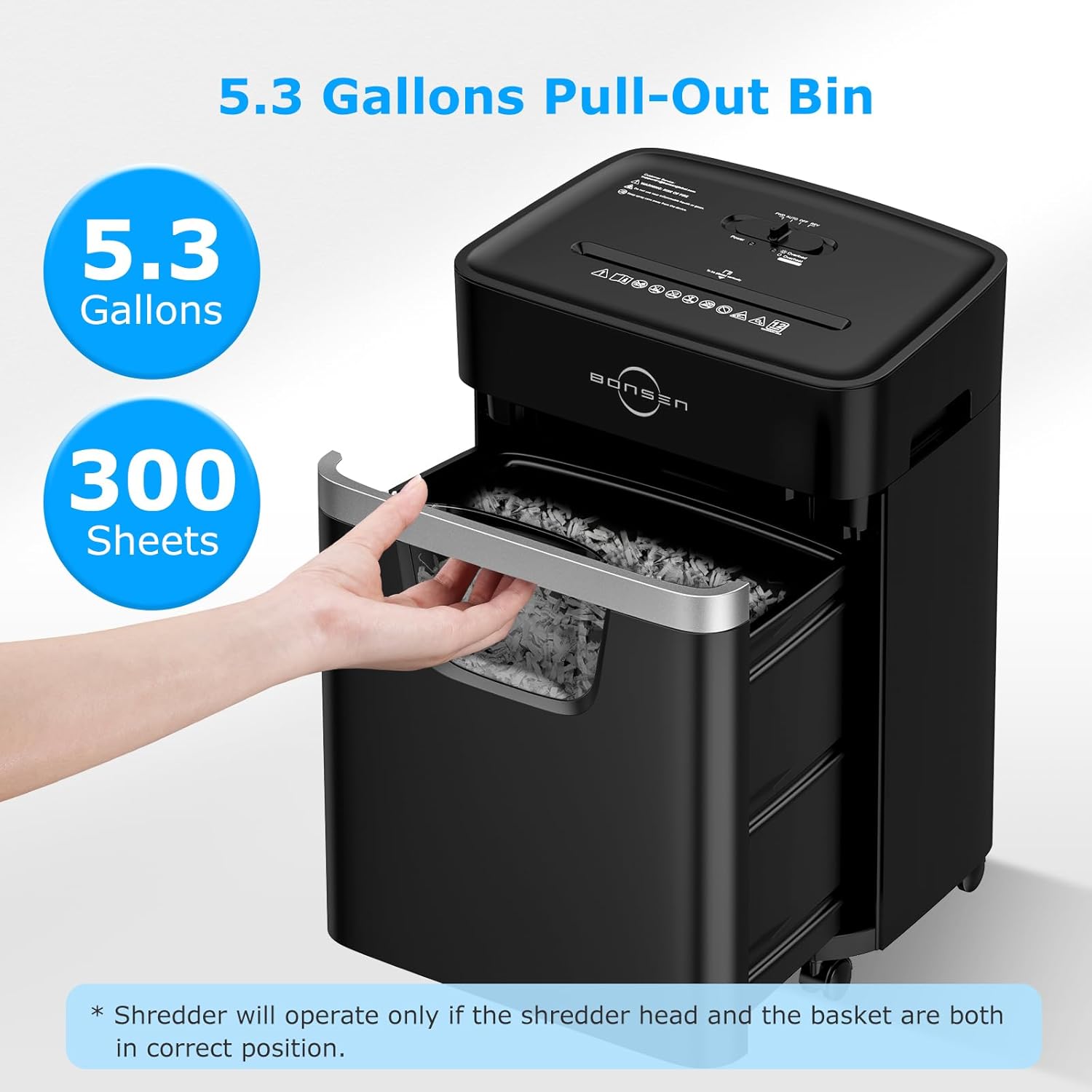
Figure 2: The 5.3-gallon pull-out bin design for easy waste disposal.
5. Operating Instructions
The shredder features a slide switch with three modes: FWD (Forward), AUTO (Automatic), OFF, and REV (Reverse).
- AUTO Mode: This is the most commonly used mode. The shredder will automatically start when paper is inserted and stop when shredding is complete.
- FWD Mode: For continuous shredding, slide the switch to FWD. The shredder will run continuously until switched to OFF or AUTO.
- REV Mode: Use REV mode to clear paper jams. The shredder will reverse its blades to push out jammed paper.
- OFF Mode: Always switch to OFF when the shredder is not in use or when emptying the bin.
Shredding Documents
Insert up to 12 sheets of paper (8.5" x 11", 20lb bond) into the paper entry slot. The shredder will automatically begin shredding in AUTO mode. For optimal performance, avoid exceeding the maximum sheet capacity.
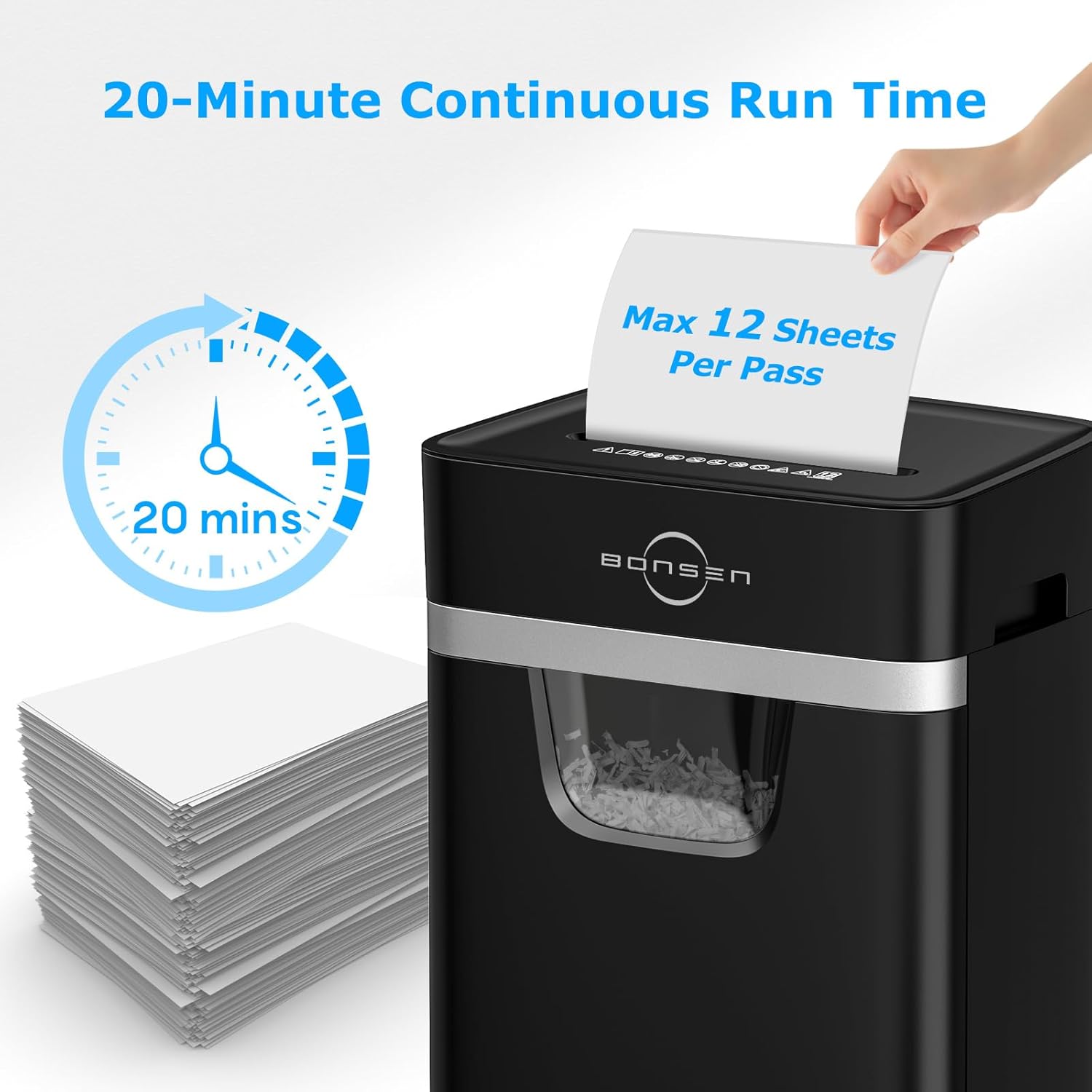
Figure 3: The shredder supports a maximum of 12 sheets per pass and can run continuously for 20 minutes.
Shredding CDs, Credit Cards, and Staples
The BONSEN shredder is designed to handle various materials for comprehensive security:
- CDs/DVDs: Insert one CD or DVD at a time into the dedicated CD shredding slot.
- Credit Cards: Insert one credit card at a time into the credit card slot.
- Staples & Small Paper Clips: The shredder can safely shred documents with small staples and paper clips attached.
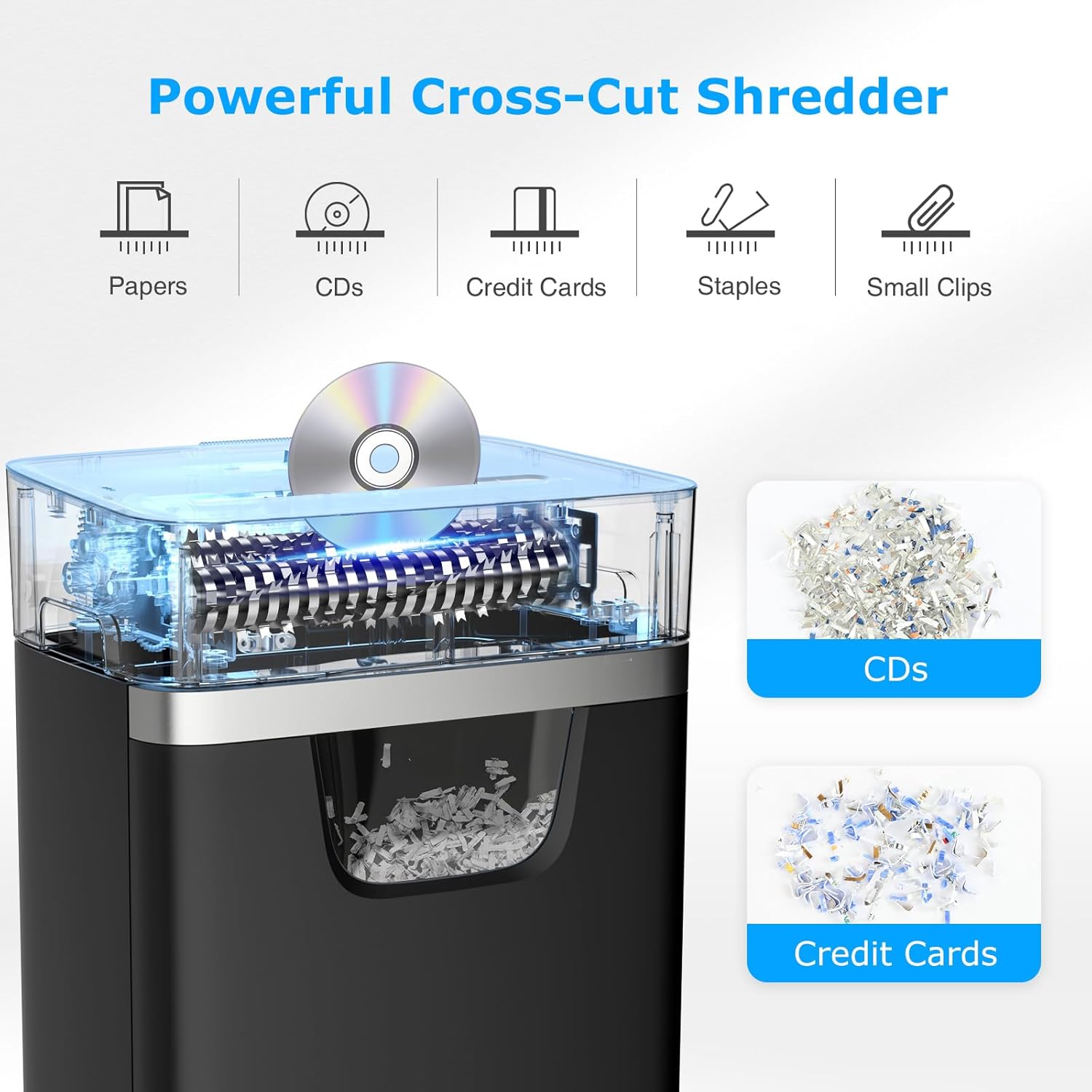
Figure 4: The powerful cross-cut mechanism handles various materials including paper, CDs, credit cards, staples, and small clips.

Figure 5: Achieving P-4 high-security level, shredding documents into tiny 13/64 x 63/64 inch (5 x 25 mm) particles.
6. Maintenance
- Emptying the Waste Bin: When the clear window indicates the bin is full, switch the shredder to OFF, pull out the bin, and dispose of the shredded waste. Reinsert the bin securely.
- Oiling the Blades: Regularly oil the shredder blades with shredder oil (not included) to maintain optimal performance and extend the life of the shredder. Apply oil in a zigzag pattern across the paper entry slot, then run a few sheets of paper through.
- Cleaning: Wipe the exterior of the shredder with a soft, dry cloth. Do not use abrasive cleaners or solvents.
7. Troubleshooting
Smart Jam-Proof System
The shredder is equipped with Auto Start/Stop/Reverse sensors and indicator lights to prevent jams and overheating.

Figure 6: Anti-Jam Protection with Auto Start and Manual Reverse functions.
Clearing a Paper Jam
If a paper jam occurs, the shredder will stop. Follow these steps to clear it:
- If the bin is full, empty it first.
- Slide the switch to "REV" and hold for 5 seconds to reverse the paper.
- Pull out the jammed paper.
- Slide the switch to "FWD" and hold for 5 seconds to clear any remaining debris.
- Reduce the amount of paper and shred again.

Figure 7: Visual guide for clearing paper jams.
Overheating Protection
The shredder is equipped with an advanced patented cooling system for continuous shredding. If the shredder runs continuously for too long (e.g., 20 minutes), it will automatically enter a 30-minute cooldown mode to protect internal components. The "Overheat" indicator light will illuminate.

Figure 8: Overheating protection with indicator lights. If the red light is on, wait 30 minutes for cooling.
8. Specifications
| Feature | Detail |
|---|---|
| Model Number | S3112 Paper Shredder |
| Shred Type | Cross Cut |
| Security Level | P-4 |
| Shred Size | 13/64 x 63/64 inches (5 x 25 mm) |
| Sheet Capacity | 12 sheets (20lb bond paper) |
| Continuous Run Time | Up to 20 minutes |
| Cool-down Time | 30 minutes |
| Bin Capacity | 5.3 Gallons (approx. 300 sheets) |
| Item Weight | 15.9 pounds |
| Product Dimensions | 14 x 9.8 x 20.2 inches |
| Color | Black |
| Certifications | ETL Listed |
9. Warranty & Support
The BONSEN Paper Shredder S3112 comes with a 1-year professional customer service warranty.
If you have any questions or require assistance during use, please contact BONSEN US customer service through Amazon. Our professional customer service team is available to help you within 24 hours.
For additional support and product information, visit the BONSEN Store on Amazon.
Related documentsS3112 Paper Shredder


Ask a question about this manual
Ask about setup, troubleshooting, compatibility, parts, safety, or missing instructions. Manuals+ will review the question and use this page’s manual context to help answer it.