
1. Introduction
Thank you for choosing the SHIWOJIA 12X Hybrid Zoom 6MP 4G Solar PTZ Camera. This outdoor surveillance camera is designed for robust performance in various environments, offering advanced features such as 4G connectivity, solar power, dual lenses for hybrid zoom, 360° pan/tilt rotation, night vision, human detection, and two-way audio communication. This manual provides essential information for setting up, operating, and maintaining your camera to ensure optimal performance and security.
2. Product Overview
Key Features
- 4G Connectivity: Operates independently without Wi-Fi, requiring only an activated 4G SIM card.
- Solar Powered: Equipped with a 12000mAh rechargeable battery and a 6W solar panel for continuous, uninterrupted operation.
- 6MP Dual Lens System: Features two 3MP lenses for a combined 6MP resolution, providing clear and detailed images.
- 12X Hybrid Zoom: Combines optical and digital zoom for detailed viewing of distant objects.
- 360° PTZ Control: Offers 355° horizontal pan and 90° vertical tilt rotation for comprehensive area coverage.
- HD IR Night Vision: Provides clear surveillance in low-light conditions.
- Smart Human Detection: Advanced motion sensor triggers real-time notifications and video recording upon human movement.
- Two-Way Audio: Built-in microphone and speaker enable real-time communication.
- IP66 Weatherproof: Designed for outdoor use, resistant to dust and water.
- Dual Storage Options: Supports local storage via SD card and cloud storage.
3. Setup Guide
3.1 Charging the Battery
The camera is powered by an internal 12000mAh rechargeable battery, continuously charged by a 6W solar panel. For initial setup or if the battery is low, ensure the solar panel is exposed to direct sunlight. The camera is designed for uninterrupted power throughout the year, even in areas without electrical outlets.
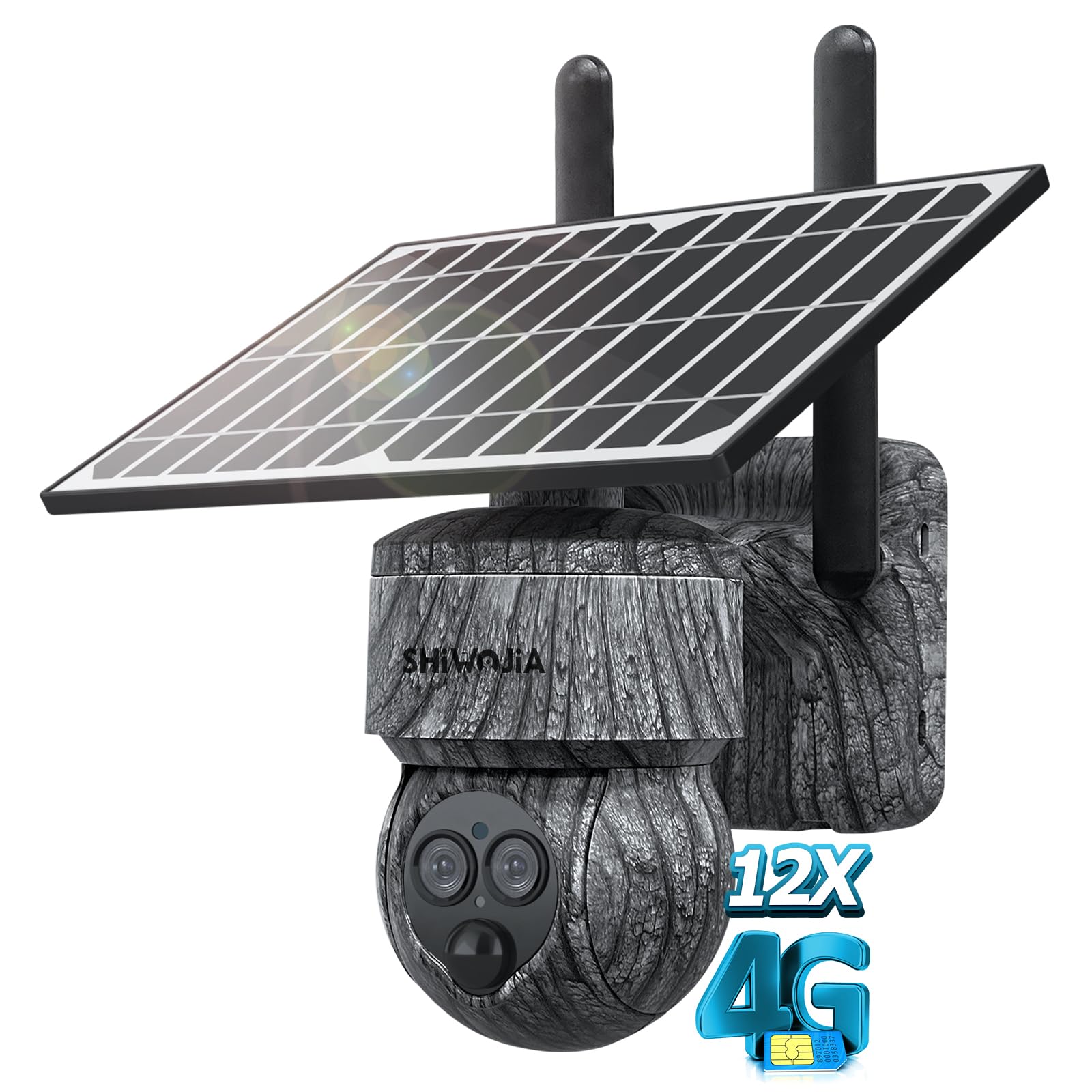
Image: The camera's solar panel efficiently converts sunlight into energy, ensuring continuous operation without the need for external charging.
3.2 SIM Card Installation
This camera operates using a 4G SIM card (not included). Ensure your SIM card is activated and has a data plan. Locate the SIM card slot on the camera, typically protected by a waterproof cover. Insert the activated 4G SIM card into the designated slot. The camera will automatically connect to the 4G network.
3.3 Mobile App Installation and Pairing
- Download the App: Search for the recommended mobile application (refer to the packaging or quick start guide for the specific app name) on your smartphone's app store (Google Play Store or Apple App Store).
- Register an Account: Open the app and follow the on-screen instructions to register a new user account.
- Add Camera: In the app, select the option to add a new device. Follow the prompts to scan the QR code on your camera or manually enter its device ID.
- Connect: Once the camera is detected, follow the app's instructions to complete the pairing process. Ensure your smartphone has a stable internet connection during this step.
3.4 Mounting the Camera
The camera is designed for wall mounting. Choose a location that provides the desired viewing angle and ensures adequate sunlight exposure for the solar panel. Use the provided mounting bracket and screws to securely attach the camera to a stable surface. Adjust the camera's position to optimize coverage.
4. Operating Instructions
4.1 Live View and PTZ Control
Once the camera is paired with the mobile app, you can access the live video feed. Use the on-screen controls within the app to remotely pan (355° horizontal) and tilt (90° vertical) the camera, allowing you to adjust the viewing area as needed.

Image: The mobile application provides intuitive controls for 355° pan and 90° tilt rotation, enabling full coverage of your surveillance area.
4.2 Zoom Functionality
The camera features a 12X hybrid zoom capability, combining both optical and digital zoom. This allows you to zoom in to view detailed information of objects without physical proximity and zoom out for a broader perspective. Use the zoom controls within the mobile app to adjust the magnification.

Image: The dual-lens system provides 12X hybrid zoom, allowing users to magnify distant details or widen the field of view.
4.3 Two-Way Audio
The integrated microphone and speaker enable two-way audio communication. Through the mobile app, you can listen to the camera's surroundings and speak directly through the camera, allowing interaction with visitors or deterring intruders.

Image: Engage in real-time conversations with individuals near the camera using the two-way audio function via the mobile app.
4.4 Motion Detection and Notifications
The camera features a high-performance motion sensor for intelligent detection. When human movement is detected, the camera automatically records video and sends real-time notifications to your mobile app. You can customize detection sensitivity and notification settings within the app.
4.5 Night Vision
Equipped with HD IR night vision, the camera provides clear surveillance footage even in complete darkness. The infrared LEDs illuminate the surroundings without revealing the camera's presence, allowing for clear identification of objects and activities at night.

Image: HD IR Night Vision captures clear video in dark conditions, allowing for monitoring of wildlife or security events at night.
4.6 Video Recording and Storage
The camera supports two storage methods for recorded footage:
- SD Card Storage: Insert a compatible microSD card (up to 128GB, not included) into the camera's SD card slot for local storage of recordings.
- Cloud Storage: The camera also supports cloud storage services (subscription may be required), providing a secure backup for your video footage.
5. Maintenance
- Cleaning: Regularly clean the camera lens and solar panel with a soft, damp cloth to ensure clear image quality and efficient solar charging. Avoid abrasive cleaners.
- Battery Care: While the solar panel provides continuous charging, avoid prolonged storage of the camera in a completely discharged state. If storing for an extended period, ensure the battery is partially charged.
- Firmware Updates: Check the mobile app periodically for available firmware updates. Keeping your camera's firmware up-to-date ensures optimal performance, security, and access to new features.
- Environmental Protection: Ensure all waterproof covers and seals are properly closed after accessing internal components (e.g., SIM card slot, SD card slot) to maintain the IP66 weather resistance.
6. Troubleshooting
- Camera Not Connecting to 4G:
- Ensure the SIM card is activated and has a valid data plan.
- Verify the SIM card is inserted correctly.
- Check for 4G network coverage in the camera's location.
- Poor Image Quality:
- Clean the camera lens.
- Ensure there are no obstructions in the camera's field of view.
- Check network signal strength if streaming is choppy.
- Battery Not Charging:
- Ensure the solar panel is clean and receiving direct sunlight.
- Verify the connection between the solar panel and the camera.
- No Motion Detection Notifications:
- Check motion detection settings in the mobile app (sensitivity, schedule).
- Ensure the app has notification permissions enabled on your smartphone.
- Two-Way Audio Issues:
- Check microphone and speaker settings in the app.
- Ensure there are no physical obstructions blocking the microphone or speaker.
7. Technical Specifications

Image: The camera delivers 6MP HD image quality through its dual 3MP lenses, ensuring clear and detailed surveillance footage.
| Feature | Specification |
|---|---|
| Model | 557 4G |
| Brand | SHIWOJIA |
| Resolution | 6MP (Dual 3MP Lenses) |
| Zoom Type | 12X Hybrid Zoom (Optical & Digital) |
| Pan/Tilt Range | Pan 355°, Tilt 90° |
| Connectivity | 4G SIM Card (Wireless) |
| Power Source | Solar Powered (6W Solar Panel) |
| Battery Capacity | 12000mAh Lithium-ion (3 batteries required) |
| Night Vision | HD IR Night Vision |
| Audio | Two-Way Audio (Built-in Mic & Speaker) |
| Storage | SD Card (Max 128GB), Cloud Storage |
| Motion Detection | Human Detection, Motion Only Alerts |
| Weather Resistance | IP66 |
| Control Method | Mobile Application |
| Mounting Type | Wall Mount |
| Dimensions (L x W x H) | 24 x 13 x 18 cm |
| Weight | 1.63 kg |
| Optical Sensor Technology | CMOS |
| UPC | 754118753210 |
| ASIN | B0CW53FF48 |
8. Warranty and Support
For warranty information, technical support, or service inquiries, please refer to the warranty card included with your product or contact SHIWOJIA customer service directly. Contact details can typically be found on the manufacturer's official website or through the retailer where the product was purchased. Please have your product model and purchase information ready when contacting support.

