
1. Introduction
The SCRIB3D Pen PLA Filament Refills provide a versatile range of colors for your 3D printing pen projects. This bundle includes 20 distinct colors, totaling 328 feet of 1.75mm PLA filament. This filament is designed for ease of use, ensuring smooth extrusion without oily residues or clogging, leading to improved 3D creations.
Compatibility: These refills are compatible with most 3D pens that utilize 1.75mm plastic filament. Please note that they are not compatible with 3Doodler Create+ Pens.
2. Product Overview

Figure 1: SCRIB3D PLA Filament Refills (20 Colors)
This image displays the full spectrum of 20 PLA filament colors included in the refill bundle, neatly coiled and presented in a circular arrangement.
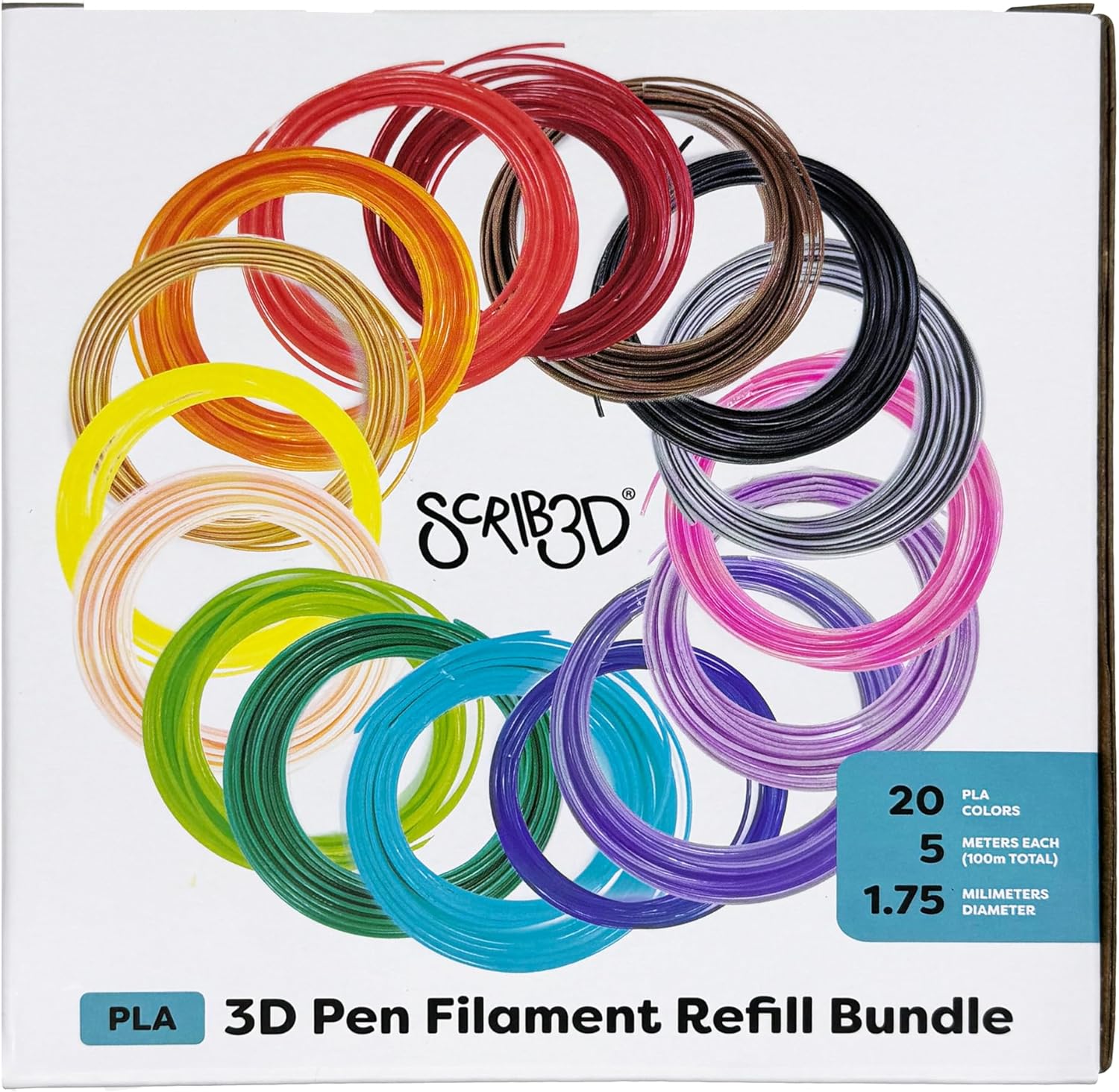
Figure 2: SCRIB3D Filament Refill Bundle Packaging (Front)
The front of the product packaging, featuring the SCRIB3D logo, an illustration of coiled filaments, and key specifications like "20 PLA Colors," "5 meters each," and "1.75 millimeters diameter."

Figure 3: SCRIB3D Filament Refill Bundle Packaging (Back)
The back of the packaging, displaying a clear chart of all 20 filament colors with their respective names (e.g., Black, Grey, Silver, Pink, Lavender, Purple, Blue, Cyan, Grass Green, Neon Green, Cream, Neon Yellow, Gold, Orange, Scarlet Red, Red, Brown, White, Clear).

Figure 4: SCRIB3D Filament Refill Bundle Packaging (Side)
A side panel of the box, illustrating potential 3D creations such as a sneaker and a plant, with the text "DRAW ANYTHING IN 3D."
3. Setup and Preparation
- Unpack Filament: Carefully remove the desired color of PLA filament from its vacuum-sealed packaging.
- Prepare 3D Pen: Ensure your 3D printing pen is powered on and has reached the appropriate operating temperature for PLA filament. The recommended print temperature range for this filament is 160°C - 210°C. Refer to your 3D pen's specific instructions for temperature adjustment.
- Check Nozzle: Verify that the pen's nozzle is clear and free from any previous filament residue to prevent clogging.
4. Operating Instructions
- Loading Filament:
- Insert the end of the PLA filament into the filament loading port of your 3D pen.
- Activate the pen's loading mechanism (usually a button or switch). The pen will automatically draw the filament into the heating chamber.
- Wait for the filament to extrude smoothly from the nozzle before beginning your creation.
- Drawing/Creating:
- Adjust the pen's speed setting as needed for your project. Slower speeds are ideal for intricate details, while faster speeds can be used for filling larger areas.
- Begin drawing on a heat-resistant surface. The filament will solidify quickly upon exiting the nozzle, allowing for three-dimensional creations.
- Unloading Filament:
- When you wish to change colors or finish your session, activate the pen's unloading mechanism. The pen will reverse the filament out of the loading port.
- Once the filament is removed, turn off your 3D pen and allow it to cool down.
5. Maintenance
- Filament Storage: Store unused filament in its original vacuum-sealed packaging or in an airtight container with desiccant packets to protect it from moisture. This helps maintain filament quality and prevents brittleness.
- Nozzle Cleaning: Regularly clean the 3D pen's nozzle according to the pen manufacturer's instructions to prevent clogs and ensure smooth filament flow.
- Pen Storage: Store your 3D pen in a cool, dry place when not in use.
6. Troubleshooting
| Problem | Possible Cause | Solution |
|---|---|---|
| Filament not extruding | Nozzle clogged, incorrect temperature, filament not loaded correctly. | Clean nozzle, adjust temperature to 160°C-210°C, re-load filament. |
| Filament is brittle or breaks easily | Moisture absorption. | Store filament in an airtight container with desiccant. |
| Poor print quality | Incorrect temperature, inconsistent speed, dirty nozzle. | Adjust temperature/speed, clean nozzle. |
7. Specifications
- Model Number: SCRIB-FILLS
- Material: PLA (Polylactic Acid)
- Filament Diameter: 1.75mm
- Total Length: Approximately 328 feet (20 colors x 16.4 feet each)
- Colors: 20 assorted colors
- Recommended Print Temperature: 160°C - 210°C
- Product Dimensions: 3.94 x 0.79 x 1.06 inches (packaging)
- Item Weight: 0.776 ounces (22 Grams)
- Manufacturer: SCRIB3D LLC
8. Warranty and Support
For warranty information or technical support regarding your SCRIB3D Pen PLA Filament Refills, please refer to the official SCRIB3D website or contact their customer service directly. Ensure you retain your proof of purchase for any warranty claims.
Contact Information: Please visit the SCRIB3D Store on Amazon for further details and support resources.