
QCY GTS8-BLACK
Contents
QCY Watch GT Smart Watch User Manual
Model: GTS8-BLACK
Introduction
The QCY Watch GT is a sophisticated smart watch designed to enhance your daily life with advanced health monitoring, extensive sports tracking, and seamless connectivity. Featuring a vibrant Retina 1.43 AMOLED HD Display and a durable metal watch frame, it combines elegant design with robust functionality. This manual provides essential information for setting up, operating, and maintaining your QCY Watch GT.

Image: Front view of the QCY Watch GT Smart Watch, showcasing its round display and black strap.
Setup Guide
1. Unboxing and Initial Charge
Upon opening the package, ensure all components are present. The box should contain the QCY Smart Sports Watch GTS8 Black and its charging cable. Before first use, fully charge your watch.
- Connect the magnetic charging cable to the charging points on the back of the watch.
- Plug the USB end of the cable into a standard USB power adapter (not included) or a computer USB port.
- The watch display will indicate charging status. A full charge typically takes approximately 2 hours.

Image: The QCY Watch GT connected to its magnetic charging cable, showing the charging interface.
2. App Installation and Pairing
To unlock the full potential of your QCY Watch GT, download and install the official QCY APP on your smartphone.
- Download the QCY APP: Search for "QCY APP" in your smartphone's app store (Google Play Store for Android, Apple App Store for iOS).
- System Requirements: The app requires Android 6.1 or above, or iOS 12.0 or above.
- Pairing:
- Enable Bluetooth on your smartphone.
- Open the QCY APP and follow the on-screen instructions to create an account or log in.
- Select "Add Device" or similar option within the app.
- The app will scan for nearby QCY devices. Select "QCY Watch GT" from the list.
- Confirm the pairing request on both your watch and smartphone.
Operating Your QCY Watch GT
Display and Navigation
The QCY Watch GT features a 1.43-inch Retina AMOLED HD display with a resolution of 466x466 pixels and a 60Hz refresh rate for smooth interactions. It boasts a peak brightness of 1,000 nits, ensuring clear visibility even under direct sunlight.

Image: A split image highlighting the Retina AMOLED HD display specifications (1.43", 466x466 pixels, 60Hz, 1000nit peak brightness) and the watch's construction (Aluminium alloy screw-in crown, Zinc alloy vacuum plating watch frame).
- Touchscreen: Swipe left, right, up, or down to navigate through menus, notifications, and widgets. Tap to select items.
- Crown: The aluminum alloy crown can be twisted to scroll through lists and switch pages easily. Press the crown to return to the watch face or access the app menu.
- Watch Faces: Customize your watch's appearance with over 100 watch faces available through the QCY APP. The watch also supports Always-On Display (AOD).

Image: A collection of diverse and colorful watch faces displayed on the QCY Watch GT, demonstrating customization options.
Bluetooth Call Functionality
Stay connected on the go. With the Bluetooth call feature, you can answer calls directly from your wrist, allowing you to focus on your activities without needing to reach for your phone.
- Ensure your watch is paired with your smartphone via Bluetooth.
- When a call comes in, you can answer or reject it directly from the watch screen.
- The watch uses its built-in microphone and speaker for call audio.
Health Monitoring
The QCY Watch GT provides comprehensive health monitoring features to help you keep track of your well-being around the clock.
- Heart Rate Monitor: Continuously tracks your heart rate throughout the day.
- SpO2 Monitor: Measures your blood oxygen saturation levels.
- Sleep Monitoring: Analyzes your sleep patterns, including deep sleep, light sleep, and awake times.
- Menstruation Monitoring: Provides tracking and predictions for menstrual cycles (accessible via the QCY APP).
Sports Modes and Activity Tracking
With over 100 sports modes, the QCY Watch GT is your personal fitness coach, tracking various activities and providing detailed data.
- Access the "Workout" or "Sports" menu on your watch.
- Select your desired activity (e.g., Running, Walking, Cycling, Swimming).
- The watch will track metrics such as duration, distance, calories burned, and heart rate during your workout.
- Data can be synchronized with the QCY APP for detailed analysis and historical records.
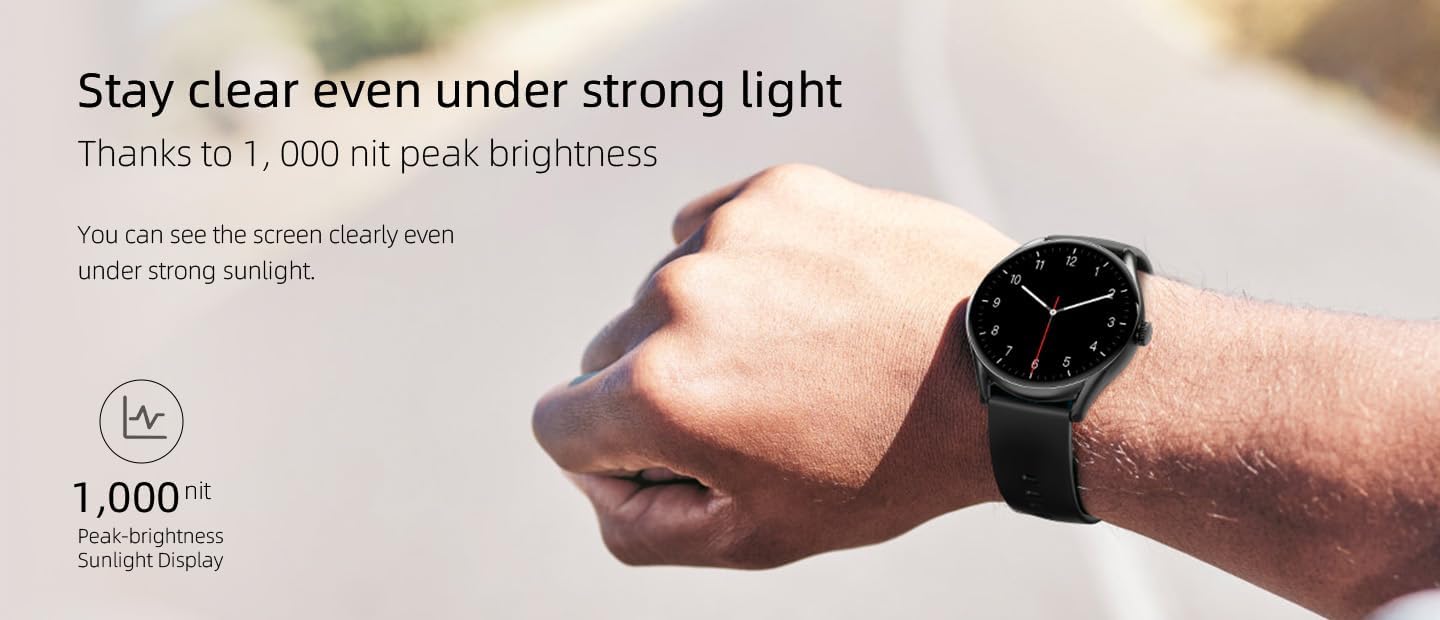
Image: A comprehensive image showcasing the QCY Watch GT's features, including its 1.43-inch AMOLED display, zinc alloy plating watch frame, aluminum alloy crown, 100+ watch faces, heart-rate/SpO2/Sleep/Menstruation monitoring, 100+ workouts, Bluetooth call, 10-day ultra-long battery life, and IPX8 professional waterproof rating.
Water Resistance
The QCY Watch GT is rated IPX8 for professional waterproof and sweatproof performance. This means it can withstand immersion in water under certain conditions, making it suitable for swimming and other water-based activities. However, it is not recommended for diving or high-pressure water activities.
Maintenance
Battery Life and Charging
The QCY Watch GT is equipped with a 280mAh battery, offering up to 10 days of battery life for typical usage and 4 days for basic daily use. To ensure optimal battery longevity:
- Charge the watch fully before first use.
- Use the provided magnetic charging cable.
- Avoid exposing the watch to extreme temperatures during charging.
- Do not attempt to disassemble or replace the battery yourself.
Important Battery Warning:
This product involves a rechargeable battery which is not allowed to be disassembled, impacted, squashed or put into fire. If serious bump is found, please stop using the product. Keep this product away from water or high temperature.
General Care
- Clean the watch regularly with a soft, dry cloth.
- Avoid using harsh chemicals or abrasive materials for cleaning.
- Rinse the watch with fresh water after exposure to saltwater or chlorinated water, then dry thoroughly.
- Store the watch in a cool, dry place when not in use.
Troubleshooting
If you encounter issues with your QCY Watch GT, try the following common troubleshooting steps:
- Watch not turning on: Ensure the watch is fully charged. Connect it to the charger for at least 30 minutes.
- Cannot pair with phone:
- Make sure Bluetooth is enabled on your phone and the watch.
- Ensure the QCY APP is installed and running.
- Restart both your phone and the watch.
- Forget the device in your phone's Bluetooth settings and try pairing again.
- Inaccurate health data: Ensure the watch is worn snugly on your wrist, about one finger's width above the wrist bone. Clean the sensors on the back of the watch.
- Screen unresponsive: Try restarting the watch by pressing and holding the crown button for several seconds until it powers off, then power it back on.
- Short battery life: Reduce screen brightness, disable unnecessary notifications, and limit continuous heart rate monitoring if not needed.
For persistent issues, refer to the QCY APP's help section or contact QCY customer support.
Specifications
| Feature | Detail |
|---|---|
| Model Name | QCY Watch GT |
| Item Model Number | GTS8-BLACK |
| Display | 1.43-inch AMOLED HD Display |
| Resolution | 466 x 466 pixels |
| Refresh Rate | 60Hz |
| Peak Brightness | 1,000 nit |
| Watch Frame Material | Zinc alloy vacuum plating |
| Crown Material | Aluminium alloy |
| Watch Strap Width | 22 mm |
| Item Weight | 54 g |
| Battery Capacity | 280 mAh |
| Battery Life (Typical) | Up to 10 days |
| Battery Life (Basic Use) | Up to 4 days |
| Charging Type | Magnetic |
| Connectivity | Bluetooth |
| Sensors | Heart-rate, Gravity |
| Waterproof Rating | IPX8 |
| Operating System | Smartwatch OS |
| Required System (APP) | Android 6.1 or above, iOS 12.0 or above |
| Supported Languages | English, Simplified Chinese, Japanese, Korean, Russian, Turkish, Polish, Arabic, Portuguese, Spanish, German, French, Italian, Indonesian, Dutch, Czech, Traditional Chinese, Hebrew, Persian, Greek, Malay |
Warranty and Support
QCY products come with a standard manufacturer's warranty. Please refer to the warranty card included with your product or visit the official QCY website for detailed warranty terms and conditions.
For technical support, product inquiries, or warranty claims, please contact QCY customer service through their official website or the contact information provided in the QCY APP.
Ask a question about this manual
Ask about setup, troubleshooting, compatibility, parts, safety, or missing instructions. Manuals+ will review the question and use this page’s manual context to help answer it.