
Portronics POR-2107
Portronics Talk Three Wearable Bluetooth Speaker User Manual
Brand: Portronics
Model: POR-2107
Introduction
The Portronics Talk Three is an ultra-portable wearable Bluetooth speaker designed for on-the-go audio. It features a lightweight design, versatile wearing options including magnetic and clip-on attachments, and IPX5 water and dust resistance. This manual provides detailed instructions for setting up, operating, maintaining, and troubleshooting your device.

Image: The Portronics Talk Three speaker, a compact black device with large control buttons, held in a hand, showcasing its small size and ergonomic design.
Package Contents
Please verify that all items are present in the package:
- Bluetooth Speaker (1N)
- Charging Cable (1N)
- Documentation (1N)
Product Overview
Familiarize yourself with the speaker's components and controls.
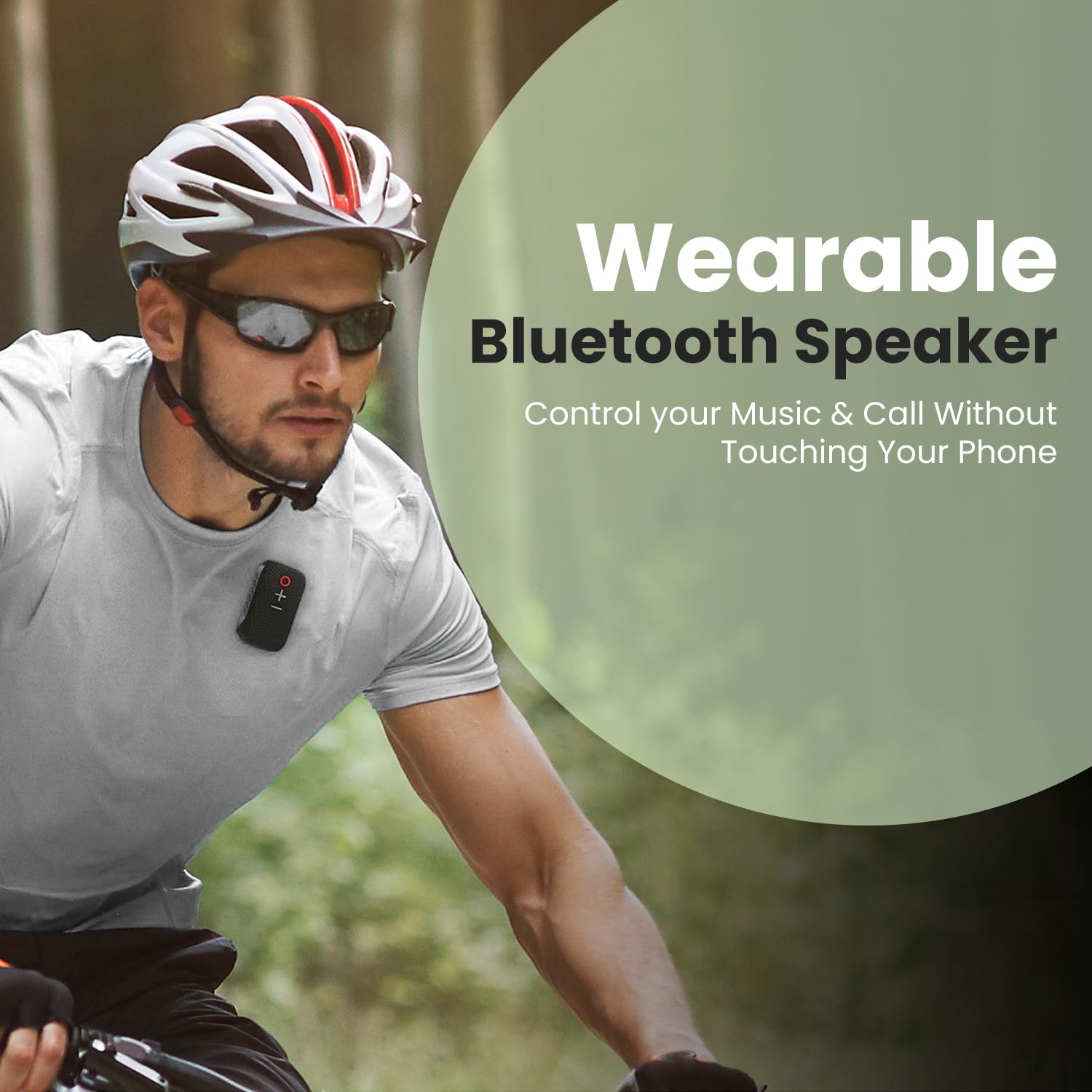
Image: A close-up view of the Portronics Talk Three speaker, highlighting its large, tactile buttons for power, volume up, and volume down, designed for easy operation.
Controls and Indicators:
- Power Button (Red Circle): Press and hold to power on/off. Short press to play/pause music or answer/end calls.
- Volume Up (+) Button: Short press to increase volume.
- Volume Down (-) Button: Short press to decrease volume.
- Microphone: Built-in for hands-free calling.
- Charging Port: Located on the side, for connecting the charging cable.
Setup
1. Charging the Speaker:
Before first use, fully charge the speaker. Connect the provided charging cable to the speaker's charging port and the other end to a USB power adapter (not included) or a computer's USB port. The indicator light will show charging status and turn off when fully charged.
2. Bluetooth Pairing:
- Ensure the speaker is charged and powered off.
- Press and hold the Power Button until the indicator light flashes, indicating pairing mode.
- On your smartphone or tablet, enable Bluetooth and search for available devices.
- Select "Portronics Talk Three" from the list of devices.
- Once connected, the speaker will provide an audio confirmation, and the indicator light will stop flashing.

Image: The Portronics Talk Three speaker next to a smartphone displaying its Bluetooth settings, illustrating the ease of instant connectivity with Bluetooth 5.3V.
Operating Instructions
Power On/Off:
- Power On: Press and hold the Power Button for approximately 3 seconds.
- Power Off: Press and hold the Power Button for approximately 3 seconds.
Music Playback:
- Play/Pause: Short press the Power Button.
- Volume Up: Short press the '+' button.
- Volume Down: Short press the '-' button.
Call Management:
- Answer/End Call: Short press the Power Button during an incoming call.
- Reject Call: Press and hold the Power Button during an incoming call.
Wearing the Speaker:
The Portronics Talk Three offers versatile wearing options:
- Magnetic Attachment: Utilize the double-sided magnets to attach the speaker to clothing (e.g., shirt, t-shirt) or other magnetic surfaces for hands-free audio.
- Spring Clip: Use the integrated spring clip to secure the speaker to bags, belts, or other suitable objects.

Image: Illustrations showing two primary ways to wear the speaker: using the spring clip on clothing for secure, bounce-free wear, and using the double-sided magnet for versatile attachment to maintain situational awareness.

Image: A collage demonstrating the speaker's built-in microphone for phone calls, showing individuals using it while running, playing golf, bodybuilding, cooking, and driving, emphasizing crystal-clear audio capture on the go.
Maintenance
Cleaning:
Wipe the speaker with a soft, dry cloth. Do not use abrasive cleaners or solvents. For stubborn dirt, a slightly damp cloth can be used, ensuring no liquid enters the ports.
Water and Dust Resistance (IPX5):
The speaker is IPX5 rated, meaning it is protected against low-pressure water jets from any direction and is dust resistant. It is suitable for use in light rain or splashes but should not be submerged in water.

Image: The Portronics Talk Three speaker with water droplets splashing around it, visually representing its IPX5 water and dust resistant capabilities.
Storage:
Store the speaker in a cool, dry place away from direct sunlight and extreme temperatures. If storing for an extended period, charge the battery periodically to maintain its lifespan.
Troubleshooting
| Problem | Possible Cause | Solution |
|---|---|---|
| Speaker does not power on. | Low battery. | Charge the speaker fully. |
| Cannot pair with device. | Speaker not in pairing mode; Bluetooth off on device; device too far. | Ensure speaker is in pairing mode. Turn Bluetooth on your device. Move device closer to speaker (within 10 meters). |
| No sound or low volume. | Volume too low on speaker or device; speaker not connected. | Increase volume on both speaker and connected device. Re-establish Bluetooth connection. |
| Short battery life. | Speaker not fully charged; high volume usage. | Ensure speaker is fully charged. Reduce volume for extended playtime. |
Specifications
| Feature | Detail |
|---|---|
| Model Name | Talk Three |
| Speaker Type | Ultra-portable |
| Bluetooth Version | 5.3v |
| Water Resistance | IPX5 |
| Playtime | Up to 10 Hours |
| Item Weight | 67g |
| Dimensions (L x W x H) | 28D x 43W x 73H Millimeters |
| Connectivity | Bluetooth |
| Power Source | Battery Powered (Lithium Polymer) |
| Audio Wattage | 2 Watts |
| Control Method | Button |
| Mounting Type | Clip-on Mount |

Image: The Portronics Talk Three speaker positioned on a clock face, indicating its 10-hour playtime, allowing for extended use on adventures.

Image: The Portronics Talk Three speaker being placed into a shirt pocket, with a feather icon and "WEIGHT 67gm" text, emphasizing its sturdy yet ultra-portable and lightweight design.
Warranty and Support
The Portronics Talk Three speaker comes with a Limited Warranty. For specific warranty terms and conditions, please refer to the documentation included in your package or visit the official Portronics website.
Contact Information:
For customer support, technical assistance, or warranty claims, please contact Portronics:
- Email: help@portronics.com
- Phone: +91 9555-245-245
- Manufacturer Address: Portronics Digital Pvt ltd, First Floor Property No D 8 Upper Basement Sector 8 Noida Uttar Pradesh 201301
- Official Store: Portronics Amazon Store
Ask a question about this manual
Ask about setup, troubleshooting, compatibility, parts, safety, or missing instructions. Manuals+ will review the question and use this page’s manual context to help answer it.