
EILLEO US11-1213
EILLEO Electric Scooter User Manual
Model: US11-1213
1. Introduction
Thank you for choosing the EILLEO Electric Scooter. This e-bike is designed for adults and can accommodate up to three individuals (one child and two adults) with its unique 3-seat configuration. It features a powerful 350W motor (500W peak), 14-inch pneumatic tires, and a range of up to 20 miles, making it ideal for commuting, family outings, or shopping.
This manual provides essential information for the safe and efficient operation of your electric scooter. Please read it thoroughly before first use and keep it for future reference.
2. Important Safety Warnings
Always prioritize safety. Failure to follow these instructions may result in serious injury or damage to the product.
- Battery Care: Charge the battery in a dry, cool place. Do not expose the battery to extreme temperatures or water. Regularly charge the battery, even when not in use for prolonged periods.
- Before You Ride: Always check your device for any signs of damage. Ensure tires are properly inflated (35-45 PSI). Verify that all connections are tight and secure.
- Protective Equipment: Always wear appropriate safety gear, including a helmet (ASTM F1492 approved), kneepads, and elbow pads. Wear closed-toe shoes.
- Riding Conditions: Do not ride in wet conditions, on rough terrain, or in heavy traffic until you are proficient. Always follow local, state, and federal laws.
- Age Restriction: This device is recommended for users over 16 years of age with adult supervision for anyone under 18.
For a complete list of safety guidelines, please refer to the full user guide PDF provided with your product.
3. What's in the Box
Upon unboxing, verify that all components are present and undamaged:
- EILLEO Electric Scooter (main unit)
- Front Wheel
- Main Seat & Backrest
- Front Child Seat
- Foldable Footrests (2 pairs)
- Charging Adapter
- User Manual
- Tool Kit (Allen keys, wrenches)
- Reflector
Note: Basket is sold separately and not included in the standard package.
4. Assembly Instructions
The EILLEO Electric Scooter comes 90% pre-assembled. Follow these steps to complete the setup:
Official Installation Video: This video provides a detailed walkthrough of the assembly process for your EILLEO Electric Scooter. It covers unpacking, component identification, and step-by-step installation of all parts.
4.1. Install Front Fender and Headlight
Begin by installing the front fender. Loosen the bolt on the front fork using the provided Allen key. Carefully slide the fender into place, ensuring the tab aligns with the fork bracket. Then, attach the headlight to the same bolt, feeding the bolt through the headlight bracket and the fender bracket. Tighten the bolt securely. Adjust the headlight's angle as desired before fully tightening.
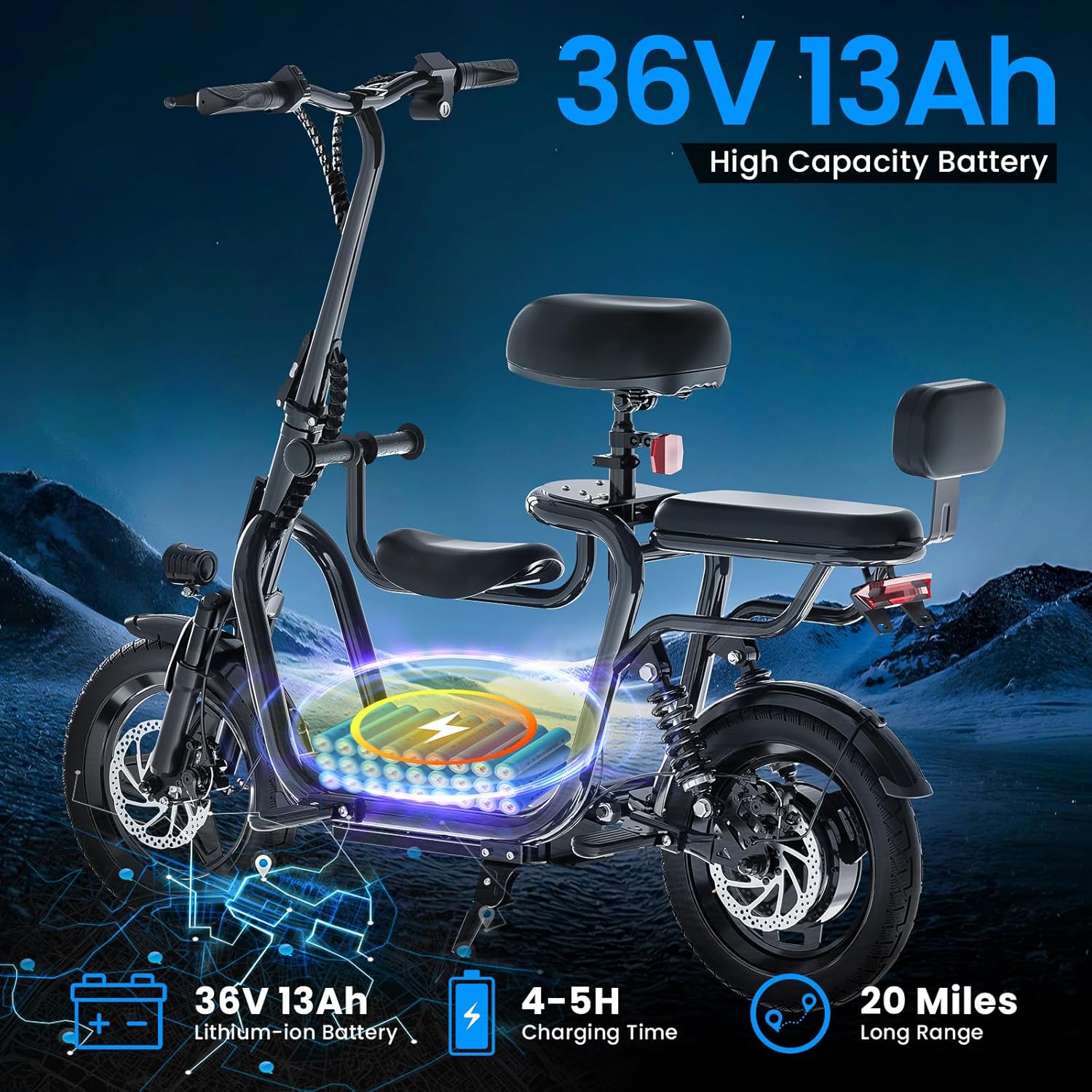
Image: Close-up view of the front wheel assembly, showing the installation of the front fender and headlight. The headlight is mounted above the fender, secured by a single bolt.
4.2. Install Front Wheel
Remove the protective caps from the front fork. Carefully align the front wheel's disc brake with the brake pads on the fork. Insert the wheel axle, ensuring the hooked washer aligns with the fork slot. Secure both sides with the flat washer and nut. Tighten evenly on both sides using the provided wrench, ensuring the wheel is centered and spins freely without rubbing.
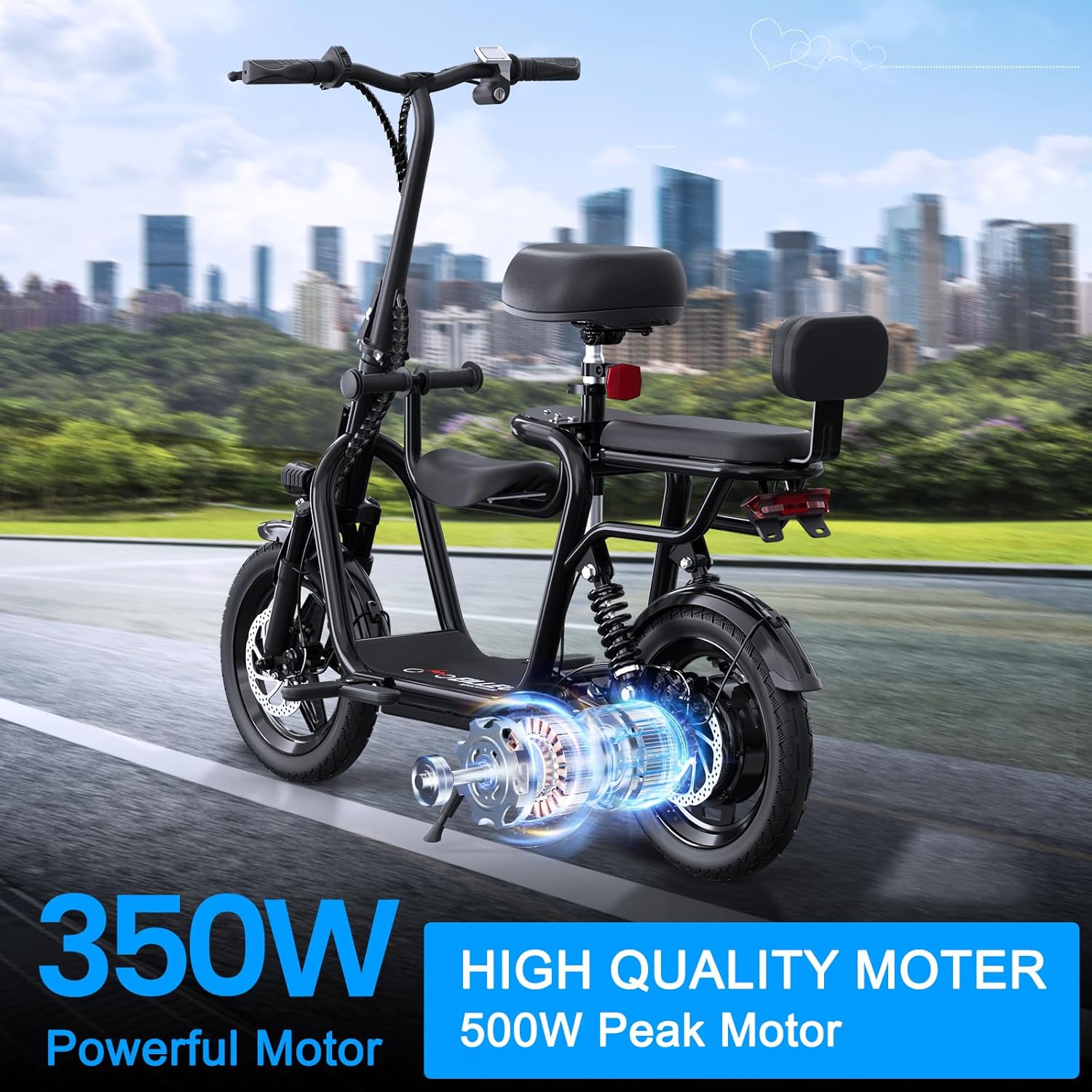
Image: Detailed view of the front wheel installation, highlighting the disc brake and the axle assembly. The wheel is being inserted into the front fork.
4.3. Install Handlebar
Insert the handlebar stem into the main vertical pipe. Ensure the handlebar is straight and aligned with the front wheel. Tighten the two bolts on the handlebar bracket using the Allen key. Adjust the height of the handlebar to a comfortable position and secure the quick-release lever.
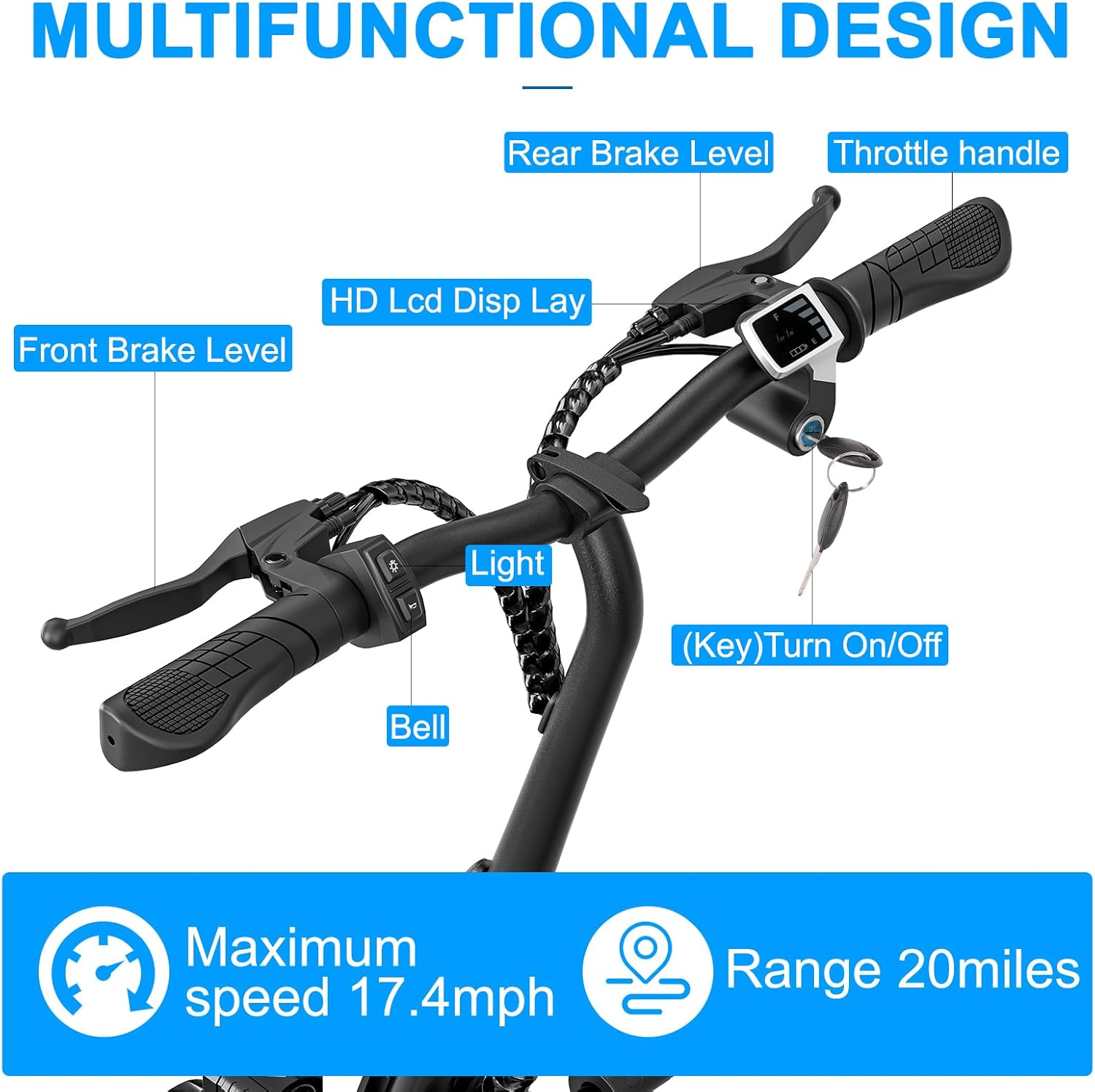
Image: Close-up of the handlebar showing the display, brake levers, and key slot. This view is representative of the controls after installation.
4.4. Install Foot Pegs
Locate the two pairs of footrests. Remove the bolts from the designated slots on the scooter's frame near the footboard. Attach the footrests, ensuring they are oriented to fold inwards towards the scooter. This prevents injury if accidentally bumped. Secure them with the removed bolts using the Allen key.
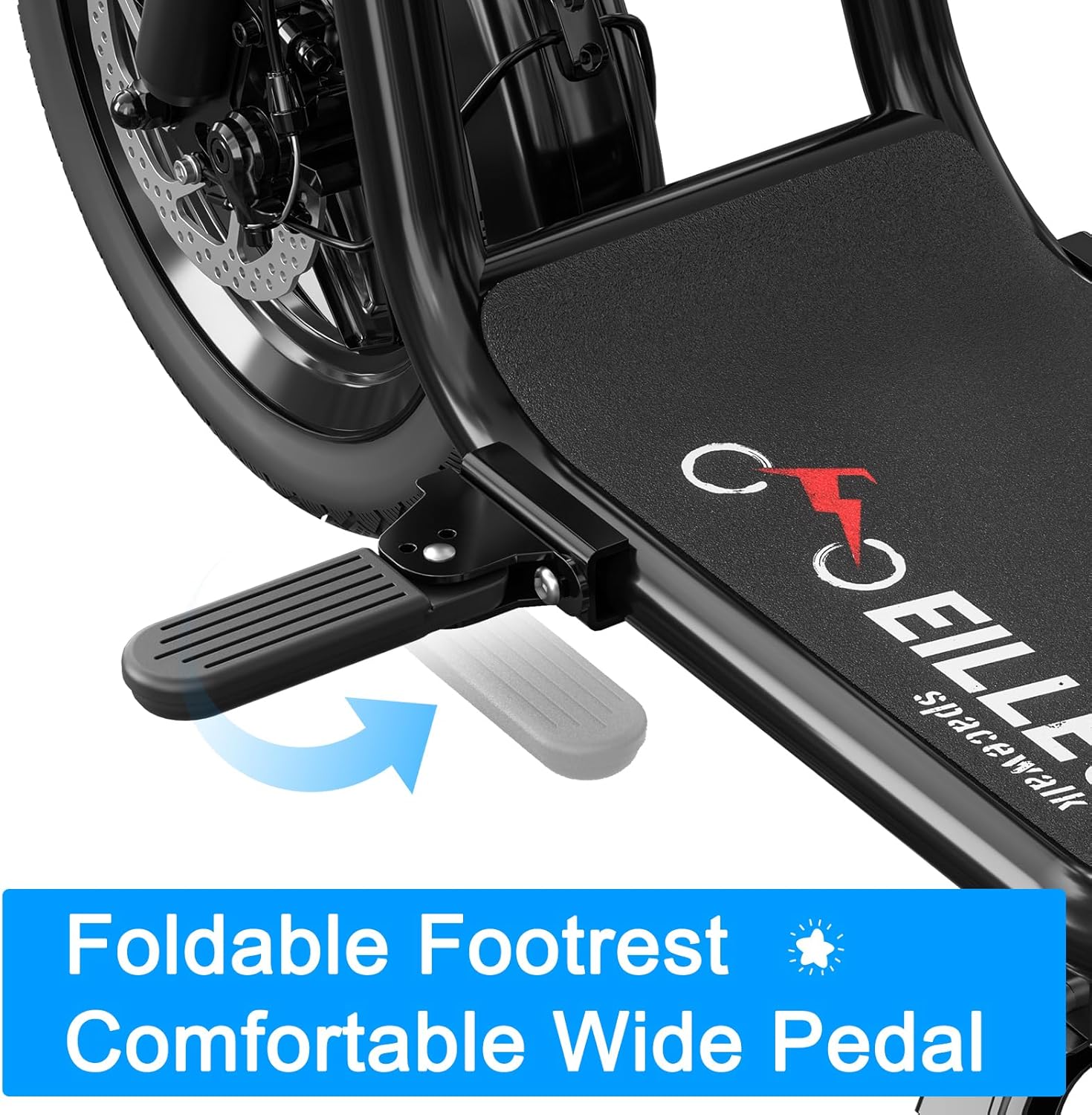
Image: Close-up of the foldable footrest in its extended position, demonstrating its design for user comfort.
4.5. Install Seats and Backrest
The scooter comes with a main seat, a front child seat, and a rear backrest. Install the front child seat by aligning its holes with the bracket on the main frame and securing it with the provided bolts. For the main seat, insert its post into the designated slot on the rear frame and secure it with the quick-release lever. Adjust the seat height for comfort. Finally, attach the rear backrest to the main seat's frame by aligning the holes and securing it with bolts, typically using the rearmost holes for stability.

Image: Full view of the EILLEO Electric Scooter, showcasing its three-seat design and overall structure after assembly.
5. Operating Instructions
5.1. Power On/Off
To power on the scooter, insert the key into the ignition slot on the handlebar and turn it clockwise. The display will light up, indicating the battery level. To power off, turn the key counter-clockwise and remove it.
5.2. Throttle Control
The scooter is equipped with a twist throttle on the right handlebar. Gently twist the throttle towards you to accelerate. Release the throttle to reduce speed. The scooter features infinitely variable speed regulation for smooth acceleration and deceleration.
5.3. Braking
The scooter has dual drum braking systems. Squeeze the left lever for the front brake and the right lever for the rear brake. Apply both brakes simultaneously for optimal stopping power. The brake levers also activate the rear tail-light for increased visibility.
5.4. Lights and Horn
To turn on the front headlight and rear tail-light, press and hold the designated light button on the left handlebar. The tail-light will also illuminate brighter when the brakes are applied. The horn button is located on the left handlebar; press it to sound the horn.
6. Maintenance
6.1. Tire Pressure
Regularly check the tire pressure. The recommended pressure for the 14-inch pneumatic tires is between 35-45 PSI. Use a suitable inflator and check the pressure regularly to ensure optimal performance and safety.
6.2. Cleaning
Before cleaning, ensure the scooter is turned off and unplugged from any charging source. Use a soft, damp cloth to wipe down the body. Avoid using excessive water or harsh chemicals. Do not use high-pressure water jets directly on electrical components.
7. Technical Specifications
| Feature | Specification |
|---|---|
| Brand | EILLEO |
| Model Name | US11-1213 |
| Motor Power | 350W (500W Peak) |
| Max Speed | 17.4 Mph (28 km/h) |
| Max Range | 20 Miles (32 km) |
| Battery | 36V 13Ah Lithium-ion |
| Charging Time | 4-5 Hours |
| Weight Limit | 265 Pounds (120 kg) |
| Wheel Size | 14 Inches (Pneumatic) |
| Brake Style | Drum (Front & Rear) |
| Suspension Type | Dual Shock Absorbers (Rear) |
| Product Dimensions | 45"L x 10"W x 42"H |
| Frame Material | Aluminum |
8. Troubleshooting
- Brake Rubbing: If the disc brakes rub, loosen the caliper bolts (two bolts on the caliper unit). Hold the front brake lever and re-tighten the bolts to center the pads. Repeat if necessary.
- Battery Not Charging: Ensure the charging cable is securely plugged into both the scooter's charging port and a working wall outlet. Check the LED indicator on the charger (red for charging, green for fully charged). If issues persist, contact customer support.
- Motor Overheating: Avoid prolonged use on steep inclines or carrying loads exceeding the weight limit, as this can cause the motor to overheat. Allow the scooter to cool down if this occurs.
- Loose Handlebar/Seat: Ensure all quick-release levers and bolts are fully tightened. Refer to assembly steps for proper securing.
9. Warranty and Support
EILLEO provides a one-year warranty for your electric scooter, covering manufacturing defects. This warranty does not cover man-made or external damage.
To activate your warranty or for any product support, questions, or replacement parts, please contact EILLEO customer service directly. Do not return the product without prior authorization.
Contact Information:
Email: service.buy@gmail.com
Phone: (+1) 2093101968
Response Time: 24-48 hours (during peak business hours)
For detailed warranty terms and conditions, please refer to the full user guide PDF.
10. Disposal at End of Life
The battery and power equipment must be disposed of according to local regulations. Please dispose of all relevant parts through the authorized processing facility. This product must not be disposed of by incineration, landfilling, or mixing with household trash. Improper disposal of the battery contained within this product may result in the battery heating up, rupturing, or igniting which may cause serious injury. The substances contained inside the battery present chemical risks to the environment.
The recommended disposal for this product at its end-of-life is to dispose of the entire unit at or through an e-waste recycling center, program, or facility. Local regulations and laws pertaining to the recycling and disposal of lithium-ion batteries and/or products containing them will vary according to country, state, and local governments. You must check the laws and regulations corresponding to where you live in order to dispose of your waste equipment properly in accordance with local regulations and laws.
For additional information about where you should drop off your batteries and electrical or electronic waste, please contact your local or regional waste-management office, your household waste disposal service, or your point-of-sale.
WEEE Directive & Product Disposal
At the end of its serviceable life, this product should not be treated as household or general waste. It should be handed over to the applicable collection point for the recycling of electrical equipment or returned to the supplier for disposal.
Related documentsUS11-1213


Ask a question about this manual
Ask about setup, troubleshooting, compatibility, parts, safety, or missing instructions. Manuals+ will review the question and use this page’s manual context to help answer it.