
1. Introduction
Thank you for choosing the AMZCHEF 5-Zone Ceramic Glass Hob. This manual provides essential information for the safe installation, operation, and maintenance of your appliance. Please read it thoroughly before use and keep it for future reference.
This ceramic hob features a sleek design with a durable Vitro ceramic glass surface, offering 5 independent cooking zones and 9 power levels for precise temperature control. It is equipped with multiple safety functions to ensure a secure cooking environment.
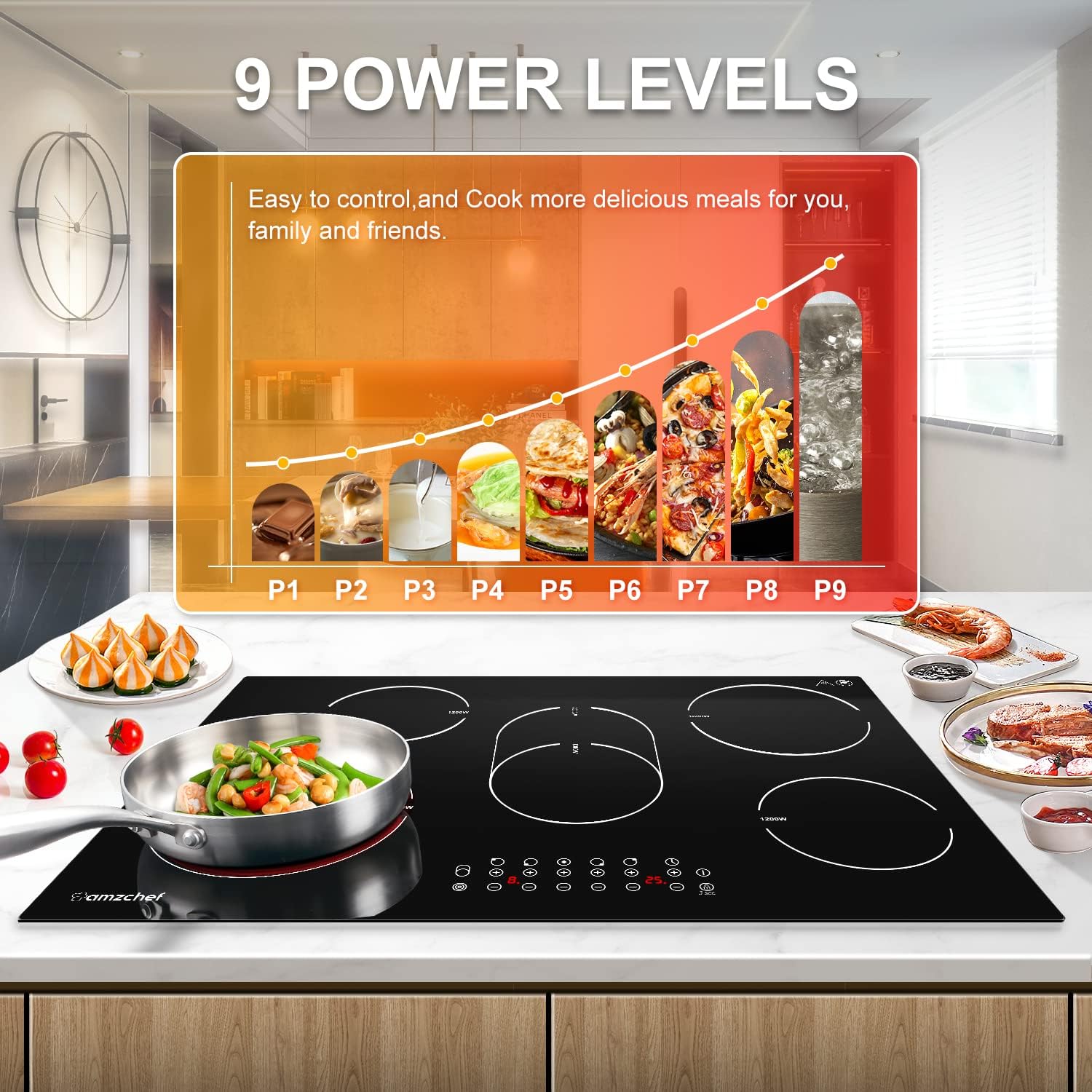
This image illustrates the AMZCHEF 5-Zone Ceramic Glass Hob, highlighting its 9 power levels for precise cooking control.
2. Safety Information
Always prioritize safety when operating electrical appliances. This hob includes several built-in safety features:
- Over-Temperature Protection: Automatically shuts down the hob if it detects excessive heat.
- Automatic Shut-off: The hob will turn off automatically after a prolonged period of inactivity.
- Residual Heat Warning: An indicator light will show if a cooking zone is still hot after use.
- Safety Lock: Prevents accidental operation, especially by children.
- Integrated Timer: Allows for precise control of cooking durations, with automatic shut-off.

The image illustrates the AMZCHEF ceramic hob's comprehensive safety features, including overheat protection, automatic shutdown, residual heat warning, a built-in timer, and a safety lock.
3. Setup and Installation
Proper installation is crucial for the safe and efficient operation of your hob. It is recommended that installation be performed by a qualified electrician.
3.1 Dimensions
Ensure your countertop cut-out meets the required dimensions for proper fitting.
- Product Dimensions (L x W x H): 77 cm x 52 cm x 5.2 cm (approximately 30.3 in x 20.5 in x 2.0 in)
- Cut-out Dimensions (L x W): 74.3 cm x 49.2 cm (approximately 29.1 in x 19.3 in)
3.2 Electrical Connection
The hob requires a wired connection to a suitable power supply. Refer to the wiring diagram for correct electrical hook-up. Ensure the power source is 240V 60Hz and connected via a double pole breaker.

This image provides the product dimensions and cut-out dimensions for installation, along with a wiring diagram for a 240V 60Hz connection.
4. Operating Instructions
The AMZCHEF ceramic hob features intuitive touch controls for easy operation.
4.1 Powering On/Off
Press the power button to turn the hob on or off. The control panel will illuminate upon activation.
4.2 Selecting a Cooking Zone and Power Level
Select the desired cooking zone by touching its corresponding control. Adjust the power level from P1 to P9 using the '+' and '-' buttons. The hob offers 5 heating elements with varying wattages:
- Triple Zone: 2300W / 1600W / 800W (for 23cm / 17.5cm / 12cm diameter)
- Baking Zone: 2000W / 1100W (for 27cm diameter)
- Single Zones: 1800W (20cm), 1200W (16.5cm), 1200W (16.5cm)

This image shows the AMZCHEF hob with different types of compatible cookware and details the dimensions and wattage of each heating zone.

A detailed view of the triple heating zone, showing its concentric heating elements for flexible cooking with different pot sizes.
4.3 Timer Function
Activate the timer by selecting a cooking zone and then pressing the timer button. Use the '+' and '-' buttons to set the desired cooking duration. The hob will automatically switch off the selected zone once the timer expires.

An icon indicating the integrated timer function, which allows users to set cooking durations.
4.4 Safety Lock
To activate the safety lock, press and hold the lock button. This will disable the control panel to prevent unintended changes to settings or accidental activation. To deactivate, press and hold the lock button again.

An icon illustrating the safety lock feature, designed to prevent accidental operation, especially by children.
4.5 Compatible Cookware
The ceramic hob is compatible with all types of flat-bottomed cookware, including:
- Iron
- Stainless Steel
- Casserole dishes
- Heat-resistant Glass
- Aluminum
- Enamel
5. Maintenance and Cleaning
The Vitro ceramic glass surface is designed for easy cleaning and durability.
5.1 Cleaning the Surface
Allow the hob to cool completely before cleaning. Use a soft cloth or sponge with a mild detergent or a specialized ceramic hob cleaner. Avoid abrasive cleaners, scouring pads, or harsh chemicals that can scratch or damage the surface.
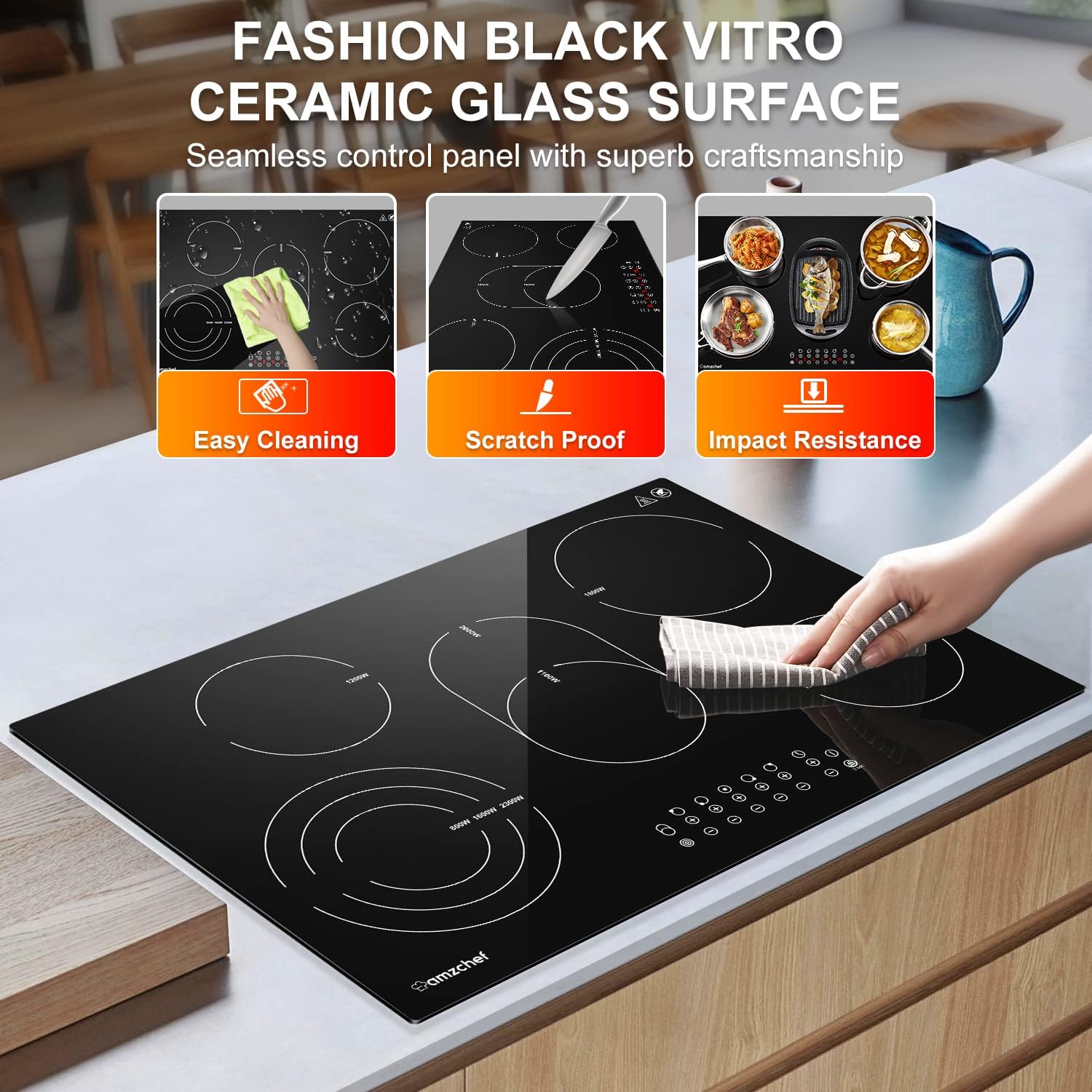
The image displays the durable Vitro ceramic glass surface of the AMZCHEF hob, emphasizing its easy-to-clean, scratch-resistant, and impact-resistant properties.

An image depicting a person cleaning the smooth ceramic glass surface of the hob, highlighting its ease of maintenance.
5.2 Scratch and Impact Resistance
The ceramic glass is resistant to scratches and impacts from normal use. However, avoid dropping heavy objects on the surface or dragging rough cookware across it to maintain its pristine condition.
6. Troubleshooting
If you encounter any issues with your AMZCHEF ceramic hob, please refer to the following general guidelines:
- Hob not turning on: Check the power supply and ensure the hob is properly connected. Verify that the safety lock is not activated.
- Cooking zone not heating: Ensure the correct cooking zone is selected and a power level is set. Check if the cookware is suitable and has a flat base.
- Error codes displayed: Consult the full product manual (if available) or contact customer support for specific error code interpretations.
- Automatic shut-off: This is a safety feature. If the hob shuts off unexpectedly, check for overheating or prolonged inactivity.
For persistent problems, please contact AMZCHEF customer support.
7. Product Specifications
| Feature | Specification |
|---|---|
| Brand | AMZCHEF |
| Model Number | YL-CF6705 |
| Color | Black |
| Material | Ceramic Glass |
| Heating Elements | 5 |
| Power Levels | 9 |
| Special Features | Triple and Baking Zone, Automatic Shut-off, Safety Lock, Timer |
| Product Dimensions (L x W x H) | 77 cm x 52 cm x 5.2 cm |
| Cut-out Dimensions (L x W) | 74.3 cm x 49.2 cm |
| Control Type | Touch |
| Burner Type | Ceramic |
| Power Source | Wired |
| Item Weight | 11 Kilograms |
| UPC | 746566836904 |
8. Warranty Information
AMZCHEF products come with a 2-year repair period from the date of purchase. This warranty covers manufacturing defects and ensures your product functions as intended under normal use.
Please retain your proof of purchase for warranty claims.
9. Customer Support
For any questions, technical assistance, or issues during use, please contact the AMZCHEF support team. We offer:
- Lifetime technical support
- 24-hour premium service
Contact information can typically be found on the AMZCHEF official website or through your retailer.

