1. Product Overview
The MESTEK NC03 Nuclear Radiation Detector is a high-precision instrument designed for detecting various types of radiation, including beta (β), gamma (γ), and X-rays. It features a large LCD backlight display for clear readings, multiple alarm modes, and a rechargeable battery for extended use. This manual provides essential information for the safe and effective operation of your device.
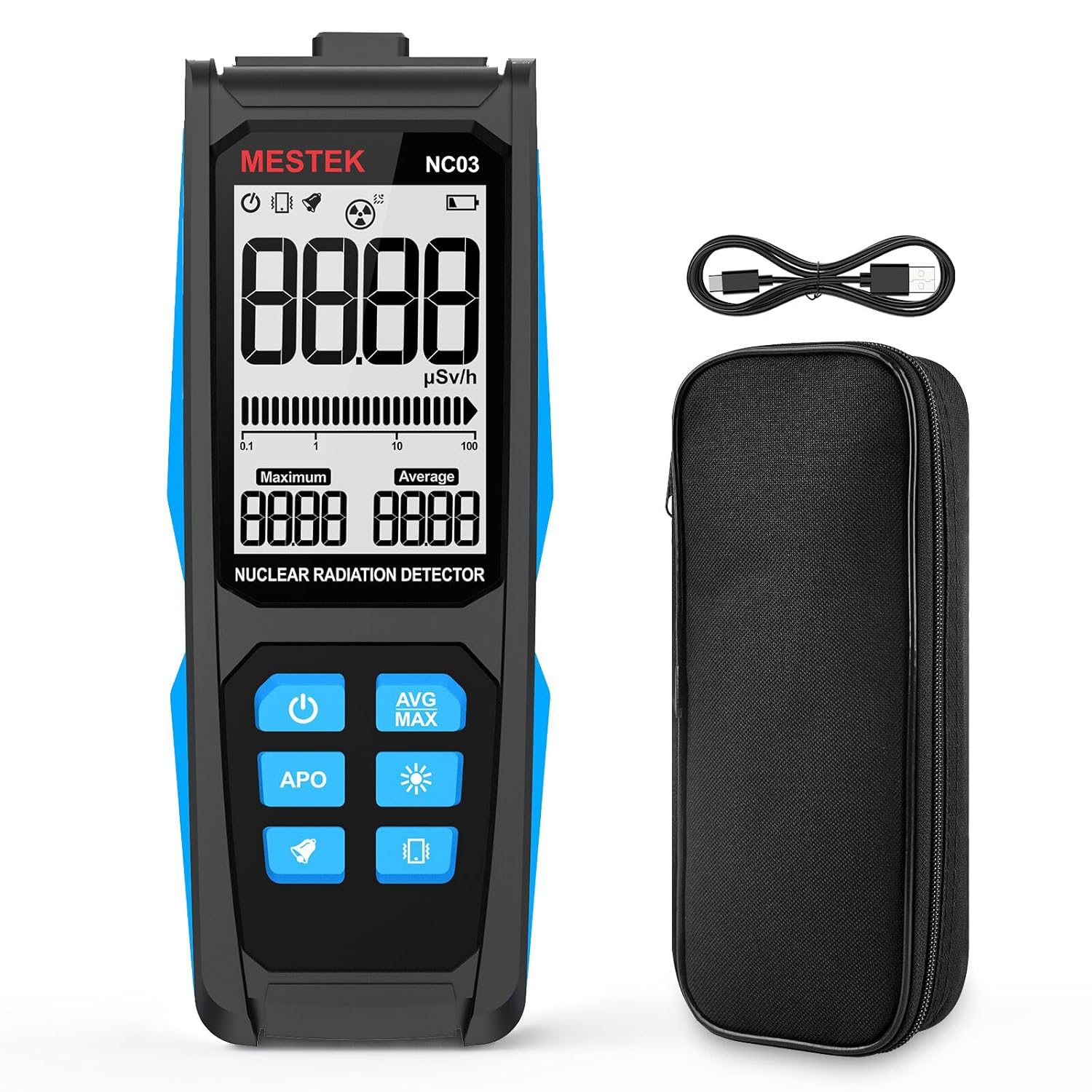
Figure 1: MESTEK NC03 Nuclear Radiation Detector, showing the device, its carrying case, and the USB-C charging cable.
Key Features:
- High-Precision Geiger Counting Sensor: Utilizes advanced technology for accurate detection of β, γ, and X-rays.
- Large LCD Backlight Display: Provides clear digital and analog readings, visible in various lighting conditions.
- Multiple Alarm Modes: Includes sound and vibration alerts for radiation detection.
- Rechargeable Battery: Equipped with a 1000mAh/3.7V Lithium battery, rechargeable via USB-C.
- Automatic Shut-down: Features an automatic power-off function to conserve battery life.
- AVG/MAX Value Display: Shows both current, average, and maximum detected radiation values.
2. Setup and Initial Use
2.1 Unboxing
Upon opening the package, ensure all components are present:
- 1 x MESTEK NC03 Nuclear Radiation Detector
- 1 x USB-C Charging Cable
- 1 x Cloth Carrying Bag
- 1 x User Manual (this document)
2.2 Charging the Device
The device is powered by a built-in rechargeable 1000mAh/3.7V Lithium battery. Before first use, or when the low battery indicator appears, charge the device using the provided USB-C cable.
- Connect the USB-C cable to the charging port on the top of the detector.
- Connect the other end of the cable to a standard USB power adapter (not included) or a computer USB port.
- The charging indicator light will illuminate red during charging and turn green when fully charged.
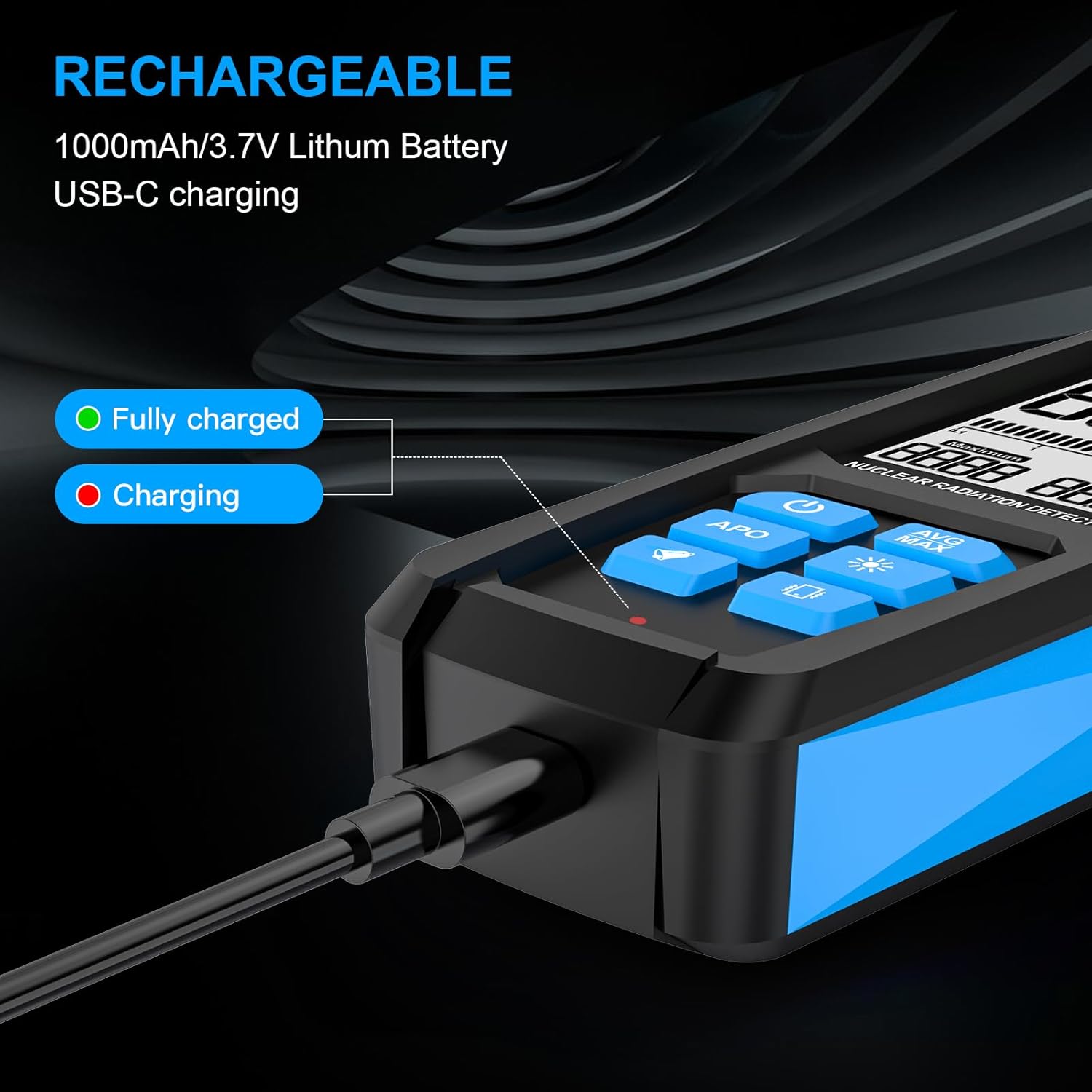
Figure 2: The USB-C charging port and indicator lights on the MESTEK NC03 detector. Red indicates charging, green indicates fully charged.
2.3 Powering On/Off
- To power on: Press and hold the Power button (
 ) until the display illuminates.
 - To power off: Press and hold the Power button until the display turns off.
3. Operating Instructions
3.1 Understanding the Display
The MESTEK NC03 features a high-definition LCD backlight screen that provides both digital and analog displays of radiation levels.
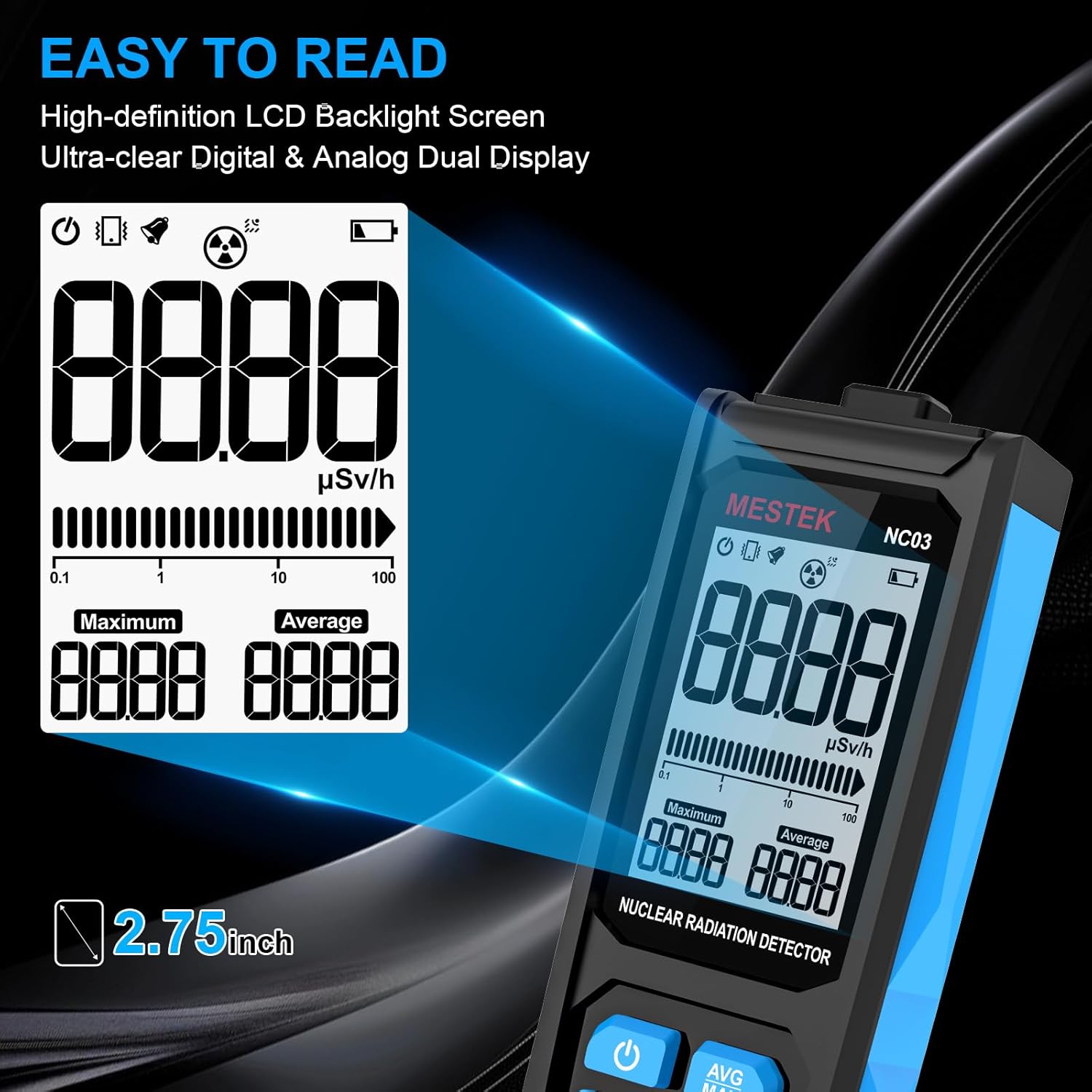
Figure 3: The detector's display, illustrating the digital radiation value (μSv/h), maximum value, average value, and an analog bar graph.
- Main Digital Display: Shows the current radiation dose rate in μSv/h.
- Maximum (Maximum): Displays the highest radiation dose rate recorded during the current measurement session.
- Average (Average): Displays the average radiation dose rate recorded during the current measurement session.
- Analog Bar Display: Provides a visual representation of the current radiation level.
- Battery Indicator: Shows the remaining battery life.
- Alarm Indicators: Icons for sound and vibration alarms.
3.2 Button Functions
Figure 4: Labeled diagram of the MESTEK NC03 detector, indicating the function of each button and display area.
- Power Button (): Press and hold to power on/off the device.
- AVG/MAX Button (
 ): Toggles between average and maximum radiation value display.
 - Backlight Button (): Activates or deactivates the display backlight.
- Vibration Switch Button (): Toggles the vibration alarm on/off.
- Sound Switch Button (): Toggles the audible alarm on/off.
- APO (Automatic Power Off) Button (): Press to cancel the automatic shutdown function. The device will automatically power off after 10 minutes of inactivity if APO is enabled.
3.3 Taking Measurements
To measure radiation, hold the detector with the radiation sensing area (located on the back of the device) facing the area or object to be measured. The device will continuously display the current radiation dose rate.
Video 1: Demonstration of the MESTEK Nuclear Radiation Detector in use, showing how to position the device for measurement and observe real-time readings.
3.4 Alarm Functions
The device is equipped with three alarm modes: sound, vibration, and an analog bar display. The sound and vibration alarms activate when detected radiation levels exceed predefined thresholds.

Figure 5: Visual representation of the three alarm modes: audible alert, vibratory alert, and the analog bar graph on the display.
- Audible Alarm: A slow beep activates at 1.0 μSv/Hr. A faster, more urgent alarm activates at 2.5 μSv/Hr.
- Vibration Alarm: Provides tactile feedback when radiation levels exceed thresholds.
- Analog Bar Display: Visually indicates increasing radiation levels.
The alarm thresholds are fixed and cannot be adjusted by the user. You can toggle the sound and vibration alarms using their respective buttons.
4. Maintenance
4.1 Cleaning
To maintain the accuracy and longevity of your detector:
- Wipe the device with a soft, dry cloth.
- Do not use abrasive cleaners or solvents.
- Avoid exposing the device to excessive moisture.
4.2 Battery Care
The built-in lithium battery requires proper care:
- Charge the device regularly, especially if it will be stored for an extended period.
- Avoid fully discharging the battery frequently.
- Use only the provided USB-C cable or a compatible high-quality cable for charging.
5. Troubleshooting
| Problem | Possible Cause | Solution |
|---|---|---|
| Device does not power on | Low battery; Device malfunction | Charge the device fully. If the issue persists, contact customer support. |
| No radiation reading | No radiation present; Device not positioned correctly; Sensor malfunction | Ensure the radiation sensing area is facing the source. Verify the environment for known radiation sources. If still no reading, contact support. |
| Alarms not working | Alarms are disabled; Low radiation level | Check if the sound and vibration alarms are enabled using their respective buttons. Ensure radiation levels exceed the fixed thresholds (1.0 μSv/Hr for slow beep, 2.5 μSv/Hr for fast beep). |
| Automatic shutdown occurs unexpectedly | APO function is active | Press the APO button to disable the automatic shutdown function if continuous operation is desired. The default shutdown is after 10 minutes of inactivity. |
6. Technical Specifications
| Feature | Specification |
|---|---|
| Model Number | NC03 |
| Product Dimensions | 2.4 x 1.2 x 6.4 inches |
| Item Weight | 9.59 ounces |
| Manufacturer | MESTEK |
| Battery | 1000mAh/3.7V Lithium Battery |
| Charging Port | USB-C |
| Detection Ray Types | β, γ, and X-rays |
| Energy Range | 48keV-1.5MeV ≤±30% (based on 137Cs) |
| Sensitivity | 80CPM/μSv (based on 60Co) |
| Alarm Thresholds | Fixed: 1.0 μSv/Hr (slow beep), 2.5 μSv/Hr (fast beep) |
| Automatic Power Off | After 10 minutes of inactivity (can be disabled) |

Figure 6: Details on the high-sensitivity sensor, including energy range and sensitivity specifications.
7. Warranty and Support
7.1 Warranty Information
MESTEK products are manufactured to high-quality standards. For specific warranty details, please refer to the warranty card included with your product or visit the official MESTEK website. The warranty typically covers defects in materials and workmanship under normal use.
7.2 Customer Support
If you encounter any issues or have questions regarding your MESTEK NC03 Nuclear Radiation Detector, please contact MESTEK customer support through their official website or the contact information provided in your product packaging. Please have your model number (NC03) and purchase details ready when contacting support.


