
1. Introduction
Thank you for choosing the MONODEAL DV68 Bone Conduction Headphones. These headphones are designed to provide a comfortable and safe listening experience, especially during sports and outdoor activities. Utilizing advanced bone conduction technology and Bluetooth 5.3, they deliver clear audio while keeping your ears open to ambient sounds. The integrated smart light enhances visibility and safety during nighttime use.
2. Package Contents
Please check the package for the following items:
- MONODEAL DV68 Bone Conduction Headphones
- Magnetic Charging Cable
- User Manual
- Earplugs (optional, for enhanced sound isolation)
3. Product Overview
Familiarize yourself with the components of your MONODEAL DV68 headphones.
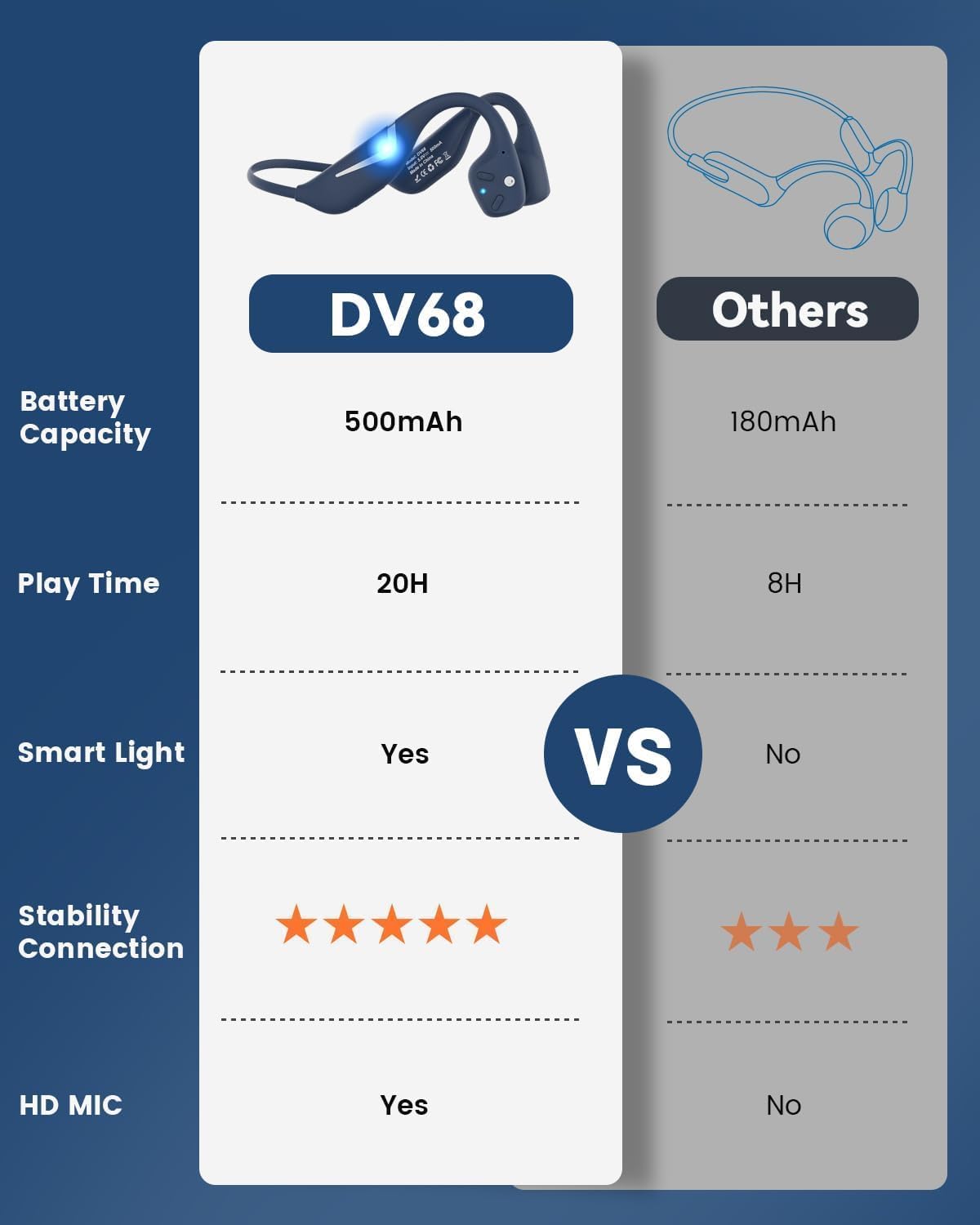
Figure 3.1: MONODEAL DV68 Bone Conduction Headphones, showing the overall design.

Figure 3.2: Exploded view illustrating the bone conduction transducer and built-in microphone.
3.1 Controls and Ports
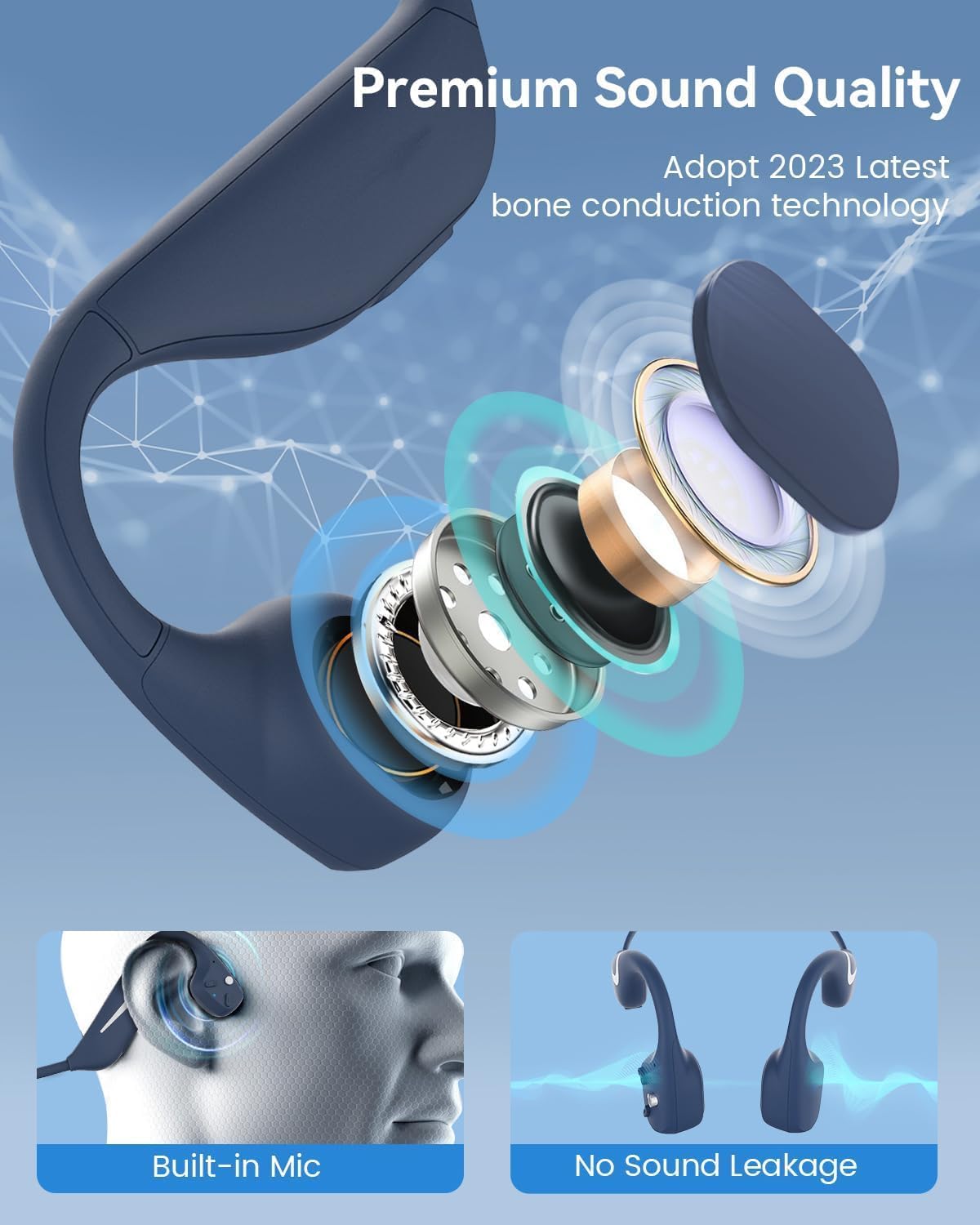
Figure 3.3: Side view of the headphones highlighting the control buttons.

Figure 3.4: Close-up view of the magnetic charging port.
The headphones feature physical buttons for power, volume, and playback control. The magnetic charging port is located on one of the ear pieces for convenient charging.
4. Specifications
| Feature | Specification |
|---|---|
| Model Number | DV68 |
| Bluetooth Version | 5.3 |
| Battery Capacity | 500 mAh |
| Playtime | Up to 20 hours |
| Water Resistance Rating | IP67 (Sweat, rain, and splash resistant) |
| Weight | 34 grams |
| Frequency Range | 20 Hz - 20,000 Hz |
| Connectivity Technology | Wireless (Bluetooth) |
| Audio Driver Type | Bone Conduction |
| Special Features | Smart LED Light, Built-in Microphone, Multipoint Pairing |

Figure 4.1: Overview of key features including Open-Ear design, IP67 Waterproofing, 500mAh Battery, Bluetooth V5.3, Lightweight, HD Microphone, Multipoint Pairing, and RGB Light.
5. Setup
5.1 Charging the Headphones
Before first use, fully charge your headphones.
- Connect the magnetic charging cable to the charging port on the headphones.
- Connect the other end of the cable to a USB power adapter (not included) or a computer's USB port.
- The LED indicator will show the charging status. A full charge typically takes approximately 2 hours.

Figure 5.1: Illustration of 20-hour battery life and quick charge feature (10 minutes charging for 2 hours playtime).
5.2 Bluetooth Pairing
To connect your headphones to a device:
- Ensure the headphones are turned off.
- Press and hold the Power button until the LED indicator flashes red and blue, indicating pairing mode.
- On your device (smartphone, tablet, computer), enable Bluetooth and search for available devices.
- Select "MONODEAL DV68" from the list of found devices.
- Once connected, the LED indicator will turn solid blue or flash blue slowly.
The headphones support multipoint pairing, allowing connection to two devices simultaneously. Refer to your device's Bluetooth settings for managing multiple connections.
6. Operating Instructions
6.1 Power On/Off
- Power On: Press and hold the Power button for 3 seconds.
- Power Off: Press and hold the Power button for 5 seconds.
6.2 Music Playback
- Play/Pause: Press the Multi-function button once.
- Next Track: Press and hold the Volume + button for 2 seconds.
- Previous Track: Press and hold the Volume - button for 2 seconds.
- Volume Up: Press the Volume + button.
- Volume Down: Press the Volume - button.
6.3 Call Management
- Answer/End Call: Press the Multi-function button once.
- Reject Call: Press and hold the Multi-function button for 2 seconds.
- Voice Assistant: Double-press the Multi-function button.
6.4 Smart LED Light
The headphones feature a smart LED light for enhanced visibility during nighttime activities.
- Turn On/Off Light: Refer to the specific button combination in your quick start guide (usually a dedicated light button or a long press of a volume button).
- The light can cycle through different colors (e.g., blue, green, red) to increase your safety and visibility.

Figure 6.1: A runner demonstrating the smart LED light feature for night safety.
7. Maintenance
7.1 Cleaning
To maintain hygiene and product longevity:
- After sweating or intense workouts, gently wipe the headphones with a damp cloth or wet wipe.
- Avoid using harsh chemicals or abrasive cleaners.
7.2 Storage
- Store the headphones in a cool, dry place, away from direct sunlight and extreme temperatures.
- When not in use, it is recommended to store them in their original packaging or a protective case.
7.3 Water Resistance
The MONODEAL DV68 headphones are IP67 rated, meaning they are resistant to sweat, rain, and splashes. However, they are not suitable for swimming or submersion in water.

Figure 7.1: A person exercising with the headphones, demonstrating their IP67 water resistance against sweat and rain. Note: Not for swimming.
8. Troubleshooting
If you encounter issues with your headphones, please refer to the following common solutions:
- No Power:
Ensure the headphones are fully charged. Connect them to the charging cable and a power source. - Cannot Pair:
Make sure the headphones are in pairing mode (LED flashing red and blue). Turn off Bluetooth on other nearby devices that may have previously connected. Try restarting both the headphones and your device. - No Sound/Low Volume:
Check the volume levels on both the headphones and your connected device. Ensure the headphones are properly positioned on your cheekbones. If using earplugs, ensure they are correctly inserted. - Intermittent Connection:
Ensure your device is within the Bluetooth range (up to 15 meters) and there are no significant obstacles between the headphones and your device. Avoid strong electromagnetic interference. - Poor Call Quality:
Ensure the microphone is not obstructed. Move to an area with better network reception for your phone.
9. Warranty and Support
9.1 Warranty Information
MONODEAL provides a 2-year warranty for the DV68 Bone Conduction Headphones from the date of purchase. This warranty covers manufacturing defects and ensures the product meets its specified performance. Please retain your proof of purchase for warranty claims.
9.2 Customer Support
For further assistance, technical support, or warranty inquiries, please contact MONODEAL customer service through the retailer where you purchased the product or visit the official MONODEAL website for contact information.


