
SUNLIN SLW968
SUNLIN 6ft. Piano Mat User Manual
Model: SLW968
Brand: SUNLIN
Introduction
The SUNLIN 6ft. Piano Mat is an interactive floor keyboard playmat designed to provide a fun and engaging musical experience for children aged 3 years and up. This mat features 24 large keys, 10 demo songs, and 8 different instrument sounds, allowing for creative play and musical exploration. It also includes record and playback functions for composing and reviewing musical creations.
This manual provides essential information for setting up, operating, maintaining, and troubleshooting your SUNLIN Piano Mat to ensure optimal performance and enjoyment.
Product Features
- Premium Quality & Safety: Constructed from kid-safe, durable, stain-resistant, and easy-to-clean materials.
- Exciting 6-Foot Musical Adventure: Large 6-foot mat with 24 touch-sensitive keys.
- Multiple Instrument Sounds: Features 8 distinct instrument sounds (Piano, Guitar, Clarinet, Trumpet, Saxophone, Violin, Banjo, Xylophone).
- Built-in Songs & Recording Function: Includes 10 pre-programmed demo melodies and a record/playback feature. A song booklet is provided for guidance.
- Convenient Design: Adjustable volume control, foldable for compact storage, and portable for use anywhere.
Setup Guide
1. Unboxing and Preparation
Carefully remove the piano mat and all accessories from the packaging. Ensure all components listed in the "What's in the Box" section are present:
- 1 x 6 Ft Giant Piano Mat
- 1 x Song Booklet
- 1 x User Manual (this document)
Unfold the mat completely and lay it flat on a clean, dry surface. Ensure there are no creases that might affect playability.

Image: The SUNLIN 6ft Piano Mat unfolded, showing its large size and interactive design.

Image: A family enjoying the SUNLIN Piano Mat, highlighting its suitability for multiplayer and family fun.
2. Battery Installation
The piano mat requires 4 x AA batteries (not included). Locate the battery compartment on the control panel of the mat.
- Using a screwdriver, open the battery compartment cover.
- Insert 4 new AA batteries, ensuring correct polarity (+/-) as indicated inside the compartment.
- Replace the battery compartment cover and secure it with the screw.

Image: Illustration showing the battery compartment and the requirement for 4 AA batteries.
Operating Instructions
Once batteries are installed, turn on the mat using the power switch located on the control panel. The mat will typically start at a default volume level.

Image: Detailed view of the control panel on the SUNLIN Piano Mat, indicating functions like adjustable volume, record, speaker, playback, 8 different instrument sounds, and 10 built-in classic songs.
1. Playing Music
Step or press on any of the 24 large keys to produce musical notes. The mat is touch-sensitive, allowing for responsive play.
2. Volume Control
Use the VOL+ and VOL- buttons on the control panel to adjust the sound volume to your desired level. It is recommended to start at a lower volume and increase as needed.
3. Instrument Selection
Press the instrument icons on the control panel to switch between the 8 available instrument sounds:
- Piano
- Guitar
- Clarinet
- Trumpet
- Saxophone
- Violin
- Banjo
- Xylophone

Image: Visual representation of the 8 instrument sounds: Guitar, Piano, Clarinet, Trumpet, Saxophone, Violin, Banjo, Xylophone.
4. Record and Playback Function
- Record: Press the RECORD button to begin recording your musical performance. Play your desired notes and melodies.
- Playback: After recording, press the PLAYBACK button to listen to your recorded tune.

Image: Explanation of Record, Play Mode, Playback, and Built-in Demo functions, emphasizing the ability to compose and replay music.
5. Demo Songs
Press the DEMO button to play through the 10 pre-programmed classic songs. You can play along with these melodies or use them for inspiration.
A song booklet is included to help you learn and play various tunes. The booklet contains sheet music for 9 songs:
- Jingle Bells
- London Bridge Is Falling Down
- Twinkle, Twinkle, Little Star
- Row, Row, Row Your Boat
- Farmer In The Dell
- Three Blind Mice
- Pop! Goes The Weasel
- Baa-Baa Black Sheep
- (One song not explicitly named in the image, but 9 are shown)
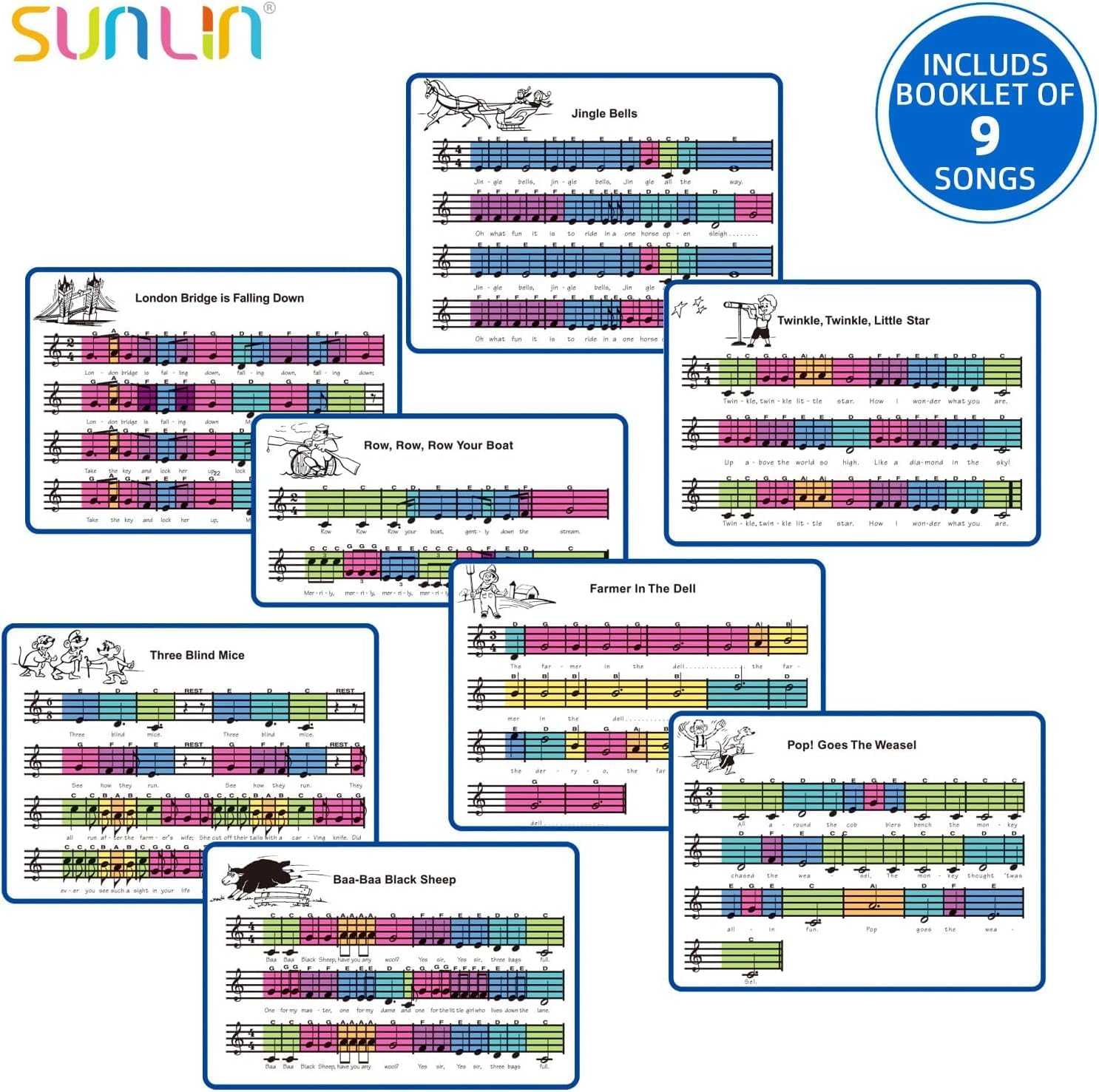
Image: The included song booklet with sheet music for 9 classic songs, designed to assist users in playing along.
Maintenance and Care
Proper care will extend the life of your SUNLIN Piano Mat.
- Cleaning: The mat is stain-resistant and easy to clean. Use a soft, damp cloth to wipe down the surface. Do not immerse the mat or its control panel in water. Avoid harsh chemicals or abrasive cleaners.
- Storage: The mat is foldable for compact storage. After use, ensure the mat is dry, then fold it neatly. Store in a cool, dry place away from direct sunlight and extreme temperatures.
- Battery Care: Remove batteries if the mat will not be used for an extended period to prevent leakage and damage.
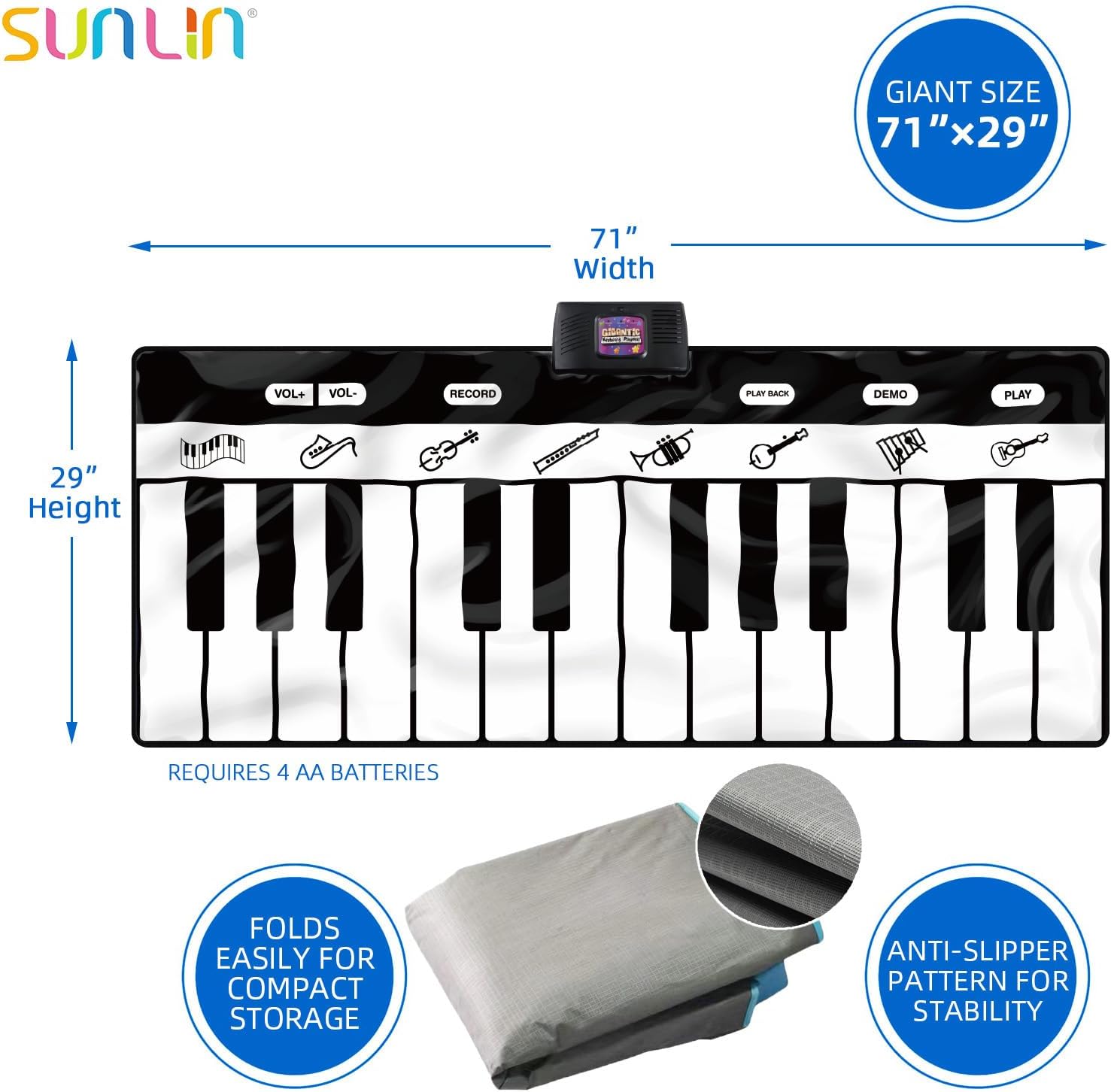
Image: The SUNLIN Piano Mat folded for easy storage, demonstrating its compact design and the anti-slipper pattern on the underside for stability.
Troubleshooting
| Problem | Possible Cause | Solution |
|---|---|---|
| Mat does not turn on or produce sound. |
|
|
| Sound is too loud or too quiet. |
|
|
| Keys are unresponsive. |
|
|
| Recording function not working. |
|
|
Specifications
| Feature | Detail |
|---|---|
| Product Dimensions (Unfolded) | 71 x 29 x 2 inches (180cm x 74cm x 5cm) |
| Item Weight | 2.81 pounds (1.27 kg) |
| Model Number | SLW968 |
| Recommended Age | 3 years and up |
| Power Source | 4 x AA Batteries (not included) |
| Number of Keys | 24 |
| Instrument Sounds | 8 (Piano, Guitar, Clarinet, Trumpet, Saxophone, Violin, Banjo, Xylophone) |
| Demo Songs | 10 |
| Functions | Adjustable Volume, Record, Playback, Demo |

Image: Product packaging illustrating the mat's dimensions and key features.
Warranty and Support
For product support, inquiries, or warranty information, please contact SUNLIN customer service. Refer to the product packaging or the official SUNLIN website for the most current contact details.
While extended protection plans may be available for purchase separately, any standard manufacturer's warranty details would be provided directly by SUNLIN.
You can visit the official SUNLIN store for more information: SUNLIN Store on Amazon
Ask a question about this manual
Ask about setup, troubleshooting, compatibility, parts, safety, or missing instructions. Manuals+ will review the question and use this page’s manual context to help answer it.