
Introduction
This manual provides instructions for the proper installation, use, and maintenance of your Spigen Smart Fold Case for iPad Pro 11-inch M5/M4 (2025-2024). Please read this manual thoroughly to ensure optimal performance and longevity of your product.
Product Overview
The Spigen Smart Fold Case is designed to protect your iPad Pro 11-inch M5/M4 (2025-2024) while offering versatile functionality. It features a trifold cover, a built-in pencil holder, and full-cover protection with an automatic wake/sleep function.
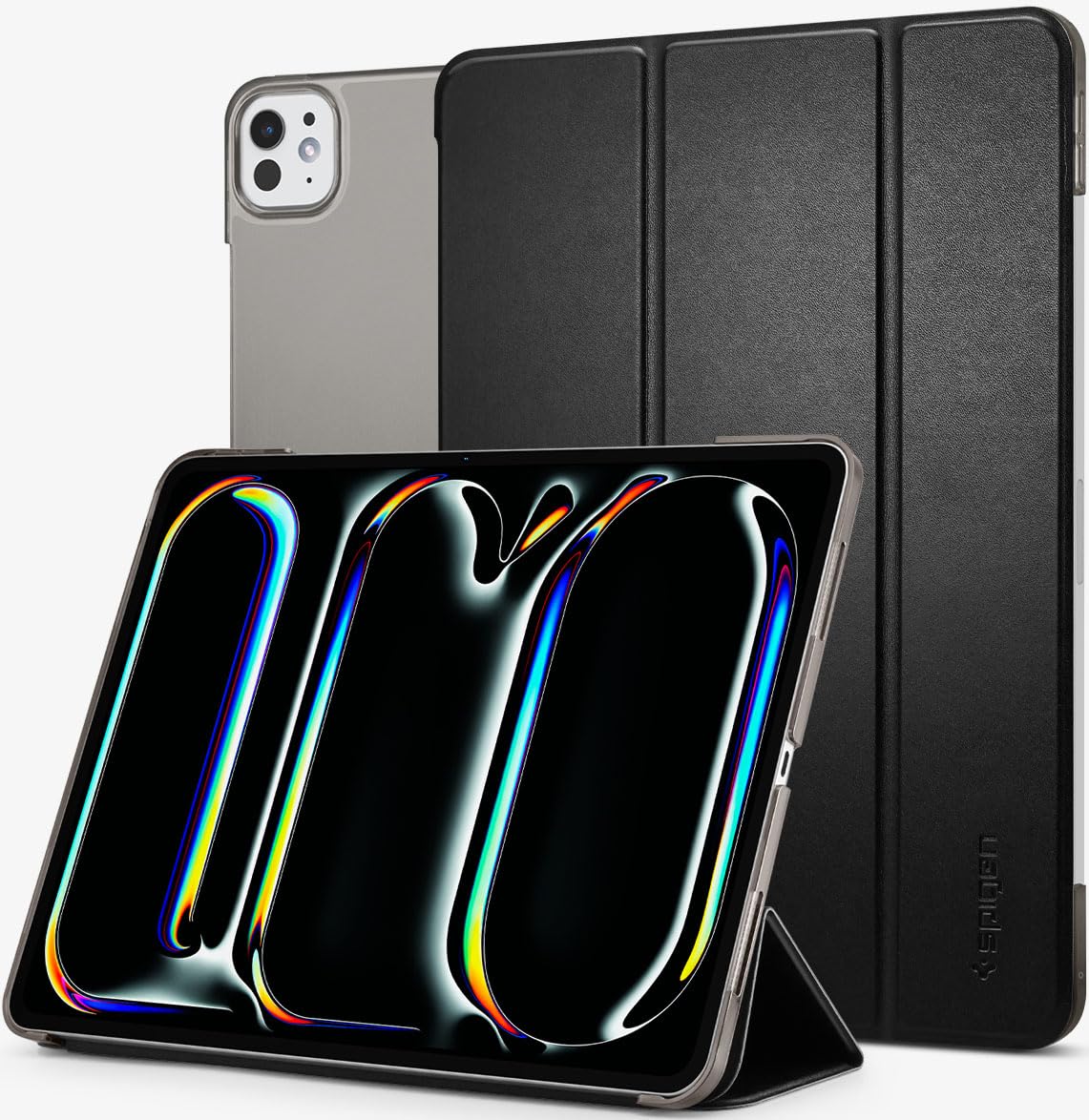
Image: Spigen Smart Fold Case installed on an iPad Pro, showcasing its sleek design and full coverage.
Setup and Installation
- Prepare your iPad: Ensure your iPad Pro 11-inch M5/M4 (2025-2024) is clean and free of dust or debris.
- Align the iPad: Gently align your iPad with the hard shell back of the Spigen Smart Fold Case. Ensure the camera cutout and port openings match correctly.
- Secure the iPad: Press the iPad firmly into the case, starting from one corner and working your way around, until it is securely seated. The case is designed for a precise fit.
- Attach the Front Cover: The front cover is magnetically attached. Align it with the side of the iPad and allow the magnets to snap it into place.

Image: Visual guide demonstrating the process of installing the iPad Pro into the Spigen Smart Fold Case, highlighting the secure fit.
Note: The case is designed to be smartly detachable. To remove, gently peel back one corner of the iPad from the hard shell and carefully lift the device out.
Operating Instructions
Trifold Stand Functionality
The trifold front cover allows for multiple viewing and typing angles:
- Viewing Mode: Fold the cover into a triangular stand to prop up your iPad for watching videos or making video calls.
- Typing Mode: Fold the cover into a lower angle stand for comfortable typing or drawing.

Image: The Spigen Smart Fold Case configured in a stable viewing stand, ideal for media consumption.

Image: The Spigen Smart Fold Case adjusted to a lower angle, providing an ergonomic position for typing or drawing with the Apple Pencil.
Automatic Wake/Sleep Function
The magnetic closure of the Smart Fold Case supports your iPad's automatic wake and sleep functions. Opening the cover will wake your iPad, and closing it will put your iPad to sleep, helping to conserve battery life.

Image: Illustration of the automatic wake/sleep feature, showing the iPad screen turning on when the cover is opened and off when closed.
Pencil Holder and Charging
The case includes a built-in area for your Apple Pencil, allowing for secure storage and wireless charging when placed correctly. Ensure the Apple Pencil is positioned within the designated magnetic charging area on your iPad for proper pairing and charging.

Image: An Apple Pencil magnetically attached to the side of the iPad within the case, indicating wireless charging functionality.
Maintenance
- Cleaning: To clean the faux leather exterior, wipe gently with a soft, damp cloth. Avoid harsh chemicals or abrasive cleaners. For the polycarbonate back, a soft, dry cloth is sufficient.
- Dust and Debris: Periodically remove your iPad from the case and clean both the iPad and the interior of the case to prevent dust accumulation that could scratch the device.
- Storage: Store the case in a cool, dry place away from direct sunlight when not in use.
Troubleshooting
- Case Not Fitting Properly: Ensure you have the correct model of iPad Pro (11-inch M5/M4 2025/2024). Verify that the iPad is fully seated in the case, with all corners and edges snapped into place.
- Auto Wake/Sleep Not Working: Check if the iPad's "Lock/Unlock" feature is enabled in its settings. Ensure the magnetic cover is fully closed and aligned with the iPad screen.
- Pencil Not Charging/Pairing: Confirm the Apple Pencil is placed correctly on the magnetic charging strip of the iPad. Remove and reattach the pencil to ensure a secure connection.
- Material Attracting Lint: Some materials may attract lint. Regularly wipe the case with a lint-free cloth.
Specifications
| Brand | Spigen |
| Model Name | Smart Fold |
| Model Number | ACS07025 |
| Compatible Devices | iPad Pro 11-inch M5 (2025), iPad Pro 11-inch M4 (2024) |
| Colour | Black |
| Form Factor | Case |
| Shell Type | Soft |
| Material | Faux Leather, Polycarbonate |
| Item Dimensions | 25.3 x 18 x 1 Centimeters |
| Item Weight | 300 Grams |
| Country of Origin | China |
Warranty and Support
For warranty information and customer support, please refer to the official Spigen website or contact Spigen India Private Limited directly. Contact details for the importer and manufacturer are provided below:
- Importer Contact: Spigen India Private Limited / NO.295 - 296, Ecotech-1, Extension, Greater Noida, Uttar Pradesh 201310, India
- Manufacturer Contact: Spigen Korea Co., Ltd. / SpigenHQ, 446, Bongeunsa-ro, Gangnam-gu, Seoul, Rep. of Korea
Please retain your proof of purchase for any warranty claims.
