
Cisco HS-WL-950-BUN-C
Cisco Bang & Olufsen 950 True Wireless Earbuds User Manual
Model: HS-WL-950-BUN-C
Introduction
This manual provides detailed instructions for the setup, operation, maintenance, and troubleshooting of your Cisco Bang & Olufsen 950 True Wireless Earbuds. These earbuds are designed for professionals, offering high-quality audio, active noise cancellation, and seamless integration with Cisco and Webex platforms.
What's in the Box
Verify that all components are present in the packaging:
- Cisco Bang & Olufsen 950 True Wireless Earbuds (Left and Right)
- Wireless Charging Case
- USB Charging Cable
- Eartips (Multiple sizes, including Comply™ memory foam)
- User Manual (This document)
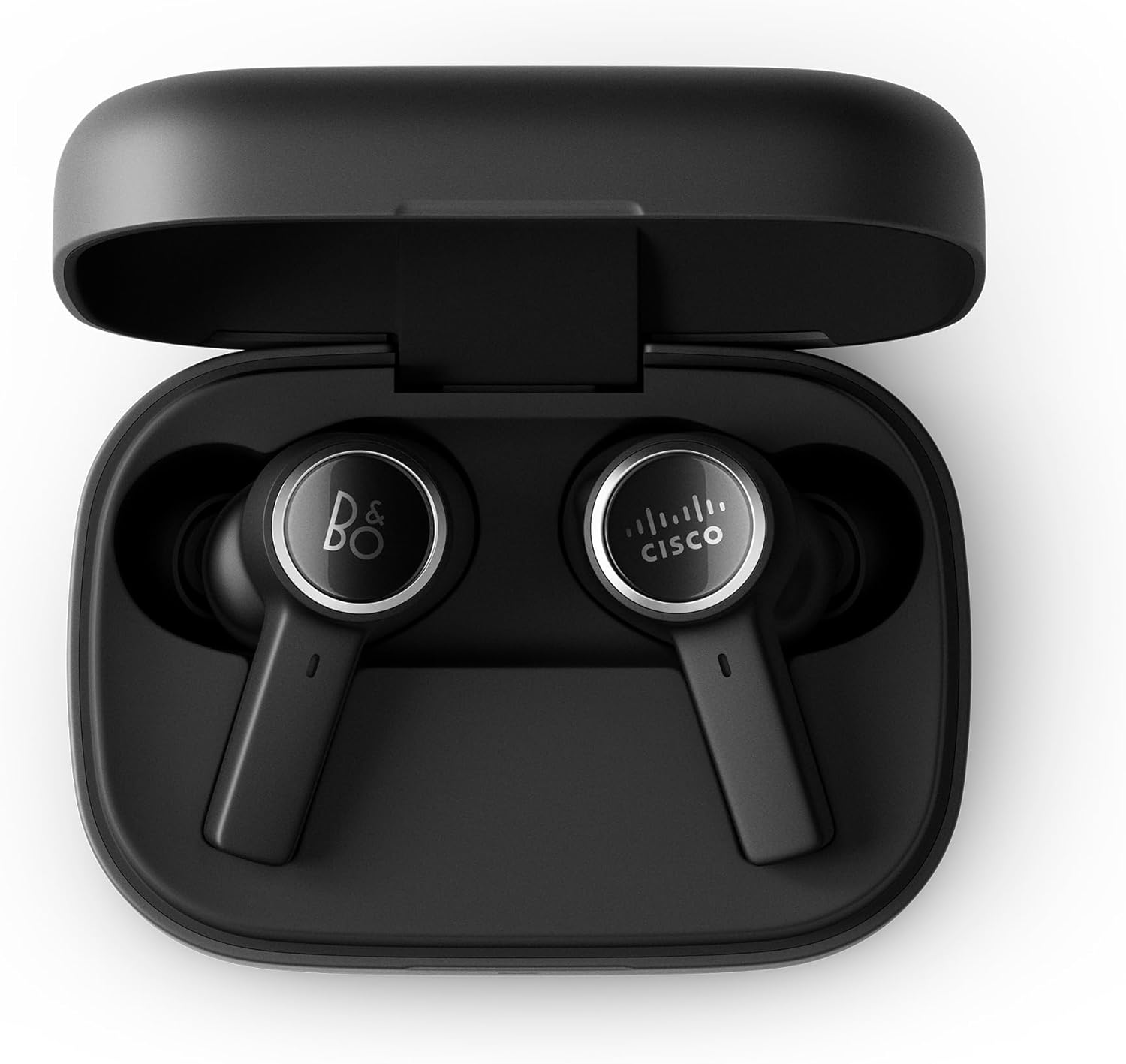
Image: The Cisco Bang & Olufsen 950 True Wireless Earbuds resting inside their open wireless charging case. The earbuds are black with silver accents, and the case is also black.
Setup
1. Charging the Earbuds and Case
Before first use, fully charge the earbuds and the charging case. Place the earbuds into the charging case. Connect the USB charging cable to the case and a power source, or place the case on a Qi-compatible wireless charger.
- The LED indicator on the case will show charging status.
- A full charge typically takes approximately 2 hours.

Image: The closed black wireless charging case for the Cisco Bang & Olufsen 950 earbuds, showing a green LED indicator light on the front, signifying a charged or charging state.
2. Bluetooth Pairing
- Ensure the earbuds are in the charging case and the case lid is open.
- Press and hold the pairing button on the charging case (if available, otherwise refer to the specific pairing method in the quick start guide) or initiate pairing via the Bang & Olufsen app.
- On your device (smartphone, laptop, etc.), go to Bluetooth settings and select "Cisco B&O 950" from the list of available devices.
- Once connected, a confirmation sound will play in the earbuds.
The earbuds support simultaneous connection to up to 2 Bluetooth devices (Bluetooth 5.2). An optional Cisco USB HD Adapter can also be used for connectivity.
3. Fitting the Earbuds
Proper fit is crucial for optimal sound quality and Active Noise Cancellation (ANC) performance. Experiment with the included ear tips (silicon and Comply™ memory foam) to find the best seal for your ears.
- Gently insert the earbud into your ear canal.
- Twist slightly to ensure a snug and comfortable fit.
- Test different ear tip sizes to achieve a good seal.

Image: A person wearing a black Cisco Bang & Olufsen 950 earbud in their right ear, demonstrating the in-ear fit of the device.

Image: A close-up view of the two Cisco Bang & Olufsen 950 True Wireless Earbuds, highlighting their black finish and the distinct B&O and Cisco logos on each earbud's outer surface.
4. Bang & Olufsen Mobile App
Download the Bang & Olufsen mobile app from your device's app store. The app allows you to:
- Customize sound profiles with Beosonic.
- Adjust Active Noise Cancellation (ANC) levels.
- Update firmware.
- Access troubleshooting guides and support.
Operating the Earbuds
Power On/Off
- Power On: Remove earbuds from the charging case. They will automatically power on and attempt to connect to the last paired device.
- Power Off: Place earbuds back into the charging case and close the lid. They will automatically power off and begin charging.
Touch and Motion Controls
The earbuds feature intuitive touch and motion controls. Specific functions can be customized via the Bang & Olufsen app.
| Action | Function |
|---|---|
| Single Tap (Left/Right) | Play/Pause music, Answer/End call |
| Double Tap (Right) | Next track |
| Double Tap (Left) | Previous track |
| Triple Tap (Left/Right) | Activate Voice Assistant |
| Press and Hold (Right) | Volume Up |
| Press and Hold (Left) | Volume Down |
| Long Press (Left/Right) | Toggle ANC/Transparency Mode |
For Webex and Cisco devices, integrated call controls are available via Bluetooth, allowing for an intuitive user experience.

Image: A person wearing Cisco Bang & Olufsen 950 earbuds while participating in a video conference on a laptop, demonstrating their use in a professional setting with Webex.
Active Noise Cancellation (ANC) and Transparency Mode
The earbuds feature Adaptive Active Noise Cancellation to reduce ambient noise and Transparency Mode to allow you to hear your surroundings.
- ANC: Reduces external sounds, ideal for focused work or travel.
- Transparency Mode: Amplifies ambient sounds, useful for awareness in your environment without removing the earbuds.
- Toggle between modes using the touch controls or the Bang & Olufsen app.
Maintenance
Cleaning
- Regularly clean the earbuds and charging case with a soft, dry, lint-free cloth.
- Remove ear tips and clean them with a mild soap solution and water, then dry thoroughly before reattaching.
- Avoid using abrasive materials, alcohol, or chemical cleaners.
- Ensure charging contacts on both earbuds and case are clean and free of debris.
Storage
When not in use, store the earbuds in their charging case to protect them and keep them charged. Store in a cool, dry place away from direct sunlight and extreme temperatures.
Troubleshooting
If you encounter issues, try the following solutions:
- No Sound:
- Ensure earbuds are charged.
- Verify Bluetooth connection to your device.
- Check device volume settings.
- Earbuds Not Pairing:
- Ensure earbuds are in pairing mode.
- Turn off and on Bluetooth on your device.
- Forget the device in your Bluetooth settings and re-pair.
- Poor Sound Quality/ANC Performance:
- Ensure earbuds are properly seated in your ears with a good seal. Try different ear tip sizes.
- Clean the ear tips and earbud grilles.
- Charging Issues:
- Ensure the charging cable is securely connected.
- Verify the power source is active.
- Clean the charging contacts on both earbuds and case.
For further assistance, refer to the Bang & Olufsen mobile app or the support section.
Specifications
| Feature | Detail |
|---|---|
| Model | HS-WL-950-BUN-C |
| Connectivity | Bluetooth 5.2, Multipoint (up to 2 devices) |
| Noise Control | Adaptive Active Noise Cancellation (ANC), Transparency Mode |
| Battery Life (Earbuds) | Up to 5 hours (with ANC) |
| Charging Case | Provides 2.5 additional charges (approx. 12.5 hours), Wireless (Qi) and USB-C charging |
| Microphones | 6 microphones for calls and ANC |
| Audio Codecs | aptX™ Adaptive, AAC |
| Water Resistance | IP57 rated |
| Weight (Case) | Approximately 53 grams |
| Included Components | Earbuds, Charging Case, USB Cable, Eartips, User Manual |
Warranty Information
The Cisco Bang & Olufsen 950 True Wireless Earbuds come with a 1-Year Limited Liability Warranty. This warranty covers manufacturing defects and workmanship under normal use. Please retain your proof of purchase for warranty claims.
For full terms and conditions of the warranty, please refer to the official Cisco or Bang & Olufsen support websites, or contact customer support.
Support
For technical support, product inquiries, or warranty service, please utilize the following resources:
- Bang & Olufsen Mobile App: Access troubleshooting guides, FAQs, and direct support contact options.
- Cisco Support Website: Visit cisco.com/go/support for product documentation and support contacts.
- Webex Control Hub: For IT teams managing multiple devices, the Webex Control Hub provides centralized management and support tools.
When contacting support, please have your product model number (HS-WL-950-BUN-C) and serial number ready.
Related documentsHS-WL-950-BUN-C


Ask a question about this manual
Ask about setup, troubleshooting, compatibility, parts, safety, or missing instructions. Manuals+ will review the question and use this page’s manual context to help answer it.