
QCY QCYT29-02
Contents
QCY AilyBuds Lite User Manual
Model: QCYT29-02
1. Introduction
Thank you for choosing the QCY AilyBuds Lite. These wireless earbuds are designed to provide a comfortable and immersive audio experience with rich bass and clear highs. This manual will guide you through the setup, operation, maintenance, and troubleshooting of your new earbuds.

Image 1: The QCY AilyBuds Lite earbuds and their charging case, showcasing their compact and sleek design.
2. Package Contents
Please check the package contents to ensure all items are present:
- QCY AilyBuds Lite Earbuds (Left and Right)
- Charging Case
- USB Charging Cable (Type-C)
- User Manual
3. Setup and First Use
3.1. Charging the Earbuds and Case
Before first use, fully charge the earbuds and the charging case. The case acts as a portable charger for the earbuds.
- Place the earbuds into the charging case, ensuring they are correctly seated in their respective slots.
- Connect the USB charging cable to the charging port on the case and the other end to a USB power source (e.g., computer, wall adapter).
- The indicator light on the case will show charging status. Once fully charged, the light will change or turn off.

Image 2: The QCY AilyBuds Lite earbuds securely placed within their charging case, ready for charging or storage.
3.2. Pairing with a Device
The QCY AilyBuds Lite use Bluetooth 5.3 for a fast and stable connection.
- Open the charging case. The earbuds will automatically enter pairing mode (indicator lights will flash).
- On your device (smartphone, tablet, laptop), go to the Bluetooth settings.
- Search for available devices and select "QCY AilyBuds Lite" from the list.
- Once connected, the earbuds will indicate successful pairing (e.g., a voice prompt or steady light).
- For subsequent uses, the earbuds will automatically connect to the last paired device when taken out of the case.

Image 3: A person wearing the QCY AilyBuds Lite, demonstrating their comfortable semi in-ear design.
4. Operating Instructions
4.1. Touch Controls
The QCY AilyBuds Lite feature intuitive touch controls on each earbud:
| Action | Function |
|---|---|
| Single Tap (Left/Right) | Play/Pause Music, Answer/End Call |
| Double Tap (Right) | Next Track |
| Double Tap (Left) | Previous Track |
| Triple Tap (Left/Right) | Activate Voice Assistant |
| Long Press (2s) (Left/Right) | Reject Call |
| Long Press (Left/Right) during call | Switch between earbud and phone audio |
Note: Some functions may vary slightly depending on your connected device and app settings.
4.2. Sound Quality and EQ Settings
The earbuds feature a 13mm Ti-diaphragm driver for rich bass and bright highs. You can customize your listening experience using the QCY App, which offers nine selected EQ settings.

Image 4: An exploded view of the QCY AilyBuds Lite earbud, highlighting the 13mm Ti-diaphragm driver responsible for its audio performance.

Image 5: A visual representation of the various EQ settings available through the QCY App, allowing users to tailor their sound experience.
4.3. Battery Life
The QCY AilyBuds Lite offer up to 28 hours of total battery life with the charging case, ensuring long listening sessions.
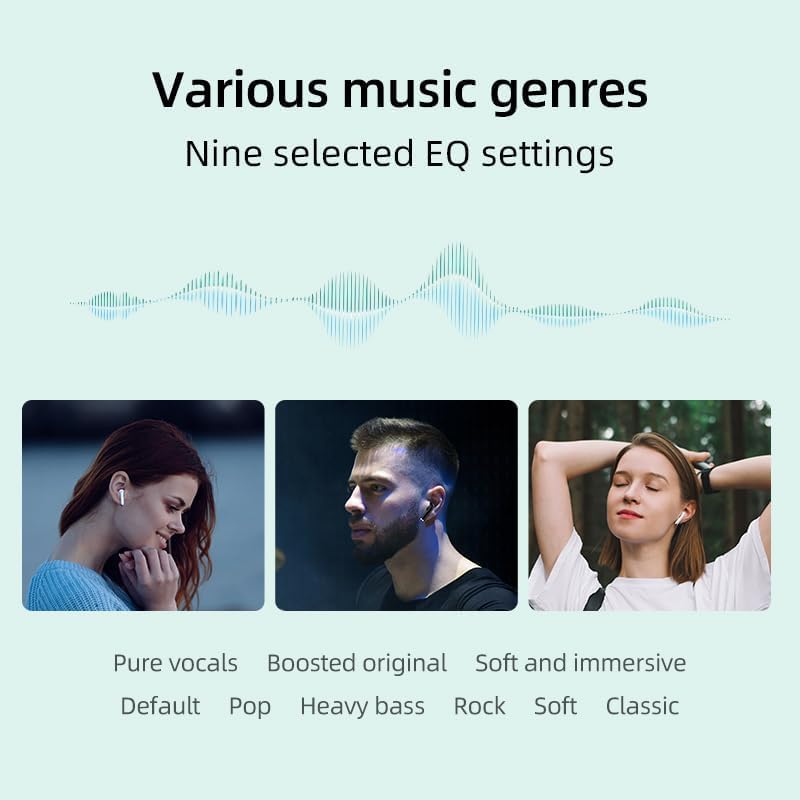
Image 6: An illustration depicting the impressive 28-hour total battery life of the QCY AilyBuds Lite, including charges from the case.
5. Maintenance and Care
- Keep the earbuds and charging case clean and dry.
- Use a soft, dry cloth to wipe the earbuds and charging contacts.
- Avoid exposing the earbuds to extreme temperatures, humidity, or liquids. The earbuds are not waterproof.
- Store the earbuds in their charging case when not in use to protect them and keep them charged.
- Do not attempt to disassemble or repair the earbuds yourself, as this will void the warranty.
6. Troubleshooting
| Problem | Possible Solution |
|---|---|
| Earbuds not pairing |
|
| No sound from one earbud |
|
| Low volume or poor sound quality |
|
| Touch controls not responding |
|
7. Specifications
| Feature | Detail |
|---|---|
| Model Name | QCY AilyBuds Lite (Model: QCYT29-02) |
| Connectivity | Bluetooth 5.3 |
| Driver Size | 13mm Ti-diaphragm driver |
| Frequency Range | 20 Hz - 20,000 Hz |
| Battery Life (Total) | Up to 28 hours (with charging case) |
| Weight | 35 Grams |
| Water Resistance | Not waterproof |
| Color | White |
| Compatible Devices | Mobile phones, tablets, laptops, gaming consoles, desktop computers, smart speakers |
8. Warranty and Support
The QCY AilyBuds Lite come with a manufacturer's warranty of 2 years. For warranty claims or technical support, please contact your retailer or visit the official QCY website. Please retain your proof of purchase for warranty purposes.
For further assistance, you may also refer to the QCY official store on Amazon: QCY Amazon Store
Ask a question about this manual
Ask about setup, troubleshooting, compatibility, parts, safety, or missing instructions. Manuals+ will review the question and use this page’s manual context to help answer it.