
1. Introduction and Overview
The IINE Micro Bluetooth Controller is a compact and versatile gamepad designed for seamless gaming across multiple platforms, including Nintendo Switch, PC, Android, and iOS devices. Its pocket-sized design, combined with advanced features like auto-fire and customizable functions, makes it an ideal companion for gaming on the go or for specific application use.

Image 1.1: The IINE Micro Bluetooth Controller, showcasing its compact design and button layout.
2. Setup and Initial Use
2.1 Charging the Controller
Before first use, fully charge the controller. Connect the provided USB-C cable to the controller's charging port and the other end to a USB power source (e.g., computer, wall adapter). The RGB light ring will indicate charging status and turn off when fully charged.
2.2 Pairing with Devices
The controller supports Bluetooth connectivity. Follow the steps below for your specific device:
- Nintendo Switch: On the Switch HOME Menu, select 'Controllers' > 'Change Grip/Order'. Press and hold the pairing button on the controller until the indicator lights flash rapidly. Once paired, the controller will be recognized by the Switch.
- PC (Windows): Go to 'Bluetooth & other devices' settings. Select 'Add Bluetooth or other device' > 'Bluetooth'. Press and hold the pairing button on the controller. Select 'IINE Controller' from the list of available devices.
- Android/iOS: Enable Bluetooth on your mobile device. Press and hold the pairing button on the controller. In your device's Bluetooth settings, select 'IINE Controller' from the list of available devices.

Image 2.1: The IINE Micro Bluetooth Controller available in different colors, ready for pairing.
3. Operating the Controller
3.1 Button Layout and Basic Functions
The controller features a D-pad, A/B/X/Y buttons, plus/minus buttons, home button, and screenshot button. Refer to the on-screen prompts of your game or application for specific button assignments.
3.2 Auto-Fire Function
The auto-fire function allows for continuous input of a button press without repeated physical presses. To activate, press and hold the desired button, then press the dedicated auto-fire button (refer to controller diagram for location). Repeat the process to deactivate.

Image 3.1: Visual representation of the auto-fire function, demonstrating its utility for rapid inputs.
3.3 Function Swapping
The controller supports swapping certain button functions to adapt to different gaming styles or application needs:
- D-pad to Joystick: Toggle the D-pad input to act as a joystick for games that require analog movement.
- L/R to ZL/ZR: Swap the functions of the L/R shoulder buttons with ZL/ZR for specific game compatibility or preference.
Refer to the controller's specific instructions or companion app (if available) for the exact button combinations to perform these swaps.
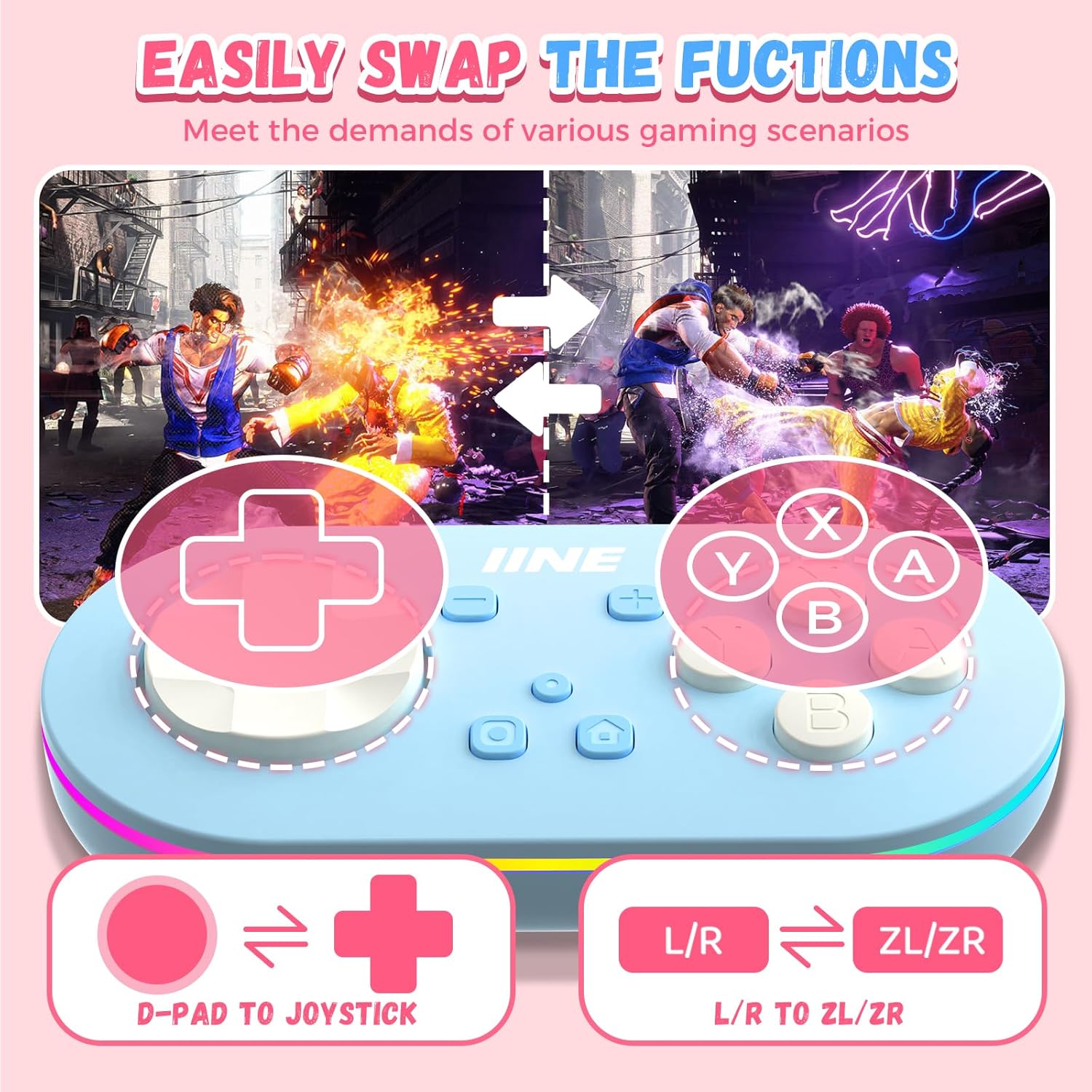
Image 3.2: Demonstrating the flexibility of the controller with its function swapping feature.
3.4 Keyboard Mode
The controller can operate in a keyboard mode, allowing certain buttons to emulate keyboard inputs. This feature is particularly useful for productivity applications or games that support keyboard controls. Consult the controller's specific documentation for details on activating and customizing keyboard mode mappings.
4. Compatibility
The IINE Micro Bluetooth Controller offers broad compatibility with various operating systems and gaming platforms:
- Nintendo Switch: Fully compatible with Switch consoles for gaming.
- PC: Supports Windows operating systems.
- Android: Compatible with Android smartphones and tablets.
- iOS: Compatible with iOS iPhones and iPads.

Image 4.1: The controller's universal compatibility across various gaming and mobile platforms.
5. Key Features
- Pocket-sized and Lightweight: Weighing approximately 30g, the controller is designed for extreme portability and comfortable single-handed use.
- RGB Light Ring: Features a stylish LED light ring that enhances the aesthetic appeal and can indicate various statuses (e.g., pairing, charging).
- Immersive Feedback: Provides haptic feedback (vibration) to enhance gaming immersion, delivering tactile sensations during gameplay.
- Keychain and Wrist Strap: Includes a convenient keychain attachment and a wrist strap for easy carrying and to prevent accidental drops.

Image 5.1: The controller's lightweight design, making it easy to hold and operate with one hand.

Image 5.2: The controller's immersive feedback system, providing tactile sensations for enhanced gaming.
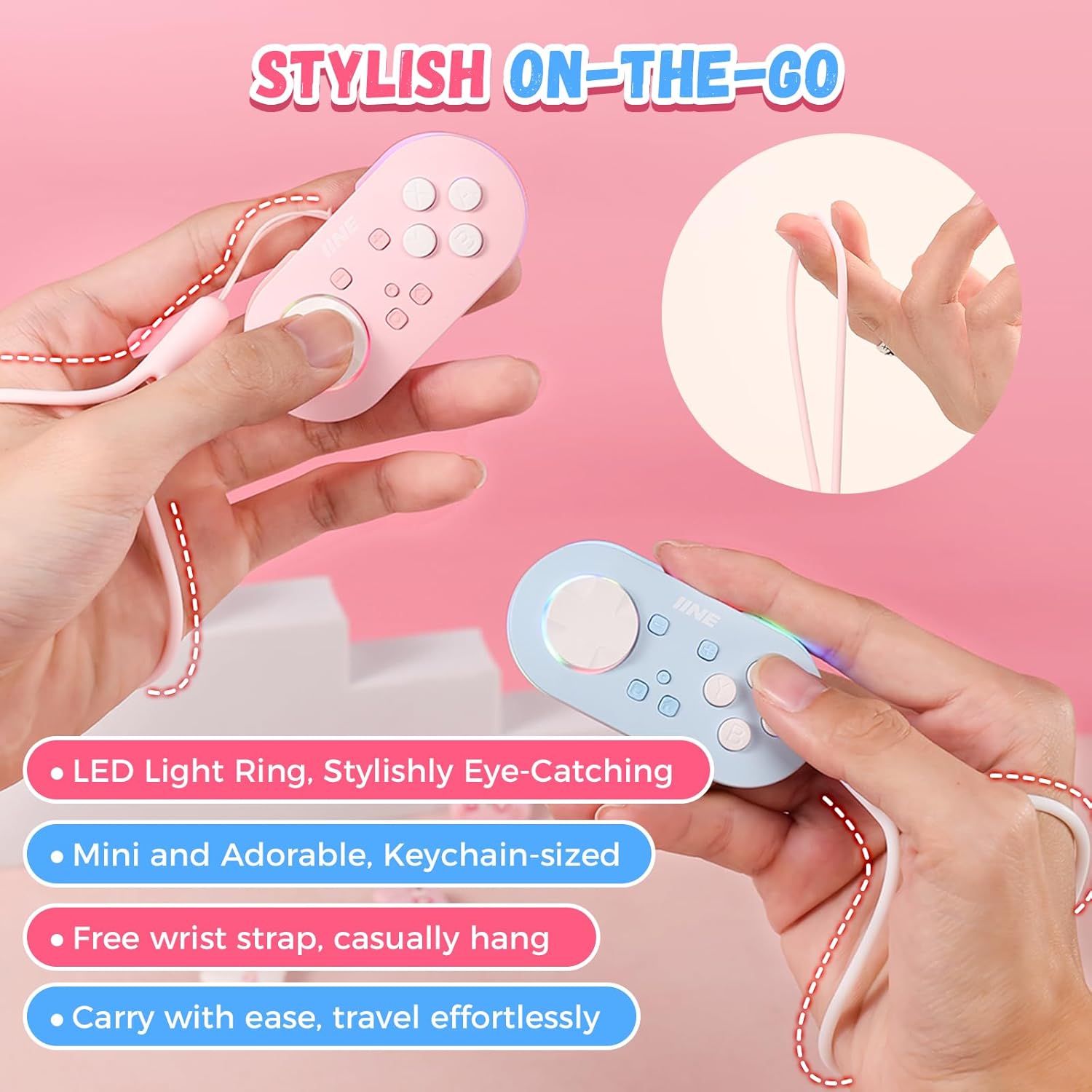
Image 5.3: The controller's portable design with LED light ring, keychain, and wrist strap for on-the-go use.
6. Usage Scenarios
Beyond traditional gaming, the IINE Micro Bluetooth Controller is optimized for specific applications:
- AVG Games: Ideal for Adventure Game (AVG) genres, facilitating textual adventures, emotional interactions, and narrative decision-making.
- E-Reading and Anki Study Companion: Enhances the e-reading experience and serves as an efficient review tool for Anki flashcard applications, allowing for easy navigation and interaction.
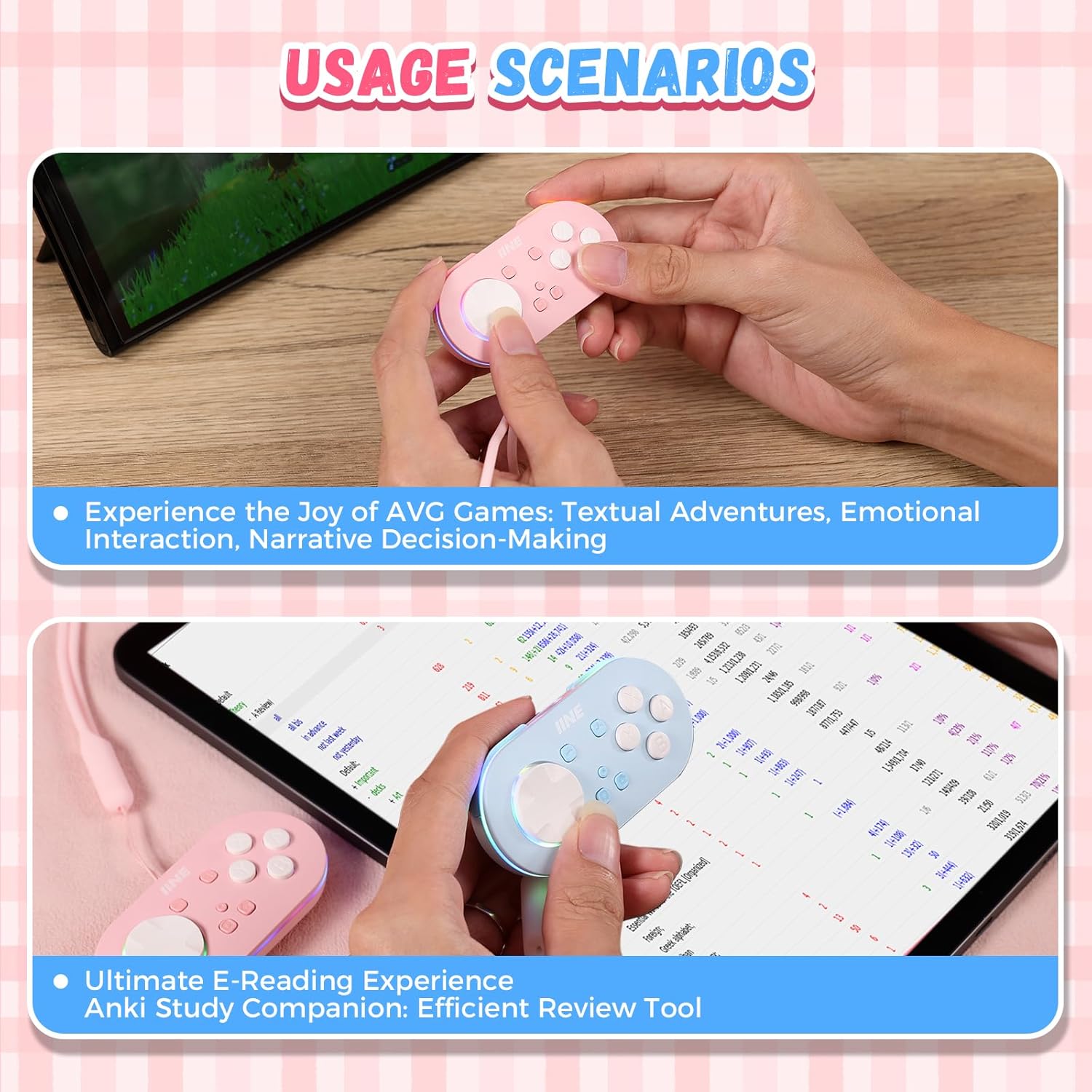
Image 6.1: Examples of the controller's versatile usage in AVG games and as an e-reading/Anki study tool.
7. Maintenance
To ensure the longevity and optimal performance of your IINE Micro Bluetooth Controller, follow these maintenance guidelines:
- Cleaning: Use a soft, dry cloth to wipe the controller. For stubborn dirt, slightly dampen the cloth with water. Avoid using harsh chemicals or abrasive materials.
- Storage: Store the controller in a cool, dry place away from direct sunlight and extreme temperatures. When not in use for extended periods, ensure it is fully charged before storage.
- Battery Care: Avoid completely draining the battery frequently. Charge the controller regularly to maintain battery health.
8. Troubleshooting
If you encounter issues with your IINE Micro Bluetooth Controller, try the following troubleshooting steps:
- Controller Not Connecting: Ensure the controller is charged. Try re-pairing the controller with your device. Make sure Bluetooth is enabled on your device and that the controller is within range.
- Buttons Not Responding: Check if the controller is properly paired. Restart the controller and your device. If specific buttons are not working, ensure no function swapping has inadvertently occurred.
- Lag or Disconnections: Reduce interference by moving closer to your device. Ensure no other strong wireless signals are nearby.
- Charging Issues: Try a different USB-C cable or power source. Ensure the charging port on the controller is clean and free of debris.
- Firmware Update: Check the official IINE website for any available firmware updates for your controller, which may resolve performance issues.
9. Specifications
| Feature | Description |
|---|---|
| Model Name | Micro Bluetooth Controller |
| Connectivity | Bluetooth |
| Compatibility | Nintendo Switch, PC (Windows), Android, iOS |
| Special Features | Auto-Fire Function, RGB Light Ring, Immersive Feedback, Function Swapping (D-pad/Joystick, L/R/ZL/ZR), Keyboard Mode |
| Dimensions | Pocket-sized (specific dimensions not provided) |
| Weight | Approx. 30g |
| Included Accessories | USB-C Charging Cable, Wrist Strap, Keychain |
10. Warranty and Support
For warranty information, technical support, or further assistance, please refer to the official IINE website or contact their customer service directly. Keep your proof of purchase for warranty claims.
Official IINE Website: Visit the IINE Store on Amazon