
HOTONE Ampero Press 2 in 1
HOTONE Ampero Press 2-in-1 Volume Expression Guitar Effects Pedal User Manual
1. Introduction
This manual provides detailed instructions for the proper use and maintenance of your HOTONE Ampero Press 2-in-1 Volume Expression Guitar Effects Pedal. Please read this manual thoroughly before operating the device to ensure optimal performance and longevity.

Image 1.1: The HOTONE Ampero Press 2-in-1 Volume Expression Pedal, shown with the included 15 cm TS cable.
2. Safety Instructions
- Do not expose the unit to rain, moisture, or extreme temperatures.
- Avoid placing the unit near heat sources or in direct sunlight.
- Do not attempt to disassemble or modify the unit. Refer all servicing to qualified personnel.
- Use only specified cables and accessories.
- Keep out of reach of children.
3. Features
- Passive Volume / Expression 2-in-1 guitar pedal functionality.
- High-quality potentiometer for precise response and extended lifespan.
- Passive design requires no external power supply.
- Independent Volume and Expression output jacks.
- Compatible with a variety of instruments and multi-effects pedals.
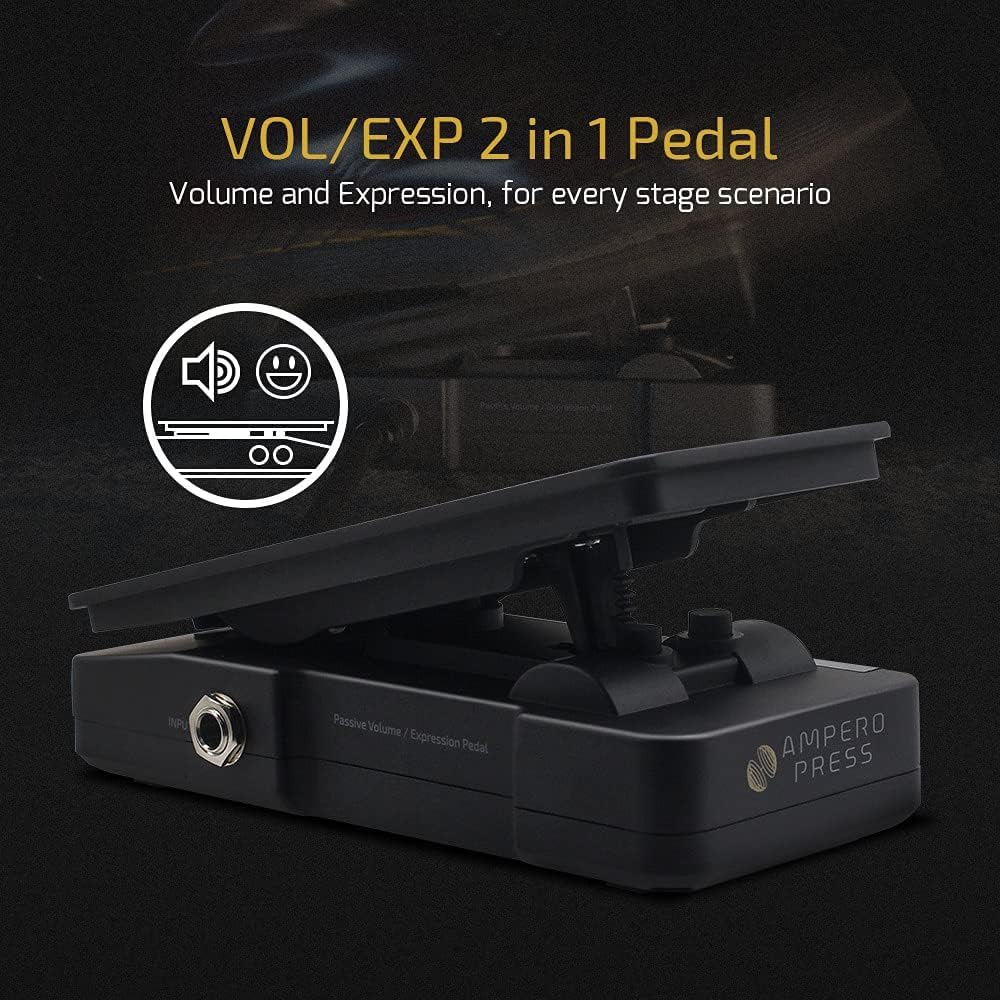
Image 3.1: The Ampero Press pedal functions as both a volume and expression pedal.

Image 3.2: The pedal's passive design means no power supply is needed for operation.
4. Package Contents
- HOTONE Ampero Press 2-in-1 Volume Expression Pedal
- 1 x 15 cm TS Cable (additional)
5. Product Overview
5.1. Controls and Connections

Image 5.1: The pedal features dedicated EXP OUT and OUTPUT jacks.
- INPUT Jack: Connect your instrument or the output of a previous effect pedal here.
- OUTPUT Jack: Connect this to your amplifier or the input of the next effect pedal for volume control.
- EXP OUT Jack: Connect this to the expression pedal input of your multi-effects unit or other compatible device for expression control. Note: A TRS (Tip-Ring-Sleeve) cable is required for expression pedal functionality. The included TS cable is for standard audio connections.
- Pedal Treadle: The movable part of the pedal used to control volume or expression.
6. Setup
6.1. Volume Pedal Setup
- Connect your instrument (e.g., guitar) to the INPUT jack of the Ampero Press using a standard TS (Tip-Sleeve) instrument cable.
- Connect the OUTPUT jack of the Ampero Press to your amplifier or the input of your next effect pedal using another standard TS instrument cable.
- The pedal will now function as a passive volume control for your signal chain.
6.2. Expression Pedal Setup
- Connect the EXP OUT jack of the Ampero Press to the expression pedal input of your multi-effects processor or other compatible device. Important: Use a TRS (Tip-Ring-Sleeve) cable for this connection. A standard TS cable will not provide full expression functionality.
- Refer to your multi-effects unit's manual for instructions on how to assign and calibrate an external expression pedal.
- The Ampero Press will now control the assigned parameter (e.g., Wah, Delay Feedback, Reverb Mix) on your connected device.

Image 6.1: The Ampero Press integrates seamlessly with various guitar effects setups.
7. Operation
7.1. Using as a Volume Pedal
With the pedal connected as a volume control, press the treadle forward (toe down) to increase volume and rock it back (heel down) to decrease volume. The passive design ensures a clean signal path without requiring power.
7.2. Using as an Expression Pedal
When connected to an expression input, the pedal's movement will control the parameter assigned on your external device. The range of control (minimum to maximum value) is typically set within the external device's settings. Ensure proper calibration for accurate response.

Image 7.1: The pedal is designed for comfortable and precise foot control.
8. Maintenance
- Clean the pedal regularly with a soft, dry cloth. Do not use abrasive cleaners or solvents.
- Inspect cables for damage before each use.
- Store the pedal in a dry, cool environment when not in use.
- The pedal's internal components are not user-serviceable.
9. Troubleshooting
- No Volume Control / Expression Not Working:
- Ensure all cables are securely connected.
- For expression functionality, verify you are using a TRS (Tip-Ring-Sleeve) cable, not a standard TS cable.
- Check the settings on your multi-effects unit to ensure the expression pedal is correctly assigned and calibrated.
- Volume/Expression Sweep is Reversed:
- Some devices may interpret the expression signal differently. Consult your external device's manual for options to invert or reverse expression pedal polarity/sweep.
- Intermittent Signal:
- Check all cables for damage or loose connections. Try swapping cables to isolate the issue.
- Ensure the input/output jacks on the pedal and connected devices are clean and free of debris.
10. Specifications
| Item Weight | 15.2 ounces (430 Grams) |
| Product Dimensions | 6.38 x 6.38 x 2.01 inches (16.2cm x 16.2cm x 5.1cm) |
| Material Type | Aluminum Alloy |
| Power Source | Passive (No external power required) |
| Signal Format | Analog |
| Hardware Interface | Multipronged Audio |

Image 10.1: The pedal features a durable aluminum alloy casing for road-ready performance.
11. Warranty and Support
For warranty information and technical support, please refer to the official HOTONE website or contact your authorized dealer. Keep your purchase receipt as proof of purchase for warranty claims.
You can visit the official HOTONE store for more information: HOTONE Store
Related documentsAmpero Press 2 in 1


Ask a question about this manual
Ask about setup, troubleshooting, compatibility, parts, safety, or missing instructions. Manuals+ will review the question and use this page’s manual context to help answer it.