
1. Introduction
This manual provides detailed instructions for the setup, operation, and maintenance of your BRUNO Cuckoo Clock, model BCW047. This clock features a charming birdhouse design, offering both wall-mount and tabletop placement options. It includes an hourly cuckoo chime with adjustable volume and a night mode function.
Please read this manual thoroughly before using the product and retain it for future reference.
2. Package Contents
Ensure all items are present in the package:
- BRUNO Cuckoo Clock Unit (Model BCW047)
- AA Batteries x 3 (1 for clock mechanism, 2 for chime function)
3. Setup
3.1 Battery Installation
- Locate the battery compartments on the back of the clock.
- Insert one AA battery into the compartment designated for the clock mechanism.
- Insert two AA batteries into the compartment designated for the chime function.
- Ensure correct polarity (+/-) for all batteries.

Image Description: The back of the BRUNO Cuckoo Clock, displaying two battery compartments and control switches. The top compartment is for the clock mechanism battery, and the larger bottom compartment is for the chime function batteries.
3.2 Time Setting
- Turn the time setting knob located on the back of the clock to set the correct time.
- Do not move the clock hands directly, as this may damage the mechanism.
3.3 Placement Options
- Wall Mounting: Use the hanging hole on the back of the clock to securely mount it on a wall.
- Tabletop Placement: The clock can also be placed on a flat, stable surface as a freestanding unit.
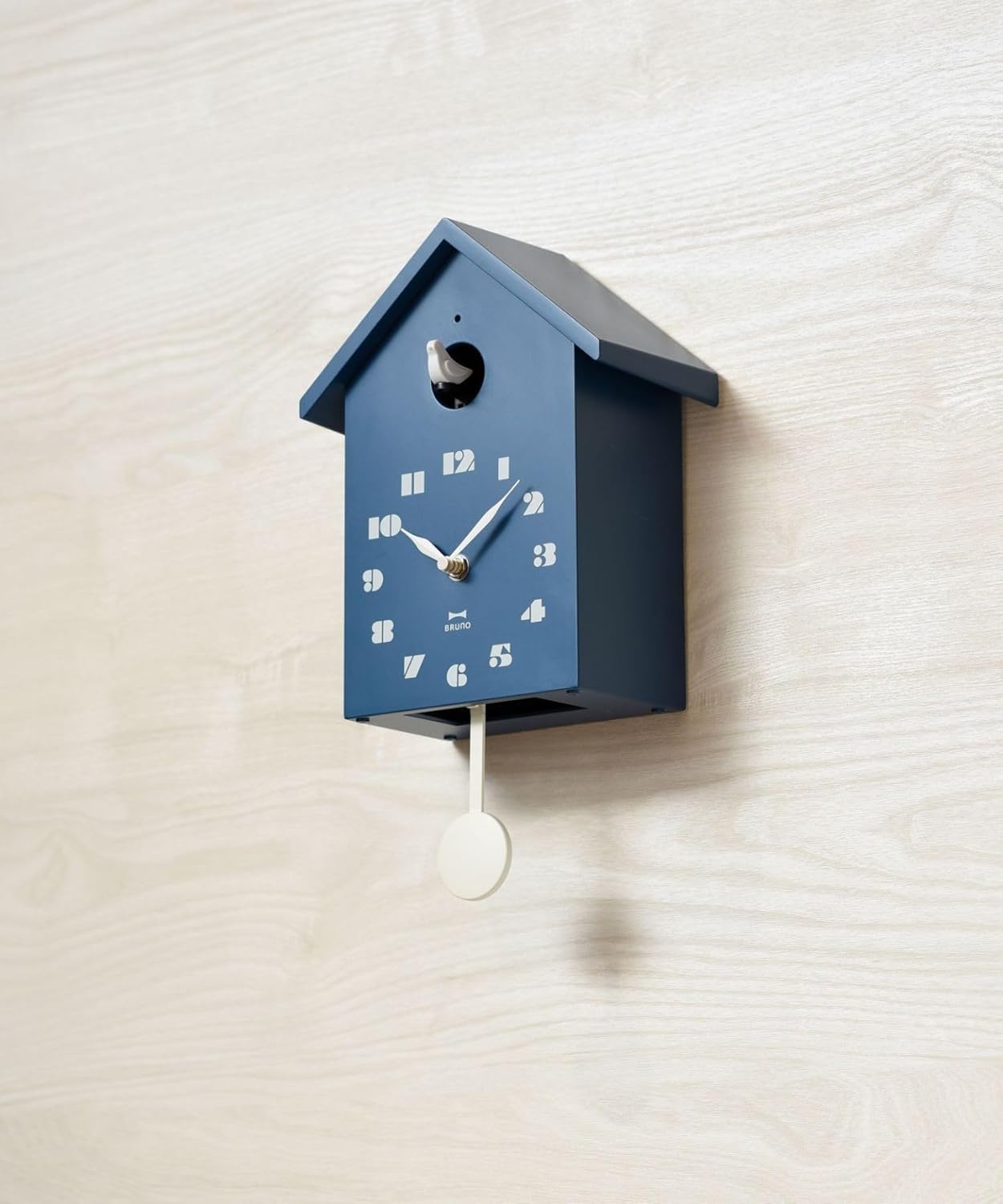
Image Description: A blue BRUNO Cuckoo Clock, shaped like a birdhouse, is shown mounted on a light wooden wall. A white pendulum hangs below the clock face.

Image Description: A cream-colored BRUNO Cuckoo Clock, designed as a birdhouse, sits on a wooden shelf. A small green plant in a wooden pot is visible to its left.
4. Operating Instructions
4.1 Hourly Chime Function
The cuckoo bird will emerge from its opening and chime every hour on the hour.
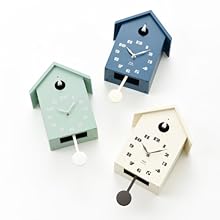
Image Description: A close-up view of the blue BRUNO Cuckoo Clock, showing a small white cuckoo bird emerging from its opening above the clock face.
4.2 Volume Control
Use the volume switch on the back of the clock to adjust the chime sound. Available options are:
- Large: Full volume chime.
- Small: Reduced volume chime.
- Mute: Silences the chime completely.
4.3 Night Mode
The clock features a night mode that allows you to set a continuous 12-hour period during which the chime will be silenced. This function is designed to prevent the cuckoo from chiming during nighttime hours.
Refer to the specific markings or instructions on the back of the clock near the volume switch for details on how to set the night mode period.
5. Maintenance
5.1 Battery Replacement
- Replace all three AA batteries when the clock hands stop moving, or the chime becomes faint or stops.
- Always replace all batteries at the same time to ensure optimal performance and prevent damage.
- Dispose of used batteries responsibly according to local regulations.
5.2 Cleaning
- Wipe the clock surface with a soft, dry cloth.
- Do not use abrasive cleaners, chemical solvents, or strong detergents, as these may damage the finish or internal components.
6. Troubleshooting
- Clock Hands Not Moving:
- Check if the clock mechanism battery (one AA battery) is inserted correctly with the correct polarity.
- Replace the clock mechanism battery with a new one.
- Cuckoo Chime Not Working or Incorrectly Chiming:
- Check if the chime function batteries (two AA batteries) are inserted correctly with the correct polarity.
- Replace the chime function batteries with new ones.
- Ensure the volume switch on the back of the clock is not set to "Mute".
- Verify that the clock is not currently in its programmed 12-hour silent period (Night Mode).
- Pendulum Not Swinging:
- The pendulum is primarily decorative and does not affect the clock's timekeeping accuracy. Ensure it is not obstructed and swings freely.
7. Specifications
| Feature | Detail |
|---|---|
| Model Number | BCW047 |
| Dimensions (W x H x D) | 200 x 255 x 103 mm |
| Weight | 675 g (excluding pendulum) |
| Power Source | AA batteries x 3 (1 for clock, 2 for chime) |
| Display Type | Analog |
| Movement Type | Step Movement |
| Special Features | Hourly Chime, Night Mode, Adjustable Volume (Large/Small/Mute), Wall-mount/Tabletop dual use |
| Frame Material | Polystyrene (PS) |
| Country of Origin | China |
8. Warranty and Support
For warranty information and customer support, please refer to the documentation included with your purchase or visit the official BRUNO website. Keep your proof of purchase for any warranty claims.