
DEKELIFE AK75
DEKELIFE AK75 Smartwatch User Manual
Model: AK75
1. Introduction
Thank you for choosing the DEKELIFE AK75 Smartwatch. This manual provides detailed instructions on how to set up, operate, and maintain your device. Please read this manual thoroughly before use to ensure optimal performance and longevity of your smartwatch.

Image 1.1: DEKELIFE AK75 Smartwatch. This image displays the front view of the smartwatch, highlighting its round AMOLED display and robust design. The watch face shows time, date, and various health metrics. Insets show call functionality and AMOLED display quality.
2. Package Contents
Please check the package for the following items:
- DEKELIFE AK75 Smartwatch (with silicone strap)
- Charging Cable
- User Manual
- (Optional: Additional strap, if included in your specific package)
3. Initial Setup
3.1 Charging the Smartwatch
Before first use, fully charge your smartwatch. Connect the charging cable to the charging port on the back of the watch and to a USB power adapter (not included).
- Charging Time: Approximately 2-3 hours for a full charge.
- Battery Life: 5-10 days of normal use, up to 30 days standby.

Image 3.1: Battery Information. This image illustrates the 450mAh battery capacity and expected charging and usage times for the smartwatch.
3.2 App Installation and Pairing
To unlock the full functionality of your DEKELIFE AK75 Smartwatch, you need to install the companion app on your smartphone.
- Download the App: Scan the QR code displayed on the watch screen during initial setup, or search for the official DEKELIFE app in your smartphone's app store (compatible with Android for Wear OS or iOS for watchOS).
- Enable Bluetooth: Ensure Bluetooth is enabled on your smartphone.
- Pairing: Open the DEKELIFE app, follow the on-screen instructions to search for and connect to your AK75 Smartwatch. Confirm the pairing request on both your phone and the watch.
4. Operating the Smartwatch
4.1 Display and Navigation
The DEKELIFE AK75 features a 1.43-inch AMOLED display with a resolution of 466x466 pixels, offering clear visuals. It supports an Always-On Display function.
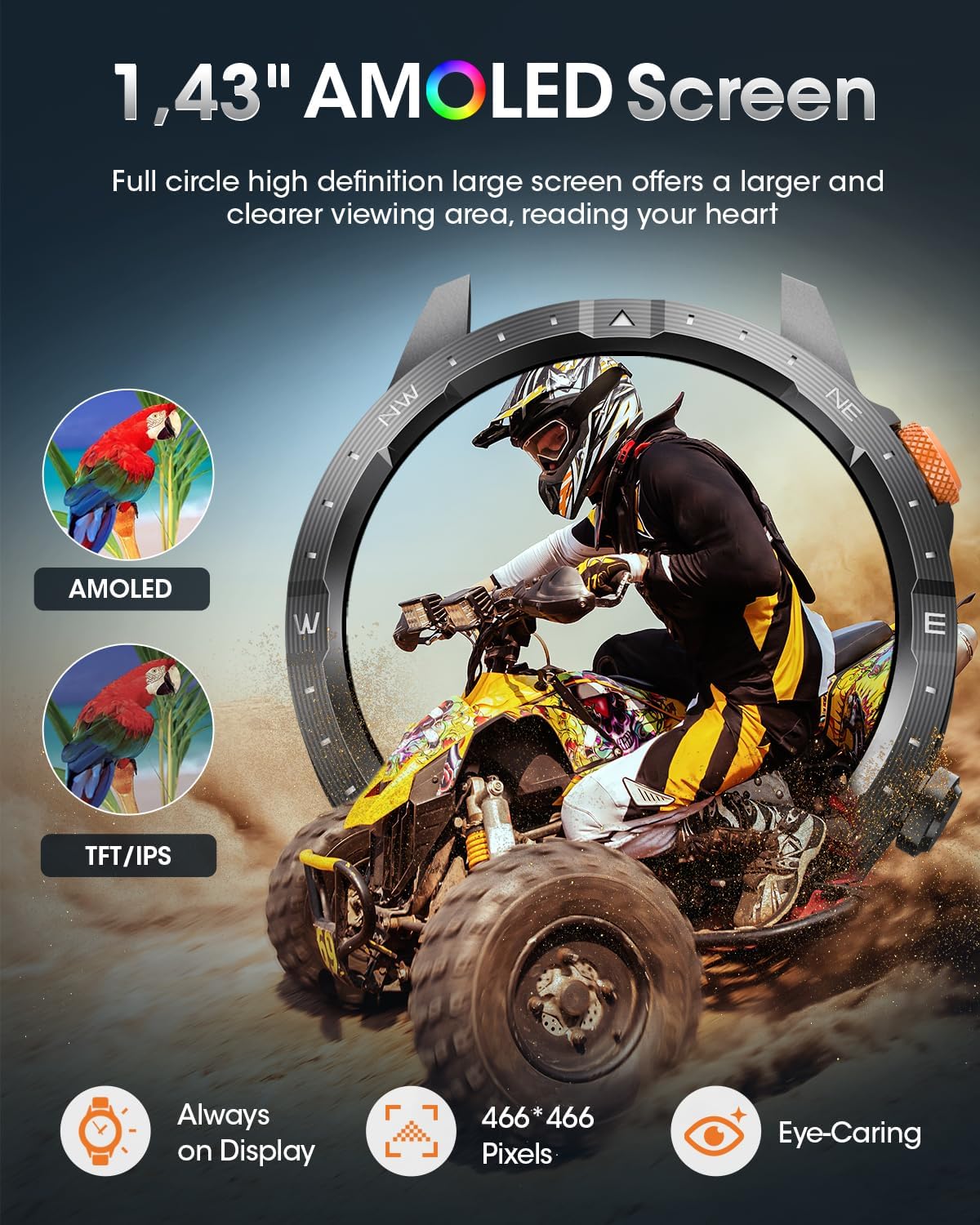
Image 4.1: AMOLED Display. This image highlights the 1.43-inch AMOLED screen, its 466x466 pixel resolution, Always-On Display, and eye-caring features, comparing AMOLED to TFT/IPS.
- Touchscreen: Swipe left, right, up, or down to navigate through menus and functions. Tap to select.
- Side Buttons: Use the physical buttons on the side for quick access to functions or to return to the home screen.
4.2 Bluetooth Calling and Notifications
With Bluetooth 5.3 connectivity, the smartwatch allows for stable calls and message notifications.

Image 4.2: Bluetooth Call & Notifications. This image demonstrates the smartwatch's ability to make and receive calls, access contacts, use a dial pad, and receive real-time message notifications from various social media applications.
- Making/Receiving Calls: Once paired, you can answer or reject incoming calls directly from your watch. Use the integrated microphone and speaker for communication.
- Message Alerts: Receive notifications from various applications (e.g., Facebook, Instagram) directly on your watch.
- AI Voice Assistant: Utilize the AI voice assistant for hands-free control and information.
5. Health Monitoring
The DEKELIFE AK75 Smartwatch provides 24/7 continuous health management, detecting your fatigue and recovery status based on various metrics.

Image 5.1: Health Monitoring. This image displays the smartwatch's capabilities for monitoring heart rate, blood oxygen, blood pressure, and sleep patterns, showing graphical representations of data.
- Heart Rate Monitoring: Continuous 24-hour heart rate tracking.
- Blood Oxygen (SpO2) Monitoring: Measures blood oxygen saturation levels.
- Blood Pressure Monitoring: Provides real-time blood pressure data.
- Sleep Monitoring: Tracks sleep quality, including deep sleep, light sleep, and awake times.
- Temperature Monitoring: Detects body temperature.
- MET (Metabolic Equivalent of Task) Tracking: Monitors activity intensity.
- Breathing Quality: Assesses breathing patterns during sleep.
- Sedentary Reminder: Alerts you to move after periods of inactivity.
- Drink Water Reminder: Helps maintain hydration.
Note: Health monitoring data is for reference only and should not be used for medical diagnosis or treatment. Consult a medical professional for health concerns.
6. Sports Modes
The smartwatch offers over 70 sports modes to track your physical activities and help you achieve your fitness goals.
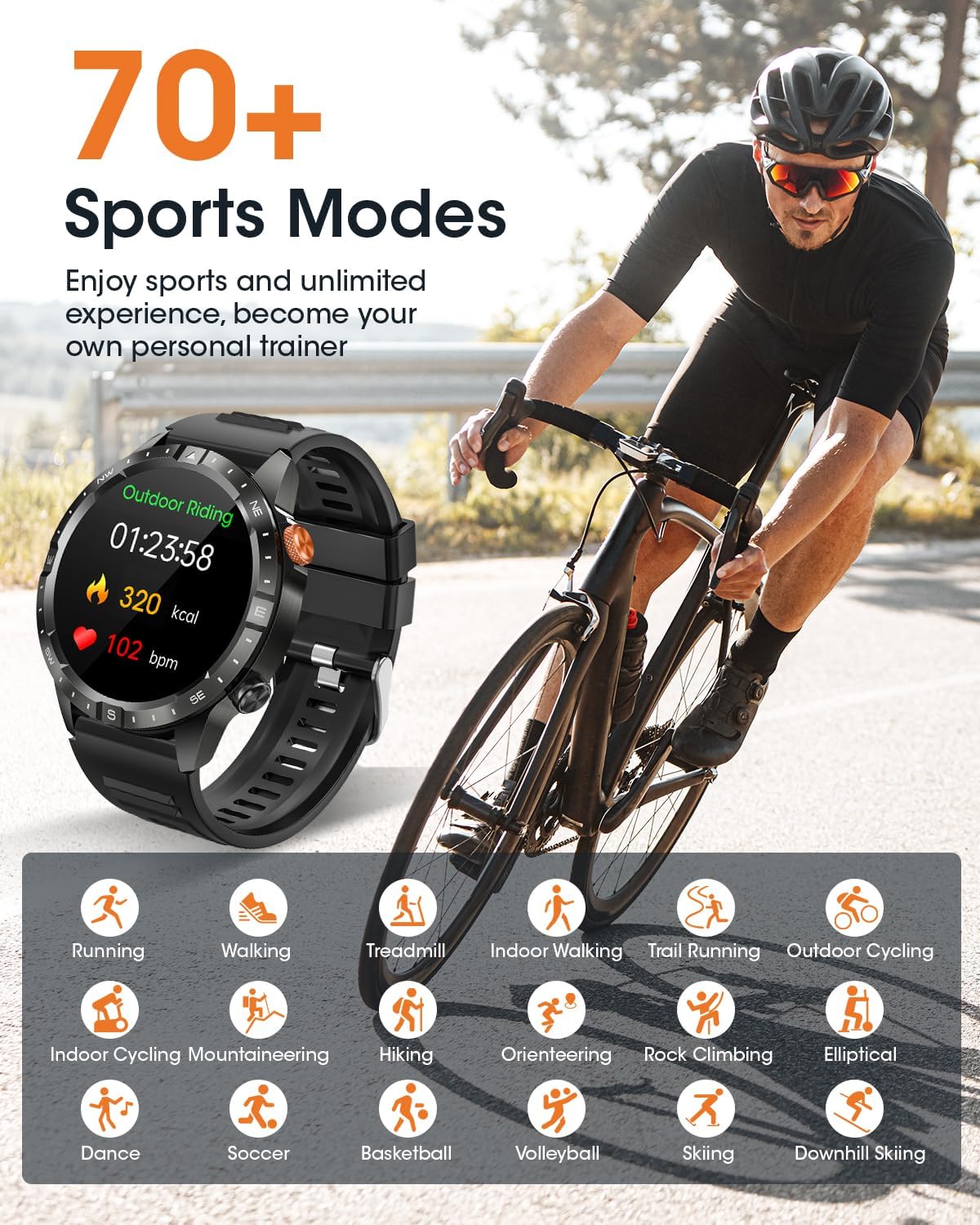
Image 6.1: Sports Modes. This image illustrates the variety of over 70 sports modes, including running, walking, cycling, swimming, and more, with icons representing different activities.
Common sports modes include:
- Running (Outdoor, Treadmill, Trail)
- Walking (Indoor)
- Cycling (Outdoor, Indoor)
- Mountaineering
- Hiking
- Orienteering
- Rock Climbing
- Elliptical
- Dance
- Soccer
- Basketball
- Volleyball
- Skiing
- Downhill Skiing
- And many more.
Select your desired sport mode from the watch menu to start tracking your workout data, including calories burned, distance, and heart rate.
7. Water Resistance (IP68)
The DEKELIFE AK75 Smartwatch is IP68 waterproof, meaning it is resistant to dust and can withstand immersion in water up to 1.5 meters for 30 minutes.

Image 7.1: IP68 Waterproof. This image shows a person swimming, illustrating the watch's IP68 water resistance, suitable for hand washing, rain, and sweat.
This makes it suitable for:
- Hand washing
- Rain exposure
- Sweat during workouts
- Shallow water activities (e.g., swimming, but avoid hot water or high-pressure water jets).
Note: Water resistance is not a permanent condition and may decrease over time with normal wear. Avoid using the watch in hot showers, saunas, or steam rooms, as steam can penetrate the seals.
8. Specifications
| Feature | Detail |
|---|---|
| Brand | DEKELIFE |
| Model Number | AK75 |
| Color | Black |
| Operating System | Android for Wear OS or iOS for watchOS compatible |
| Screen Size | 1.43 Inches |
| Display Type | AMOLED |
| Resolution | 466 x 466 pixels |
| Connectivity | Bluetooth 5.3 |
| Special Features | 24-hour Heart Rate, SpO2, Sleep Monitor, IP68 Waterproof, Pin Unlock, Alarm Clock, Sedentary Reminder, Voice Call, Calculator, Calendar, Weather, Breathing Training, Remote Photography, Music Player, Calorie Monitoring, Drink Water Reminder, Find Phone, Chronograph, AI Voice Assistant, Always-On Display, 70+ Sports Modes |
| Compatible Devices | Smartphone (Android, iOS) |
| Battery Capacity | 450 mAh Lithium-ion Polymer |
| Charging Time | 2-3 hours |
| Normal Use Battery Life | 5-10 days |
| Standby Battery Life | Up to 30 days |
| Memory Storage Capacity | 2 MB |
| GPS | Via smartphone |
| Watch Shape | Round |
| Strap Material | Silicone (standard) |

Image 8.1: Product Dimensions. This image provides detailed measurements of the smartwatch case (47mm diameter, 22mm lug width) and strap lengths (80mm and 122mm), indicating a maximum wrist circumference of 238mm and minimum of 138mm.
9. Maintenance and Care
- Cleaning: Wipe the watch and strap regularly with a soft, damp cloth. Avoid using harsh chemicals or abrasive materials.
- Drying: After exposure to water, ensure the watch is completely dry before charging or using any buttons.
- Storage: Store the watch in a cool, dry place when not in use.
- Avoid Extreme Temperatures: Do not expose the watch to extremely high or low temperatures, as this can affect battery life and component integrity.
10. Troubleshooting
If you encounter issues with your DEKELIFE AK75 Smartwatch, please refer to the following common solutions:
- Watch not turning on: Ensure the watch is fully charged. Connect it to the charger for at least 30 minutes.
- Cannot pair with smartphone:
- Ensure Bluetooth is enabled on your phone and the watch.
- Make sure the watch is within Bluetooth range of your phone.
- Restart both your phone and the smartwatch.
- Try unpairing and re-pairing the device through the app.
- Notifications not received:
- Check app permissions on your smartphone to ensure the DEKELIFE app has access to notifications.
- Verify that notification settings are enabled within the DEKELIFE app.
- Ensure the watch is connected to your phone via Bluetooth.
- Inaccurate health data:
- Ensure the watch is worn snugly on your wrist, not too loose or too tight.
- Clean the sensors on the back of the watch.
- Avoid excessive movement during measurements.
If the problem persists, please contact DEKELIFE customer support.
11. Warranty and Support
DEKELIFE provides a comprehensive warranty and customer support for your AK75 Smartwatch.
- Warranty: 365-day warranty from the date of purchase.
- Online Support: 24/7 online customer support is available.
- Contact: For any issues, questions, or suggestions, please contact the DEKELIFE Customer Service Team directly.

Image 11.1: DEKELIFE Logo. The official logo of the DEKELIFE brand.
For further assistance, please visit the official DEKELIFE website or refer to the contact information provided with your product packaging.
Related documentsAK75

Ask a question about this manual
Ask about setup, troubleshooting, compatibility, parts, safety, or missing instructions. Manuals+ will review the question and use this page’s manual context to help answer it.