
DIYPHONE C115-I/IS/K
C115-I/IS/K Soldering Iron Tips User Manual
Model: C115-I/IS/K | Brand: DIYPHONE
1. Introduction and Overview
This manual provides essential information for the proper use and maintenance of your DIYPHONE C115-I/IS/K Soldering Iron Tips. These precision welding tip heads are designed as replacement cartridges for soldering stations, offering high performance for intricate soldering and rework tasks.
The C115 series tips are specifically compatible with the NT115 Handle and are suitable for use with various soldering stations, including those from JBC, GVM, OSS, and Aixun. The set includes three distinct tip types: Pointed (C115-I), Curved (C115-IS), and Knife (C115-K), catering to a wide range of soldering applications, particularly for very small-sized components.

Figure 1: C115-I/IS/K Soldering Iron Tips in packaging.
2. Product Features
The DIYPHONE C115 series soldering iron tips are engineered for efficiency and durability, providing reliable performance for professional and industrial use. Key features include:
- OEM C115 Cartridges & Tips: Functionally comparable to original factory accessories, ensuring seamless integration and performance.
- Three Tip Types:
- C115-I (Pointed): Ideal for fine-pitch soldering and precision work on small components.
- C115-IS (Curved): Suitable for reaching difficult angles and specific component geometries.
- C115-K (Knife): Excellent for drag soldering, cleaning pads, and general purpose work.
- Broad Compatibility: Designed to perfectly suit the JBC NT115 Handle and compatible with various soldering stations from brands like JBC, GVM, OSS, Aifen, Wemon, Sugon, and Aixun.
- High-Quality Construction: Made from alloy and copper with a stainless steel shell, ensuring excellent heat transfer, instant heat-up, and long life.
- Ease of Use: Designed for easy heating, replacement, and portability, simplifying workflow.

Figure 2: Types of C115 Soldering Iron Tips.
3. Setup and Installation
Proper installation of the soldering tip is crucial for optimal performance and safety. Always ensure the soldering station is powered off and the handle is cool before attempting to change tips.
3.1 Safety Precautions
- Always disconnect the soldering station from power before changing tips.
- Allow the soldering handle and tip to cool completely to avoid burns.
- Use appropriate tools (e.g., heat-resistant gloves if the tip is still warm) for handling.
- Work in a well-ventilated area to avoid inhaling solder fumes.
3.2 Tip Installation Procedure
- Ensure your soldering station is off and the NT115 handle is cool.
- Carefully remove the old soldering tip from the NT115 handle. Depending on your handle model, this may involve twisting, pulling, or pressing a release mechanism. Refer to your NT115 handle's manual for specific instructions.
- Select the desired C115 series tip (I, IS, or K) for your task.
- Gently insert the new C115 tip into the NT115 handle until it is fully seated and secure. Do not force the tip.
- Once the tip is installed, you can power on your soldering station.

Figure 3: C115 Soldering Tips with their protective bases.
4. Operating Instructions
These C115 soldering tips are designed for precision soldering. Always refer to your specific soldering station's user manual for detailed operating procedures, temperature settings, and safety guidelines.
4.1 General Usage Tips
- Tinning the Tip: Before first use and periodically during operation, apply a small amount of solder to the tip. This "tins" the tip, preventing oxidation and ensuring efficient heat transfer.
- Temperature Control: Set your soldering station to the appropriate temperature for the solder and components you are working with. The C115 tips offer instant heat-up, allowing for quick temperature stabilization.
- Contact Area: Ensure maximum contact between the tip and the component/pad for efficient heat transfer.
- Cleaning: Regularly clean the tip using a damp sponge or brass wool to remove excess solder and flux residue.
- Application:
- Use the C115-I (Pointed) tip for very small pads, fine wires, and intricate component soldering.
- The C115-IS (Curved) tip is useful for reaching components under other parts or for specific angles where a straight tip might be difficult to maneuver.
- The C115-K (Knife) tip is versatile for drag soldering, cleaning solder bridges, and general purpose soldering on larger pads or components.
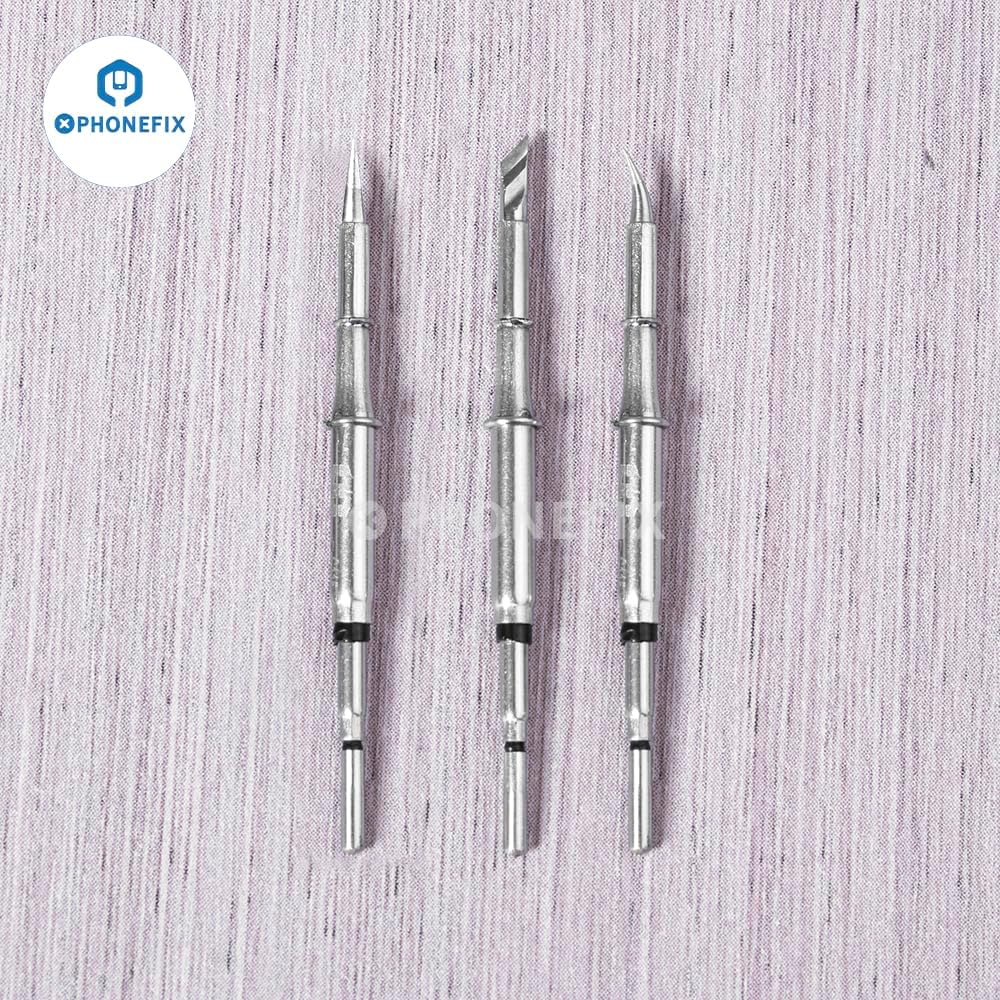
Figure 4: Close-up view of the C115-I, C115-IS, and C115-K tips.
5. Maintenance
Proper maintenance extends the lifespan of your soldering tips and ensures consistent performance.
5.1 Daily Maintenance
- Clean Regularly: Wipe the tip on a damp sponge or brass wool frequently during soldering to remove excess solder and flux.
- Re-tinning: Always re-tin the tip with a fresh coat of solder before placing the iron back in its stand and before turning off the soldering station. This protects the tip from oxidation.
5.2 Long-Term Storage
- Ensure tips are clean and well-tinned before storing.
- Store tips in a dry, cool place, ideally in their original protective cases, to prevent damage and oxidation.
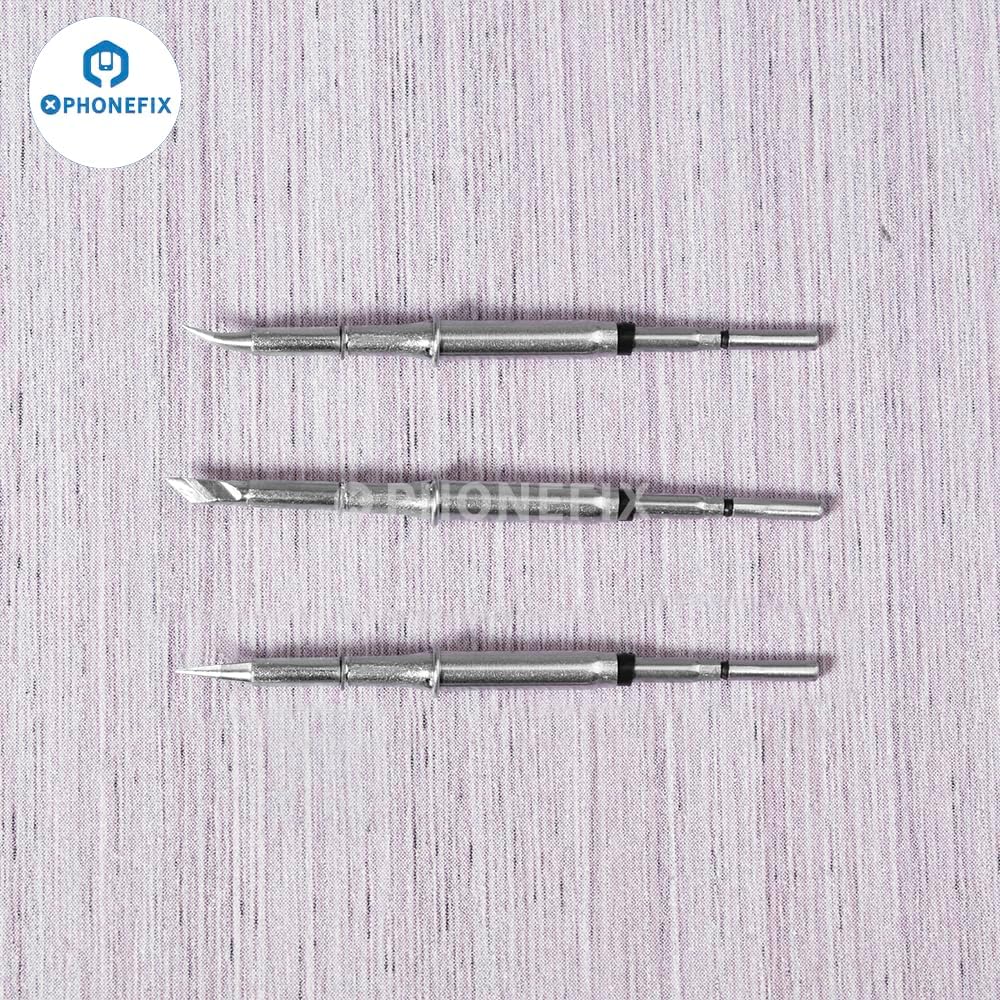
Figure 5: Side profile of the C115-I, C115-IS, and C115-K tips.
6. Troubleshooting
If you encounter issues with your C115 soldering tips, consider the following common problems and solutions:
| Problem | Possible Cause | Solution |
|---|---|---|
| Tip not heating up. | Poor connection to handle; faulty handle or station. | Ensure tip is fully seated. Check handle and soldering station for proper function (refer to their manuals). |
| Solder does not wet the tip (beads up). | Tip oxidation; insufficient tinning; tip too cold. | Clean the tip thoroughly with brass wool or a tip cleaner. Re-tin the tip immediately. Increase soldering station temperature if necessary. |
| Poor heat transfer to component. | Tip oxidation; incorrect temperature; insufficient contact. | Clean and re-tin tip. Verify correct temperature setting. Ensure good physical contact between tip, component, and solder. |
| Tip wears out quickly. | Excessive temperature; abrasive cleaning; lack of tinning. | Use lowest effective temperature. Use damp sponge or brass wool for cleaning, avoid harsh abrasives. Always keep tip tinned. |
For issues related to the soldering station or handle, please consult their respective user manuals or contact the manufacturer.
7. Specifications
Detailed specifications for the DIYPHONE C115-I/IS/K Soldering Iron Tips:
| Attribute | Detail |
|---|---|
| Item Type | Soldering Iron Tip Cartridges |
| Model | C115-I/IS/K (Pointed, Curved, Knife) |
| Brand | DIYPHONE |
| Material | Alloy + Copper (Tip), Stainless Steel (Shell) |
| Handle Compatibility | NT115-A Nano Handle |
| Soldering Station Compatibility | JBC, GVM, OSS, Aixun, Aifen, Wemon, Sugon, and other compatible stations |
| Wattage (Typical) | 75 watts (dependent on soldering station) |
| Item Weight | Approximately 0.01 Kilograms (0.387 ounces) per tip |
| Special Feature | Portable, Instant Heat-up |
8. Warranty and Support
For any questions regarding the DIYPHONE C115-I/IS/K Soldering Iron Tips, including technical support or warranty inquiries, please contact DIYPHONE customer service through their official channels or the retailer from whom the product was purchased.
Please retain your proof of purchase for any warranty claims.
Visit the official DIYPHONE store for more information: DIYPHONE Store on Amazon
Related documentsC115-I/IS/K

Ask a question about this manual
Ask about setup, troubleshooting, compatibility, parts, safety, or missing instructions. Manuals+ will review the question and use this page’s manual context to help answer it.