
AMIR HT94
AMIR HT94 12.5oz Touchless Automatic Soap Dispenser User Manual
Model: HT94
1. Product Overview
The AMIR HT94 is a 12.5oz (370ml) touchless automatic liquid soap dispenser designed for hygienic and convenient hand washing. It features an infrared motion sensor for automatic dispensing, adjustable volume settings, and a water-resistant design suitable for kitchens and bathrooms.
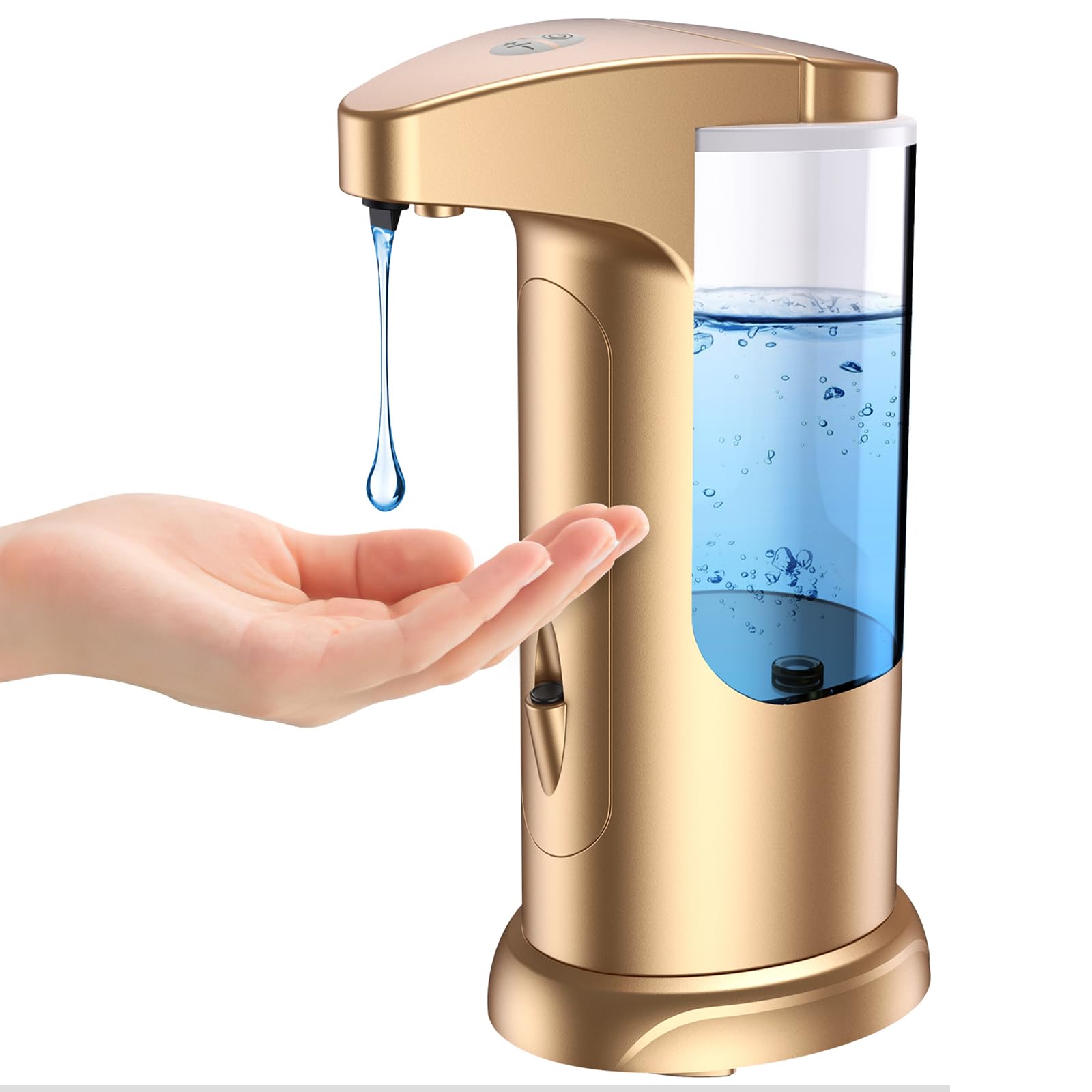
Image: The AMIR HT94 automatic soap dispenser in golden color, showing its sleek design and transparent soap reservoir.
Key Features:
- Touchless Operation: Built-in infrared motion sensor detects hands for automatic soap dispensing.
- Adjustable Volume: Three dispensing levels (0.8ml, 1.6ml, 2.4ml) to control soap output.
- Water-Resistant: IPX4 rated with a waterproof base and rubber seal to protect the battery compartment.
- Durable Construction: Made from ABS+PC materials.
- Capacity: 12.5oz (370ml) liquid volume.
2. Package Contents
Please ensure all items are present in the package:
- AMIR HT94 Automatic Soap Dispenser
- User's Guide

Image: The AMIR HT94 soap dispenser shown with its retail packaging and included user guide.
3. Setup Instructions
3.1. Battery Installation
- Locate the battery compartment at the bottom of the dispenser.
- Twist the battery compartment cover counter-clockwise to open.
- Insert 4 AAA batteries (not included) according to the polarity markings (+/-).
- Replace the cover and twist clockwise to secure it. Ensure the rubber seal is properly seated to maintain water resistance.

Image: Detailed view of the dispenser's components, including the lid, base, and the battery compartment ready for battery insertion.

Image: Visual instructions demonstrating how to install batteries and fill the dispenser with liquid soap.
3.2. Filling the Dispenser
- Gently pull up the top lid of the dispenser to remove it.
- Pour liquid soap, lotion, or disinfectant into the reservoir. Do not overfill.
- Replace the lid, ensuring it is securely closed.
- If the liquid soap is too thick, add a small amount of water and stir to achieve a suitable consistency for dispensing.

Image: The dispenser being filled with liquid, emphasizing that it is suitable for liquid soap, hand sanitizer gel, dishwashing liquid, and body wash.
4. Operating Instructions
4.1. Power On/Off
- To power on, press the power button once. A blue indicator light will blink once.
- To power off, press the power button once. A red indicator light will blink once.
4.2. Automatic Dispensing
- Place your hand approximately 3.54 inches (9 cm) below the infrared sensor.
- The dispenser will automatically dispense soap within 0.25 seconds.

Image: Illustration of the infrared sensor's detection area and how it triggers soap dispensing when a hand is placed underneath.

Image: A hand positioned under the dispenser, receiving a stream of liquid soap.
4.3. Adjusting Dispensing Volume
- The dispenser has a +/- button to adjust the volume of soap dispensed.
- Press the '+' button to increase the volume (up to 2.4ml).
- Press the '-' button to decrease the volume (down to 0.8ml).
- There are three distinct fluid levels: 0.8ml, 1.6ml, and 2.4ml per activation.

Image: Visual representation of the three adjustable soap dispensing volumes and how to select them using the control buttons.
5. Maintenance
5.1. Cleaning
- Wipe the exterior of the dispenser with a soft, damp cloth.
- Do not immerse the dispenser in water or rinse directly under a faucet, as this may damage the electronic components.
- Regularly check the sensor area for any obstructions that might interfere with operation.
5.2. Refilling
- Refill the dispenser when the liquid level is low, following the instructions in Section 3.2.
- Ensure the lid is securely closed after refilling to prevent spills and maintain hygiene.
6. Troubleshooting
| Problem | Possible Cause | Solution |
|---|---|---|
| Dispenser does not activate or dispense soap. |
|
|
| Soap dispenses too much or too little. | Volume setting is incorrect. | Adjust the dispensing volume using the +/- buttons (refer to Section 4.3). |
| Leaking from the base or battery compartment. | Battery compartment cover not sealed properly. | Ensure the battery compartment cover is twisted clockwise until fully secured and the rubber seal is correctly positioned. Avoid overfilling the reservoir. |
7. Specifications
| Feature | Detail |
|---|---|
| Brand | AMIR |
| Model Number | HT94 |
| Liquid Volume | 12.5 oz (370 ml) |
| Product Dimensions (L x W x H) | 5.2" x 3.3" x 7.8" (13.2cm x 8.4cm x 19.8cm) |
| Material | ABS + PC |
| Power Source | 4 x AAA Batteries (not included) |
| Water Resistance Rating | IPX4 |
| Dispensing Volume Range | 0.8ml - 2.4ml (3 levels) |
| Sensor Detection Distance | Within 3.54 inches (9 cm) |
| Dispensing Speed | 0.25 seconds |
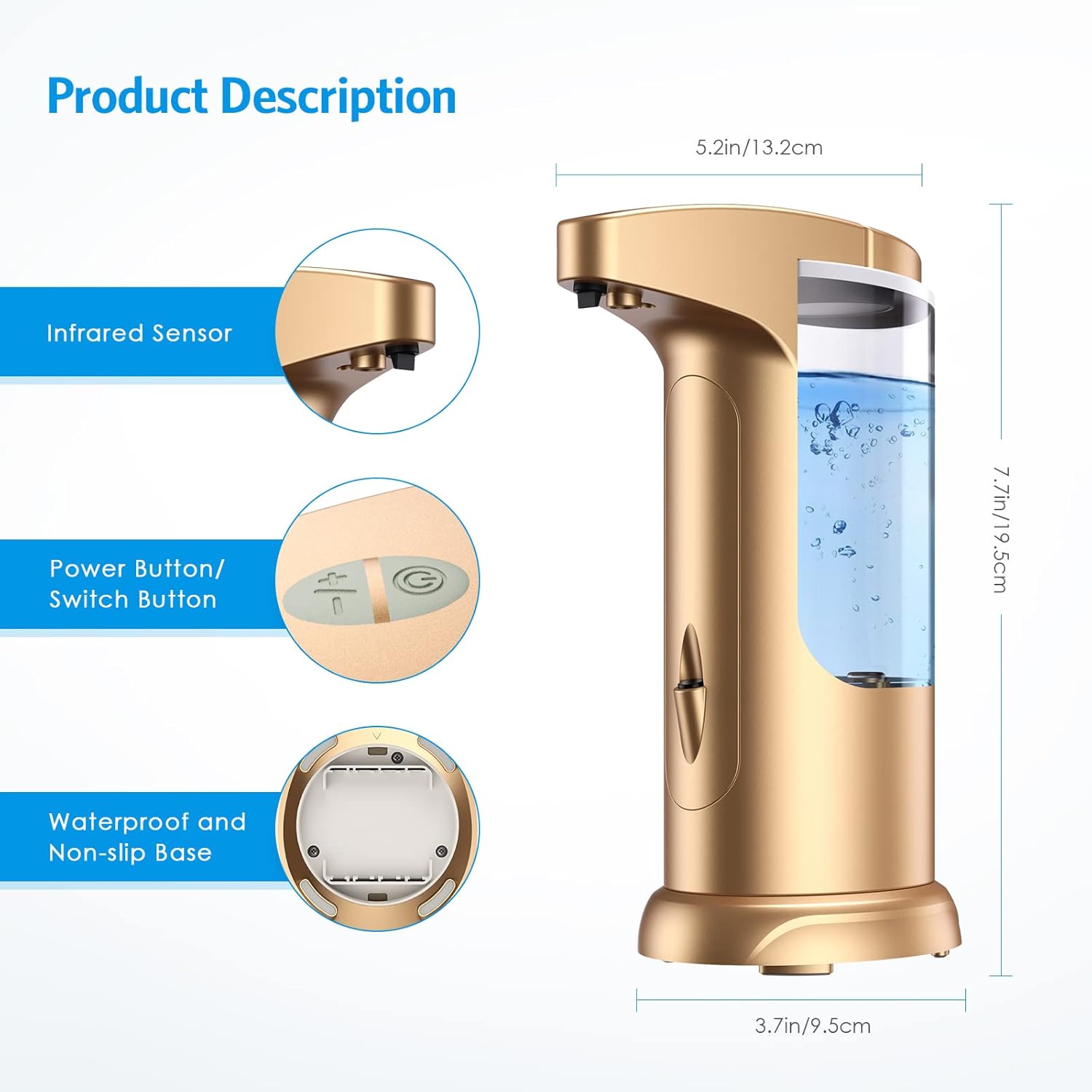
Image: Diagram illustrating the dimensions of the dispenser and highlighting its infrared sensor, power button, and waterproof base.
8. Official Product Video
Video: An official product video from Jianguo-US (AMIR seller) demonstrating the features and operation of the AMIR Automatic Liquid Soap Dispenser. This video provides a visual guide to setup and daily use.
9. Warranty and Support
AMIR provides the following support for this product:
- 12-Month Warranty: The product is covered by a 12-month warranty from the date of purchase.
- No-Hassle Returns and Exchanges: Refer to your purchase platform's return policy for details.
- Customer Service: 24/7 customer service is available for any inquiries or assistance. Please refer to the contact information provided with your purchase or on the official AMIR website.
Ask a question about this manual
Ask about setup, troubleshooting, compatibility, parts, safety, or missing instructions. Manuals+ will review the question and use this page’s manual context to help answer it.