
Edifier W260NC
User Manual: Edifier W260NC Active Noise Cancellation Earbuds
Your guide to setting up, operating, and maintaining your Edifier W260NC earbuds.
1. Introduction
Product Overview
The Edifier W260NC earbuds are designed to deliver a superior audio experience with advanced features such as -45dB deep hybrid active noise cancellation, Hi-Res Audio Wireless certification with LDAC codec, and dual-dynamic drivers. They offer crystal-clear calls with 6 microphones and AI clear call technology, multipoint Bluetooth 5.3 connectivity, and a stylish, durable design with IP54 water resistance.

Image: The Edifier W260NC earbuds in their ivory-colored charging case, showcasing their sleek design and textured finish.
2. What's in the Box
Upon opening your Edifier W260NC package, you will find the following components:
- Edifier W260NC Earbuds
- Charging Case
- 3 pairs (S, M, L) of Ear Tips
- Charging Cable (USB-C)
- User Manual

Image: The Edifier W260NC earbuds and their charging case, highlighting the stylish design with leather texture and metal plating.
3. Setup
3.1 Charging the Earbuds and Case
Before first use, ensure both the earbuds and the charging case are fully charged. Connect the provided USB-C cable to the charging port on the case and to a compatible USB power source. The indicator light on the case will show charging status. A full charge provides up to 32 hours of playtime with the case (ANC off).
3.2 Pairing with a Device
- Open the charging case. The earbuds will automatically enter pairing mode.
- On your device (smartphone, tablet, laptop), enable Bluetooth.
- Search for "Edifier W260NC" in the list of available Bluetooth devices and select it to connect.
- Once connected, a voice prompt will confirm successful pairing.
The earbuds support multipoint connection, allowing them to be simultaneously connected to two devices for seamless switching.
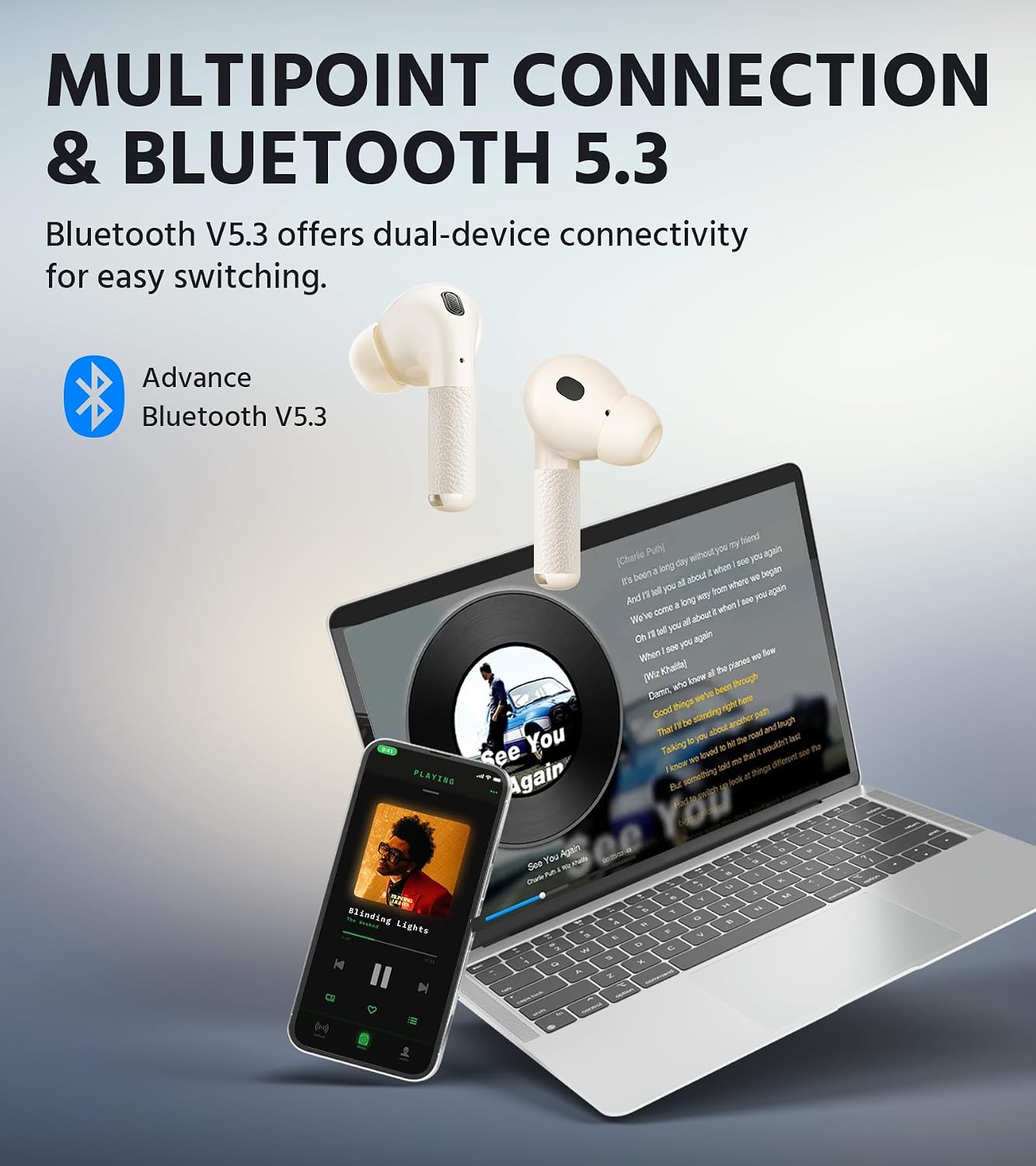
Image: The Edifier W260NC earbuds demonstrating multipoint connection, simultaneously linked to a laptop and a smartphone.
4. Operating Instructions
4.1 Power On/Off
- Power On: Open the charging case, and the earbuds will automatically power on.
- Power Off: Place the earbuds back into the charging case and close the lid to power them off.
4.2 Touch Controls
The Edifier W260NC earbuds feature intuitive touch controls on the stem of each earbud. Specific functions can be customized via the Edifier ConneX app.
| Action | Function |
|---|---|
| Single Tap | Play/Pause, Answer/End Call |
| Double Tap (Left Earbud) | Previous Track (Customizable) |
| Double Tap (Right Earbud) | Next Track (Customizable) |
| Triple Tap | Activate Voice Assistant (Customizable) |
| Long Press (2 seconds) | Switch ANC Modes |
4.3 Active Noise Cancellation (ANC) Modes
The W260NC earbuds offer -45dB deep hybrid ANC, providing various modes to suit your environment:
- High Noise Cancellation: For maximum noise reduction in loud environments (e.g., airplanes, busy streets).
- Low Noise Cancellation: For moderate noise reduction, suitable for offices or cafes.
- Wind Reduction: Specifically designed to minimize wind noise during outdoor activities.
- Ambient Sound: Allows you to hear your surroundings while still enjoying your audio, ideal for awareness.

Image: A visual representation of the Edifier W260NC's -45dB Deep Hybrid ANC, illustrating different modes like High Noise Cancellation, Low Noise Cancellation, Wind Reduction, and Ambient Sound.
4.4 Superior Call Quality
Equipped with 6 microphones and an AI algorithm, the W260NC earbuds ensure clear communication by effectively picking up your voice and reducing background noise during calls.

Image: A man wearing the Edifier W260NC earbuds, demonstrating their use for clear communication during phone calls.
4.5 Edifier ConneX App
Download the Edifier ConneX app to unlock the full potential of your W260NC earbuds. The app allows you to:
- Customize touch controls.
- Adjust ANC and ambient sound levels.
- Select sound effects (EQ presets).
- Activate Game Mode for ultra-low latency (0.08s).
- View battery status.

Image: Screenshots of the Edifier ConneX app interface on a smartphone, showing options for noise cancellation controls, sound effects, and game mode settings.
4.6 Intelligent Start-Stop (Wearing Detection)
The built-in wear sensors automatically pause music when you remove an earbud and resume playback when you put it back in, ensuring you don't miss a beat.

Image: A woman demonstrating the intelligent start-stop feature, showing music pausing when an earbud is removed and resuming when reinserted.
4.7 Dual-Dynamic Drivers & Hi-Res Audio
The W260NC earbuds feature a 10mm woofer and a 6mm tweeter in each earbud, delivering superior sound resolution, wider frequency response, clearer vocals, and dynamic bass. With LDAC codec and Hi-Res Audio Wireless certification, they provide a premium audio experience with rich, lossless sound quality.

Image: An exploded view diagram illustrating the 6mm tweeter and 10mm woofer of the dual-dynamic drivers within the earbud.
4.8 Battery Life
The earbuds offer a single battery life of 8 hours (ANC off), and up to 32 hours of total playtime with the charging case. A quick 15-minute charge can provide 2 hours of playtime.

Image: An illustration highlighting the extended battery life of the Edifier W260NC, showing up to 32 hours of total playtime with the charging case when ANC is off.
4.9 IP54 Water Resistance
The Edifier W260NC earbuds are rated IP54 for dust and splash resistance, making them suitable for workouts and outdoor activities. They are protected against limited dust ingress and water splashes from any direction.

Image: A man wearing the Edifier W260NC earbuds during a workout, illustrating their IP54 dust and splash resistance.
4.10 Product Video
Video: An official product video showcasing the features and design of the Edifier W260NC earbuds, including their Hi-Res Audio, ANC capabilities, and stylish appearance.
5. Maintenance
- Cleaning: Regularly wipe the earbuds and charging case with a soft, dry, lint-free cloth. Do not use abrasive cleaners or solvents.
- Ear Tips: Remove ear tips periodically and clean them with water and mild soap. Ensure they are completely dry before reattaching.
- Charging Ports: Keep the USB-C charging port free of dust and debris. Use a dry cotton swab if necessary.
- Storage: Store the earbuds in their charging case when not in use to protect them and conserve battery life. Avoid extreme temperatures.
6. Troubleshooting
| Problem | Possible Cause | Solution |
|---|---|---|
| Earbuds not pairing | Bluetooth off, earbuds not in pairing mode, device already connected to another earbud. | Ensure Bluetooth is on. Open case to enter pairing mode. Forget device on phone and re-pair. |
| No sound from one earbud | Low battery, earbud not properly seated in case, connection issue. | Charge both earbuds. Place both earbuds in case, close, then reopen. Re-pair if necessary. |
| ANC not effective | Incorrect ear tip size, mode selection, or fit. | Try different ear tip sizes for a snug fit. Ensure correct ANC mode is selected in the app. |
| Poor call quality | Microphone obstruction, environmental noise. | Ensure microphones are clear. Move to a quieter environment if possible. |
| Earbuds not charging | Charging cable issue, dirty charging contacts, case battery low. | Check cable and power source. Clean charging contacts on earbuds and case. Charge the case. |
7. Specifications
| Feature | Detail |
|---|---|
| Model Name | W260NC |
| Connectivity Technology | Wireless (Bluetooth 5.3) |
| Noise Control | Active Noise Cancellation (-45dB Hybrid ANC) |
| Audio Drivers | Dual-Dynamic (10mm Woofer + 6mm Tweeter) |
| Microphones | 6 (with AI Clear Calls) |
| Battery Life (Earbuds) | 6 Hours (ANC On), 8 Hours (ANC Off) |
| Total Playtime (with Case) | Up to 32 Hours (ANC Off) |
| Charging Interface | USB-C |
| Water Resistance Level | IP54 (Dust & Splash Resistant) |
| Control Type | App Control, Touch Control |
| Material | Leather, Metal (Case) |
| Item Weight | 0.17 Kilograms (approx. 6 ounces) |
8. Warranty and Support
This Edifier W260NC product comes with a one-year warranty, guaranteeing its performance and providing reliable support for any manufacturing defects or issues arising from normal use.
For technical support, warranty claims, or further inquiries, please visit the official Edifier support website or contact their customer service. Keep your purchase receipt as proof of purchase for warranty services.
You can find more information and support resources on the Edifier Store on Amazon.
Related documentsW260NC


Ask a question about this manual
Ask about setup, troubleshooting, compatibility, parts, safety, or missing instructions. Manuals+ will review the question and use this page’s manual context to help answer it.