
1. Introduction
Thank you for choosing the Dangbei Atom Laser Projector. This manual provides essential information for setting up, operating, and maintaining your device. Please read it thoroughly before use to ensure proper functionality and safety.
The Dangbei Atom is a compact, high-performance laser projector featuring Google TV, native Netflix support, 1200 ISO Lumens brightness, Full HD 1080P resolution, and advanced image adjustment technologies. Enjoy a cinematic viewing experience in your home or on the go.
2. Product Overview
Package Contents
- Dangbei Atom Laser Projector
- Remote Control
- Power Cord
- User Manual (this document)
- Warranty Card
Physical Features and Dimensions

Image: The Dangbei Atom projector on a table, highlighting its compact dimensions (19.5cm x 19.5cm x 4.8cm) and light weight (1.28kg).

Image: The Dangbei Atom projector shown next to a bag, demonstrating its ultra-thin and lightweight design for easy portability.
3. Setup
Initial Power On and Quick Start
To power on the Dangbei Atom, press the power button on the remote control. The projector features rapid startup, displaying the Google TV interface within seconds.
Video: Demonstration of the Dangbei Atom's fast boot-up time and immediate display of the Google TV interface, including quick access to Netflix and other streaming services.
Automatic Image Adjustment
The projector is equipped with Dangbei's proprietary InstanPro AI image adjustment technology, which includes:
- Auto Keystone Correction: Automatically adjusts the image to a perfect rectangular shape, even if the projector is placed at an angle.
- Obstacle Avoidance: Detects and avoids objects in the projection path, adjusting the image to fit the available space.
- Autofocus: Ensures a sharp and clear image without manual adjustment.
- Screen Fit: Automatically scales the image to fit your projection surface.
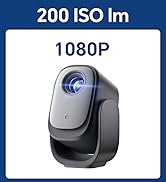
Image: Visual representation of the smart screen adjustment technology, showing how the projector automatically corrects image shape, avoids obstacles, and focuses for a perfect display.
4. Operating Instructions
Remote Control Functions

Image: The remote control for the Dangbei Atom, featuring dedicated buttons for popular streaming services like Netflix and YouTube for quick access.
- Power Button: Turns the projector on or off.
- Navigation Pad: Use to navigate menus and select options.
- Back Button: Returns to the previous screen.
- Home Button: Returns to the Google TV home screen.
- Volume Buttons: Adjusts the audio volume.
- Dedicated App Buttons: One-touch access to Netflix, YouTube, and other pre-installed streaming services.
- Google Assistant Button: Activates voice control for searching content or controlling the projector.
Voice Control with Google Assistant
Press the Google Assistant button on your remote to use voice commands. You can search for movies, TV shows, or control projector settings hands-free.

Image: An illustration of using Google Assistant voice commands with the Dangbei Atom projector to search for content.
5. Key Features
Google TV and Native Netflix
The Dangbei Atom runs on Google TV, providing a streamlined interface for discovering content from various streaming services. It is officially licensed for Netflix, allowing direct access and smooth streaming.

Image: The Dangbei Atom projector showcasing its built-in Netflix and Google TV integration for seamless streaming.

Image: The Google TV home screen displayed by the Dangbei Atom, featuring a wide array of streaming applications like Netflix, YouTube, Prime Video, Hulu, and Disney+.
ALPD Laser Light Source
Utilizing advanced ALPD (Advanced Laser Phosphor Display) laser technology, the Dangbei Atom delivers 1200 ISO Lumens of brightness and a wide color gamut. This ensures sharp and detailed images even in moderately lit rooms. The laser light source has a lifespan of 30,000 hours, offering long-term durability.

Image: A visual comparison demonstrating the superior clarity and vibrant colors achieved with ALPD laser projection technology compared to other projectors.

Image: An infographic comparing the 30,000-hour lifespan of a laser projector to the 3,000-hour lifespan of a traditional lamp projector, highlighting the durability of the Dangbei Atom.
Full HD 1080P with HDR10
The projector supports true Full HD 1080P resolution and HDR10, providing a high-quality visual experience with enhanced contrast and color accuracy. Enjoy screen sizes from 40 to 180 inches.

Image: The Dangbei Atom projecting different screen sizes (60, 80, 120, 180 inches) in a home theater setup, illustrating its flexible projection capabilities.
Dolby Audio and Built-in Speakers
The Dangbei Atom features built-in 2x5W speakers with Dolby Audio support, delivering immersive sound. It also supports Bluetooth audio for connecting external speakers or headphones.

Image: People enjoying a movie with the Dangbei Atom projector, emphasizing the immersive sound experience provided by Dolby Audio.

Image: A close-up view of the Dangbei Atom's integrated 2x5W speakers, highlighting its Dolby Audio compatibility for rich sound.
Smart Eye Protection
The projector includes a smart eye protection feature. If a person approaches the projection light, the projector will automatically dim the light to protect the viewer's eyes.

Image: Two children watching a movie projected by the Dangbei Atom, illustrating the smart eye protection feature that dims the light when someone is near the projection path.
6. Connectivity
The Dangbei Atom offers versatile connectivity options for various devices.

Image: Rear view of the Dangbei Atom projector, displaying its connectivity ports including USB, HDMI, 3.5mm audio jack, and power input.

Image: A diagram illustrating the multi-purpose connectivity hub of the Dangbei Atom, showing connections for smartphones, laptops, headphones, game consoles, and USB drives via USB 2.0, HDMI, 3.5mm audio jack, Wi-Fi, and Bluetooth.
- HDMI: Connect to laptops, game consoles, and other HDMI-enabled devices.
- USB: Play media directly from USB drives.
- 3.5mm Audio Jack: Connect external headphones or speakers.
- Wi-Fi: Connect to your home network for streaming and online features.
- Bluetooth: Pair with Bluetooth speakers, headphones, or other accessories.
- Chromecast Built-in: Cast content from your smartphone or tablet directly to the projector.
7. Maintenance
Cleaning the Projector
- Ensure the projector is powered off and unplugged before cleaning.
- Use a soft, dry cloth to wipe the exterior surfaces.
- For the lens, use a lens cleaning cloth and specialized lens cleaning solution. Avoid abrasive materials.
- Do not use liquid or aerosol cleaners directly on the projector.
Storage
Store the projector in a cool, dry place away from direct sunlight and extreme temperatures. If storing for an extended period, place it in its original packaging or a protective case.
8. Troubleshooting
| Problem | Possible Cause | Solution |
|---|---|---|
| No image displayed | Power cable not connected; Input source incorrect; Lens cap on | Check power connection; Select correct input source (HDMI, USB); Remove lens cap |
| Image is blurry | Out of focus; Projector too far/close to screen | Allow autofocus to adjust; Adjust projector distance or use manual focus if needed |
| No sound | Volume too low; External audio device not connected properly | Increase volume; Check audio cable connections or Bluetooth pairing |
| Remote control not working | Batteries low/dead; Obstruction between remote and projector | Replace batteries; Ensure clear line of sight to projector |
| Wi-Fi connection issues | Incorrect password; Router issues; Signal interference | Verify Wi-Fi password; Restart router; Move projector closer to router |
9. Specifications
| Feature | Detail |
|---|---|
| Brand | Dangbei |
| Model Numbers | DB-ATOM-BKJP-A1S2, DBOD02 |
| GTIN/UPC | 795847572178 |
| Recommended Use | Home Cinema |
| Brightness | 1200 ISO Lumens |
| Display Resolution | 1920 x 1080 (Full HD) |
| Display Type | Laser (ALPD) |
| HDR Support | HDR10 |
| Operating System | Google TV |
| Connectivity Technology | 3.5mm Jack, Bluetooth 5, HDMI, USB 2.0, Wi-Fi |
| Speaker | Built-in (Dolby Audio compatible) |
| Max Projection Distance | 10 meters |
| Min Projection Distance | 1.3 meters |
| Color | Dark Gray |
| Origin | China |
10. Warranty and Support
Warranty Information
This product comes with a 1-year manufacturer's warranty from the date of purchase. The warranty covers defects in materials and workmanship under normal use. Please retain your proof of purchase for warranty claims.
Note: The warranty may not cover damages resulting from improper use, accidental damage, or intentional damage by the customer or third parties.
Customer Support
For technical assistance, troubleshooting, or warranty inquiries, please contact Dangbei customer support:
- Email: support.jp@dangbei.com


