
1. Safety Information
Please read and understand this entire manual before attempting to assemble, install, or operate this product. Failure to follow these instructions could result in electric shock, fire, or serious personal injury.
- All electrical connections must be in accordance with local codes, ordinances, or national electrical codes. If you are unfamiliar with electrical wiring, consult a qualified electrician.
- Ensure the installation site is structurally sound and can support the fan's weight (approximately 11.6 pounds).
- Turn off power at the circuit breaker before beginning installation to prevent possible electrical shock.
- Do not operate the fan with damaged wiring or if the motor housing is damaged.
- Keep hands, clothing, and other objects away from the fan blades when the fan is in operation.
2. Package Contents
Verify that all components listed below are included in your package:
- 1 x 52 Inch 3-Blade Ceiling Fan
- 1 x Remote Control
- 1 x 5" Downrod
- 1 x 8" Downrod
- 1 x User Manual
3. Setup and Installation
Most functional components of this ceiling fan have been pre-assembled for easier installation. We recommend professional installation by a qualified electrician for safety.
3.1 Mounting the Hanger Bracket
Secure the hanger bracket to the ceiling junction box. Ensure the bracket is firmly attached to a structural ceiling beam capable of supporting the fan's weight.
3.2 Assembling the Downrod and Motor
Insert the downrod through the canopy and coupling. Feed the motor wires through the downrod. Secure the downrod to the motor assembly using the provided pin and screws.
3.3 Attaching Fan Blades
Attach the three transparent ABS fan blades to the motor housing using the provided screws. Ensure all screws are tightened securely.
3.4 Connecting the LED Light
Connect the LED light wires to the corresponding wires from the motor assembly. Carefully attach the integrated LED light fixture to the bottom of the motor housing.
3.5 Wiring to Power Supply
Hang the assembled fan onto the hanger bracket. Connect the fan's electrical wires to your household wiring (Black-Black for Live, White-White for Neutral, Green-Green for Earth). Ensure all connections are secure with wire nuts.
3.6 Securing the Canopy
Slide the canopy up to cover the hanger bracket and wiring. Secure it with the provided screws.
For visual guidance, please refer to the product images showing assembly steps.
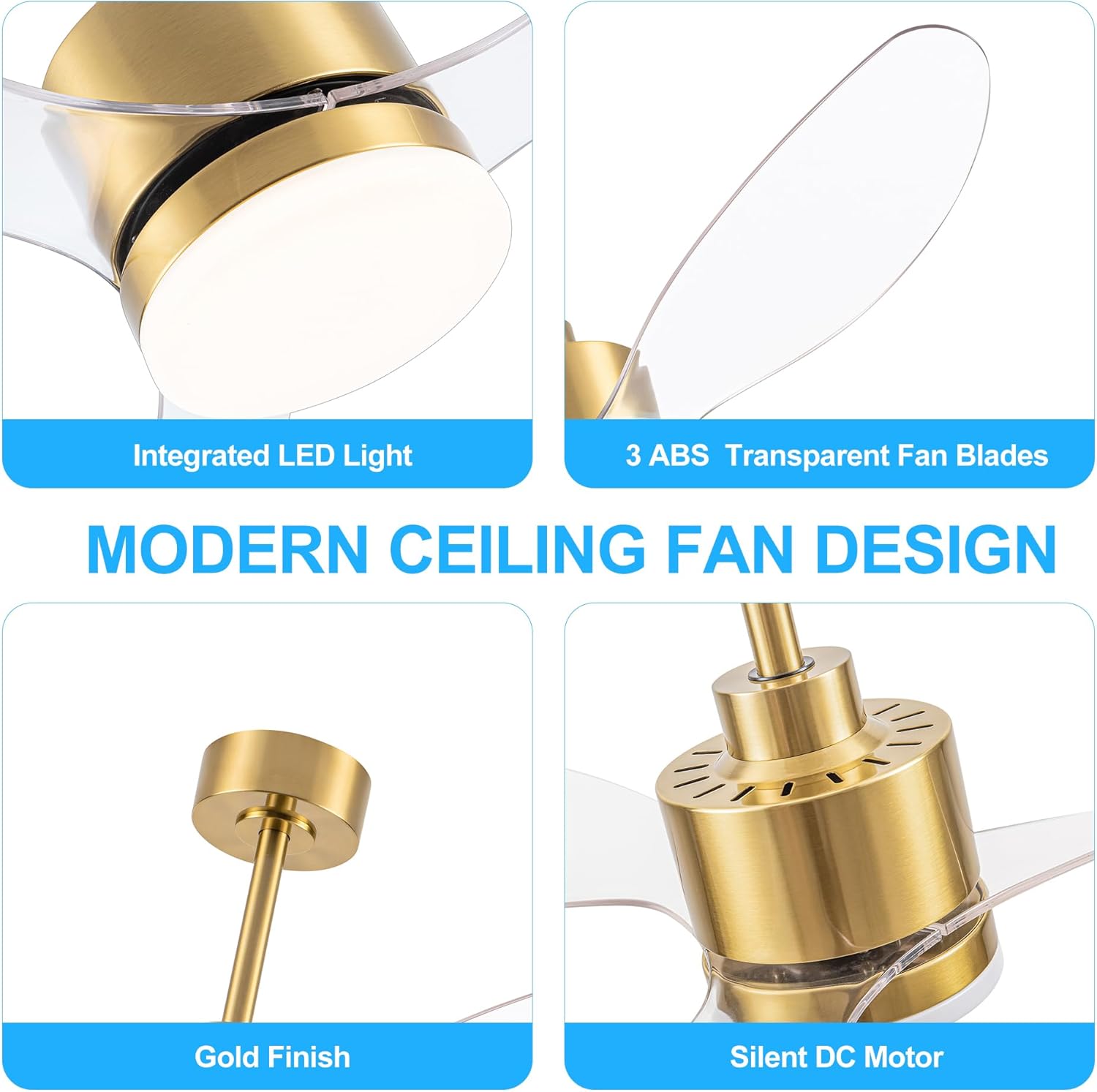
Image: Detailed view of the fan's components including the integrated LED light, transparent ABS blades, gold finish, and silent DC motor.
4. Operating Instructions
Your Breezary ceiling fan is controlled by the included multi-function remote control.
4.1 Remote Control Functions
- Power On/Off: Turns the fan and light on or off.
- Fan Speed: Select from 6 wind speed gears (1-6).
- Light Color Temperature: Adjust between warm white (3000K), natural light (4000K), and cold white (6000K).
- Reversible DC Motor: Switch between downward airflow (summer mode) and upward airflow (winter mode) to optimize air circulation.
- Timer Function: Set the fan to turn off automatically after 1 hour, 2 hours, or 4 hours.

Image: Remote control with labeled buttons for fan speed, light color temperature, and timer settings.
4.2 Reversible Motor Operation
The reversible DC motor allows for year-round comfort:
- Summer Mode (Downward Airflow): Creates a cooling breeze.
- Winter Mode (Upward Airflow): Circulates warm air trapped near the ceiling, helping to warm the room.
Use the designated button on the remote control to switch between modes.
Video: Overview of the 52-inch gold and black ceiling fan chandelier, demonstrating its features and aesthetic.
5. Maintenance
Regular maintenance ensures optimal performance and longevity of your ceiling fan.
- Cleaning: Periodically clean the fan blades and motor housing with a soft, damp cloth. Do not use abrasive cleaners or solvents.
- Tightening Screws: Check all screws on the fan blades and mounting hardware annually to ensure they are properly tightened.
- No Lubrication Needed: The DC motor is permanently lubricated and does not require oiling.
6. Troubleshooting
If you experience issues with your ceiling fan, refer to the following common problems and solutions:
| Problem | Possible Cause | Solution |
|---|---|---|
| Fan does not start | No power to the fan; Loose wire connections; Remote control battery low. | Check circuit breaker; Verify all wire connections are secure; Replace remote control batteries. |
| Light does not work | Loose wire connection to light kit; LED light failure. | Check light kit wiring; Contact customer service for LED replacement if necessary. |
| Fan makes noise | Loose fan blade screws; Loose mounting hardware; Fan not balanced. | Tighten all blade and mounting screws; Ensure fan is properly balanced. |
| Light has a delay when turning on/off | Normal operation for the receiver to power on. | This is a characteristic of the fan's design. Allow a few seconds for the light to respond. |
| Light settings are not changing as expected | Incorrect remote operation. | Ensure you are pressing the correct light setting buttons. Some remotes require a quick double-click or holding the button to cycle through settings. |
7. Specifications
| Feature | Specification |
|---|---|
| Brand | Breezary |
| Model Name | 52" Industrial Ceiling Fan with Led Light |
| Product Dimensions | 26.4"D x 10"W x 8.9"H |
| Size | 52 inch |
| Number of Blades | 3 |
| Blade Length | 25.2 Inches |
| Power Source | DC Motor |
| Voltage | 120 Volts (DC) |
| Wattage | 40 watts |
| Air Flow Capacity | 3800 Cubic Feet Per Minute |
| Speed | 170 RPM |
| Noise Level | 30 Decibels |
| Control Method | Remote |
| Special Features | 3 Color Changing LED Light, 6 Wind Speed, Adjustable Height, Remote Controlled, Reversible DC Motor |
| Room Type | Bedroom, Living Room, Dining Room, Kitchen, Kids Nursery, Home, Office, Shop, Studio, Outdoor Garage, Patio, Farmhouse |
| Installation Type | Down Rod Mount |
| Item Weight | 11.6 Pounds |
| Specification Met | ETL |
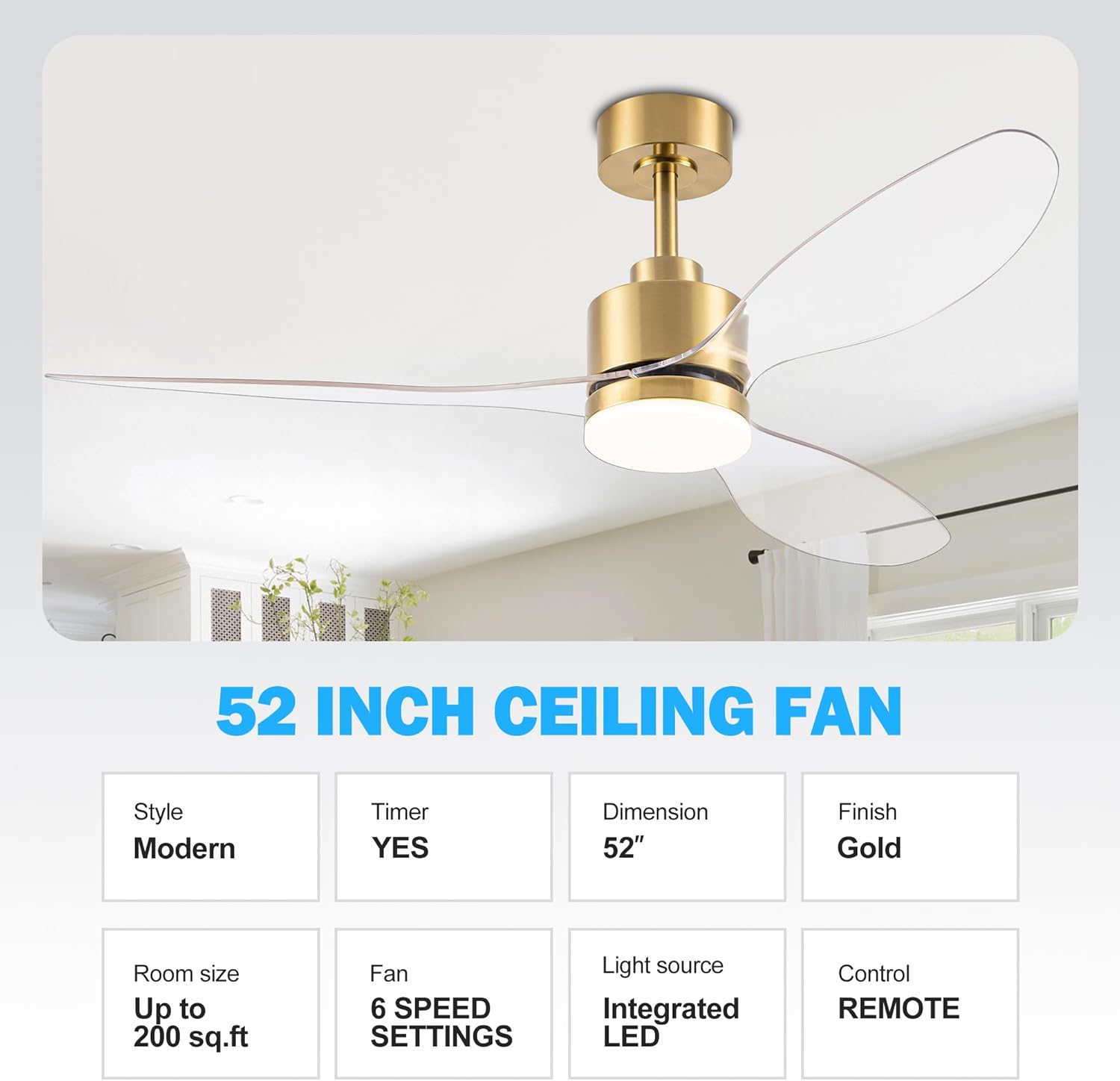
Image: Key specifications and features of the 52-inch ceiling fan.
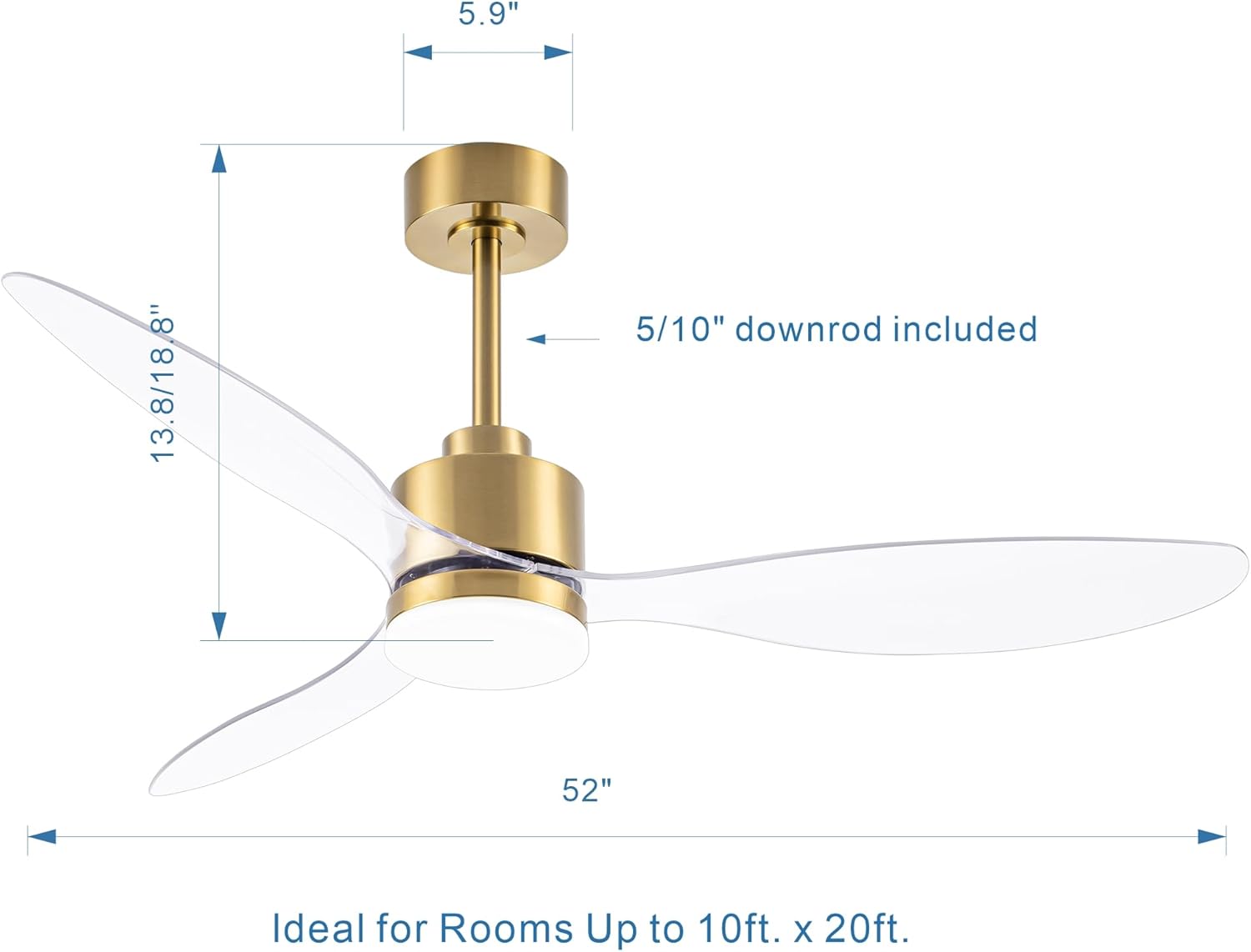
Image: Detailed dimensions of the ceiling fan and recommended room sizes.
8. Warranty and Support
This Breezary ceiling fan comes with a 2-year manufacturer's warranty.
If you have any questions or require assistance with your product, please feel free to contact Breezary customer service. We are committed to replying within 24 hours.


