
1. Introduction
This manual provides instructions for the ALLIMITY Replacement Remote Control, model MM-55FZ5635-NP. This remote is designed to function as a direct replacement for various Thomson HD Smart TV models, offering full functionality without the need for programming or complex setup. Please read this manual carefully to ensure proper use and to understand all features of your new remote control.
2. Product Overview
The ALLIMITY replacement remote control is designed for ease of use and ergonomic comfort, providing a stable and long-distance transmission performance.

Figure 2.1: Front view of the ALLIMITY replacement remote control, showing all buttons and their labels.

Figure 2.2: Angled view of the ALLIMITY replacement remote control, highlighting its ergonomic design.
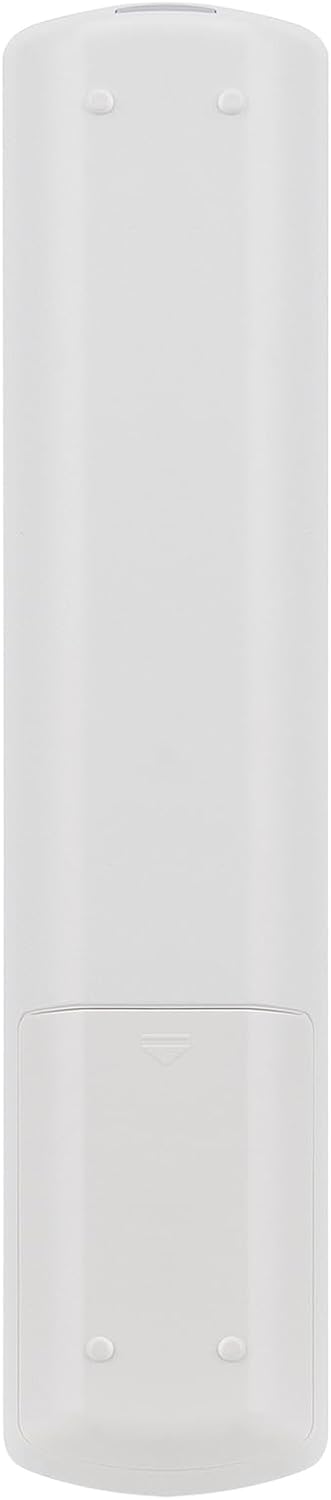
Figure 2.3: Rear view of the ALLIMITY replacement remote control, showing the battery compartment cover.
3. Setup
3.1 Battery Installation
- Locate the battery compartment on the back of the remote control. (Refer to Figure 2.3).
- Slide the battery compartment cover downwards to open it.
- Insert two AAA batteries (not included), ensuring the correct polarity (+ and -) as indicated inside the compartment.
- Slide the battery compartment cover back into place until it clicks securely.
3.2 Initial Use
No programming or setup is required. Once batteries are installed, the remote control is ready for immediate use with compatible Thomson HD Smart TV models.
4. Operating Instructions
This remote control is designed to replicate all functions of your original Thomson HD Smart TV remote.
4.1 Basic Functions
- Power Button (●): Turns the TV on or off.
- Number Buttons (0-9): Directly select channels.
- Volume Up/Down (+/-): Adjusts the TV volume.
- Channel Up/Down (P+/P-): Changes TV channels sequentially.
- Mute Button (🔇): Mutes or unmutes the TV sound.
- Source Button: Selects input sources (HDMI, AV, etc.).
- Smart TV Button: Accesses the Smart TV interface or applications.
- Menu Button: Opens the TV's main menu.
- Navigation Buttons (Up, Down, Left, Right, OK): Navigate through menus and confirm selections.
- Exit Button: Exits the current menu or application.
- Back Button (↶): Returns to the previous screen or menu.
4.2 Advanced Functions
- ECO Button: Activates or deactivates energy-saving modes.
- INFO Button: Displays information about the current program or input.
- GUIDE Button: Opens the electronic program guide (EPG).
- OPTION Button: Accesses context-sensitive options.
- ZOOM+/- Buttons: Adjusts screen zoom.
- PRE-CH Button: Returns to the previously viewed channel.
- FAV Button: Accesses favorite channels list.
- LIST Button: Displays a list of channels.
- TEXT Button: Activates or deactivates Teletext.
- Subtitle Button: Toggles subtitles on or off.
- COLOR Buttons (Red, Green, Yellow, Blue): Used for specific functions within menus or applications, as indicated on screen.
- Media Control Buttons (Play, Pause, Stop, Rewind, Fast Forward, Previous, Next): Controls media playback.
5. Compatible Models
This ALLIMITY replacement remote control is compatible with the following Thomson HD Smart TV models:
- 55FZ5635, 55FZ5635W, 48FZ5634W, 40FW5553W, 32FA4443W, 55UV6016W, 46FW5563W, 48FZ5633W, 55UA6404W, 46FU5553CW, 50FW5563W
- 46FU5554W, 50UA6406W, 32FZ5533W, 40FZ5533W, 39FU5553CW, 39FU5554CW, 42FU5553W, 55UA6406W, 40FA5403W, 40FZ5534W
6. Troubleshooting
6.1 Remote Control Not Responding
- Check Batteries: Ensure batteries are inserted correctly with the proper polarity. Replace old batteries with new ones if necessary.
- Line of Sight: Make sure there is a clear line of sight between the remote control and the TV's infrared sensor. Obstructions can block the signal.
- Distance: Operate the remote within the effective range (up to 10 meters).
- TV Sensor: Ensure the TV's infrared sensor is not blocked or dirty.
6.2 Specific Functions Not Working
- Verify that your TV model is listed as compatible in Section 5. While this remote is designed for broad compatibility, some very specific TV functions might vary.
- If a specific button does not work, ensure you are in the correct TV mode or menu for that function.
7. Specifications
| Feature | Detail |
|---|---|
| Brand | ALLIMITY |
| Model | MM-55FZ5635-NP |
| Color | Black |
| Connectivity Technology | Infrared |
| Special Feature | Ergonomic |
| Compatible Devices | Thomson HD Smart TVs (listed in Section 5) |
| Number of Buttons | 25 |
| Controller Type | Button Control |
| Maximum Range | 10 Meters |
| Power Source | 2x AAA Batteries (not included) |
8. Warranty and Support
For warranty information, please refer to the terms and conditions provided by your retailer at the time of purchase.
For further assistance or technical support, please contact your product vendor or refer to the official ALLIMITY website.
