
1. Introduction
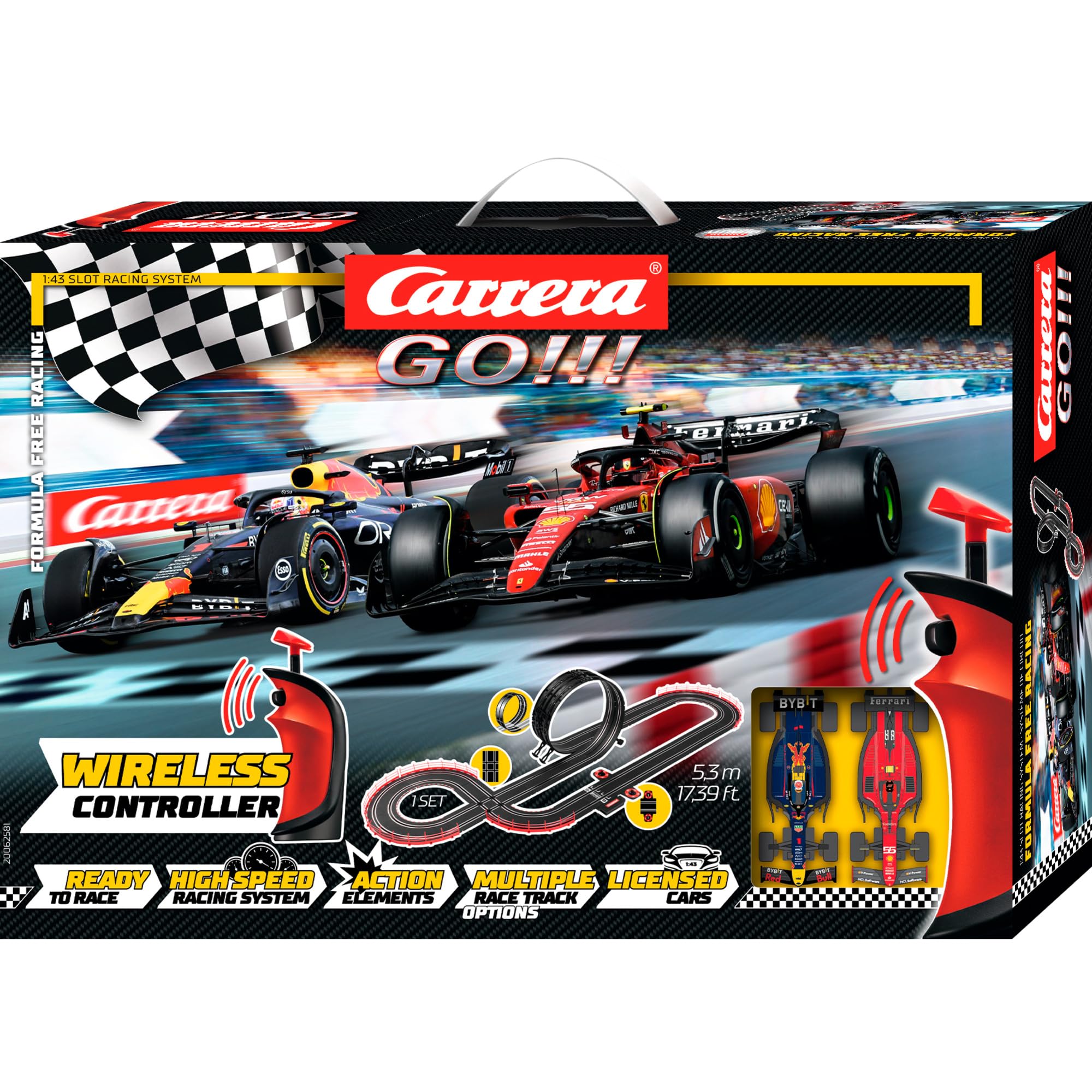
This manual provides essential information for the safe and proper assembly, operation, and maintenance of your Carrera GO!!! Formula Free Racing (Wireless) Race Track Set, Model 20062581. This 1:43 scale slot car racing system is designed for up to two players, aged 6 years and up, offering an engaging racing experience with wireless controllers and dynamic track elements.
Please read these instructions thoroughly before setting up and using the race track to ensure optimal performance and safety.
2. Safety Information
Warning: Not suitable for children under 3 years due to small parts which may present a choking hazard.
- Always supervise children during play with the race track set.
- Ensure all electrical connections are secure and dry before connecting to a power source.
- Use only the power adapter supplied with the product.
- Do not modify the race track components or vehicles.
- Keep hair, loose clothing, and fingers away from moving parts of the cars and track.
- Avoid operating the set in wet conditions or near water.
3. Package Contents
Verify that all components listed below are present in your package:
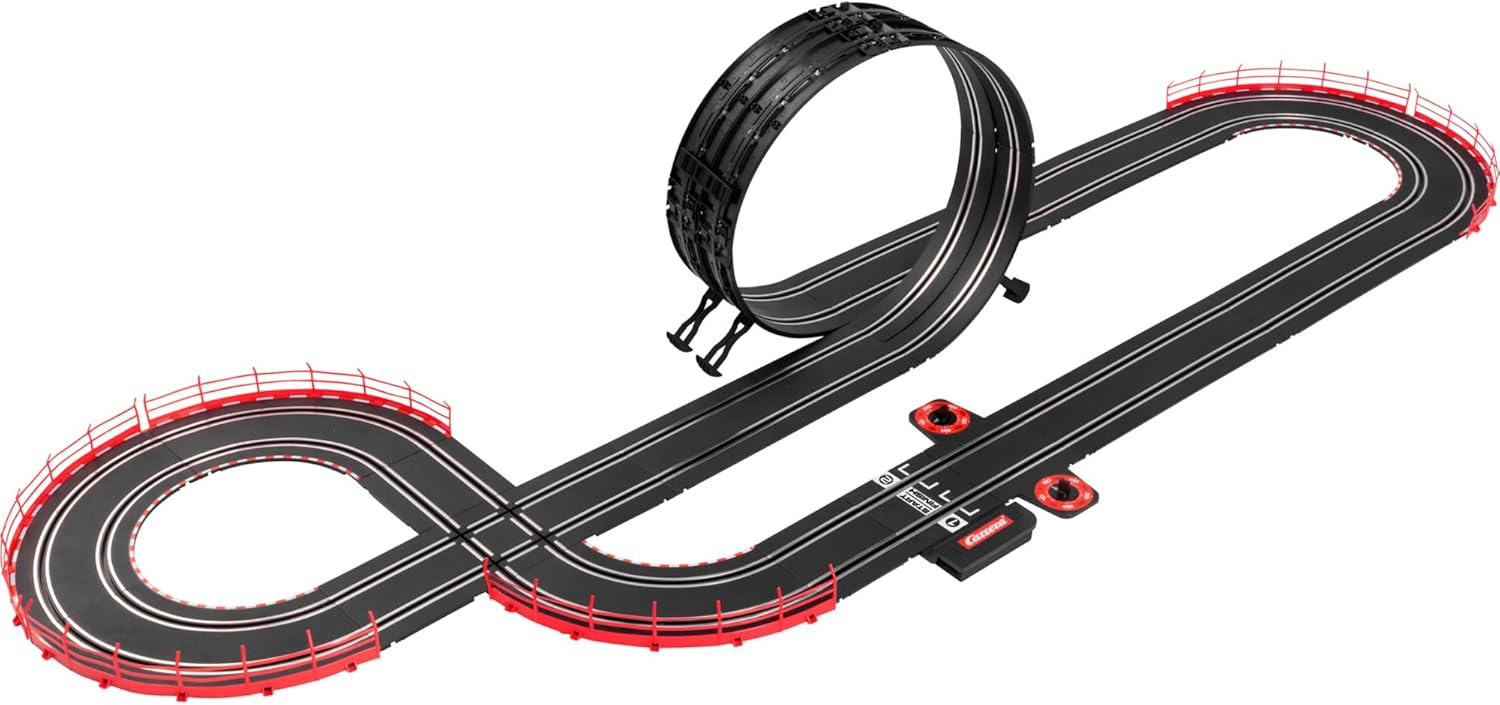
- Carrera GO!!! Race Track Elements (various straight sections, curves, looping, intersection)
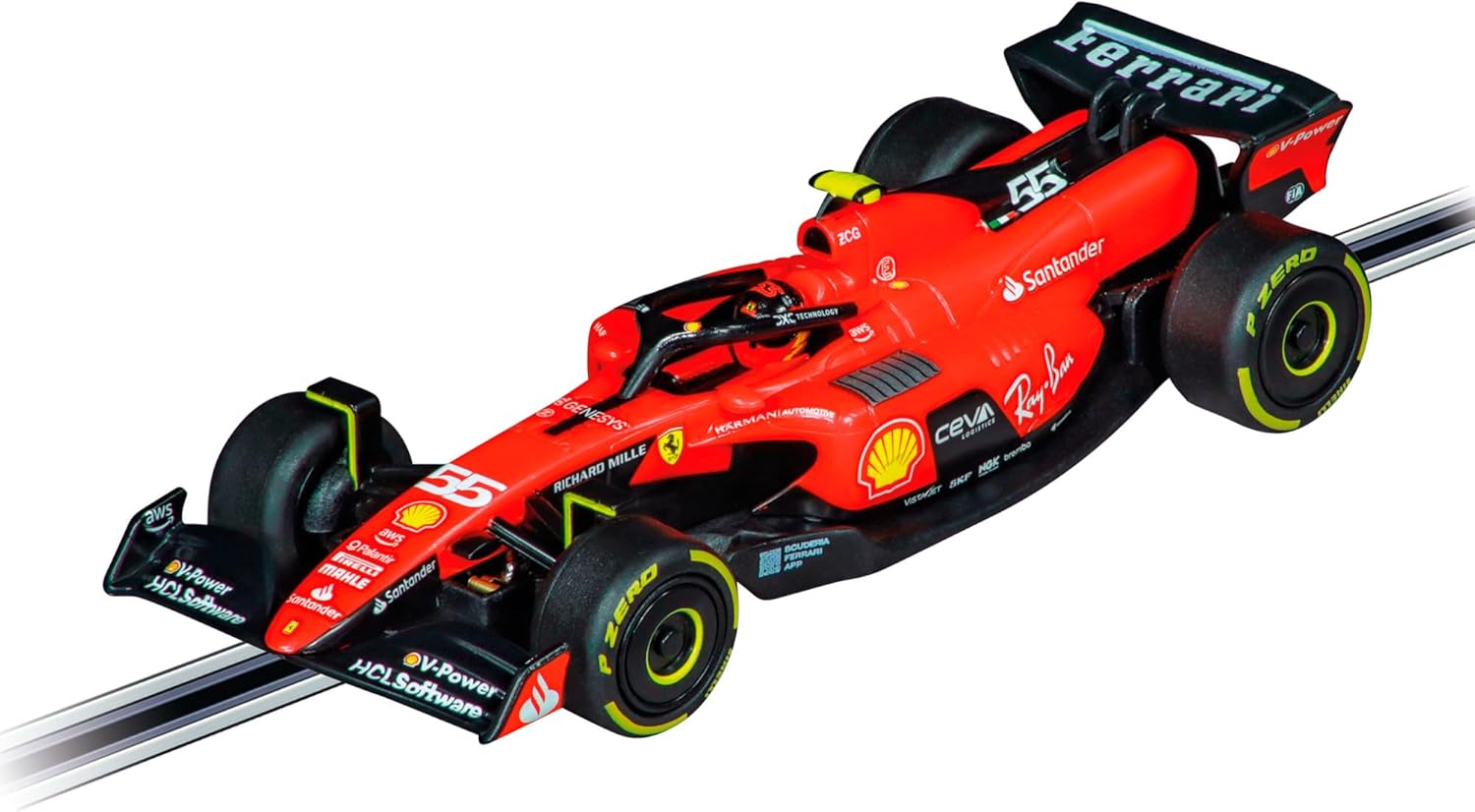
- 2 x 1:43 Scale Licensed Slot Cars (Ferrari SF-23 "C. Sainz" and Red Bull Racing RB19 "M. Verstappen")
- 2 x Wireless Hand Controllers with Turbo Button
- Connection Track with Lap Counter
- Power Supply Unit
- Guardrails and Supports
- Instruction Manual
4. Setup Instructions
- Unpack Components: Carefully remove all track pieces, cars, controllers, and accessories from the packaging.
- Assemble the Track: Connect the track sections by aligning the connectors and pressing them firmly together. Refer to the included layout diagram for suggested configurations. Ensure all connections are flush to prevent power interruptions.
- Install Supports and Guardrails: Attach the track supports to elevated sections and the looping. Secure guardrails along the outer edges of curves to prevent cars from derailing.
- Connect Power: Insert the connection track into the main layout. Plug the power supply unit into the connection track and then into a suitable electrical outlet.
- Prepare Cars: Place the slot cars onto the track, ensuring the guide pins are correctly seated in the track slot and the power contacts are touching the track rails.
- Pair Wireless Controllers: Follow the specific instructions in the included manual for pairing your wireless hand controllers with the connection track.
5. Operating Instructions
Once the track is assembled and powered, and cars are placed, you are ready to race:
- Starting a Race: Ensure both cars are correctly positioned at the starting line. Use the wireless hand controllers to control the speed of your car.
- Speed Control: The trigger on the hand controller regulates the car's speed. Pull the trigger to accelerate and release to slow down.
- Turbo Button: Each controller features a turbo button for an extra burst of speed. Use it strategically to overtake opponents or navigate challenging sections.
- Lap Counting: The connection track automatically counts laps for each player. Monitor the display for current lap counts.
- Refueling (if applicable): Some race modes may require cars to "refuel." If your car's fuel indicator shows low, stop in the designated refueling area on the track to avoid elimination.
- Navigating Track Features:
- Looping: Maintain sufficient speed to successfully pass through the looping sections.
- Challenging Curves: Adjust speed to prevent derailing on tight curves.
- Intersection: Exercise caution at the intersection to avoid collisions with the other car.

6. Maintenance
- Cleaning Track: Regularly wipe track surfaces with a dry, lint-free cloth to remove dust and debris that can affect car performance.
- Cleaning Cars: Keep the car's guide pins and power contacts clean. Use a small brush to remove any lint or hair from the axles and gears.
- Checking Connections: Periodically inspect all track connections to ensure they are tight and free from corrosion.
- Storage: When not in use, store the race track set in a dry, dust-free environment. Disassemble the track if long-term storage is required.
7. Troubleshooting
- Car Not Moving:
- Check if the power supply is connected and switched on.
- Ensure the car's guide pin is correctly seated in the track slot.
- Verify the car's power contacts are touching the track rails and are clean.
- Confirm the wireless controller is paired and has working batteries (if applicable).
- Intermittent Power:
- Inspect all track connections for looseness or gaps.
- Clean the track rails and car contacts.
- Car Derails Frequently:
- Reduce speed, especially on curves and looping.
- Ensure guardrails are properly installed.
- Check for any obstructions on the track surface.
8. Specifications
| Feature | Detail |
|---|---|
| Model Number | 20062581 |
| Brand | Carrera |
| Scale | 1:43 |
| Number of Players | 2 |
| Recommended Age | 6 years and up |
| Material | Plastic |
| Product Dimensions (L x W x H) | 58 x 10 x 40 cm |
| Power Source | Track Powered |
| Remote Control | Wireless Hand Controllers with Turbo Button |
9. Warranty and Support
For detailed warranty information, please refer to the specific warranty card included with your product or visit the official Carrera website. For technical support or replacement parts, please contact Carrera customer service through their official channels.


