
Introduction
Thank you for choosing the Carrera RC Green Lizzard II. This remote control vehicle is designed for exciting off-road adventures. This manual provides essential information for safe operation, setup, maintenance, and troubleshooting to ensure you get the most out of your RC car.
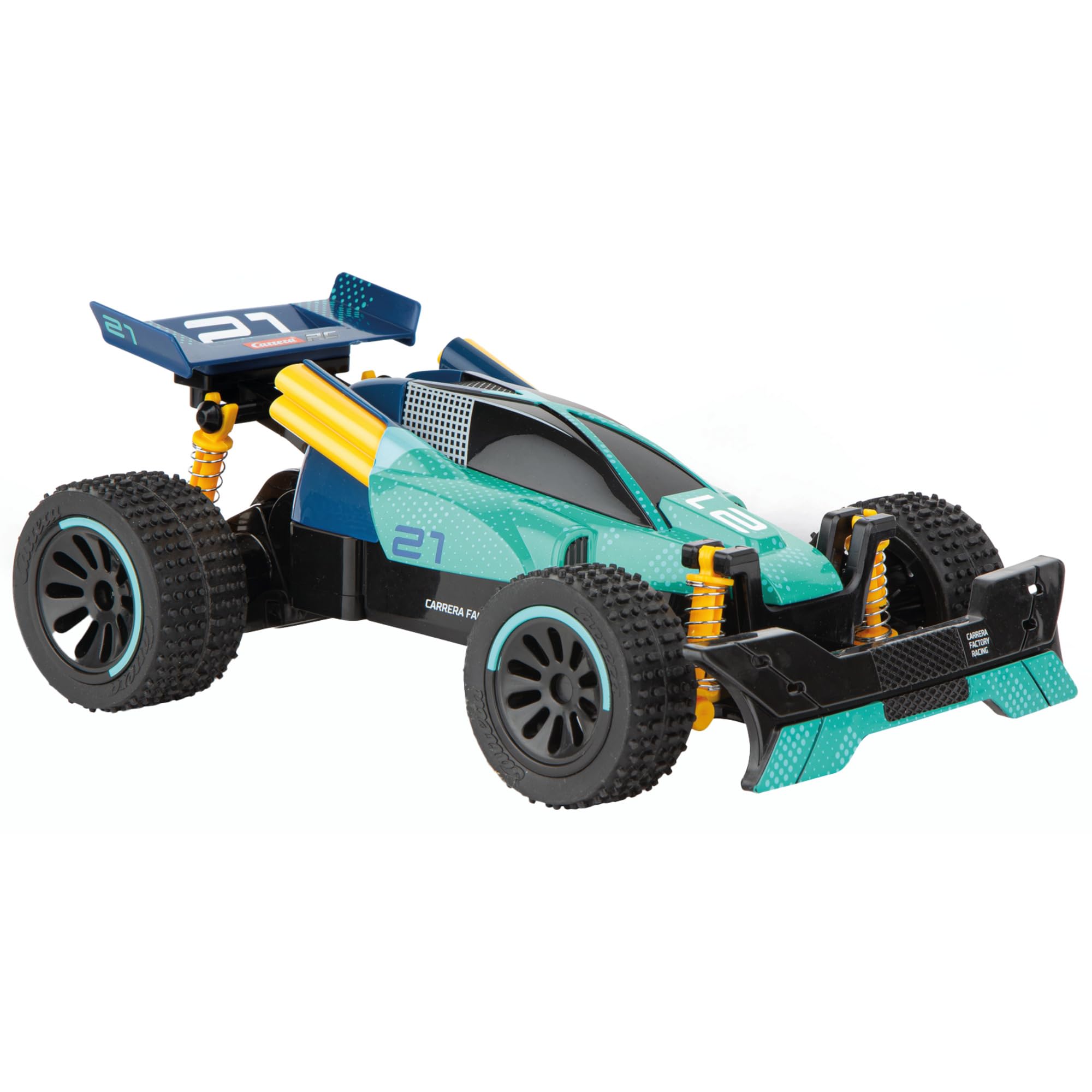
Image: The Carrera RC Green Lizzard II remote control car, showcasing its green and blue design with yellow accents.
Safety Information
Please read and understand all safety warnings before operating the vehicle. Failure to do so may result in injury or damage to the product.
- This product is suitable for users aged 6 years and older.
- Keep hands, hair, and loose clothing away from moving parts.
- Do not operate the vehicle near people, pets, or obstacles.
- Avoid operating in wet conditions or on public roads.
- Always use the specified batteries and follow charging instructions carefully.
- Never leave charging batteries unattended.
- Do not attempt to modify or disassemble the vehicle or remote control.
Setup
1. Battery Installation (Vehicle)
- Locate the battery compartment on the underside of the vehicle.
- Carefully open the battery compartment cover.
- Connect the 1S LIFEPO4 3.2V, 320 mAh battery to the vehicle's connector.
- Place the battery inside the compartment and close the cover securely.

Image: The underside of the Carrera RC Green Lizzard II, with the battery compartment open, showing where to insert the vehicle battery.
2. Battery Installation (Remote Control)
- Locate the battery compartment on the back of the remote control.
- Open the battery cover.
- Insert 2 AAA batteries, ensuring correct polarity (+/-).
- Close the battery cover securely.

Image: The Carrera RC remote control, showing the battery compartment on its rear side.
3. Pairing the Vehicle and Remote Control
The Carrera RC Green Lizzard II uses 2.4 GHz technology for automatic pairing.
- Ensure both the vehicle and remote control have fresh or fully charged batteries installed.
- Turn on the vehicle using the ON/OFF switch.
- Turn on the remote control using its ON/OFF switch.
- The vehicle and remote control should automatically connect. A successful connection is usually indicated by a solid light on the remote control or vehicle.
- If pairing fails, turn both devices off and repeat the steps.
Operating Instructions
Remote Control Functions
Image: The Carrera RC remote control, showing its two joysticks and ON/OFF switch.
- Left Joystick: Controls forward and backward movement. Push forward to accelerate, pull back to brake/reverse.
- Right Joystick: Controls steering. Push left to turn left, push right to turn right.
- ON/OFF Switch: Powers the remote control on or off.
Driving Tips
- Start with slow movements to get accustomed to the controls.
- Operate on flat, open surfaces initially. The Green Lizzard II is designed for off-road, but practice on easier terrain first.
- Avoid sudden stops or turns at high speeds to prevent rollovers.
- Monitor battery life. Performance will decrease as batteries deplete.
- The maximum operating range is approximately 20-30 meters. Operating beyond this range may result in loss of control.
Maintenance
Cleaning
- After each use, especially off-road, gently clean the vehicle to remove dirt, dust, and debris.
- Use a soft, dry cloth or a small brush. Do not use water or chemical cleaners.
- Pay attention to the wheels, axles, and steering components.
Battery Care
- Always remove batteries from both the vehicle and remote control when not in use for extended periods.
- Store batteries in a cool, dry place.
- Do not overcharge or completely discharge the vehicle's LiFePO4 battery. Follow the charging instructions provided with the original charger.
- Dispose of depleted batteries responsibly according to local regulations.
Storage
- Store the vehicle and remote control in a dry environment, away from direct sunlight and extreme temperatures.
- Keep the original packaging for safe storage and transport.
Troubleshooting
| Problem | Possible Cause | Solution |
|---|---|---|
| Vehicle does not respond to remote control. |
|
|
| Short operating time. |
|
|
| Vehicle moves slowly or erratically. |
|
|
Specifications
- Model Number: 370201070
- Brand: Carrera
- Scale: 1:20
- Dimensions (L x W x H): 34.5 x 18 x 15.5 cm (13.6 x 7.1 x 6.1 inches)
- Weight: 650 g (1.43 lbs)
- Vehicle Battery: 1S LiFePO4 3.2V, 320 mAh (included)
- Remote Control Batteries: 2 x AAA (included)
- Frequency: 2.4 GHz
- Maximum Speed: Approximately 12 km/h (7 mph)
- Run Time: Up to 20 minutes
- Material: Plastic
- Recommended Age: 6 years and up
Warranty and Support
For warranty information and customer support, please refer to the official Carrera website or contact their customer service directly. Keep your proof of purchase for any warranty claims.
Website: www.carrera-toys.com


