
1. Product Overview
The Carrera RC Team Sonic Racing Mini RC - Tails is a 1:43 scale remote-controlled vehicle designed for racing enthusiasts aged 6 and up. Featuring 2.4 GHz radio frequency technology, this RC car offers precise control and allows up to 16 cars to race simultaneously without interference. It comes ready to run with a rechargeable battery for the car and batteries for the remote control.
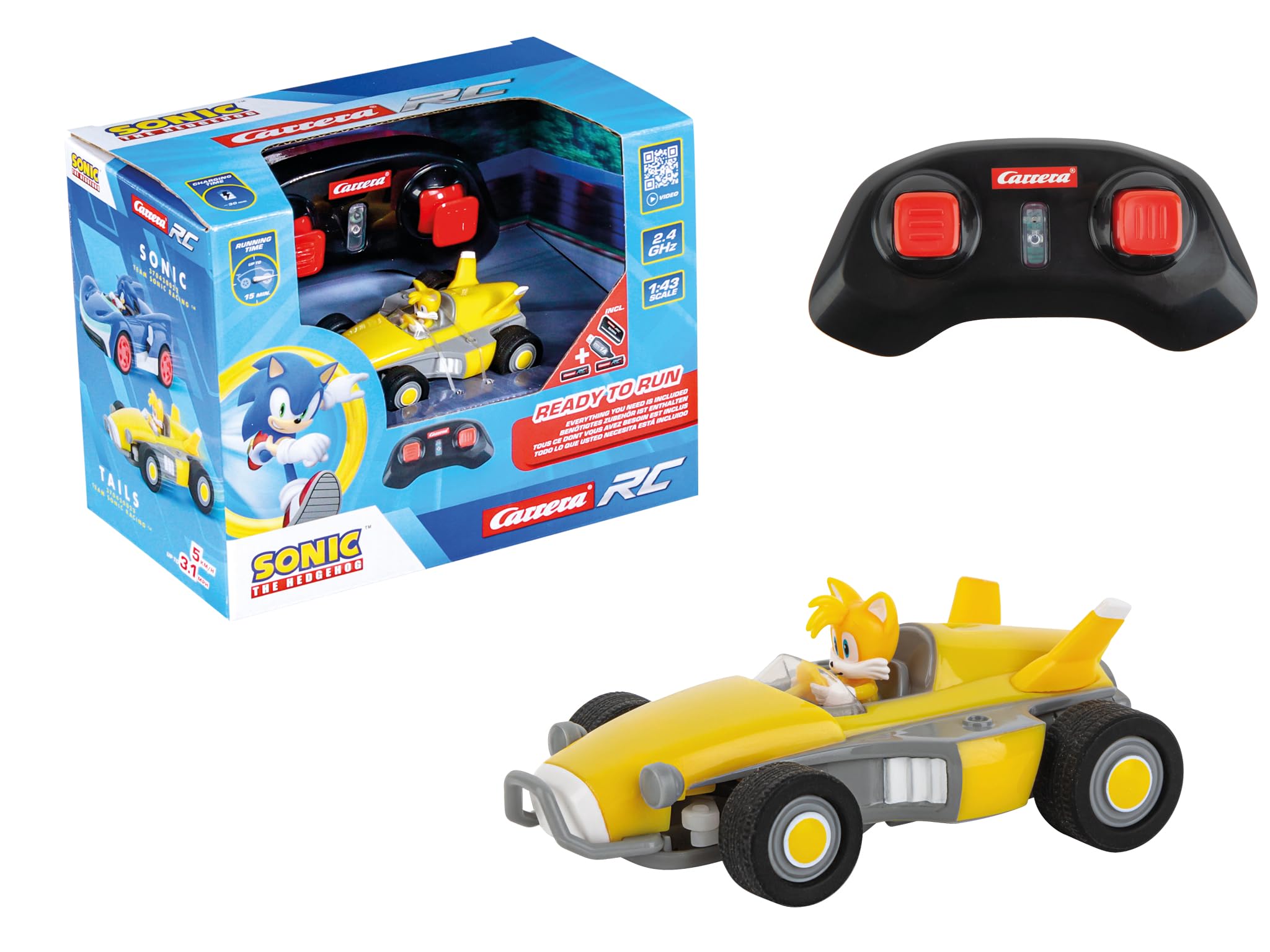
Image 1.1: The Carrera RC Tails Mini RC car, highlighting its 2.4 GHz technology, 1:43 scale, maximum speed of 3.1 MPH (5 KM/H), and suitability for ages 6 and above. The image also indicates that it includes a rechargeable battery, standard batteries, and a charger.
2. Safety Information
- WARNING: CHOKING HAZARD - Small parts. Not for children under 3 years.
- Adult supervision is recommended during operation.
- Do not operate the vehicle near people, animals, or obstacles to prevent injury or damage.
- Keep fingers, hair, and loose clothing away from moving wheels.
- Battery Safety: Use only the specified batteries. Do not mix old and new batteries, or different types of batteries. Do not dispose of batteries in fire. Do not attempt to recharge non-rechargeable batteries.
- Ensure the vehicle is switched off when not in use to conserve battery life and prevent accidental operation.
3. Package Contents
Please check the package contents to ensure all items are present:
- 1x Carrera RC Team Sonic Racing Mini RC - Tails Vehicle (1:43 Scale)
- 1x 2.4 GHz Remote Control
- 1x Rechargeable Battery for Vehicle
- 1x USB Charging Cable for Vehicle Battery
- 2x AAA Batteries for Remote Control
- 1x Instruction Manual (this document)

Image 3.1: The product packaging, illustrating the included Carrera RC Tails Mini RC car, the 2.4 GHz remote control, and the 'Ready to Run' accessories such as batteries and charger.
4. Setup
4.1. Vehicle Battery Installation and Charging
- Locate the battery compartment on the underside of the RC vehicle.
- Open the battery compartment cover.
- Insert the rechargeable battery into the compartment, ensuring correct polarity.
- Close the battery compartment cover securely.
- To charge the vehicle battery, connect the USB charging cable to the vehicle's charging port and to a USB power source (e.g., computer, USB wall adapter). The charging indicator will show the charging status.
- Allow the battery to charge fully before first use. Charging time may vary.
4.2. Remote Control Battery Installation
- Locate the battery compartment on the back of the remote control.
- Open the battery compartment cover.
- Insert the two (2) AAA batteries, observing the correct polarity (+/-).
- Close the battery compartment cover securely.
4.3. Pairing the Vehicle and Remote Control
The 2.4 GHz technology allows for automatic pairing. Follow these steps:
- Ensure both the vehicle and the remote control have fresh or fully charged batteries installed.
- Switch on the RC vehicle using the ON/OFF switch.
- Switch on the remote control using its ON/OFF switch.
- The remote control and vehicle will automatically connect. An indicator light on the remote control will confirm successful pairing.
- If pairing fails, switch both devices off and repeat the process.
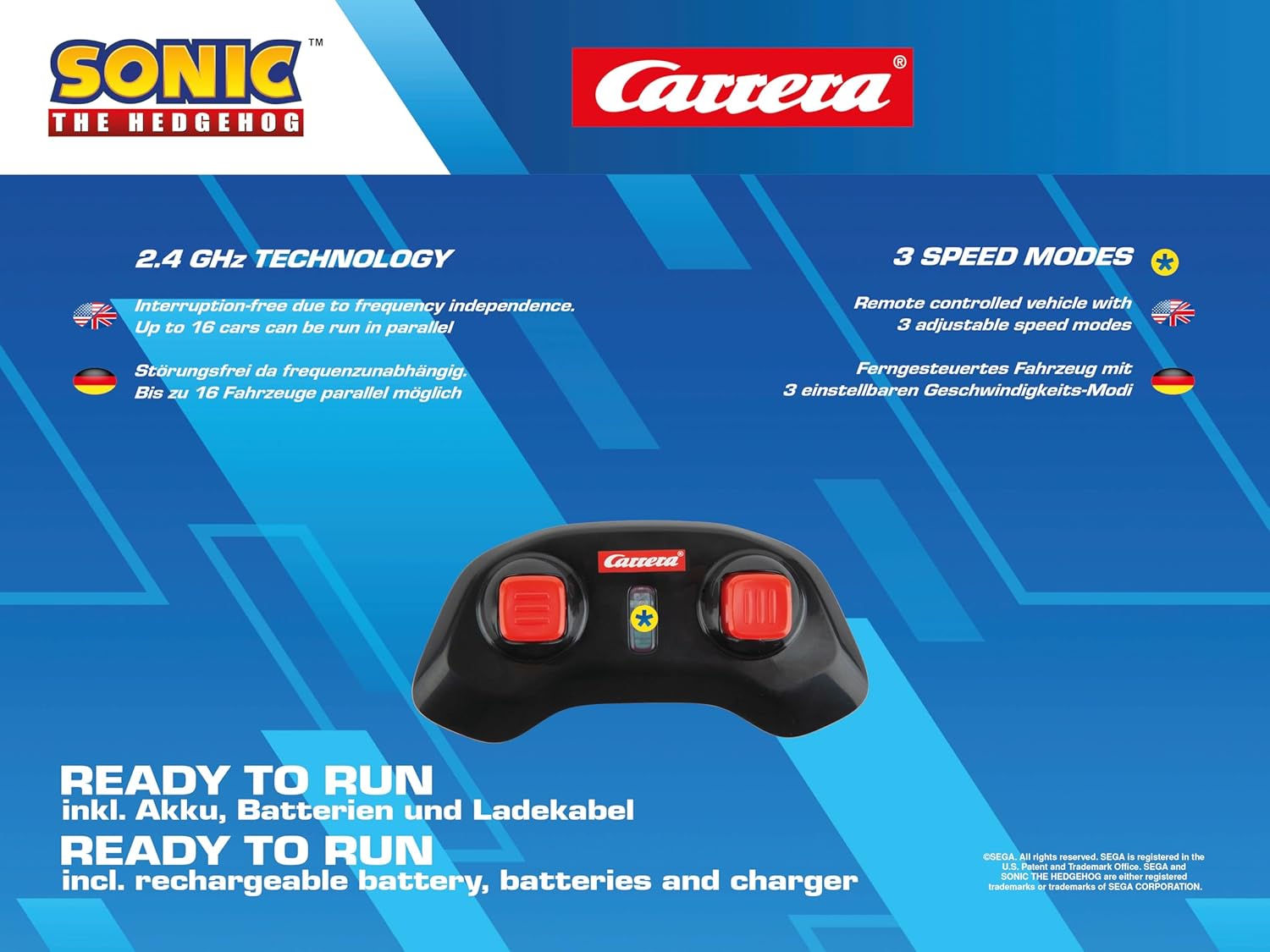
Image 4.1: The 2.4 GHz remote control for the Carrera RC car, illustrating its interference-free technology and the presence of three adjustable speed modes for varied driving experiences.
5. Operating Instructions
5.1. Controls
The remote control features intuitive controls:
- Left Joystick/Button: Controls forward and backward movement.
- Right Joystick/Button: Controls left and right steering.
- Speed Mode Button: Allows selection between 3 adjustable speed modes. Press to cycle through the modes.
5.2. Driving Tips
- Start with the lowest speed mode to familiarize yourself with the controls.
- Practice steering in open areas before attempting more complex maneuvers.
- Avoid driving on wet surfaces, sand, or excessively dusty environments to prevent damage to the vehicle's electronics and moving parts.
- For optimal performance, operate on smooth, dry surfaces.
- When the vehicle's speed decreases significantly, it indicates low battery. Recharge the vehicle battery promptly.
6. Maintenance
6.1. Cleaning
- Turn off the vehicle and remote control before cleaning.
- Use a soft, dry cloth to wipe down the vehicle and remote control.
- For stubborn dirt, a slightly damp cloth can be used, but ensure no moisture enters electronic components.
- Do not use chemical cleaners or solvents, as they may damage the plastic parts or paint.
6.2. Storage
- Remove all batteries from both the vehicle and the remote control if storing for an extended period.
- Store the vehicle and remote control in a cool, dry place, away from direct sunlight and extreme temperatures.
- Keep the product in its original packaging or a protective container to prevent dust accumulation and damage.
6.3. Battery Care
- Always use the provided USB charging cable for the vehicle's rechargeable battery.
- Do not overcharge the battery. Disconnect once fully charged.
- If the vehicle battery is not used for a long time, charge it periodically to maintain its health.
- Dispose of depleted batteries responsibly according to local regulations.
7. Troubleshooting
- Vehicle not responding:
- Ensure both the vehicle and remote control are switched ON.
- Check if batteries are correctly installed and fully charged in both devices.
- Re-attempt the pairing process (Section 4.3).
- Ensure no other 2.4 GHz devices are causing interference nearby.
- Vehicle moving slowly or inconsistently:
- The vehicle's rechargeable battery may be low. Recharge it fully.
- Remote control batteries may be low. Replace the AAA batteries.
- Check for obstructions in the wheels or drivetrain.
- Vehicle not steering correctly:
- Check for any damage to the steering mechanism or front wheels.
- Ensure the vehicle is on a flat, smooth surface.
8. Specifications
| Feature | Detail |
|---|---|
| Model Number | 370430023 |
| Scale | 1:43 |
| Dimensions (L x W x H) | 17 x 10 x 13 cm (6.7 x 3.9 x 5.1 inches) |
| Weight | 84 grams (0.18 lbs) |
| Recommended Age | 6 years and up |
| Material | Plastic |
| Remote Control Frequency | 2.4 GHz Radio Frequency |
| Speed Modes | 3 adjustable speed modes |
| Vehicle Battery | Rechargeable (included) |
| Remote Control Batteries | 2x AAA Alkaline (included) |
| Assembly Required | No |

Image 8.1: The Carrera RC Tails Mini RC car displayed with a ruler, indicating its compact dimensions of 8.2 x 5 x 3 cm (3.2 x 2 x 1.2 inches) for the car itself.
9. Warranty and Support
For warranty information and customer support, please refer to the documentation provided with your purchase or contact your retailer. Carrera products are designed for quality and durability, and support is available for manufacturing defects.
Please retain your proof of purchase for any warranty claims.