
Important Safeguards
When using electrical appliances, basic safety precautions should always be followed, including:
- Read all instructions before use.
- Do not touch hot surfaces. Use handles or knobs.
- To protect against electrical shock, do not immerse cord, plugs, or the appliance in water or other liquid.
- Close supervision is necessary when any appliance is used by or near children.
- Unplug from outlet when not in use and before cleaning. Allow to cool before putting on or taking off parts.
- Do not operate any appliance with a damaged cord or plug, or after the appliance malfunctions or has been damaged in any manner.
- Do not use outdoors.
- Do not place on or near a hot gas or electric burner, or in a heated oven.
- Extreme caution must be used when moving an appliance containing hot oil or other hot liquids.
- Always attach plug to appliance first, then plug cord into the wall outlet. To disconnect, turn any control to “off”, then remove plug from wall outlet.
- Do not use appliance for other than intended use.
Getting Started
Unpacking and Initial Setup
Carefully remove all packaging materials from the air fryer. Before first use, wash the removable nonstick basket and crisper tray with warm, soapy water. Wipe the exterior of the air fryer with a damp cloth. Ensure the appliance is placed on a stable, heat-resistant surface with adequate ventilation around it.
Components
- Main Unit with Digital Touch Controls
- Removable Nonstick Basket
- Removable Crisper Tray
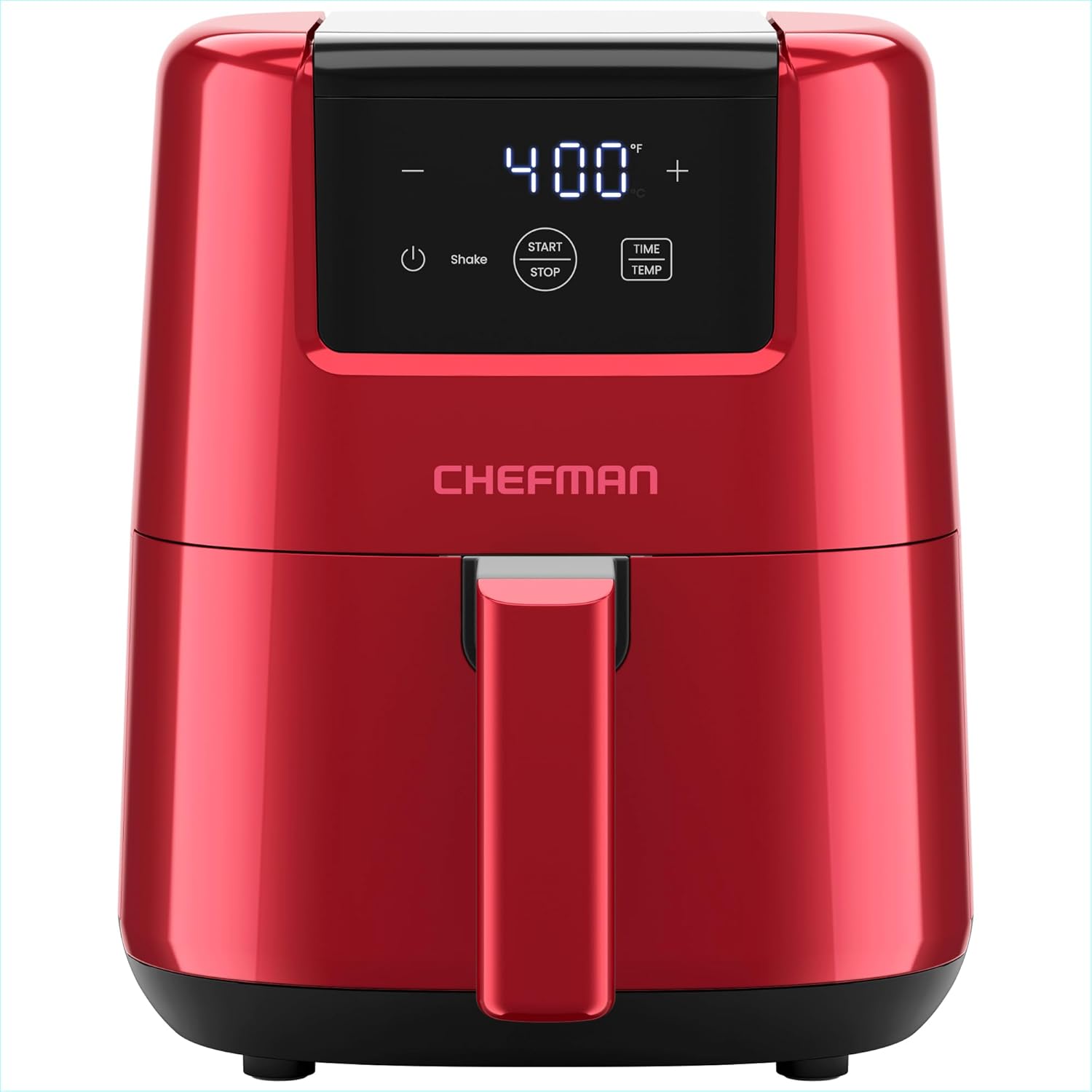
Figure 1: Chefman 2 Qt Mini Air Fryer - Front View

Figure 2: Air Fryer with Removable Basket and Crisper Tray
Operating Instructions
Digital Controls Overview
The Chefman Mini Air Fryer features an intuitive capacitive touchscreen display for easy operation.
- Power Button: Turns the unit on/off.
- Start/Stop Button: Initiates or pauses the cooking cycle.
- Time/Temp Button: Toggles between time and temperature settings.
- +/- Buttons: Adjust time or temperature values.

Figure 3: Digital Touch Controls for Time and Temperature Adjustment
Setting Time and Temperature
To set the cooking time and temperature:
- Press the Power button to turn on the air fryer.
- Use the Time/Temp button to select either time or temperature. The selected setting will blink.
- Use the +/- buttons to adjust the value. Temperature can be set up to 400°F.
- Once settings are desired, press the Start/Stop button to begin cooking.
Shake Notifications
The TurboFry Air Fryer is equipped with an audible alarm that will notify you halfway through the cooking cycle. This reminder indicates it's time to shake your food for optimal crispiness and even cooking results.

Figure 4: Shake Notification for Even Cooking
Automatic Shutoff
For added safety, the air fryer features automatic shutoff technology. The unit will turn off automatically when cooking finishes or if the basket is removed during operation.
Cooking Guide
General Cooking Tips
- Preheating: For best results, preheat the air fryer for 3-5 minutes before adding food.
- Do Not Overfill: Avoid overcrowding the basket to ensure proper air circulation and even cooking. Cook in batches if necessary.
- Shake Regularly: Utilize the shake notification to ensure all sides of your food are exposed to the hot air for consistent crispiness.
- Minimal Oil: This air fryer uses little-to-no oil, making meals healthier. A light spray of oil can enhance crispiness for some foods.

Figure 5: Healthier Cooking with Less Oil
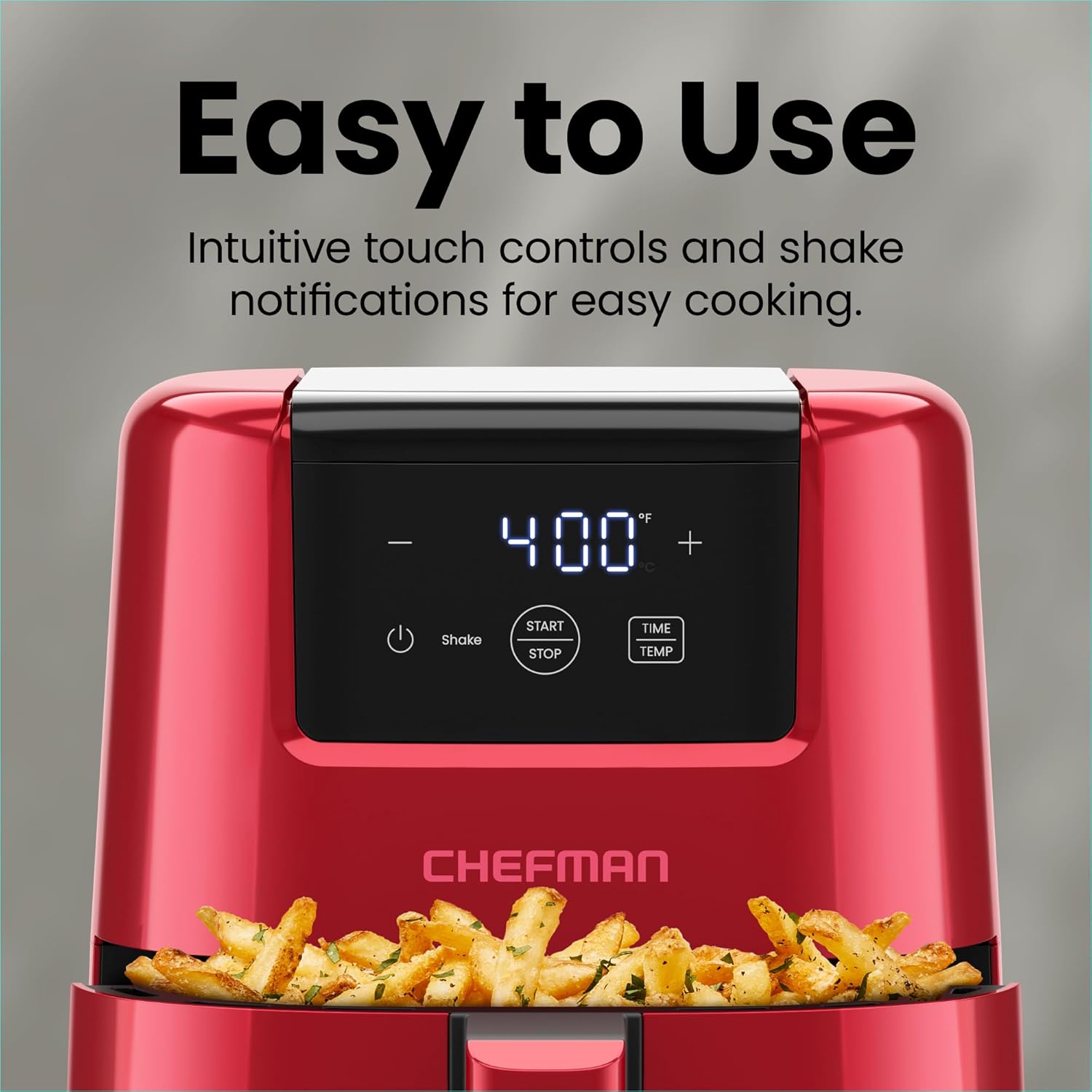
Figure 6: Crispy Results through Hot Air Convection
Recommended Foods
| Food Item | Suggested Temperature | Suggested Time |
|---|---|---|
| French Fries (frozen) | 380°F (193°C) | 15-20 minutes (shake halfway) |
| Chicken Nuggets (frozen) | 370°F (188°C) | 10-15 minutes (shake halfway) |
| Chicken Breast (boneless) | 375°F (190°C) | 18-25 minutes (flip halfway) |
| Vegetables (fresh, chopped) | 350°F (177°C) | 10-18 minutes (shake halfway) |
Maintenance and Cleaning
Cleaning the Air Fryer
Proper cleaning ensures the longevity and optimal performance of your Chefman Mini Air Fryer.
- Always unplug the air fryer and allow it to cool completely before cleaning.
- The nonstick 2-quart basket and crisper tray are both dishwasher safe for quick and simple cleanup.
- For the main unit, wipe the exterior with a damp cloth. Do not immerse the unit in water or any other liquid.
- Ensure all parts are thoroughly dry before reassembling and storing.
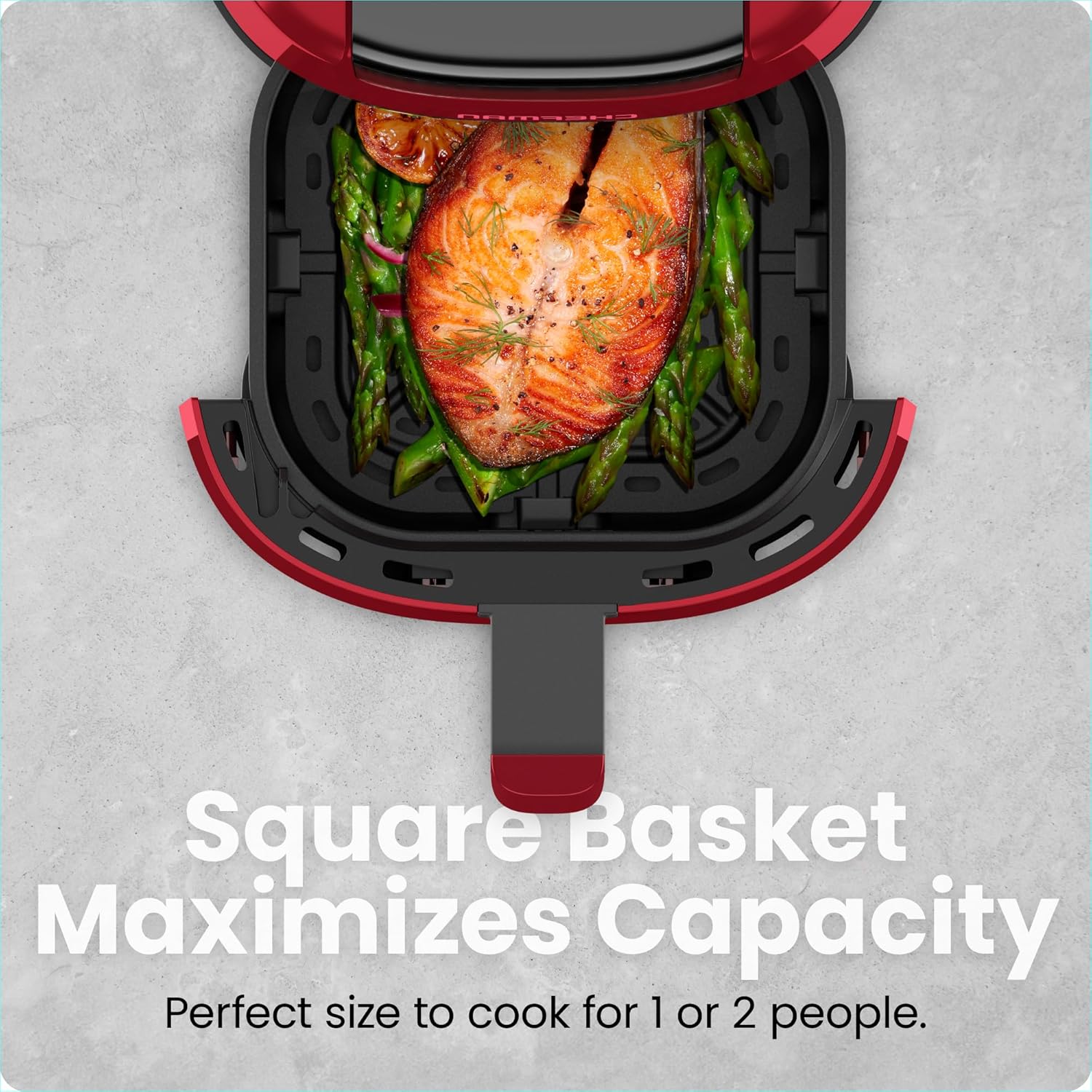
Figure 7: Dishwasher Safe Components for Easy Cleaning
Troubleshooting
Common Issues and Solutions
| Problem | Possible Cause | Solution |
|---|---|---|
| Food not crispy | Temperature too low, not shaking food, overcrowding basket. | Increase temperature, shake food more frequently, cook in smaller batches. |
| Air fryer not turning on | Not plugged in, basket not fully inserted. | Ensure power cord is securely plugged into a working outlet. Push basket firmly into the unit until it clicks into place. |
| Unit beeps during cooking | Shake reminder activated. | This is a normal function to remind you to shake the food. Continue cooking after shaking. |
Specifications
| Feature | Detail |
|---|---|
| Brand | Chefman |
| Model Name | 2-Quart Air Fryer |
| Model Number | RJ38-2T-RED |
| Capacity | 2 Liters |
| Product Dimensions | 10"D x 10"W x 8.3"H |
| Item Weight | 5 Pounds |
| Material | Aluminum, Plastic (Inner: Aluminum with nonstick coating) |
| Control Method | Touch |
| Max Temperature Setting | 400 Degrees Fahrenheit |
| Wattage | 900 Watts |
| Voltage | 120 Volts |
| Dishwasher Safe Parts | Basket and Rack |
| Air Frying Technology | Hot Air Circulation |
Warranty and Support
The Chefman 2 Qt Mini Air Fryer is cETL approved with advanced safety technology for long-lasting durability. It comes with a 1-year assurance provided by Chefman.
For further assistance or to download the full user guide, please visit the official Chefman website or refer to the provided PDF document:


