
Introduction
This manual provides detailed instructions for the installation and use of the PHONSUN Replacement Single SIM Card & Micro SD Holder Slot Tray. Please read this manual carefully before use to ensure proper functionality and longevity of your product.
Product Overview and Compatibility
The PHONSUN Replacement Single SIM Card & Micro SD Holder Slot Tray is designed for specific Samsung Galaxy S8 and S8 Plus models. This black replacement tray includes a waterproof rubber gasket for enhanced protection.
Compatible Models:
- AT&T Samsung Galaxy S8 SM-G950A and S8+ SM-G955A
- Verizon Samsung Galaxy S8 SM-G950V and S8+ SM-G955V
- T-Mobile Samsung Galaxy S8 SM-G950T and S8+ SM-G955T
- Sprint Samsung Galaxy S8 SM-G950P and S8+ SM-G955P
- U.S. Cellular Samsung Galaxy S8 SM-G950R and S8+ SM-G955R
- Other carrier Samsung Galaxy S8 SM-G950 and S8+ SM-G955 single SIM versions.
Package Contents
Upon opening your package, please verify that all components are present and undamaged.
- 1 x Replacement Single SIM Card & Micro SD Holder Slot Tray (Black)

Image: The replacement SIM and Micro SD card tray shown alongside a SIM ejector tool.
Setup and Installation
Installing the replacement SIM and Micro SD card tray is a straightforward process. Ensure your device is powered off before proceeding.
- Locate the SIM Tray Slot: On your Samsung Galaxy S8 or S8 Plus, the SIM and Micro SD card tray slot is typically located on the top edge of the phone.
- Eject the Old Tray (if present): Insert a SIM ejector tool (or a small paperclip) into the small hole next to the tray slot. Apply gentle pressure until the tray pops out slightly. Carefully pull out the old tray.
- Insert SIM and Micro SD Card: Place your Nano-SIM card and Micro SD card into the designated slots on the new replacement tray. Ensure they are oriented correctly, matching the cut-out corners and the icons on the tray.

Image: A detailed view of the black replacement tray, highlighting the distinct sections for the SIM card and the Micro SD card.
- Insert the New Tray: Carefully align the new tray with the slot on your phone and gently push it in until it sits flush with the phone's body. Do not force the tray.
- Power On Device: Once the tray is securely inserted, power on your Samsung Galaxy S8/S8 Plus. The device should recognize the SIM card and Micro SD card automatically.
Note: The tray is designed to fit snugly and includes a waterproof gasket. Ensure it is fully inserted to maintain the device's water resistance.
Operating Instructions
Once installed, the SIM and Micro SD card tray functions identically to the original. Your phone will automatically detect the inserted cards.
- SIM Card Functionality: Allows your phone to connect to your mobile network for calls, texts, and mobile data.
- Micro SD Card Functionality: Provides expandable storage for photos, videos, apps, and other files.

Image: An angled perspective of the replacement tray, demonstrating its compact design.
Maintenance
To ensure the longevity and proper function of your replacement SIM and Micro SD card tray, follow these simple maintenance guidelines:
- Handle with Care: Avoid bending or applying excessive force to the tray, as it is a delicate component.
- Keep Clean: If the tray becomes dirty, gently wipe it with a soft, dry, lint-free cloth. Do not use liquids or abrasive cleaners.
- Protect the Gasket: The waterproof rubber gasket is crucial for your phone's water resistance. Avoid poking or damaging it.
- Proper Storage: If removing the tray for extended periods, store it in a clean, dry, and safe place to prevent loss or damage.

Image: The underside of the replacement tray, revealing its internal structure and design.
Troubleshooting
If you encounter issues with your replacement SIM and Micro SD card tray, consider the following troubleshooting steps:
| Problem | Possible Cause | Solution |
|---|---|---|
| Tray does not fit into the phone. | Incorrect model or improper alignment. |
|
| SIM card not detected. | SIM card improperly seated or damaged. |
|
| Micro SD card not detected. | Micro SD card improperly seated or damaged. |
|
| Tray is loose or falls out. | Tray not fully inserted or internal phone damage. |
|
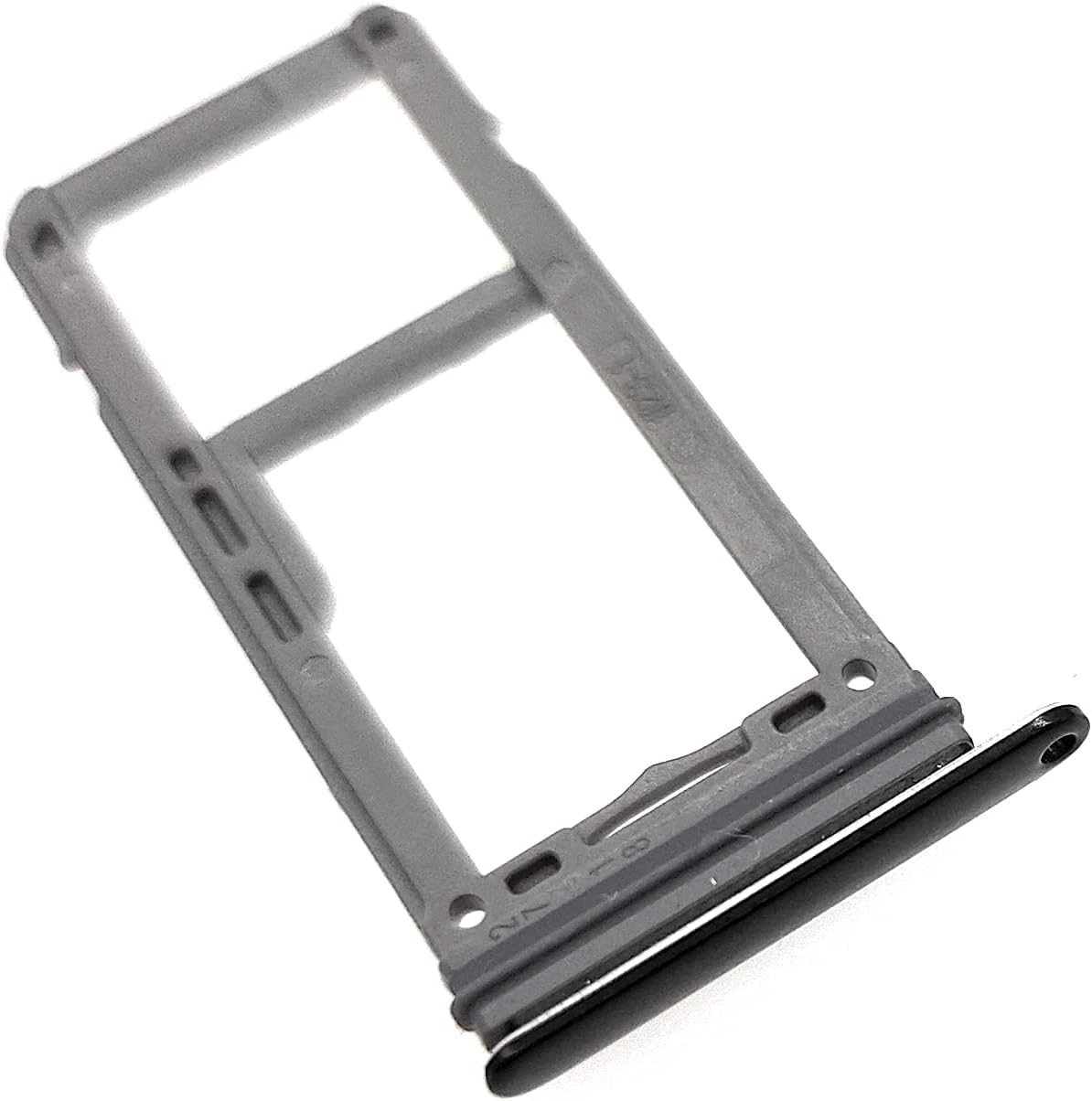
Image: A different angled view of the replacement tray, highlighting its side profile and the integrated gasket.
Specifications
| Feature | Detail |
|---|---|
| Product Type | Replacement Single SIM Card & Micro SD Holder Slot Tray |
| Compatibility | Samsung Galaxy S8 (G950) / S8 Plus (G955) All U.S. Carrier Versions |
| Color | Black |
| Material | Durable plastic with waterproof rubber gasket |
| Product Dimensions | 4.75 x 3 x 0.2 inches |
| Item Weight | 0.64 ounces |
| Model Number | 5647417977 |
| Manufacturer | Generic (Brand: PHONSUN) |
| First Available | December 20, 2016 |
Warranty and Support
No specific warranty information is provided with this product. For any issues or support inquiries, please contact the seller directly through the platform where the purchase was made.
For general troubleshooting and device-specific support, refer to your Samsung Galaxy S8/S8 Plus user manual or Samsung's official support resources.