
Brookstone B0CVJ3JPKN
Brookstone Magnetic Charging Wireless Power Bank User Manual
Model: B0CVJ3JPKN
1. Introduction
Thank you for purchasing the Brookstone Magnetic Charging Wireless Power Bank. This portable power bank is designed to provide convenient and versatile charging for your compatible devices, including iPhones with MagSafe, Apple Watches, and other USB-C powered devices. Please read this manual thoroughly before use to ensure proper operation and to maximize the lifespan of your device.
Package Contents:
- 1 x Brookstone Magnetic Charging Wireless Power Bank
- 1 x USB-C Charging Cable
- 1 x User Guide
2. Key Features
- Magnetic Wireless Charging: Securely attaches to and wirelessly charges compatible iPhones (iPhone 12 series and newer with MagSafe).
- Integrated Apple Watch Charger: Dedicated charging module on the back for Apple Watch models.
- USB-C Port: Provides wired charging for a wide range of devices and for recharging the power bank itself.
- 5000mAh Capacity: Offers substantial power to extend the battery life of your devices.
- Built-in Kickstand: Allows for hands-free viewing while charging your iPhone.
- Compact and Portable Design: Lightweight and pocket-sized for easy transport.

Figure 2.1: Front view of the Brookstone Magnetic Charging Wireless Power Bank.

Figure 2.2: The 5000mAh capacity of the power bank.
3. Setup and Initial Charge
Charging the Power Bank:
- Connect the provided USB-C cable to the USB-C port on the power bank.
- Connect the other end of the USB-C cable to a compatible USB-C power adapter (not included).
- The LED indicators on the power bank will illuminate to show the charging status. A full charge is indicated when all LEDs are solid.
- Disconnect the power bank once fully charged.
Note: It is recommended to fully charge the power bank before its first use.
4. Operating Instructions
Charging an iPhone (Magnetic Wireless):
- Ensure your iPhone is compatible with MagSafe (iPhone 12 series or newer) or has a MagSafe-compatible case.
- Align the back of your iPhone with the magnetic charging surface on the front of the power bank. The magnets will snap into place, securing the connection.
- Charging will begin automatically. The LED indicators on the power bank will show its remaining charge.
Charging an Apple Watch:
- Locate the Apple Watch charging module on the back of the power bank.
- Place your Apple Watch onto the charging module. Ensure it is properly seated for optimal contact.
- Charging will commence automatically.
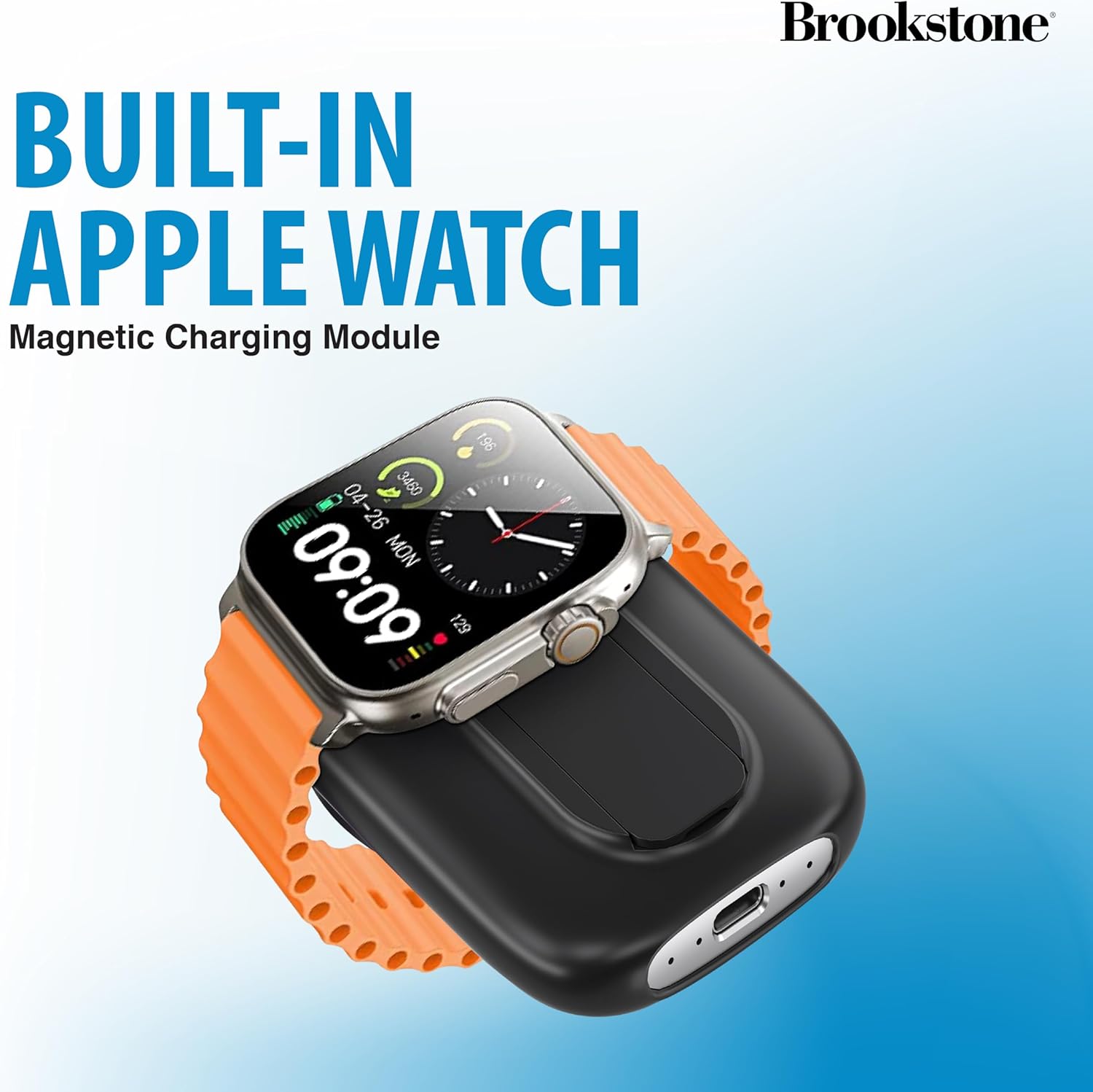
Figure 4.1: Charging an Apple Watch on the integrated module.
Charging Other Devices (USB-C):
- Connect your device's USB-C charging cable to the USB-C port on the power bank.
- Connect the other end of the cable to your device.
- Charging will begin.
Using the Built-in Kickstand:
- Gently pull out the kickstand located on the back of the power bank.
- Once extended, the kickstand allows you to prop up your iPhone (while magnetically attached) for hands-free viewing in both portrait and landscape orientations.
- Push the kickstand back into its slot when not in use.

Figure 4.2: The power bank's built-in kickstand in use.
Multi-Device Charging:
The power bank can charge up to three devices simultaneously: one via magnetic wireless charging, one via the Apple Watch module, and one via the USB-C port.
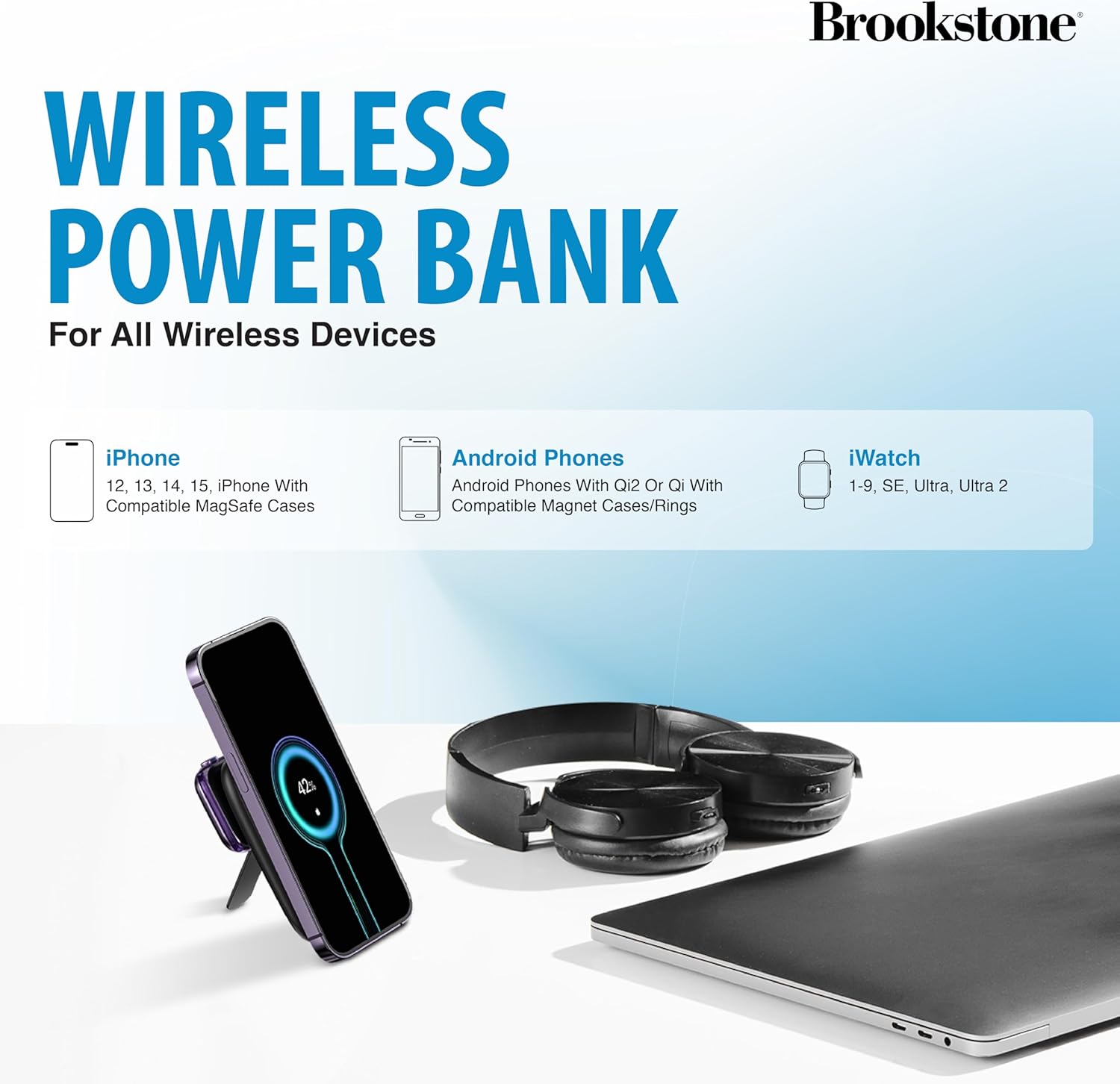
Figure 4.3: Device compatibility overview.
5. Maintenance and Care
- Keep the power bank away from water, moisture, and extreme temperatures.
- Do not expose to direct sunlight for extended periods.
- Clean the surface with a soft, dry cloth. Avoid using harsh chemicals or abrasive materials.
- Store in a cool, dry place when not in use.
- Do not attempt to disassemble, repair, or modify the device. This will void the warranty and may cause harm.
6. Troubleshooting
| Problem | Possible Cause | Solution |
|---|---|---|
| Power bank not charging | Cable or adapter issue; power bank depleted. | Ensure USB-C cable is securely connected. Try a different USB-C cable or power adapter. Allow sufficient time for charging. |
| Device not charging wirelessly | Misalignment; non-compatible device/case; foreign object. | Ensure proper alignment of the device on the charging surface. Verify device/case is MagSafe compatible. Remove any foreign objects between the power bank and device. |
| Apple Watch not charging | Improper placement; watch battery too low. | Ensure the Apple Watch is correctly placed on the charging module. If the watch battery is extremely low, it may take a few minutes for the charging indicator to appear. |
| Slow charging | Using a low-power adapter; multiple devices charging. | Use a higher wattage USB-C power adapter for faster charging of the power bank. Charging multiple devices simultaneously may reduce individual charging speeds. |
7. Specifications
| Brand | Brookstone |
| Model | B0CVJ3JPKN |
| Battery Capacity | 5000 mAh |
| Product Dimensions | 6.93 x 1.06 x 4.21 inches |
| Item Weight | 1.34 pounds |
| Connector Type | USB Type C |
| Special Features | Fast Charging, Pocket Size, Wireless Charging |
8. Warranty and Support
This Brookstone product is covered by a standard manufacturer's warranty. For detailed warranty information, technical support, or customer service inquiries, please refer to the warranty card included in your package or visit the official Brookstone website. Keep your purchase receipt as proof of purchase for warranty claims.
Ask a question about this manual
Ask about setup, troubleshooting, compatibility, parts, safety, or missing instructions. Manuals+ will review the question and use this page’s manual context to help answer it.