
1. Introduction
This manual provides essential information for the installation, operation, maintenance, and troubleshooting of your Jaspertronics OEM Lamp & Housing for Mitsubishi WD-65732 TV. This product includes an original Philips bulb, ensuring optimal performance and longevity for your television.

Image 1.1: Jaspertronics OEM Lamp and Housing Assembly
2. Safety Information
WARNING: HOT SURFACE. Allow the lamp to cool for at least one hour after the TV is powered off before attempting removal or installation. Refer to your TV's owner's guide for specific lamp replacement instructions.
- Always disconnect the TV from the power outlet before servicing.
- Do not touch the lamp bulb directly with bare hands, as oils can reduce lamp life. Use gloves or a clean cloth.
- Handle the lamp housing carefully to avoid damage.
- Ensure proper ventilation around the TV to prevent overheating.
- Dispose of old lamps according to local regulations.
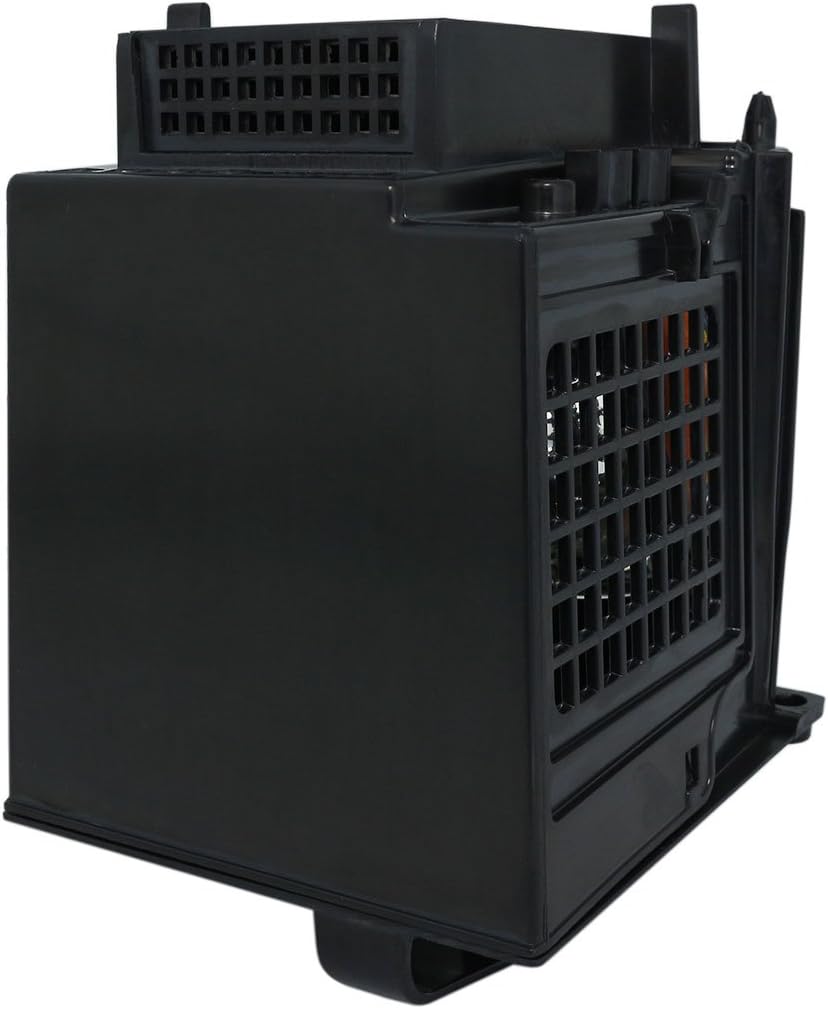
Image 2.1: Bottom of Lamp Housing with Warning Labels
3. Compatible TV Models
This Jaspertronics OEM Lamp & Housing is compatible with the following Mitsubishi DLP TV models:
- Mitsubishi WD-65732
- Mitsubishi WD-52631
- Mitsubishi WD-57731
- Mitsubishi WD-57732
- Mitsubishi WD-65731
- Mitsubishi WDY57
- Mitsubishi WDY65
- Mitsubishi 915P049010
- Mitsubishi 915P049A10
4. Installation Instructions
Follow these general steps for replacing the lamp. Always consult your specific Mitsubishi TV owner's manual for detailed, model-specific instructions.
- Power Off and Disconnect: Turn off your Mitsubishi TV and unplug it from the power outlet. Allow the TV to cool down completely for at least one hour.
- Locate Lamp Compartment: Refer to your TV's manual to locate the lamp access panel. This is typically on the back or side of the TV.
- Remove Access Panel: Use a screwdriver to remove the screws securing the lamp access panel. Carefully remove the panel.
- Remove Old Lamp: Loosen any screws holding the old lamp housing in place. Gently pull the handle on the lamp housing to slide it out of the TV. Avoid forcing it.

Image 4.1: Example of Lamp Module Removal
- Install New Lamp: Carefully insert the new Jaspertronics lamp housing into the compartment. Ensure it slides in smoothly and is seated firmly. Do not force it.
- Secure New Lamp: Tighten any screws that secure the new lamp housing.
- Replace Access Panel: Reattach the lamp access panel and secure it with its screws.
- Reconnect Power: Plug the TV back into the power outlet.
- Reset Lamp Timer: Consult your TV's manual for instructions on how to reset the lamp timer. This is crucial for accurate lamp life tracking.

Image 4.2: Philips Bulb within Jaspertronics Housing
5. Operating Instructions
Once the new lamp is installed and the lamp timer is reset, your Mitsubishi TV is ready for operation. The lamp functions automatically with your television's power cycle.
- Turn on your TV as usual.
- Allow a few moments for the lamp to warm up and reach full brightness.
- Avoid frequently turning the TV on and off in short intervals, as this can reduce lamp life.
6. Maintenance
Proper maintenance can extend the life of your lamp and TV.
- Air Filter Cleaning: Regularly clean or replace the air filter(s) in your Mitsubishi TV as recommended in its owner's manual. A clogged filter can lead to overheating and premature lamp failure.
- Dust Removal: Keep the TV and its surroundings free of dust. Dust accumulation can impede cooling.
- Environmental Conditions: Operate the TV in a well-ventilated area with stable room temperature. Avoid extreme heat or humidity.
7. Troubleshooting
If you encounter issues after lamp replacement, consider the following:
| Problem | Possible Cause | Solution |
|---|---|---|
| No picture after installation | Lamp not seated correctly; TV not plugged in; Lamp timer not reset. | Ensure lamp is fully inserted and secured. Check power connection. Reset lamp timer as per TV manual. |
| Dim picture or poor color | Lamp nearing end of life (if not new); TV settings. | If new, ensure lamp is fully warmed up. Check TV picture settings. |
| Lamp indicator light on | Lamp timer not reset; Lamp failure. | Reset lamp timer. If light persists, the lamp may be faulty or nearing end of life. |
| TV shuts off unexpectedly | Overheating due to poor ventilation or clogged filter. | Clean TV air filters. Ensure adequate space around TV for airflow. |
For persistent issues, refer to your Mitsubishi TV's owner's manual or contact Jaspertronics customer support.
8. Product Specifications
| Feature | Detail |
|---|---|
| Brand | Jaspertronics |
| Model Name | WD-65732-LAMP-UHP |
| Light Type | Metal Halide (Philips Bulb) |
| Wattage | 150 Watts |
| Bulb Shape Size | MR20 |
| Bulb Base | Prong |
| Voltage | 120 Volts |
| Material | Glass, Metal, Plastic |
| Product Dimensions | 7"W x 8"H (approximate) |
| Item Weight | 15.84 ounces |
| Special Features | Flicker-Free, Lightweight, Long Lasting |
| Included Components | Original Inside RPTV Lamp & Housing |
9. Warranty and Support
This Jaspertronics OEM Lamp & Housing comes with a 1-Year Warranty from the date of purchase. This warranty covers manufacturing defects and performance issues under normal use.
For warranty claims, technical support, or any questions regarding your product, please contact Jaspertronics customer service through the retailer where the product was purchased or visit the official Jaspertronics website for contact information.
Please retain your proof of purchase for warranty validation.