1. Introduction
This manual provides essential instructions for the safe and efficient use of your Daewoo Partybox 2000 Portable Speaker. Please read this manual thoroughly before operating the device and retain it for future reference.

Figure 1: Front view of the Daewoo Partybox 2000 Portable Speaker with RGB lighting active.
2. Safety Instructions
- Do not expose the speaker to water or excessive moisture.
- Avoid placing the speaker near heat sources or in direct sunlight.
- Do not attempt to disassemble or modify the speaker. Refer all servicing to qualified personnel.
- Ensure proper ventilation around the speaker during operation.
- Use only the specified charging adapter for the device.
- Keep out of reach of children.
3. Product Features
The Daewoo Partybox 2000 Portable Speaker offers a range of functionalities:
- High Power Output: Features 1200W RMS power.
- Extended Battery Life: Provides up to 5 hours of playback on a single charge.
- Bluetooth 5.0 Connectivity: Enables wireless audio transmission up to 10 meters without obstacles.
- Multiple Input Ports: Includes USB, auxiliary, guitar, and microphone inputs.
- Sound Customization: Bass and treble controls for audio adjustment.
- Visual Effects: Digital display and RGB LED lighting.
- True Wireless Stereo (TWS): Ability to connect two Partybox DW2000 speakers wirelessly for simultaneous playback.
4. Controls and Ports Overview
4.1. Top Control Panel

Figure 2: Detailed view of the top control panel.
- MIC. VOL: Microphone volume control knob.
- VOLUME: Master volume control knob.
- MODE: Switches between input modes (Bluetooth, USB, AUX, FM).
- REC: Record function button.
- REPEAT: Repeats current track or playlist.
- EQ: Equalizer settings button (Bass/Treble).
- MENU: Accesses menu options.
- PREV/NEXT: Skips tracks or navigates FM stations.
- PLAY/PAUSE/TWS: Play/pause audio; long press for TWS pairing.
- LIGHT: Controls RGB LED lighting effects.
- USB-2, TF CARD, USB-1: Ports for USB drives and TF cards.
- LINE IN: 3.5mm auxiliary input.
- MIC IN: Microphone input.
- GUITAR IN: Guitar input.
4.2. Rear Power Panel

Figure 3: Detailed view of the rear power panel.
- POWER SW: Power switch with BAT (battery), OFF, and AC modes.
- POWER IN: AC 100-240V~ 50/60Hz input for charging and AC operation.
- EXT DC 12V IN: External 12V DC input.
- FM ANT: FM antenna port.
5. Setup
5.1. Charging the Speaker
- Connect the power cable to the POWER IN port on the rear panel.
- Plug the other end of the power cable into a suitable AC power outlet.
- The speaker will begin charging. The battery indicator on the display will show charging status.
- A full charge provides approximately 5 hours of playback.
5.2. Powering On/Off
- To power on, slide the POWER SW to the 'AC' position (for AC power) or 'BAT' position (for battery power).
- To power off, slide the POWER SW to the 'OFF' position.
5.3. Bluetooth Pairing
- Power on the speaker. The display will show 'BLUE' and a blinking Bluetooth icon, indicating it's in pairing mode.
- On your mobile device, enable Bluetooth and search for available devices.
- Select 'Partybox 2000' from the list of devices.
- Once connected, the Bluetooth icon on the speaker's display will stop blinking.
5.4. Connecting External Devices
- USB/TF Card: Insert a USB drive or TF card into the respective port. The speaker will automatically switch to USB/TF mode and begin playback.
- AUX Input: Connect an audio device using a 3.5mm audio cable to the LINE IN port. Press the MODE button to select AUX input.
- Microphone/Guitar: Connect a microphone or guitar to the MIC IN or GUITAR IN port respectively. Adjust the MIC. VOL knob as needed.
5.5. True Wireless Stereo (TWS) Pairing
To connect two Partybox DW2000 speakers for stereo sound:
- Ensure both speakers are powered on and in Bluetooth mode, but not connected to any device.
- On one speaker (this will be the primary speaker), long-press the PLAY/PAUSE/TWS button. The display will indicate TWS pairing mode.
- The primary speaker will automatically search for and connect to the secondary speaker.
- Once connected, the primary speaker will act as the left channel and the secondary as the right channel.
- Now, connect your mobile device to the primary speaker via Bluetooth as described in section 5.3.
6. Operating Instructions
6.1. Adjusting Sound
- Volume: Rotate the VOLUME knob to increase or decrease the overall sound level.
- Bass/Treble: Press the EQ button to cycle through equalizer presets or to access bass and treble adjustments. Use the PREV/NEXT buttons to modify levels.
6.2. Controlling RGB Lights
Press the LIGHT button on the top control panel to cycle through different RGB LED lighting modes or to turn the lights off.
6.3. FM Radio Operation
- Connect an FM antenna to the FM ANT port on the rear panel.
- Press the MODE button to switch to FM radio mode.
- Long-press the PLAY/PAUSE button to automatically scan and save available FM stations.
- Use the PREV/NEXT buttons to navigate between saved stations.
7. Maintenance
- Cleaning: Use a soft, dry cloth to clean the speaker's exterior. Do not use abrasive cleaners or solvents.
- Storage: Store the speaker in a cool, dry place away from direct sunlight and extreme temperatures.
- Battery Care: To prolong battery life, fully charge the speaker before first use and recharge it at least once every three months if not in regular use. Avoid completely draining the battery frequently.
8. Troubleshooting
| Problem | Possible Cause | Solution |
|---|---|---|
| Speaker does not power on. | Battery is depleted; Power switch is OFF; AC power not connected. | Charge the speaker; Slide POWER SW to 'BAT' or 'AC'; Ensure AC cable is securely connected. |
| No sound from speaker. | Volume is too low; Incorrect input mode selected; Device not connected properly. | Increase VOLUME; Press MODE to select correct input; Reconnect Bluetooth/AUX/USB device. |
| Bluetooth connection fails. | Speaker not in pairing mode; Device too far; Interference. | Ensure speaker is in Bluetooth pairing mode (blinking 'BLUE'); Move device closer; Avoid obstacles. |
| TWS pairing unsuccessful. | Speakers already connected to another device; Incorrect pairing procedure. | Disconnect both speakers from any Bluetooth devices; Follow TWS pairing steps carefully. |
9. Specifications
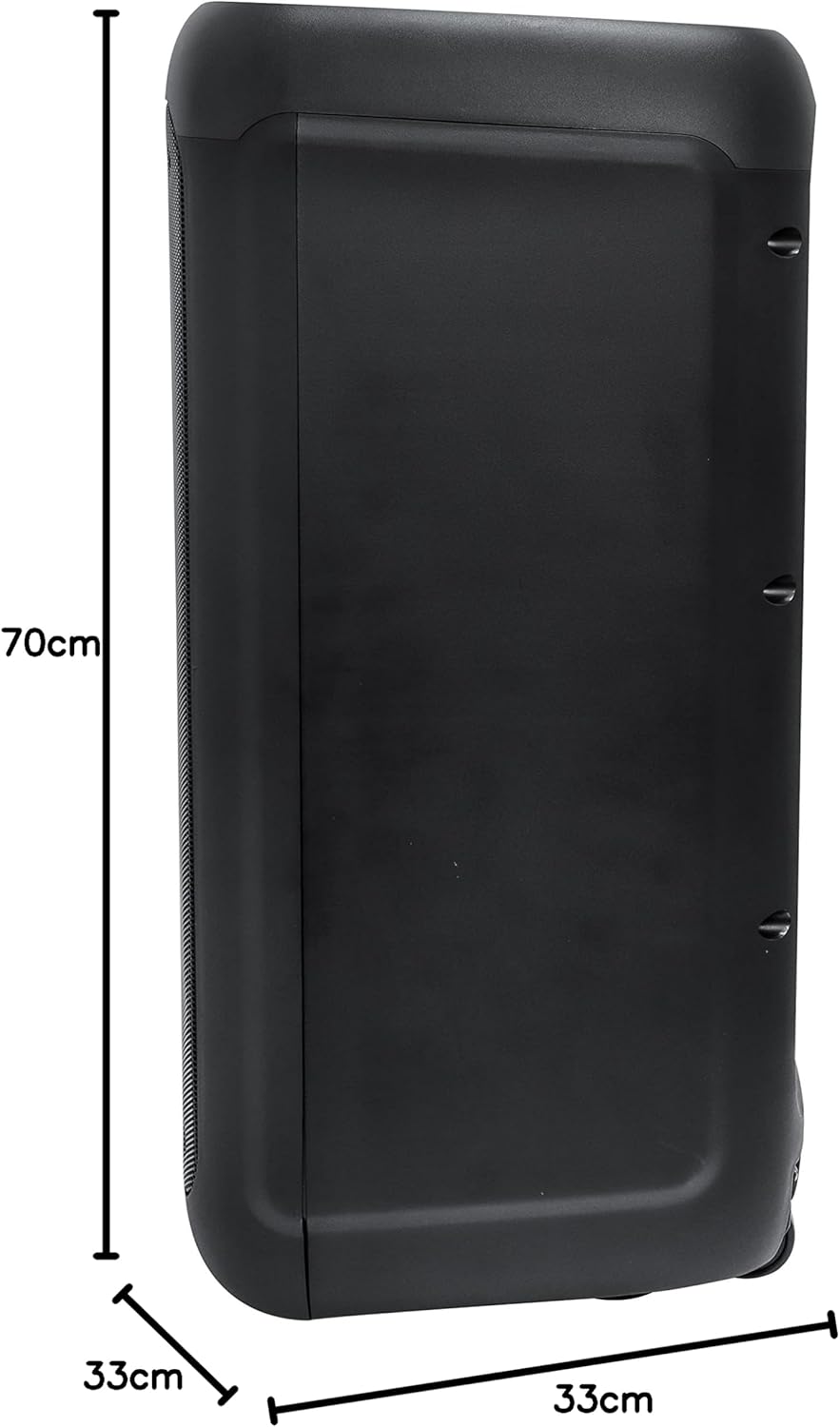
Figure 4: Product dimensions.
| Feature | Detail |
|---|---|
| Model Number | 04578 (DW2000) |
| Speaker Maximum Output Power | 1200 Watts RMS |
| Connectivity Technology | Bluetooth 5.0 |
| Bluetooth Transmission Range | Up to 10 meters (without obstacles) |
| Audio Output Mode | Stereo |
| Mounting Type | Floor Standing |
| Material | Plastic, Metal |
| Product Dimensions (L x W x H) | 33 x 33 x 70 cm |
| Product Weight | 14.5 kg |
| Battery Type | 1 Lithium Ion battery (included) |
| Battery Life | Up to 5 hours |
| Special Features | USB Port, Auxiliary Input, Microphone Input, Guitar Input, RGB LED Light, TWS Function |
10. Warranty Information
Please refer to the warranty card included with your product for detailed warranty terms and conditions. Retain your proof of purchase for any warranty claims.
11. Customer Support
For further assistance, technical support, or service inquiries, please contact Daewoo customer service through the contact information provided on your product packaging or the official Daewoo website.


