
1. Introduction
This manual provides detailed instructions for the installation, operation, and maintenance of your HEATH-ZENITH Push Button with Plug-in Chime. Please read this manual thoroughly before beginning installation and retain it for future reference. This product is designed to provide a reliable and convenient doorbell solution for your home.
The HEATH-ZENITH Push Button with Plug-in Chime (Model 18000154) is a wired doorbell system component. It includes a push button for outdoor installation and a plug-in chime unit for indoor use. Ensure all components are present before proceeding.
2. Safety Information
- Electrical Safety: Always disconnect power at the circuit breaker before installing or servicing any electrical components. Failure to do so may result in electric shock or injury.
- Installation: Ensure all wiring connections are secure and comply with local electrical codes. If you are unsure about wiring procedures, consult a qualified electrician.
- Product Use: This product is intended for indoor use (chime unit) and outdoor use (push button) in dry conditions. Do not expose the chime unit to moisture or extreme temperatures.
- Children: Keep packaging materials and small parts away from children to prevent choking hazards.
3. Package Contents
Verify that all items listed below are included in your package:
- Push Button Unit
- Plug-in Chime Unit
- Mounting Screws and Anchors
- Instruction Manual (this document)
4. Setup
4.1 Installing the Push Button
- Choose Location: Select a suitable location for the push button, typically next to your front door, at a comfortable height.
- Prepare Wiring: Ensure power to the existing doorbell wiring is OFF at the circuit breaker. Connect the two low-voltage wires from your existing doorbell system to the terminals on the back of the new push button. Ensure connections are tight.
- Mount Push Button: Use the provided screws and anchors to securely mount the push button to the wall.
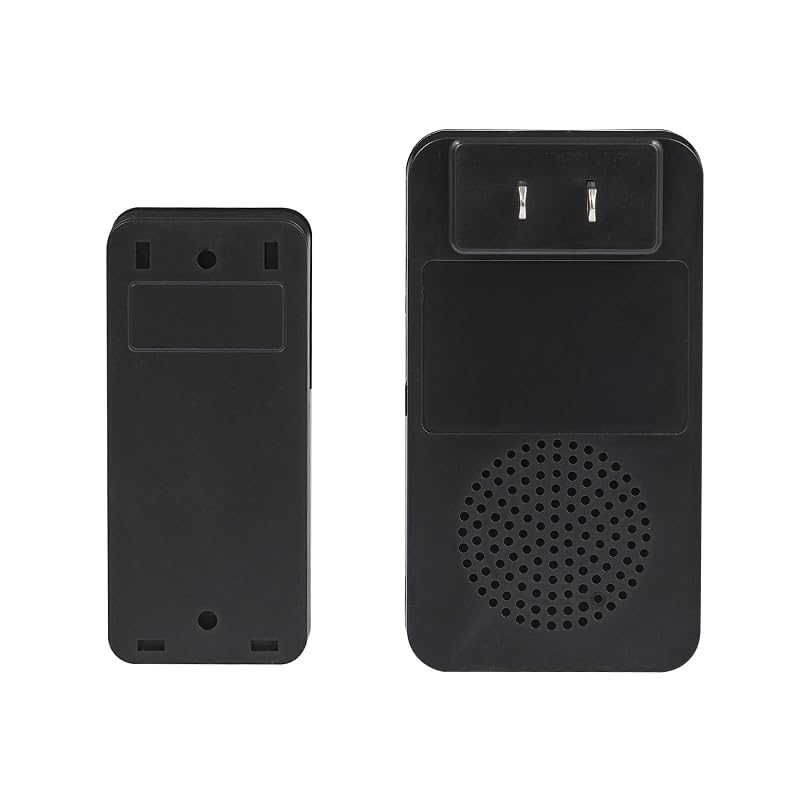
Figure 1: Example of a HEATH-ZENITH Push Button mounted on a wall. The image shows the button's design and typical placement near an entrance.
4.2 Installing the Plug-in Chime
- Select Outlet: Choose a standard 120V AC wall outlet in a central location within your home where the chime can be easily heard.
- Plug In: Simply plug the chime unit into the selected wall outlet. The chime unit will power on.
- Restore Power: Once both the push button and chime are installed, restore power at the circuit breaker.
5. Operating Instructions
5.1 Basic Operation
Once installed and powered, the system is ready for use. When the push button is pressed, it completes a circuit, signaling the plug-in chime unit to sound. The chime will emit its default melody.
5.2 Adjusting Chime Melody and Volume (If Applicable)
Note: This specific model (18000154) is a basic wired push button and plug-in chime system. It typically does not feature adjustable melodies or volume controls. If your specific chime unit has these features, refer to its separate documentation for detailed instructions.
6. Maintenance
6.1 Cleaning
To clean the push button or chime unit, wipe with a soft, dry cloth. Do not use abrasive cleaners, solvents, or spray directly onto the units, as this may damage the finish or internal components.
6.2 Battery Replacement (Push Button)
Note: The HEATH-ZENITH Push Button Model 18000154 is a wired unit and does not require batteries. If you have a wireless push button, refer to its specific instructions for battery replacement.
7. Troubleshooting
| Problem | Possible Cause | Solution |
|---|---|---|
| Chime does not sound when button is pressed. |
|
|
| Chime sounds continuously or erratically. |
|
|
8. Specifications
- Model: 18000154
- Brand: HEATH-ZENITH
- Type: Wired Push Button with Plug-in Chime
- Power Source (Chime): 120V AC, 60Hz (Standard Wall Outlet)
- Power Source (Push Button): Low Voltage (requires existing doorbell transformer, not included)
- ASIN: B0CVBKRYN2
- Manufacturer: HEATH-ZENITH
9. Warranty and Support
HEATH-ZENITH products are manufactured to high-quality standards. For specific warranty information, please refer to the warranty card included with your product or visit the official HEATH-ZENITH website. For technical support or assistance, please contact HEATH-ZENITH customer service through their official channels.
Please retain your proof of purchase for warranty claims.