
1. Introduction and Overview
The FLEX 24V 1/4-inch Hex Compact Impact Driver is engineered to deliver substantial power within a compact form factor, enabling efficient work in confined spaces. This tool is approximately 17 percent lighter than its larger counterpart, the FX1351, making it suitable for professionals such as electricians and HVAC technicians, as well as for driving tech screws in metal framing applications. It features two distinct speed modes for enhanced control during screw fastening and includes a specialized Self-Tapping Screw Mode designed to prevent over-tightening, screw breakage, or stripping. When paired with the included FLEX 24V 2.5Ah lithium battery, this impact driver offers exceptional runtime, capable of driving up to 350 3-inch screws into 2x4 lumber. The kit provides the FLEX Advantage, characterized by superior battery power, extended runtime, and rapid charging capabilities. The complete set comprises the cordless impact driver, a 2.5Ah lithium battery, and a 160W Fast Charger. This product is eligible for the FLEX Limited Lifetime Warranty upon registration within 30 days of purchase, valid through December 31, 2025, at registermyFLEX.com.

Figure 1.1: The FLEX 24V Brushless Cordless 1/4-Inch Hex Compact Impact Driver kit, including the driver, 2.5Ah lithium battery, 160W fast charger, and a carrying bag.
2. Safety Information
Always adhere to general power tool safety guidelines to prevent injury or damage. Read and understand all instructions before operating the tool. Keep the work area clean and well-lit. Do not operate power tools in explosive atmospheres, such as in the presence of flammable liquids, gases, or dust. Always wear appropriate personal protective equipment, including eye protection, hearing protection, and gloves. Ensure the tool is switched off and the battery is removed before making any adjustments, changing accessories, or storing the tool.
Battery Safety
- Use only FLEX 24V batteries and chargers with this tool.
- Do not expose batteries to water or excessive heat.
- Do not short-circuit battery terminals.
- Store batteries away from metal objects that could cause a short circuit.
- Dispose of batteries responsibly according to local regulations.
3. Package Contents
Verify that all items are present upon unpacking:
- FLEX 24V 1/4-Inch Hex Compact Impact Driver (FX1331-1A)
- FLEX 24V 2.5Ah Lithium Battery
- FLEX 160W Fast Charger
- Carrying Bag
4. Setup
4.1 Charging the Battery
Before first use, fully charge the 2.5Ah Lithium Battery using the included 160W Fast Charger. Insert the battery into the charger, ensuring it clicks into place. The charger's indicator lights will show the charging status. Once fully charged, remove the battery from the charger.

Figure 4.1: The FLEX 24V 2.5Ah Lithium-Ion Battery, central to the FLEX Advantage for power and runtime.
4.2 Attaching Accessories
The impact driver features a 1/4-inch hex chuck for quick bit changes. To insert a bit, pull the collar forward, insert the hex shank of the bit fully, and then release the collar. Ensure the bit is securely locked in place before operation. To remove a bit, pull the collar forward and pull the bit out.
5. Operating Instructions
5.1 Powering On/Off
To power on the tool, depress the trigger switch. The tool's speed is variable and controlled by the amount of pressure applied to the trigger. To power off, release the trigger switch.
5.2 Two Speed Modes
The impact driver is equipped with two speed modes, allowing for greater control depending on the application. Use lower speeds for delicate tasks or when starting screws, and higher speeds for faster driving in appropriate materials. Refer to the tool's mode selector switch to toggle between speeds.

Figure 5.1: Close-up view of the FLEX impact driver's control panel, showing the two-speed mode selector for precise fastening control.
5.3 Self-Tapping Screw Mode
Activate the Self-Tapping Screw Mode for optimized performance when driving self-tapping screws. This mode helps prevent over-tightening, breaking, or stripping of screws, particularly useful in metal applications. Consult the tool's mode selector for engaging this feature.

Figure 5.2: Detail of the FLEX impact driver's interface, highlighting the dedicated Self-Tapping Screw Mode for optimized fastening.
5.4 Using the LED Light
The integrated LED light illuminates the work area, improving visibility in dimly lit conditions. The light typically activates when the trigger is pressed and remains on for a short period after the trigger is released.
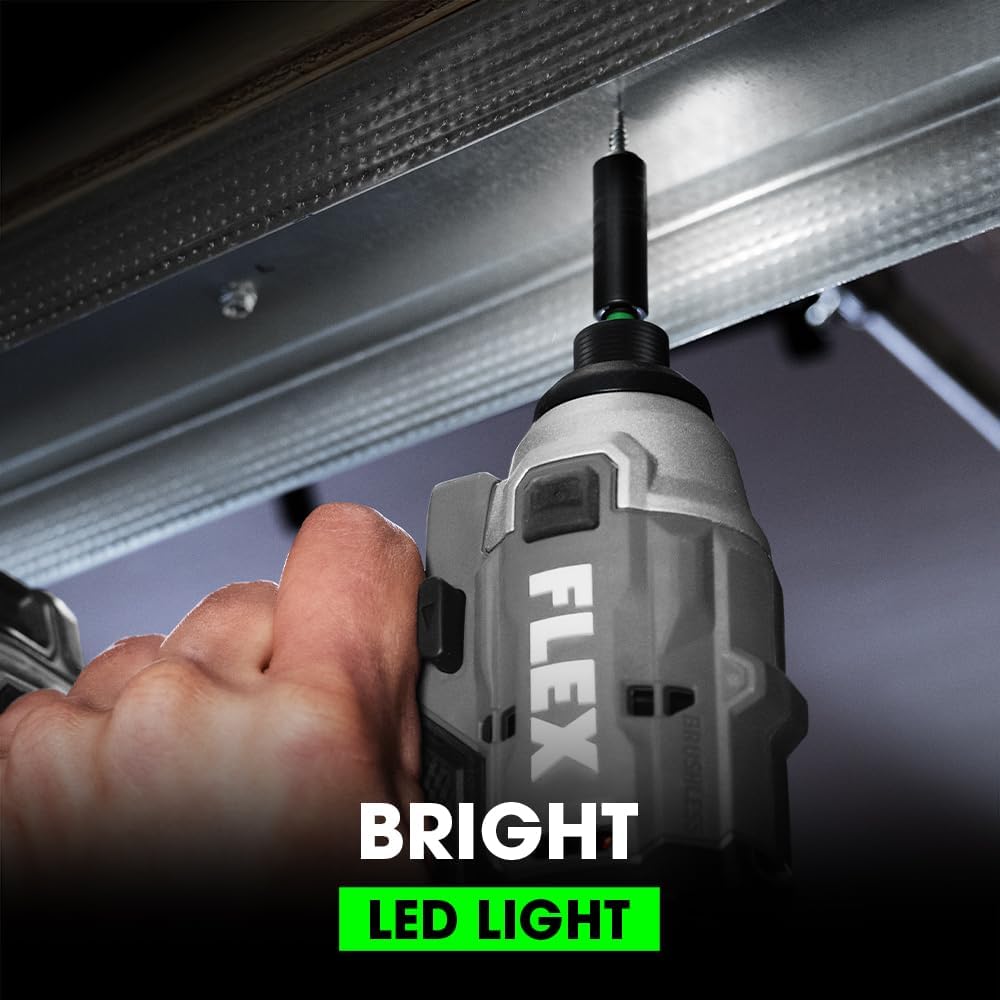
Figure 5.3: The FLEX impact driver in use, demonstrating the effectiveness of its bright LED light in illuminating the fastening point.
5.5 Official Product Videos
Note: No official product video URLs were provided in the product data. If available, relevant videos from the seller would be embedded here to demonstrate features such as tool operation, battery installation, or specific mode usage, with a maximum width of 420px.
6. Maintenance
6.1 Cleaning
Regularly clean the tool's ventilation openings to prevent overheating. Use a soft, damp cloth to wipe down the exterior. Do not use harsh chemicals or abrasive cleaners. Ensure the tool is dry before storage.
6.2 Battery Care
For optimal battery life, store batteries in a cool, dry place away from direct sunlight. Avoid fully discharging the battery before recharging. If storing for extended periods, charge the battery to approximately 50% capacity.
6.3 Storage
Store the impact driver and its accessories in the provided carrying bag or a secure, dry location. Keep out of reach of children and away from extreme temperatures.
7. Troubleshooting
7.1 Tool Not Turning On
- Ensure the battery is fully charged and properly inserted into the tool.
- Check for any obstructions in the trigger mechanism.
- If the issue persists, the battery or tool may require service.
7.2 Reduced Power or Runtime
- Recharge the battery.
- Ensure the battery is not old or damaged; battery performance degrades over time.
- Verify that the correct speed mode is selected for the task.
For issues not covered here, please contact FLEX customer support.
8. Specifications
| Feature | Specification |
|---|---|
| Brand | FLEX |
| Power Source | Battery Powered |
| Maximum Rotational Speed | 3000 RPM |
| Voltage | 24 Volts |
| Amperage | 2.5 Amps |
| Color | Grey/Black |
| Included Components | Battery Charger |
| Special Feature | Compact |
| Product Dimensions (L x W x H) | 5"L x 3"W x 7.8"H |
| Material | Plastic |
| Number of Speeds | 2 |
| Maximum Power | 160 Watts |
| Drill Type | Impact Driver |
| Is Electric | No |
| UPC | 195532300060 |
| Global Trade Identification Number | 20195532300064 |
| Drilling Capacity Wood | 0.25 Inches |
| Manufacturer | FLEX |
| Drilling Capacity Metal | 0.25 Inches |
| Part Number | FX1331-1A |
| Item Weight | 8.18 pounds |
| Item Model Number | FX1331-1A |
| Batteries | 1 Lithium Ion batteries required. (included) |
| Size | 1,700 In-lbs |
| Style | w/2.5Ah Lithium Battery |
| Finish | Brushed |
| Pattern | Solid |
| Shape | Rectangular |
| Wattage | 160 watts |
| Item Package Quantity | 1 |
| Batteries Included? | Yes |
| Batteries Required? | Yes |
| Battery Cell Type | Lithium Ion |
| Description Pile | Lithium-Ion |
9. Warranty Information
The FLEX 24V Brushless Cordless 1/4-Inch Hex Compact Impact Driver (FX1331-1A) is covered by the FLEX Limited Lifetime Warranty. To activate this warranty, the product must be registered within 30 days of purchase. Registration can be completed online at registermyFLEX.com. This warranty offer is valid for purchases made through December 31, 2025. Please retain your proof of purchase for warranty claims.
10. Support
For further assistance, technical support, or warranty inquiries, please visit the official FLEX website or contact their customer service department. Detailed contact information can typically be found on the manufacturer's website or within the product packaging.
Online Registration and Support: registermyFLEX.com