
1. Introduction
Thank you for choosing the Audibax Delta 42 BT Bluetooth Speaker Pair. This manual provides essential information for the safe and efficient use of your new speakers. Please read it thoroughly before installation and operation, and retain it for future reference.
2. Safety Information
To ensure safe operation and prevent damage, observe the following precautions:
- Do not expose the speakers to water, moisture, or extreme temperatures.
- Ensure proper ventilation around the speakers to prevent overheating.
- Use only the provided power adapter and cables.
- Do not attempt to open or service the speakers yourself. Refer all servicing to qualified personnel.
- Keep out of reach of children.
- Avoid placing speakers near heat sources or in direct sunlight.
3. Package Contents
Verify that all items are present in your package:
- 2 x Audibax Delta 42 BT Speakers (Active and Passive)
- 1 x Power Adapter
- 1 x Speaker Connection Cable
- Wall Mounting Brackets and Screws
- Instruction Manual
4. Product Overview
The Audibax Delta 42 BT speakers are designed for high-performance audio with versatile mounting options and Bluetooth connectivity. Below are key features and components.
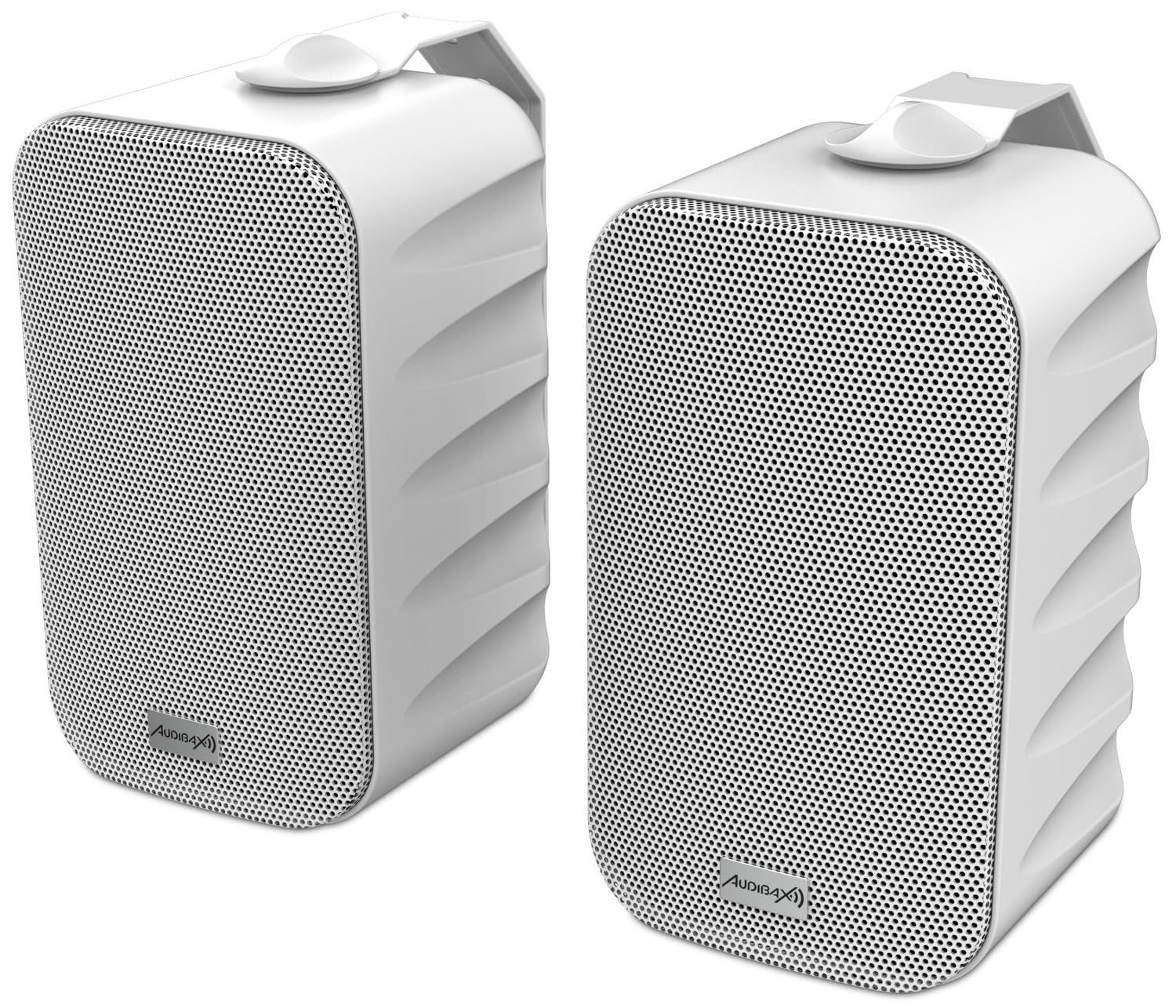
Figure 4.1: Front view of the Audibax Delta 42 BT speakers. These are compact, white speakers with a perforated metal grille, designed for clear audio output.

Figure 4.2: Side profile of one speaker, illustrating the integrated wall-mount bracket. The design allows for flexible positioning.
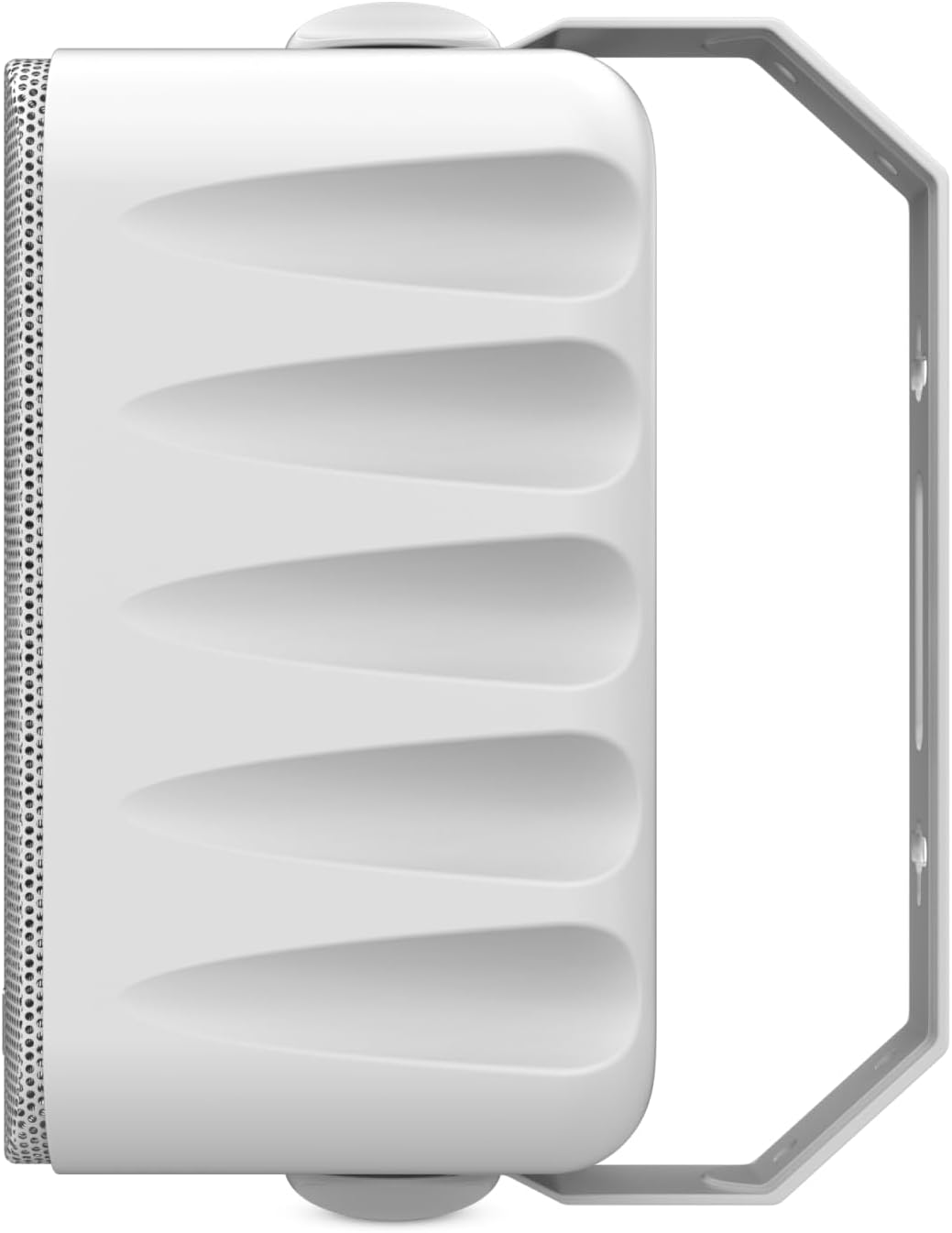
Figure 4.3: Rear view of the speakers, highlighting the power input (12V/2A), speaker output (L/R), and the TWS (True Wireless Stereo) pairing button. The active speaker connects to the passive speaker.

Figure 4.4: A graphic summary of the Audibax Delta 42 BT White model, indicating a power output of 15W + 15W, 4-inch speaker size, active (powered) type, Bluetooth connectivity, and white color.
5. Setup
5.1. Mounting the Speakers
The Audibax Delta 42 BT speakers are designed for wall mounting. Follow these steps for secure installation:
- Choose Location: Select a suitable wall location, ensuring it can support the weight of the speakers and allows for optimal sound dispersion.
- Mark Drill Points: Use the provided wall mounting brackets as a template to mark the drill points on the wall.
- Drill Holes: Drill pilot holes at the marked points. Insert wall anchors if necessary (for drywall).
- Attach Brackets: Securely fasten the mounting brackets to the wall using the provided screws.
- Mount Speakers: Carefully attach the speakers to the installed brackets. Ensure they are firmly seated and stable.

Figure 5.1: Example of Audibax Delta 42 BT speakers mounted on a wall, demonstrating their aesthetic integration into a modern living space.
5.2. Connecting the Speakers
The Audibax Delta 42 BT is an active speaker pair, meaning one speaker powers the other.
- Connect Active to Passive: Use the provided speaker connection cable to link the active speaker (with power input) to the passive speaker. Connect the 'L' terminal on the active speaker to the 'L' terminal on the passive speaker, and similarly for the 'R' terminals.
- Power Connection: Connect the power adapter to the 12V/2A DC input on the active speaker. Plug the power adapter into a suitable wall outlet.
- Power On: Once connected, the speakers will power on automatically or can be turned on using the control method (e.g., remote control).
6. Operating Instructions
6.1. Bluetooth Pairing
To connect your device via Bluetooth:
- Activate Bluetooth: Ensure the speakers are powered on and in Bluetooth pairing mode. An indicator light will typically flash.
- Enable Bluetooth on Device: On your smartphone, tablet, or other Bluetooth-enabled device, go to the Bluetooth settings.
- Select Speakers: Search for available devices and select "Audibax Delta 42 BT" from the list.
- Confirm Connection: Once paired, the speakers will emit a confirmation sound, and the indicator light will become solid.
The speakers support True Wireless Stereo (TWS) for enhanced stereo separation. Refer to the rear panel for the TWS pairing button if manual pairing is required between the two speakers.
6.2. Audio Playback
After successful Bluetooth pairing, you can play audio from your connected device. Use your device's volume controls or the provided remote control (if applicable) to adjust the playback volume.
7. Maintenance
Proper maintenance ensures the longevity and performance of your speakers:
- Cleaning: Use a soft, dry cloth to wipe the speaker surfaces. Do not use abrasive cleaners, waxes, or solvents.
- Dust: Regularly dust the speaker grilles to prevent accumulation that could affect sound quality.
- Storage: If storing the speakers for an extended period, disconnect them from power and store them in a cool, dry place.
8. Troubleshooting
If you encounter issues with your Audibax Delta 42 BT speakers, refer to the following common solutions:
| Problem | Possible Cause | Solution |
|---|---|---|
| No sound from speakers | Speakers not powered on; Volume too low; Bluetooth not connected; Cables loose. | Ensure power is connected and speakers are on. Increase volume on both speakers and source device. Re-pair Bluetooth. Check all cable connections. |
| Bluetooth not pairing | Speakers not in pairing mode; Device Bluetooth off; Speakers too far from device; Interference. | Ensure speakers are in pairing mode (flashing indicator). Turn Bluetooth on your device. Move device closer to speakers (within 10 meters). Turn off other Bluetooth devices. |
| Distorted sound | Volume too high; Poor audio source quality; Interference. | Reduce volume. Try a different audio source. Move speakers away from other electronic devices. |
| One speaker not working | Connection cable between active and passive speaker is loose or faulty. | Check the speaker connection cable between the active and passive units. Ensure it is securely plugged in at both ends. |
9. Specifications
Detailed technical specifications for the Audibax Delta 42 BT speakers:
| Feature | Specification |
|---|---|
| Model Name | Delta 42 BT White |
| Item Model Number | 10268263 |
| Brand | Audibax |
| Speaker Type | Monitor, Active (Powered) |
| Connectivity Technology | Bluetooth, Wireless |
| Bluetooth Range | 10 Meters |
| Audio Output Mode | Stereo |
| Number of Audio Channels | 2.0 |
| Frequency Response | 90 Hz - 20 kHz (from product title) |
| Woofer Diameter | 4 Inches |
| Tweeter Diameter | 0.5 Inches (from feature bullets) / 1.27 Centimeters |
| Power Output | 15W + 15W (from graphic) |
| Control Method | Remote Control |
| Mounting Type | Wall Mount |
| Material | Plastic |
| Color | White |
| Product Dimensions (L x W x H) | 30.5 x 21.5 x 13.5 cm |
| Item Weight | 2500 Grams (2.5 kg) |
| Power Source | Battery Powered (Note: Product description implies AC powered with adapter, this might be a generic spec field error. Assume AC powered via adapter.) |
| Compatible Devices | Smartphone, Tablet, Computers, other Bluetooth devices |
| Country of Origin | China |
10. Warranty and Support
For warranty information and technical support, please refer to the documentation included with your purchase or contact Audibax customer service. Keep your proof of purchase for warranty claims.


