
1. Introduction
Thank you for choosing the Singing Machine Cube Mini Karaoke System. This all-in-one portable karaoke system is designed to provide entertainment with its built-in speaker, wireless microphone, multi-colored LED lights, and various connectivity options. This manual provides essential information for setting up, operating, and maintaining your device to ensure optimal performance and enjoyment.
2. Package Contents
Please ensure all items listed below are included in your package. If any items are missing or damaged, please contact customer support.
- Singing Machine Cube Mini Karaoke System
- Wireless Microphone
- Charging Cable (USB)
- Instruction Manual

Image 2.1: The Singing Machine Cube Mini Karaoke System and its included wireless microphone.
3. Product Overview
Familiarize yourself with the main components and controls of your Cube Mini Karaoke System.

Image 3.1: Key features of the Cube Mini Karaoke System, including lead vocal removal, built-in speaker, up to 4 hours operating time, LED lights, dual mic jacks, and the wireless microphone.
3.1. Controls and Indicators
| Control/Indicator | Function |
|---|---|
| Power Button | Turns the unit On/Off. |
| Volume Knob | Adjusts the master volume of music and microphone. |
| Microphone Volume Controls | Adjusts the volume of individual microphones. |
| Mode Button | Switches between Bluetooth, Aux-in, and USB modes. |
| Voice Effects Button | Cycles through 22 professional voice effects. |
| Lead Vocal Removal Button | Reduces or removes lead vocals from tracks. |
| LED Light Button | Controls the multi-colored LED light show. |
| USB Port | For playing music from USB drives and recording performances. |
| Aux-in Jack | Connects external audio devices via a 3.5mm cable. |
| Microphone Jacks (x2) | Connects wired microphones for duet performances. |
4. Setup
4.1. Charging the Unit
The Cube Mini Karaoke System features a built-in rechargeable battery. Before first use, fully charge the unit for approximately 3-4 hours. Connect the provided USB charging cable to the unit's charging port and a standard USB power adapter (not included).
4.2. Microphone Battery Installation
The wireless microphone requires two (2) AA batteries (not included). To install:
- Unscrew the bottom cap of the wireless microphone.
- Insert two AA batteries, observing the correct polarity (+/-).
- Replace the bottom cap and screw it securely.
4.3. Powering On/Off
Press and hold the Power Button on the unit to turn it on or off. The display will illuminate when the unit is powered on.
5. Operation
5.1. Bluetooth Connection
To stream music wirelessly from your smartphone, tablet, or other Bluetooth-enabled device:
- Power on the Cube Mini. The unit will automatically enter Bluetooth pairing mode, indicated by 'bt' flashing on the display.
- Enable Bluetooth on your external device and search for 'Singing Machine'.
- Select 'Singing Machine' from the list of available devices to pair. A confirmation tone will sound upon successful connection.
- Begin playing music from your device.

Image 5.1: The Cube Mini displaying 'bt' for Bluetooth mode, connected to a smartphone playing music.
5.2. Aux-in Connection
To connect an external audio device using a 3.5mm audio cable (not included):
- Connect one end of a 3.5mm audio cable to the Aux-in jack on the Cube Mini.
- Connect the other end to the headphone jack or audio output of your external device.
- Press the Mode Button until 'AUX' appears on the display.
- Play music from your external device.
5.3. USB Playback
To play music from a USB flash drive:
- Insert a USB flash drive containing MP3 audio files into the USB port.
- Press the Mode Button until 'USB' appears on the display.
- The unit will automatically begin playing the first track. Use the playback controls (Play/Pause, Skip) to navigate tracks.
5.4. Using the Microphone
The Cube Mini includes one wireless microphone. Additional wired microphones can be connected to the two microphone jacks.
- Ensure the wireless microphone has fresh batteries and is powered on.
- Adjust the microphone volume using the dedicated controls on the unit or the microphone itself.
- For optimal sound, hold the microphone close to your mouth.
5.5. Voice Effects
The system offers 22 professional voice effects to enhance your performance. Press the Voice Effects Button repeatedly to cycle through the available effects. Experiment to find your preferred sound.
5.6. Lead Vocal Removal
Activate the Lead Vocal Removal Button to reduce or eliminate the main vocals from most songs, allowing you to sing along more prominently.
5.7. LED Light Show
The multi-colored LED lights sync with the music, creating a dynamic visual experience. Press the LED Light Button to turn the lights on or off.
5.8. Recording Performances
You can record your singing performances directly to a USB flash drive inserted into the USB port. Refer to the unit's display for recording indicators and controls.
5.9. Singing Machine App
Enhance your karaoke experience by pairing the Cube Mini with the Singing Machine App (available for download). The app provides access to a catalog of licensed songs, allows you to queue songs, use lead vocal removal, and select video backgrounds. Note that some features within the app may require a subscription.
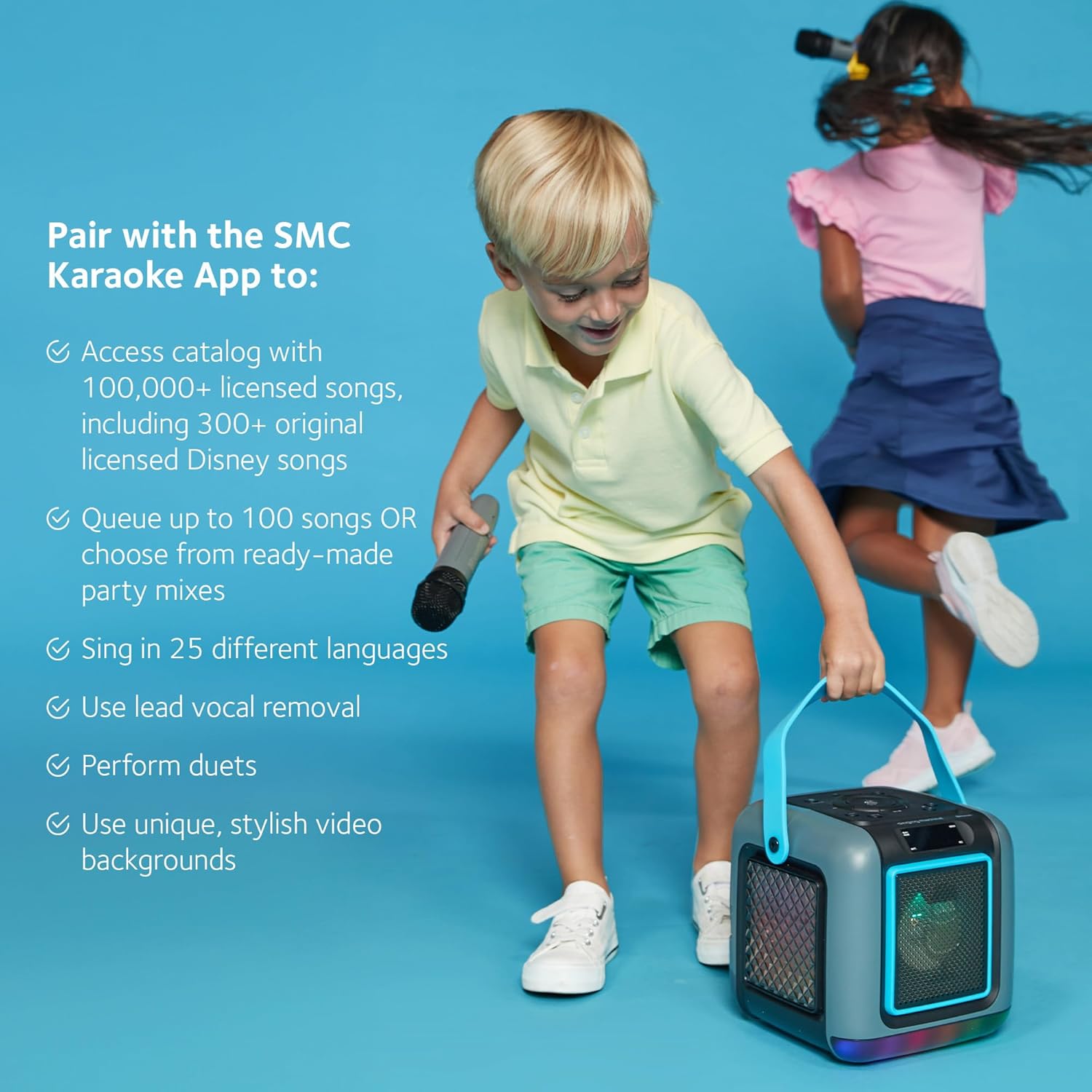
Image 5.2: The Singing Machine App interface on a smartphone, showing song selection and features, used in conjunction with the Cube Mini.
6. Maintenance
6.1. Cleaning
Wipe the unit and microphone with a soft, dry cloth. Do not use abrasive cleaners or solvents, as they may damage the finish. Ensure the unit is powered off and unplugged before cleaning.
6.2. Storage
When not in use, store the Cube Mini in a cool, dry place away from direct sunlight and extreme temperatures. If storing for an extended period, ensure the battery is partially charged and remove batteries from the wireless microphone to prevent leakage.
7. Troubleshooting
If you encounter issues with your Cube Mini Karaoke System, refer to the table below for common problems and solutions.
| Problem | Possible Cause | Solution |
|---|---|---|
| No power | Unit is not charged or not powered on. | Charge the unit fully. Press and hold the Power Button to turn on. |
| No sound from speaker | Volume is too low or muted. Incorrect input mode selected. | Increase master volume. Ensure correct mode (Bluetooth, Aux, USB) is selected. Check external device volume. |
| Microphone not working | Microphone batteries are low or incorrectly inserted. Microphone volume is low. | Replace microphone batteries. Check battery polarity. Increase microphone volume on the unit and microphone. |
| Bluetooth pairing failed | Device is out of range. Bluetooth is not enabled on external device. | Ensure devices are within 30 feet. Enable Bluetooth on your device and re-scan. |
| Sound distortion | Volume is too high. | Reduce the master volume on the unit and/or the external device. |
8. Specifications
| Feature | Detail |
|---|---|
| Model Number | SML668G |
| Power Source | Battery Powered (Rechargeable) |
| Connectivity | Bluetooth, Aux-in, USB |
| Item Weight | 2 Pounds (0.91 kg) |
| Product Dimensions (L x W x H) | 7.9 x 7.9 x 8 inches (20.07 x 20.07 x 20.32 cm) |
| Speaker Count | 1 |
| Operating Time | Up to 4 hours (on full charge) |
| Microphone Type | Wireless (requires 2 AA batteries) |
| Voice Effects | 22 |
| UPC | 047237006689 |
9. Warranty and Support
The Singing Machine Cube Mini Karaoke System is manufactured by Singing Machine. For warranty information, technical support, or customer service inquiries, please refer to the contact information provided on the product packaging or visit the official Singing Machine website. Please retain your proof of purchase for warranty claims.


